
Release Notes - 8 January 2026
Activities & Delegation
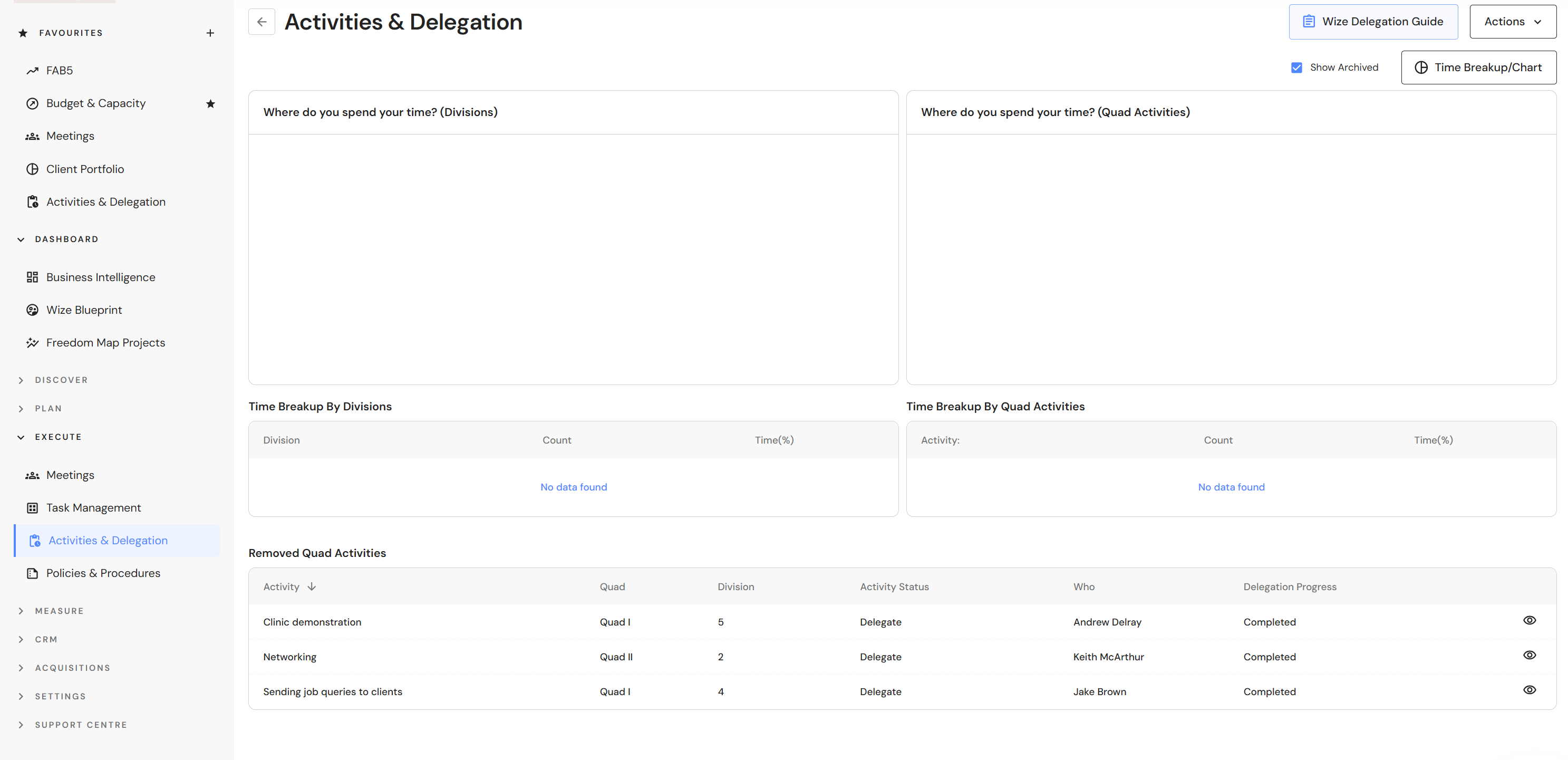
Show Archived Activities in Time Breakup/Chart
Users can now view archived activities in the time breakup/chart.
Go to Execute > Activities & Delegation
- Click on the 'Time Breakup/Chart' button.
- Click the 'Show Archived' checkbox.
Client Portfolio
Bulk Delete Clients/Groups
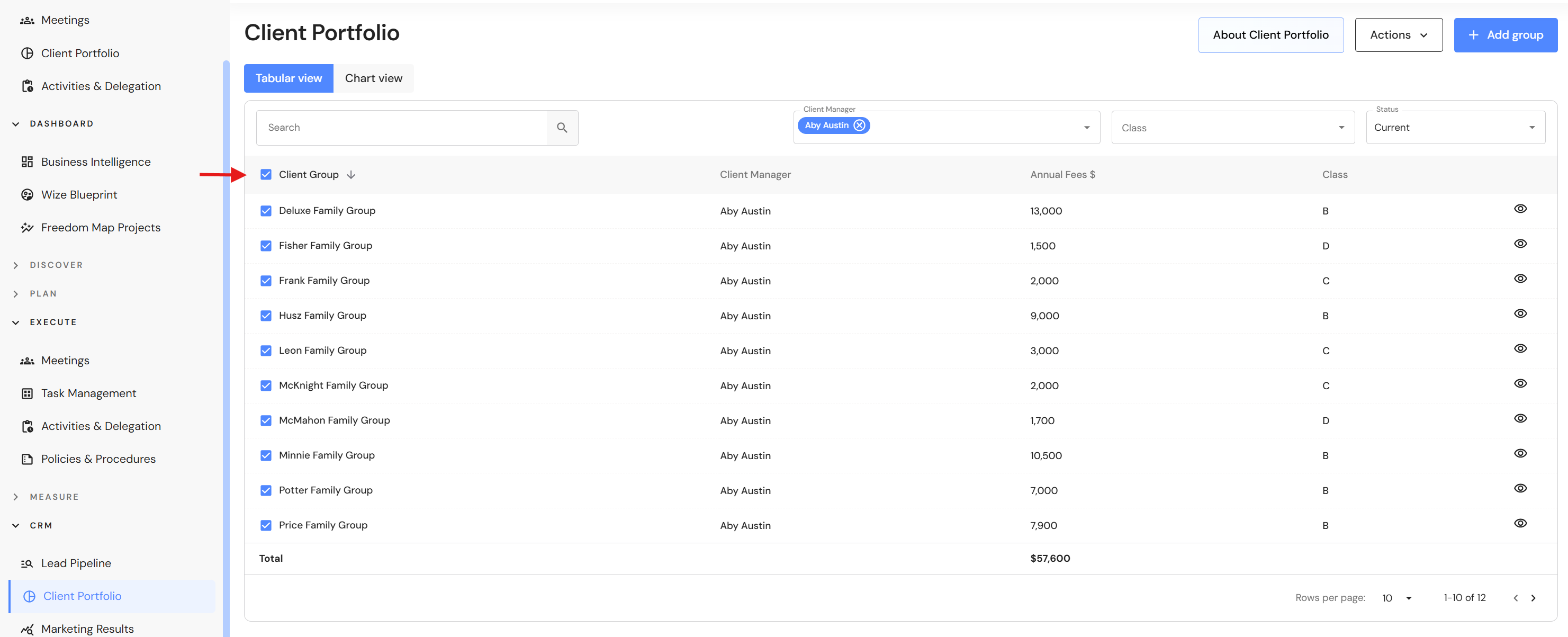
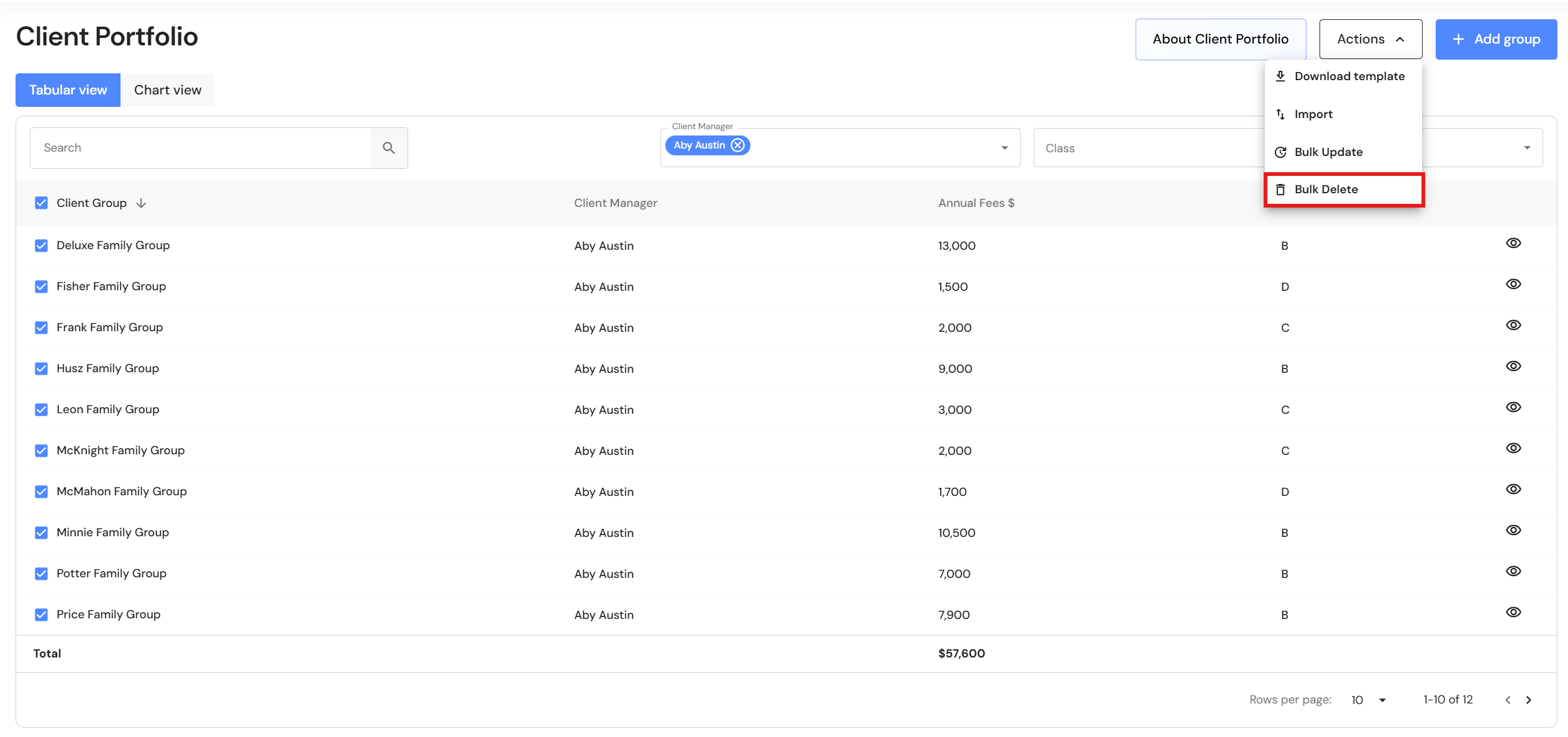
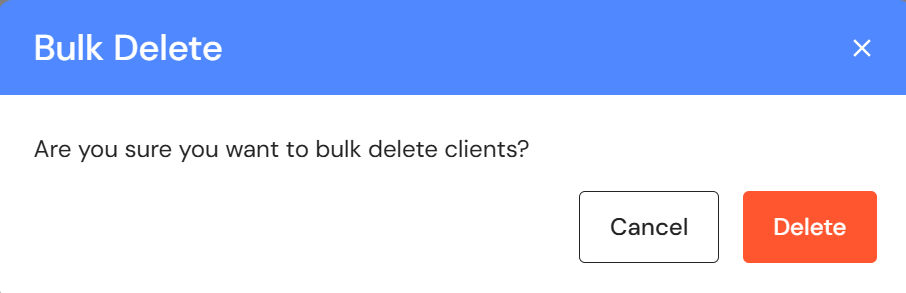
Users can now bulk delete clients in the Client Portfolio, making it fast and efficient to clear old data and re-import an updated list of clients.
Go to CRM > Client Portfolio
- Click on the checkbox next to the group name.
NB* Use the filters to isolate your client list by client manager and/or class.
- Click on the 'Actions' button and select 'Bulk Delete'.
- Click on 'Delete'.
Budget & Capacity
Syncing New Teams in FAB5 Schedules
Previously, users would add a new team to the Budget & Capacity plan and be required to click on 'Sync Team' across every FAB5 schedule to view and update team details. We have streamlined this process by adding a single 'Refresh and sync teams' in the Budget & Capacity plan. The feature will sync teams across every FAB5 schedule.
Go to Plan > Budget & Capacity
- After you have added your team, click on the 'Actions' button.
- Click on 'Refresh and sync teams'.
- Your teams will be added to the following FAB5 schedules*:
- Fees
- EBITDA
- Write Offs
- Lockup
- Fees Won & Lost
- Client NPS
- Team NPS
* The Budget & Capacity plan must be linked to FAB5 schedules for the sync to work.