
Adding Client Managers to the Lead Pipeline, Revenue Won & Lost and Client Portfolio
Background and Context
Your sales team's success at winning new clients is shown in the FAB5 Sales KPI as 'Prospects to Clients %'. The percentage comes from the Lead Pipeline while the financial metrics comes from the Revenue Won & Lost module.
The Sales KPI is reliant on a team member being part of a production team (and capacity plan), while equally being part of the sales division.
To ensure that leads and prospects are only assigned to Senior Client Managers (SCM) and Assistant Client Managers (ACM) responsible for a team's sales results, the Lead Pipeline and Revenue Won & Lost must exclude all other team members from being assigned to potential new clients.
This is done by meeting two conditions before client managers appear in the 'Allocated Client Manager' dropdown list. The two conditions are:
- The SCM and ACM must be added to the sales division; and
- The SCM and ACM must be part of a team in the production division.
If a Client Manager does not appear in the Lead Pipeline or Revenue Won & Lost, check your sales and production division in Plan > Ideal Teams.
If a Client Manager is removed from the sales division and/or a production team in the future, the Client Manager will no longer appear in the 'Allocated Client Manager' dropdown list. Historical information associated with the former Client Manager will be retained and users can still filter on the manager's historical clients.
The Client Portfolio segments clients by SCMs and ACMs so these settings extend to this module.
Adding an SCM and ACM to the Sales Division
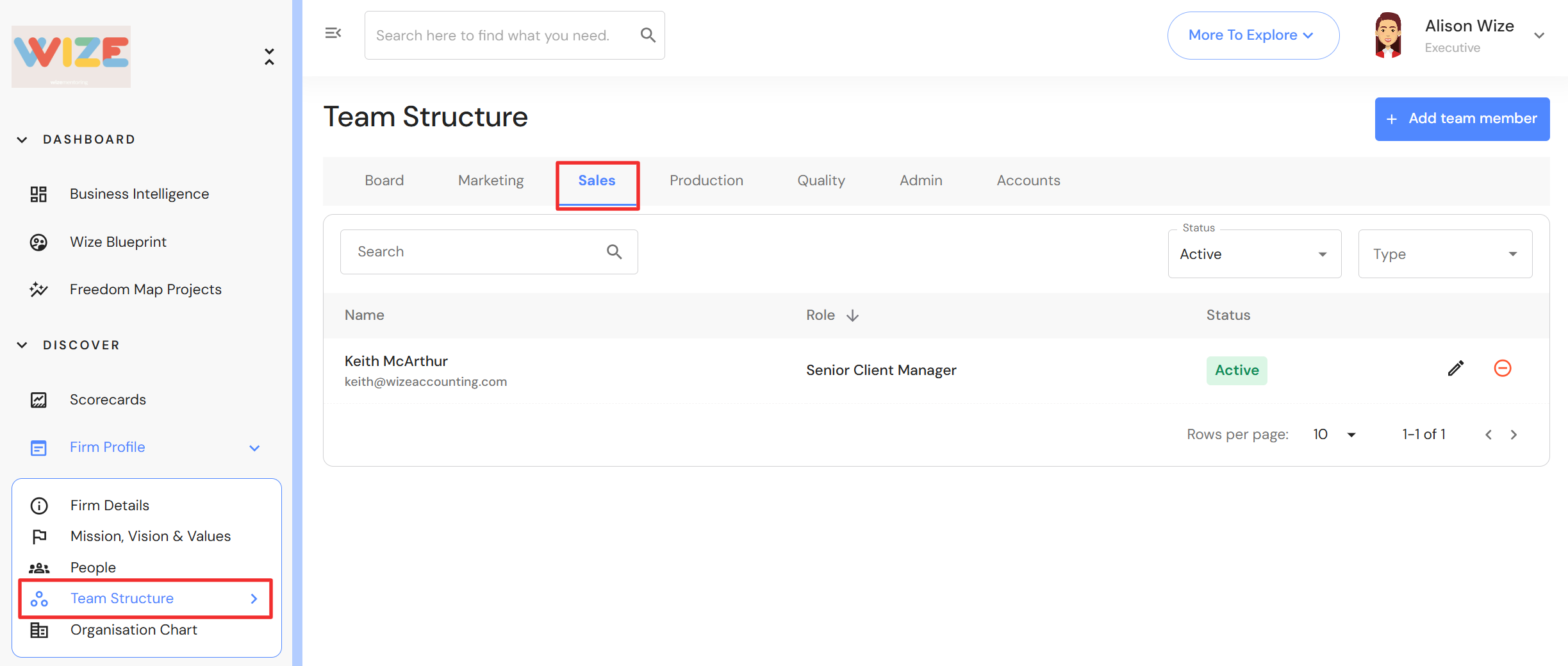
In the side menu, navigate to Plan > Ideal Teams.
- Click on the 'Sales' tab.
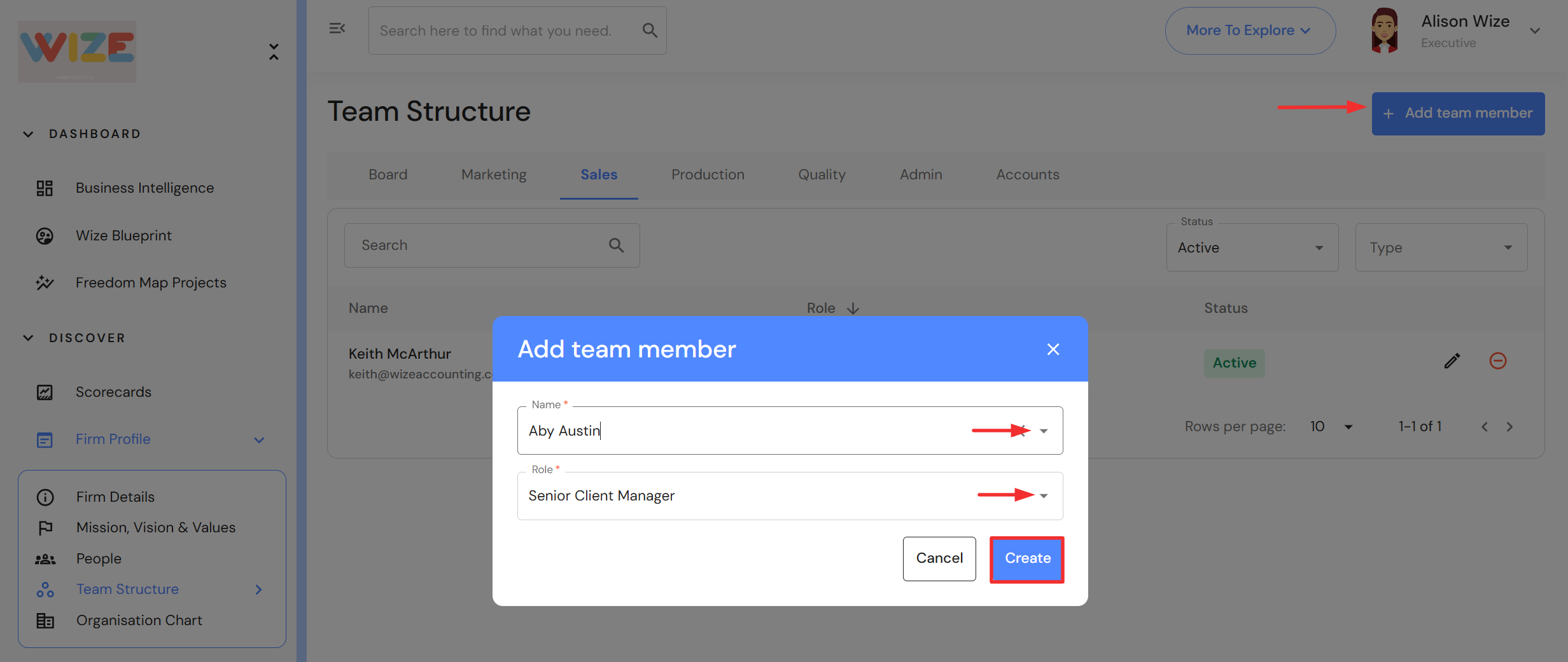
- Click on '+ Add team member'.
- Select a team member.
- If a role has been assigned to their People profile, it will automatically prefill here. Alternatively, select a sales division role from the dropdown list to assign a different role for the Sales division.
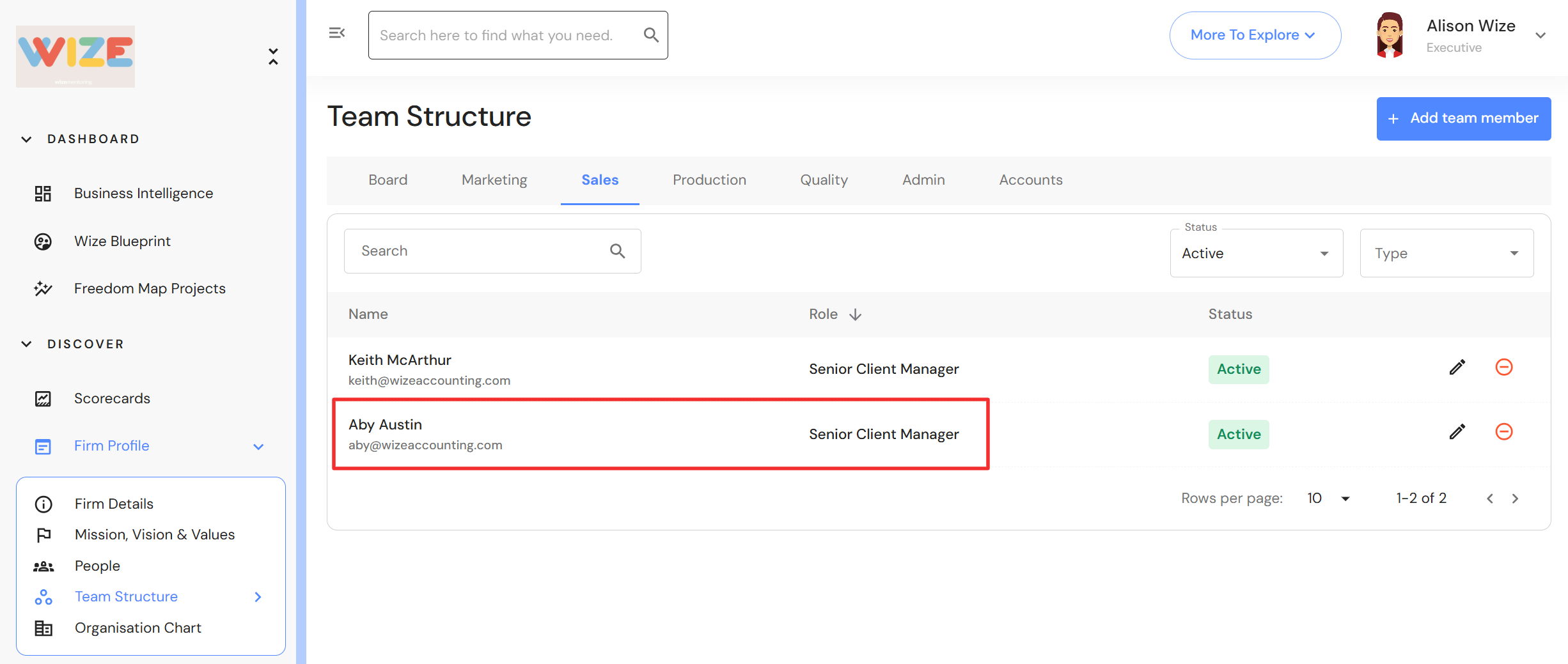
- Click 'Create'.
- The team member is now added to the Sales division.
Adding an SCM and ACM to the Production Division
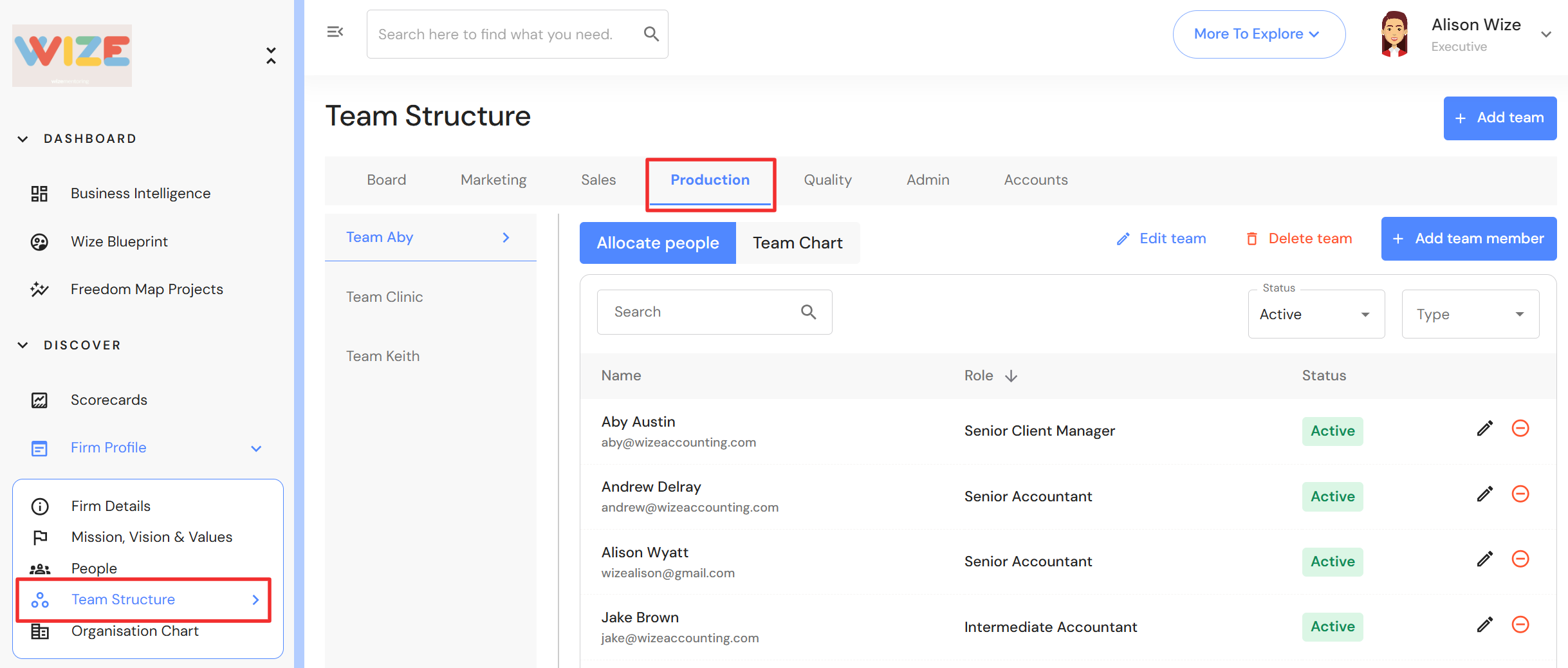
In the side menu, navigate to Plan > Ideal Teams.
- Click on the 'Production' tab.
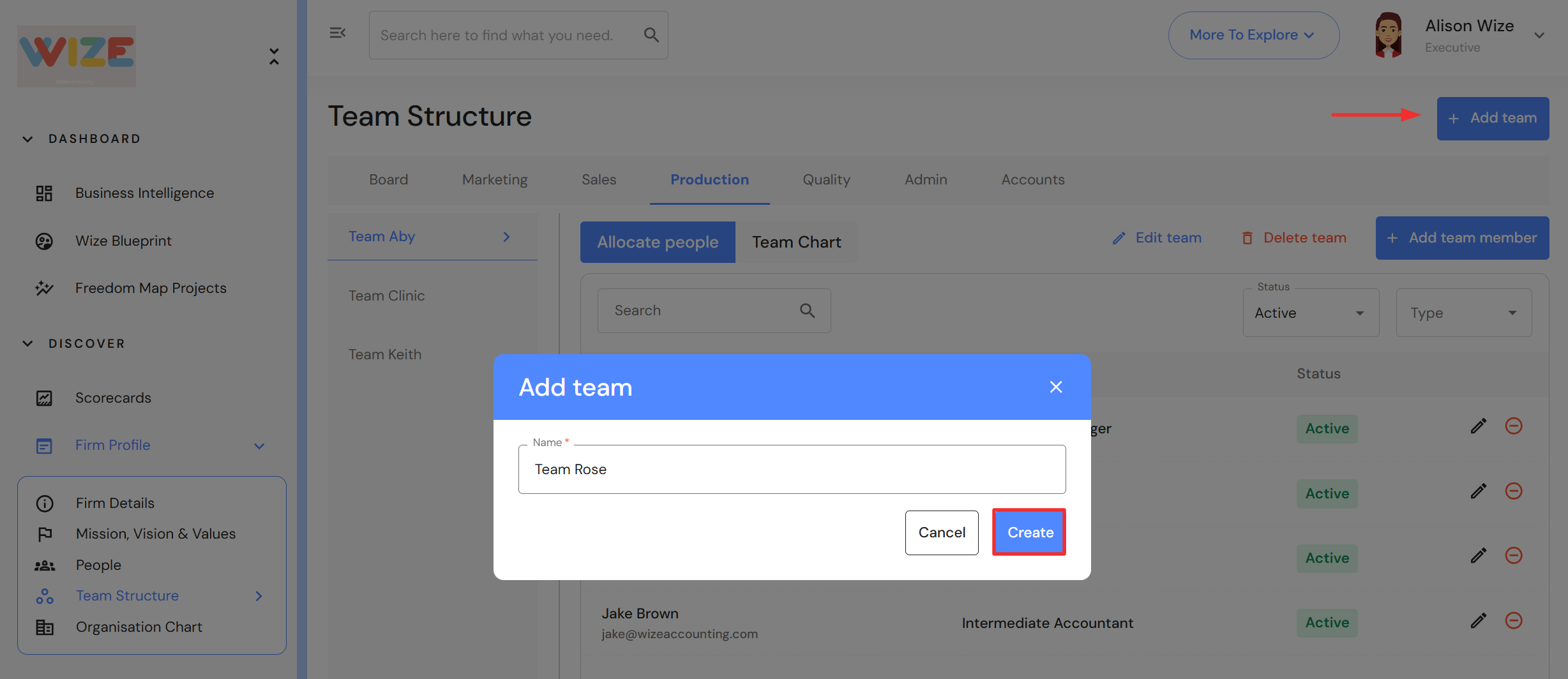
- If you do not have any teams yet, click on '+ Add team'.
- Type a team name and click 'Create'.
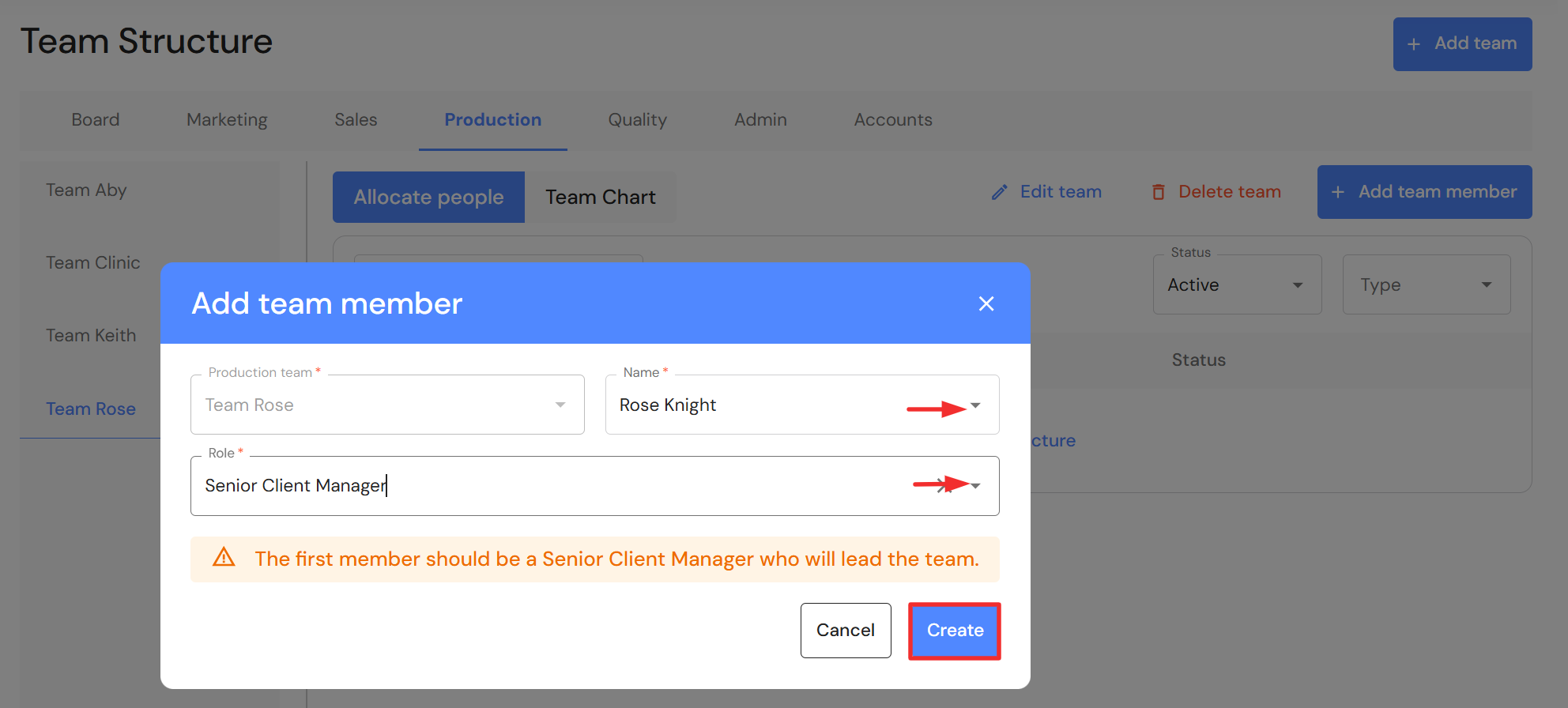
- Select a team member. NB* The first person added to the team is the Senior Client Manager responsible for team results.
- If a role has been assigned to their People profile, it will automatically prefill here. You can choose a role from the dropdown list to assign a different role for the Production division.
- Click 'Create'.
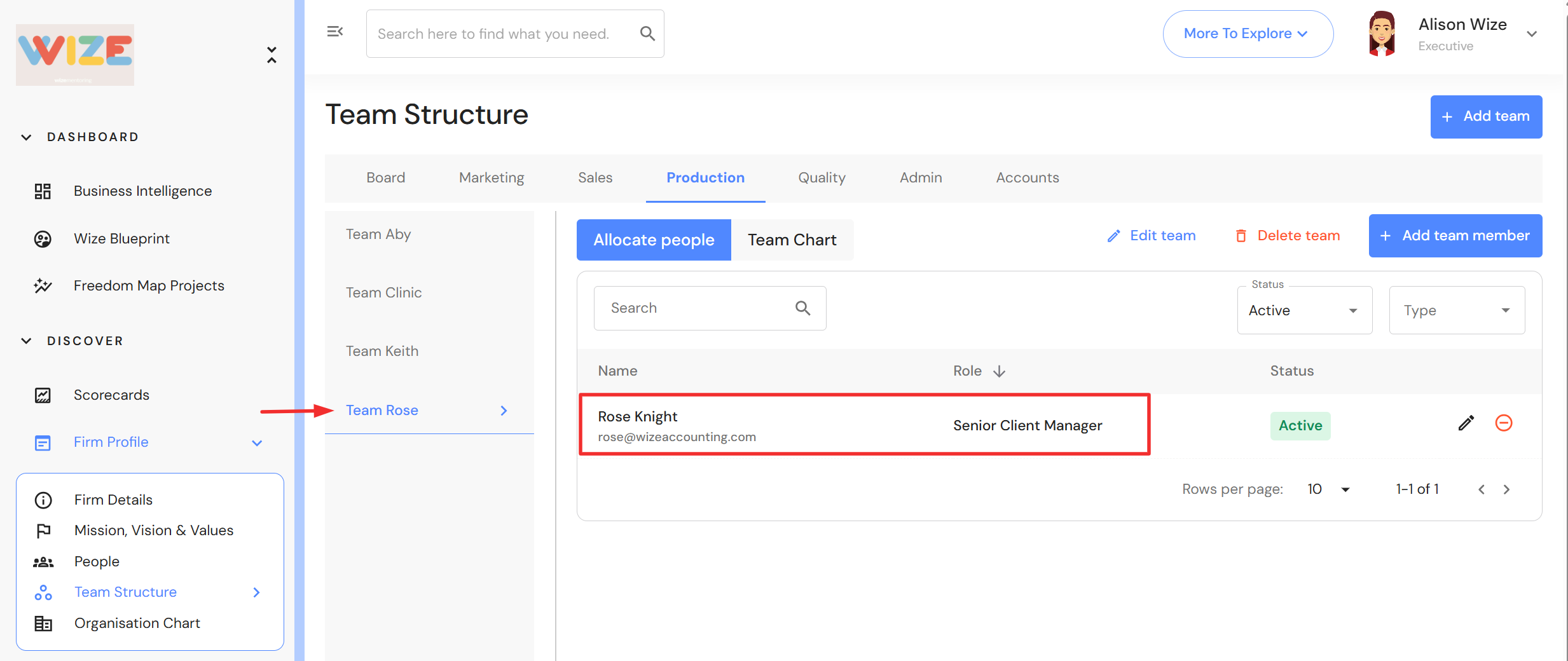
- The team member is now added to a team in the Production division.
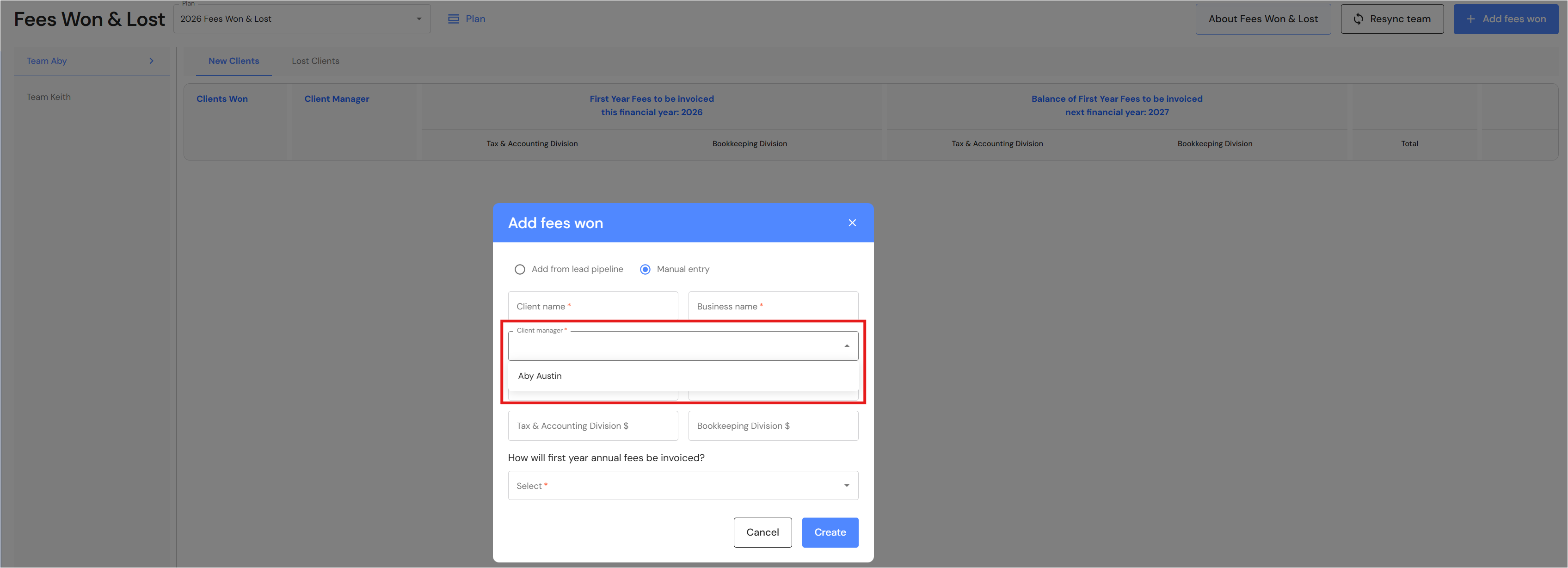
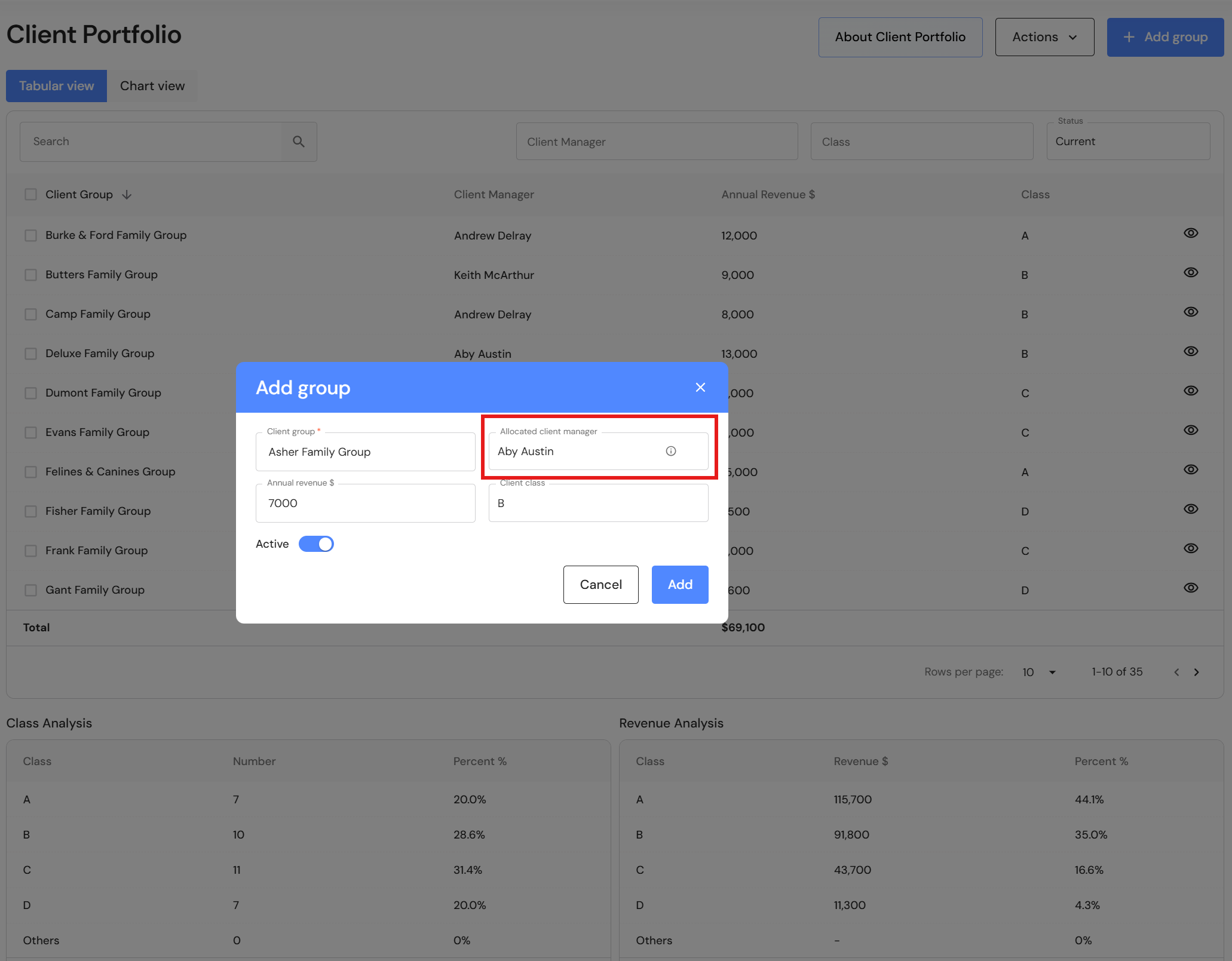
After you add SCMs and ACMs in both the sales and production division, they will appear as Client Managers in:
- Execute > Lead Pipeline
- Measure > Financial Metrics > Revenue Won & Lost
- Plan > Client Portfolio
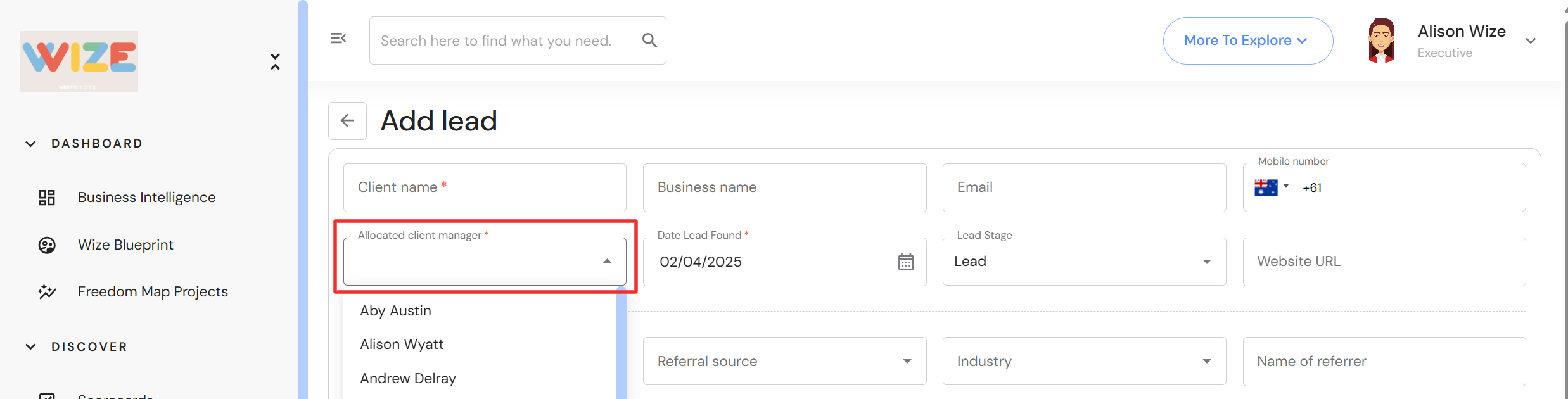
Lead Pipeline
Revenue Won & Lost
Client Portfolio