Error message 'User Access Denied'
If you tried to perform an action and received a message 'User Access Denied', this usually means the user role is not linked to an employee profile.
To resolve this, go to Settings > Manage Users and link the user to an employee.
Refer to Manage Users for further guidance.
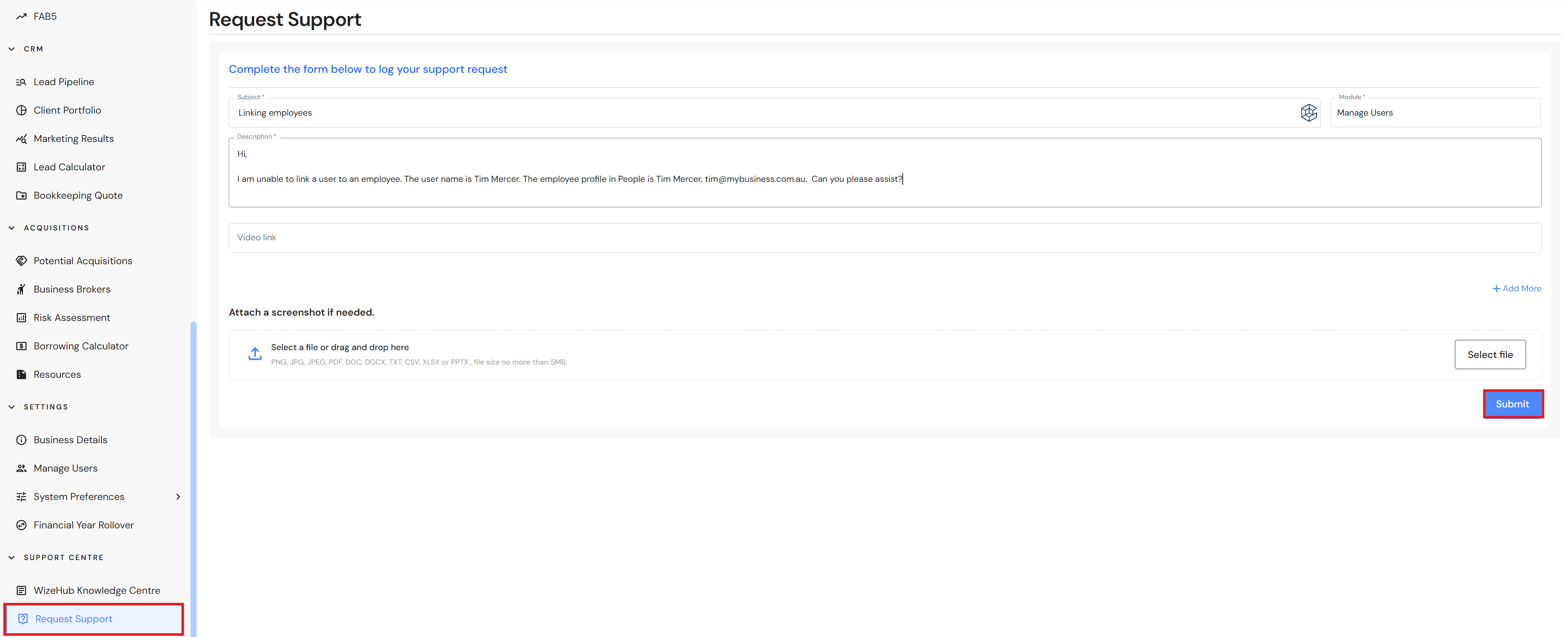
If the option to link an employee is missing, please log a support ticket with details of the user name and employee profile name & email, and our team will escalate a manual correction.
To log a support ticket, go to Support Centre > Request Support
- Complete the subject.
- Select the module you need assistance with i.e. Manage Users.
- Provide details of the problem in the description.
- Click on 'Submit' to log a support ticket.