
Release Notes - 11 June 2025
Stay in the loop with WizeHub product updates.
Client Portfolio
Archiving Client Groups
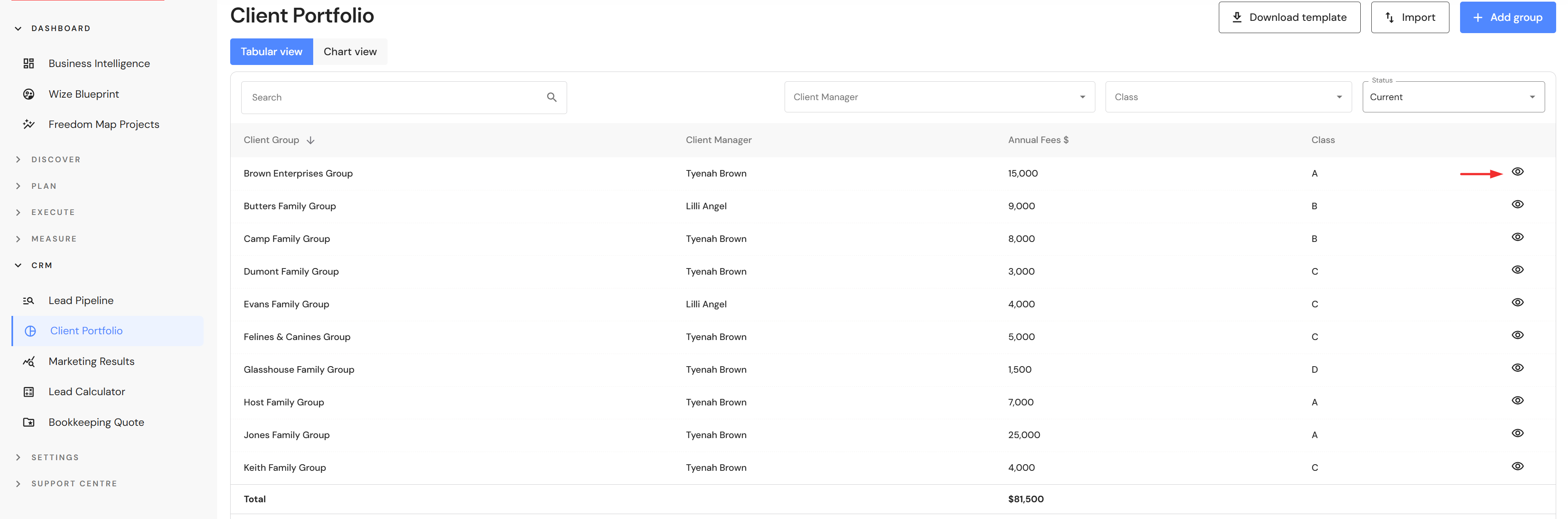
Users can now archive client groups in the Client Portfolio module. To archive a client group, go to CRM > Client Portfolio.
- Click on the view icon.
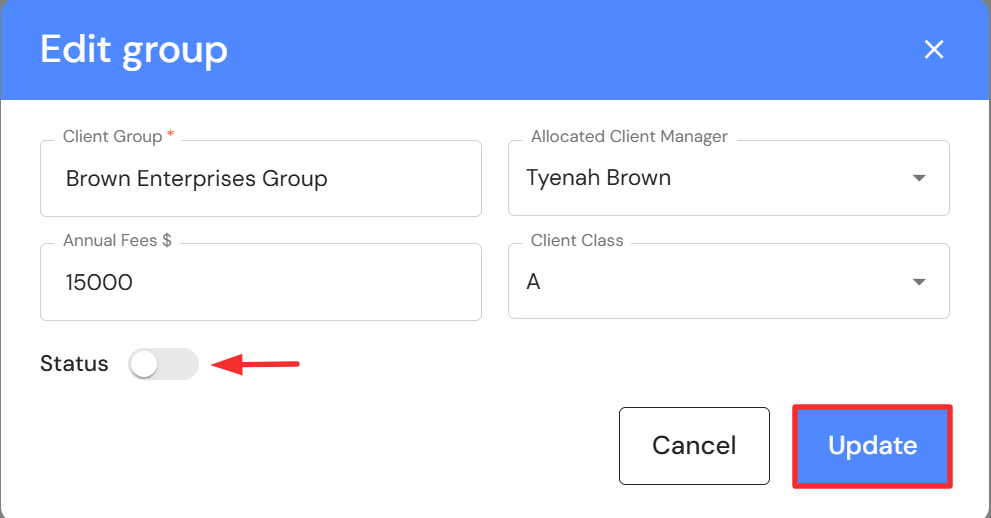
- Click on 'Edit'.

- Switch the status toggle to off and click on 'Update'.
- To view the list of archived client groups, change the status filter from 'Current' to 'Archived'.
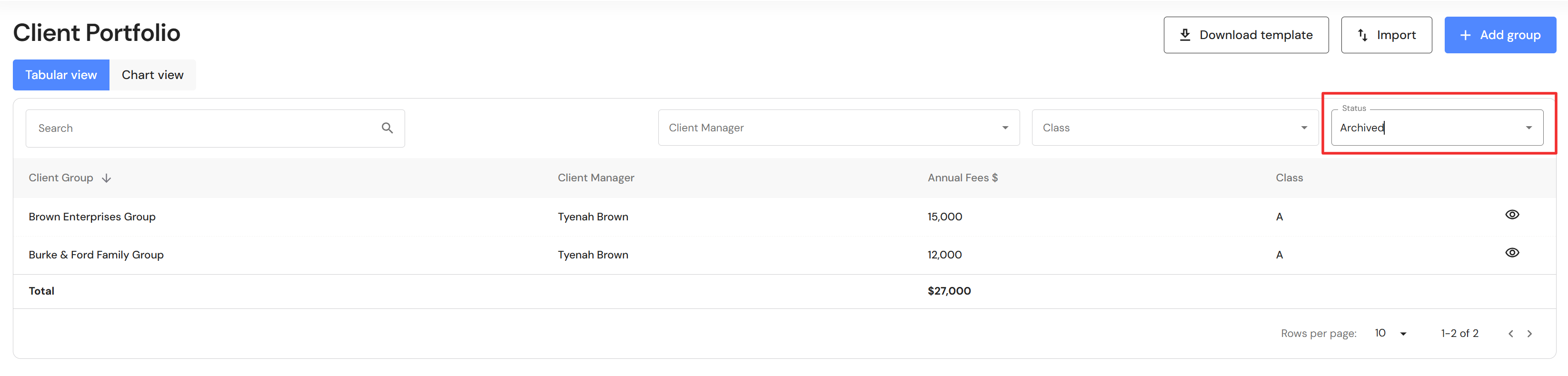
Once archived, groups are excluded from the client analysis data.
Meetings
Re-design of meetings
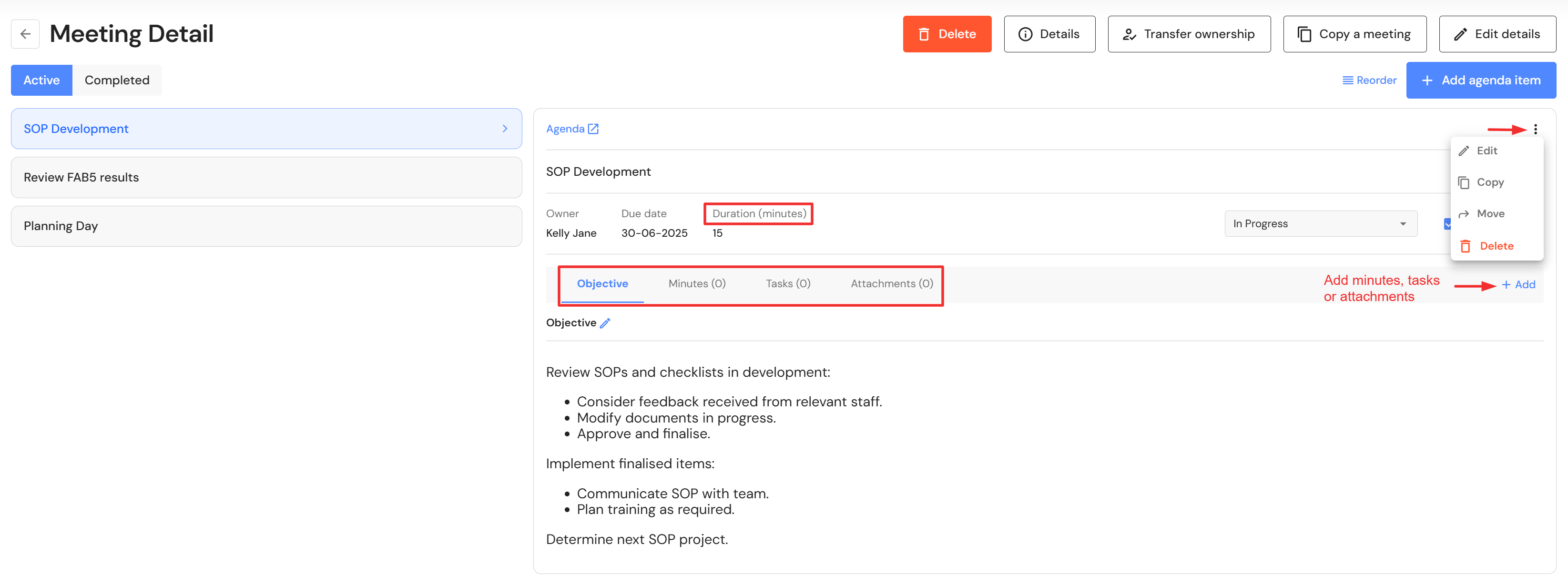
We have condensed the meeting agenda interface to deliver visual clarity, while also making it easier to add minutes and assign tasks 'on the fly' as you progress through each meeting topic.
The key updates include:
- the option to view the meeting agenda and accompanying details side-by-side or view a single agenda in full screen.
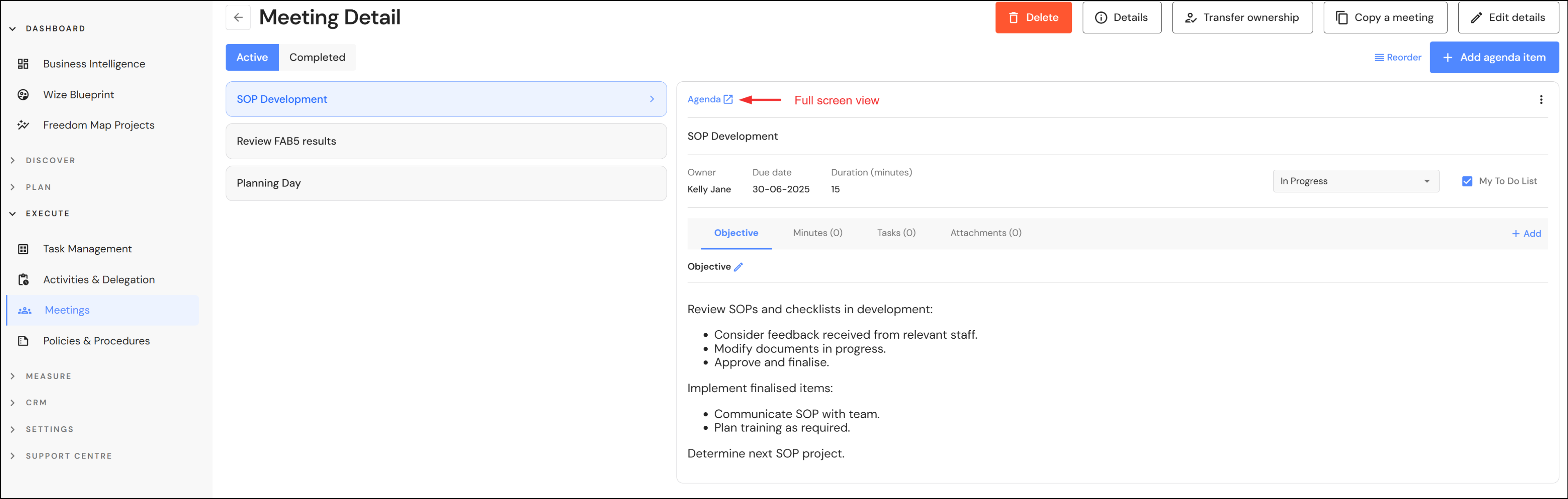
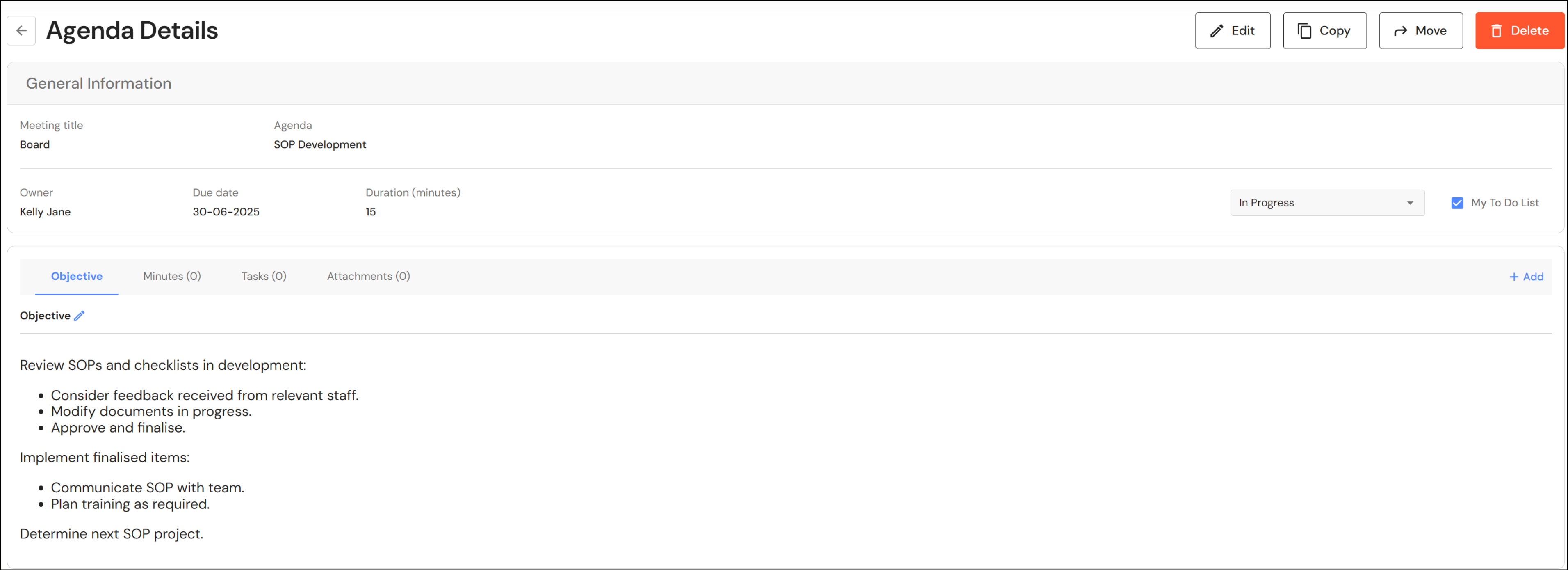
- a 'Duration (minutes)' field allows users to assign a discussion timeframe to each agenda item to help attendees stay on track and finish the meeting on time.
- a cleaner design by grouping the objective, minutes, tasks and attachments together. Minutes, tasks and attachments can be added without leaving the objective screen.
Minor Updates
Copying meeting agendas
When a user copies a meeting agenda to another meeting, archived meetings are now excluded from the list.
Activities & Delegation available for Administration Team & CFO users
Administration Team and CFO user roles now have access to the Activities & Delegation module.