
Ideal Income
The Ideal Income module is where you plan your desired income to support your Ideal Lifestyle. The calculator will determine the minimum revenue your business needs to generate to reach your goal, while giving a benchmark for cost of goods sold and operating expenses.
Get the full planning picture and motivate your growth objectives by completing all three interrelated modules:
- Ideal Lifestyle
- Ideal Income
- Growth Plan
Go to Plan > Ideal Income
NB* This module is available for Executive users.
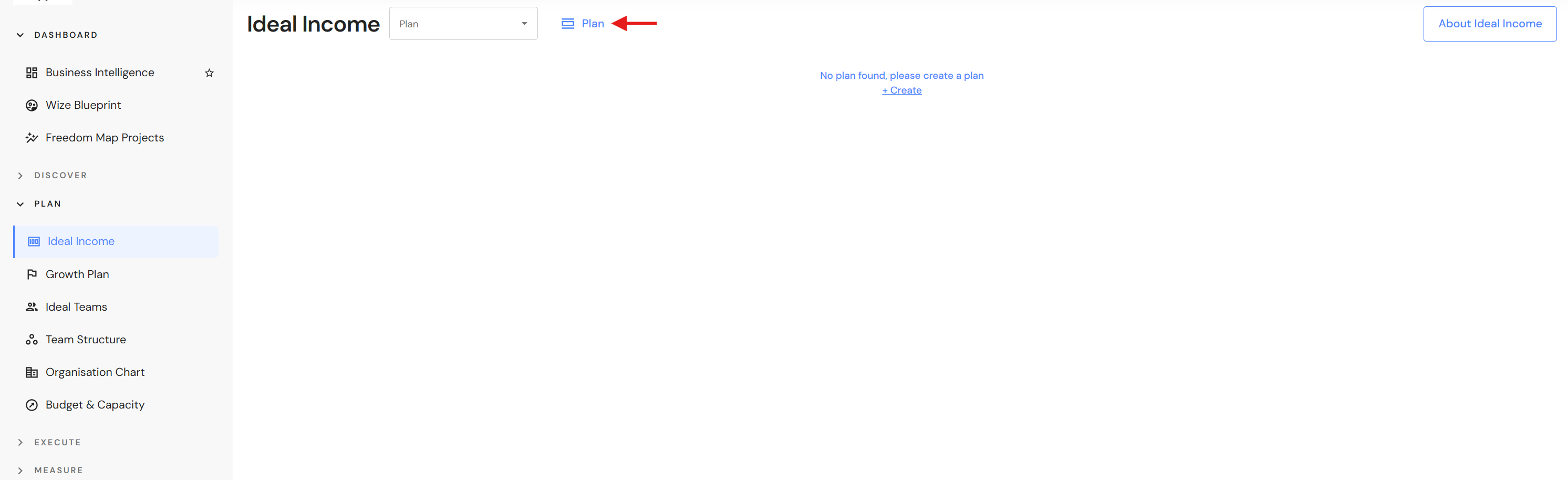
- Click on 'Plan' (or '+ Create' for first time plans).
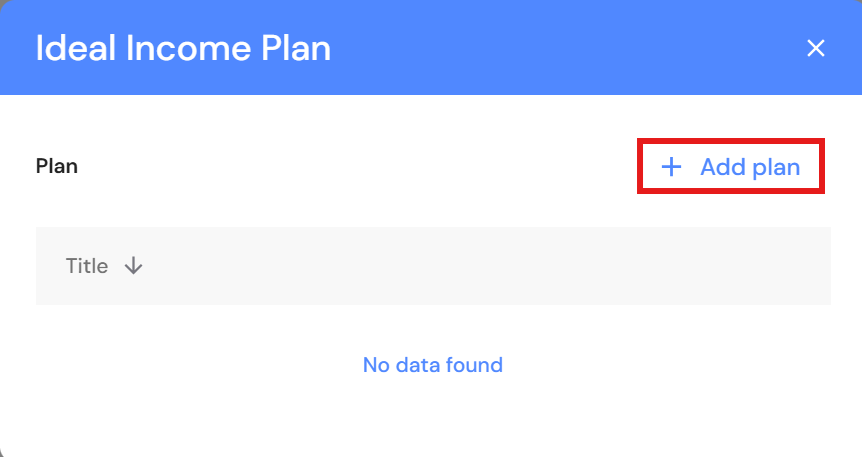
- Click on '+ Add plan'.
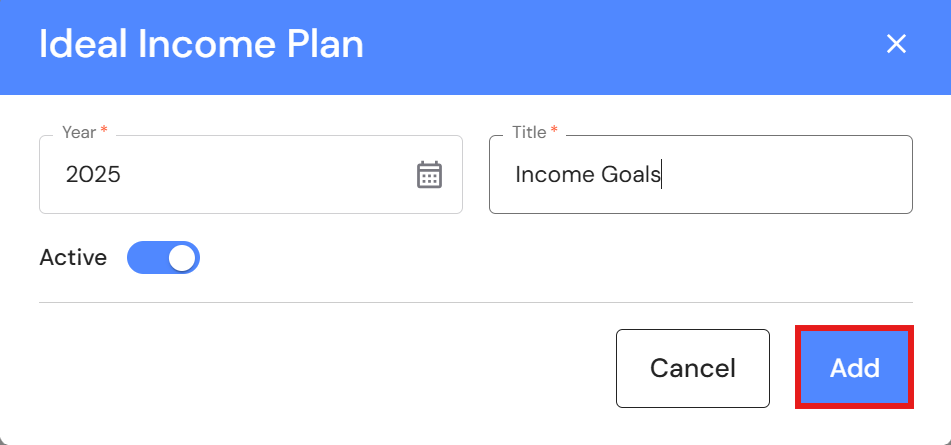
- Select the year.
- Add a title.
- Switch the active toggle on and click on 'Add'.
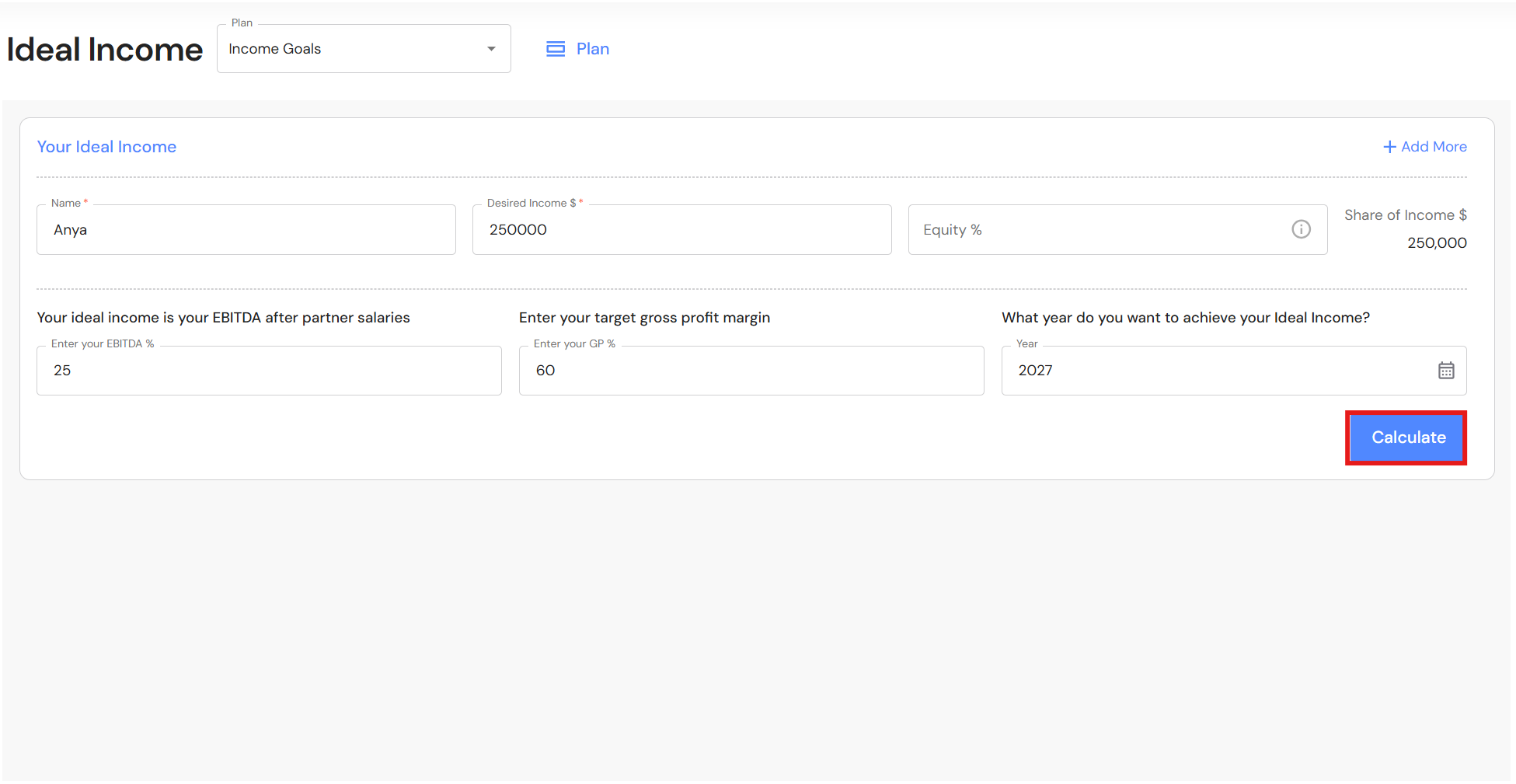
- Complete the following fields:
- Single owner business
- Name
- Desired Income $ - Enter the income after the owner salary for working in the business.
- Equity % - Leave blank or enter 100%.
- Enter your EBITDA% - Typically 25%.
- Enter your GP% - Typically 60%.
- Year - The year you want to achieve your desired income.
- Click on 'Calculate'.
- Multi-owner business
- Name
- Desired Income $ - Enter the income after owner salaries for working in the business.
- Equity % - Enter the equity holding of the first owner.
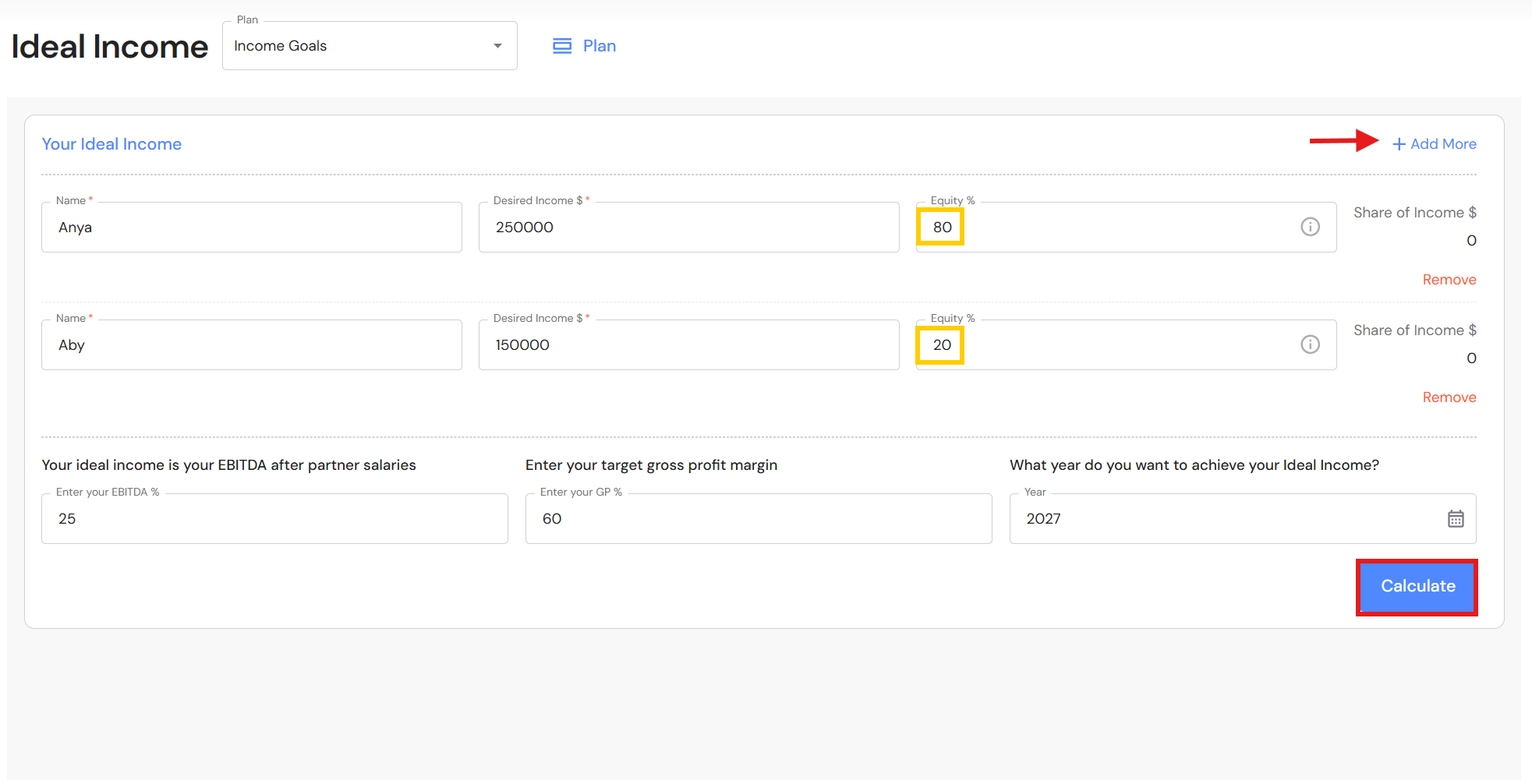
- Click on '+ Add More' and enter details of remaining owners.
- Enter your EBITDA% - Typically 25%.
- Enter your GP% - Typically 60%.
- Year - The year you want to achieve your desired income.
- Click on 'Calculate'.
- Single owner business
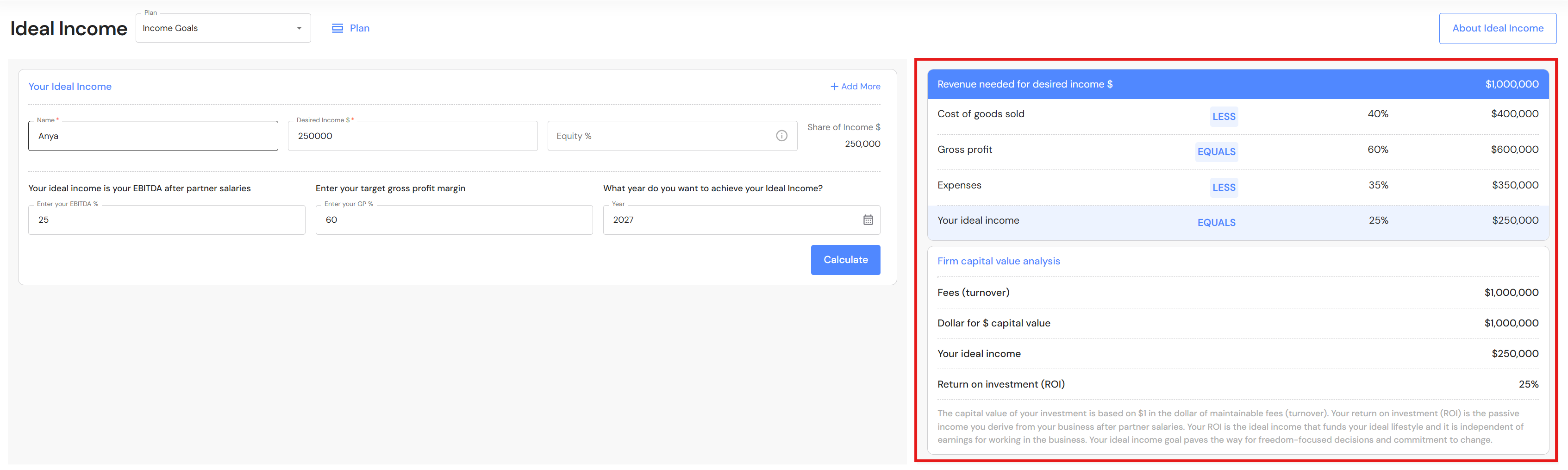
Calculation FAQs
What happens if you leave equity holdings blank for multi-owner business?
The calculator will combine the desired income of all owners and use this as the baseline ideal income. This may not produce the right outcome if the income-to-equity ratio for each owner is not equal.
How does the calculator prioritise results when the desired income and equity doesn't match?
When owners in a multi-owner business have different equity holdings and income expectations, the calculator ensures that each owner’s desired income can be met, even if those expectations are not proportional to their equity share.
Principle
The calculator uses the highest income-to-equity ratio among owners as the baseline for determining the business' ideal income and revenue target. This ensures that the owner with the most ambitious income goal relative to their equity can achieve it.
- Compare Desired Income vs. Equity Share
For each owner, calculate the ratio: Desired Income \ Equity Share
This shows how much income each owner wants per unit of equity.
- Identify the Highest Ratio
The owner with the highest ratio sets the benchmark. This means the business must generate enough profit so that this owner's income goal is met.
Example
- Anya: 80% equity, wants $250,000
- Aby: 20% equity, wants $150,000
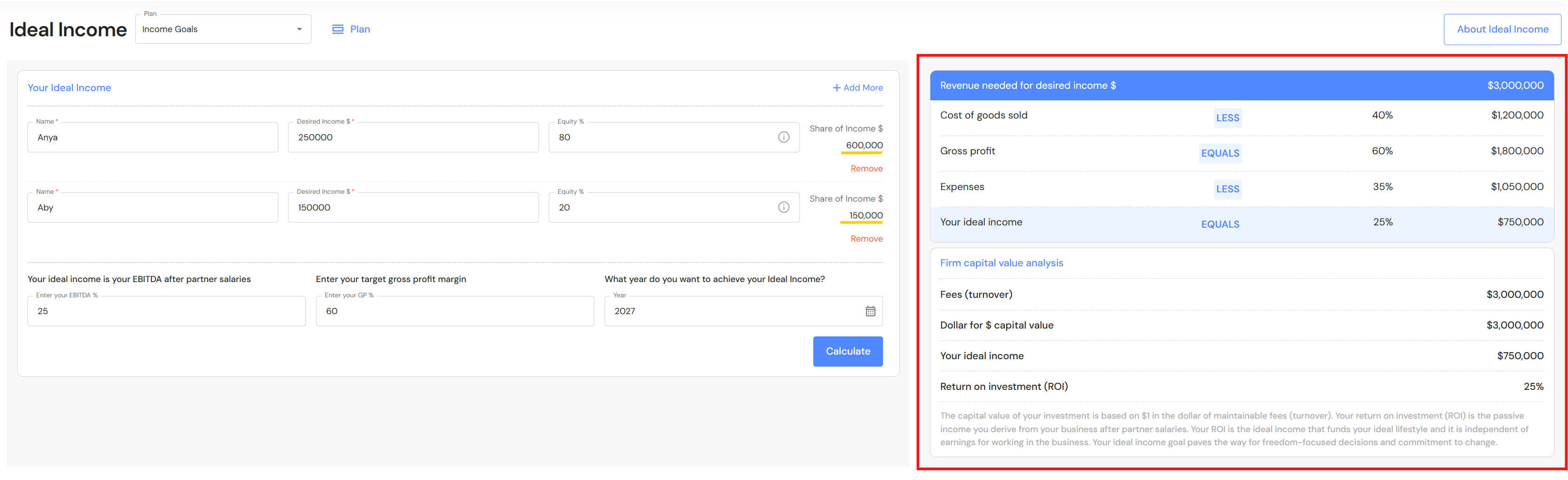
Aby’s income-to-equity ratio is higher: 150,000 ÷ 0.20 = 750,000 vs. Anya’s 250,000 ÷ 0.80 = 312,500.
So the business' ideal income is based on Aby’s ratio: $150,000 x (1/.20) = $750,000
When the business earns $750,000 net profit:
- Aby gets $150,000 (20%)
- Anya gets $600,000 (80%)