Meetings: Import a Meeting Template
This article explains how to import a meeting template into a meeting.
A meeting template is a pre-defined list of meeting agenda items. Rather than adding agenda items one-by-one, users can create a meeting template and import all the agendas at once. To learn how to create a template, refer to Meeting Agendas & Templates.
Your WizeHub comes with a pre-defined list of meeting templates to help business owners get started with meetings and establish their own meeting rhythms and routines.
Import a Meeting Template
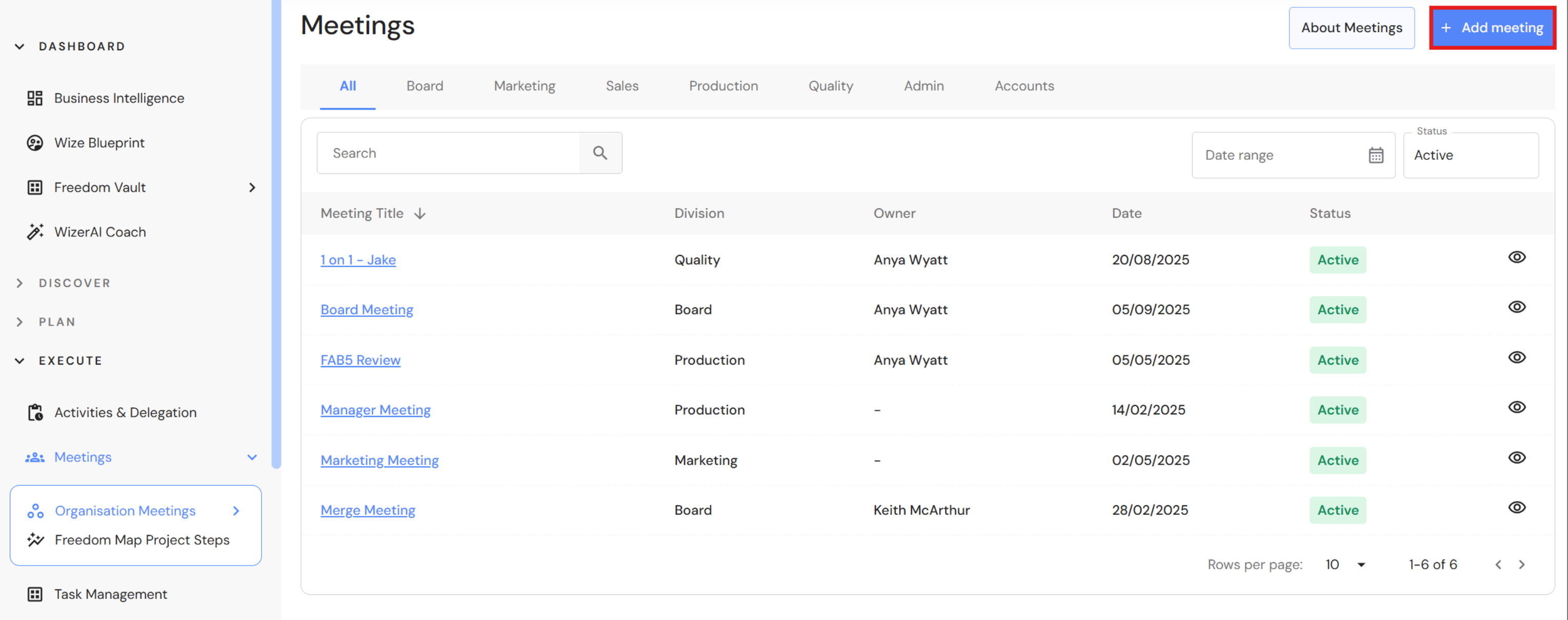
Go to Execute > Meetings
- Click '+Add meeting'
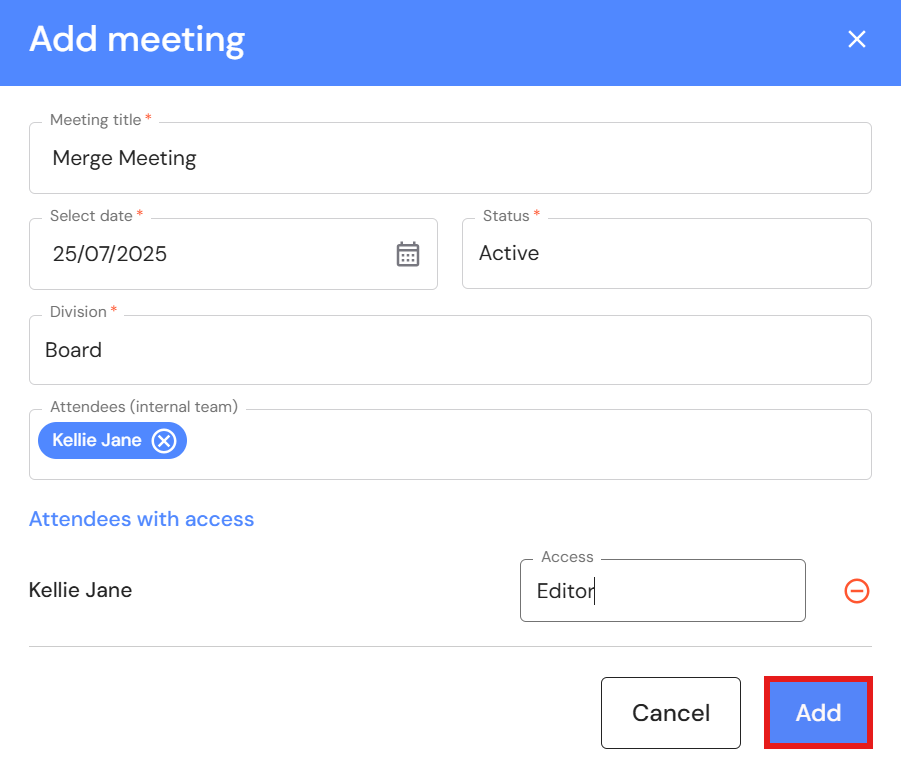
- Add a meeting title e.g. Merge Meeting.
- Select a meeting date.
- Select a category (optional).
- Include additional attendees (optional). Select Viewer or Editor access for each attendee.
- Click 'Add'.
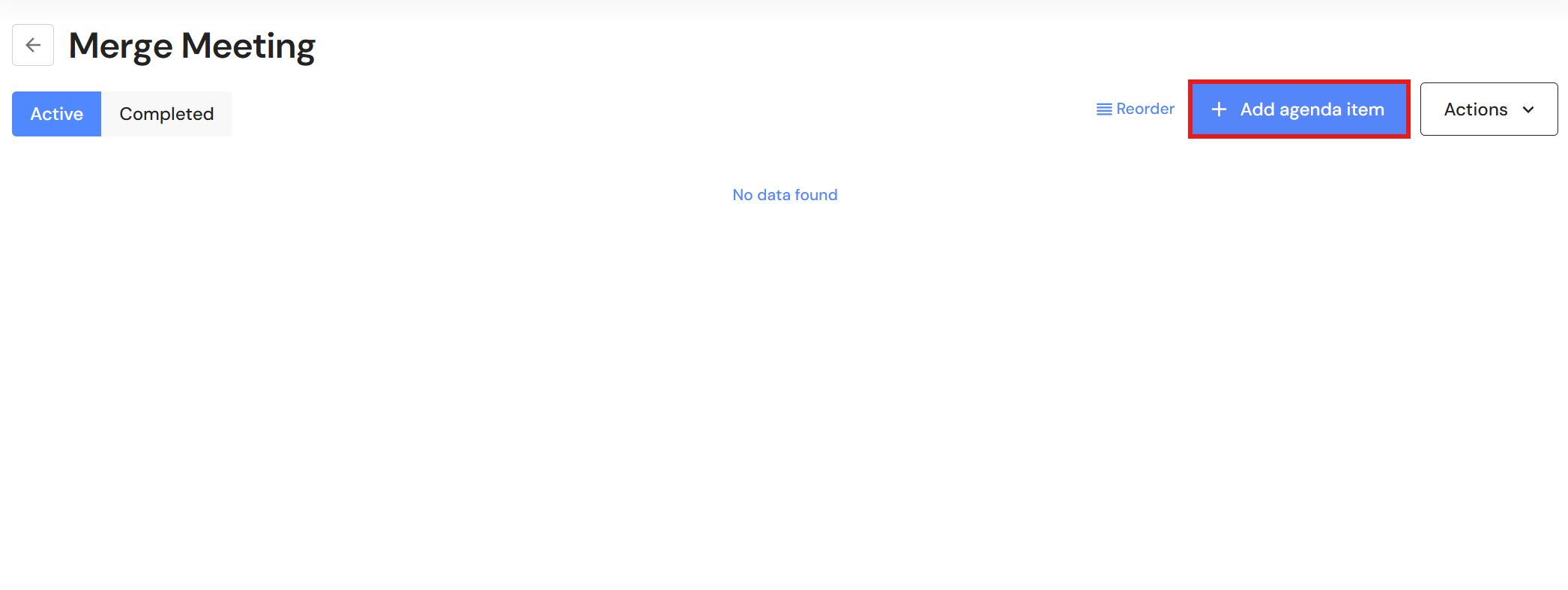
- Click '+Add agenda item'.
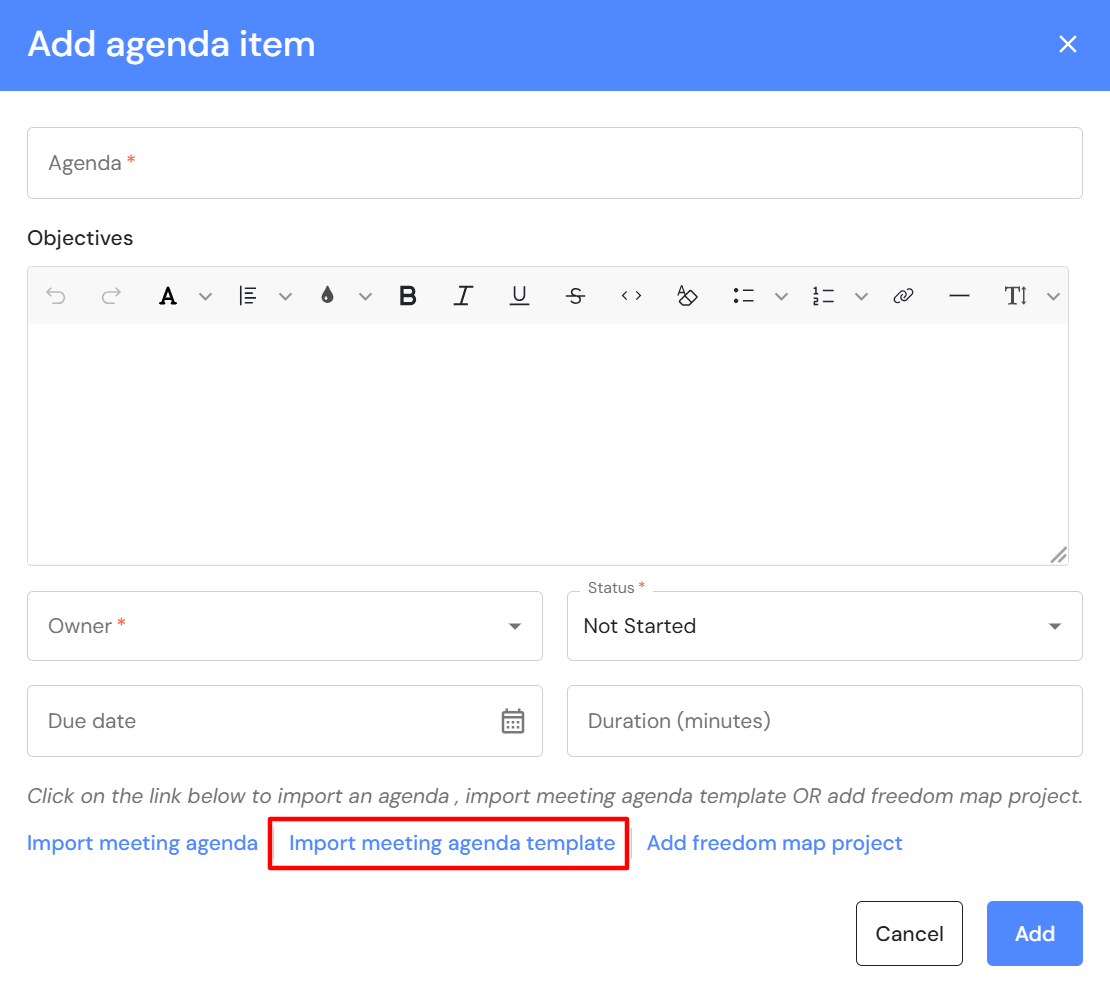
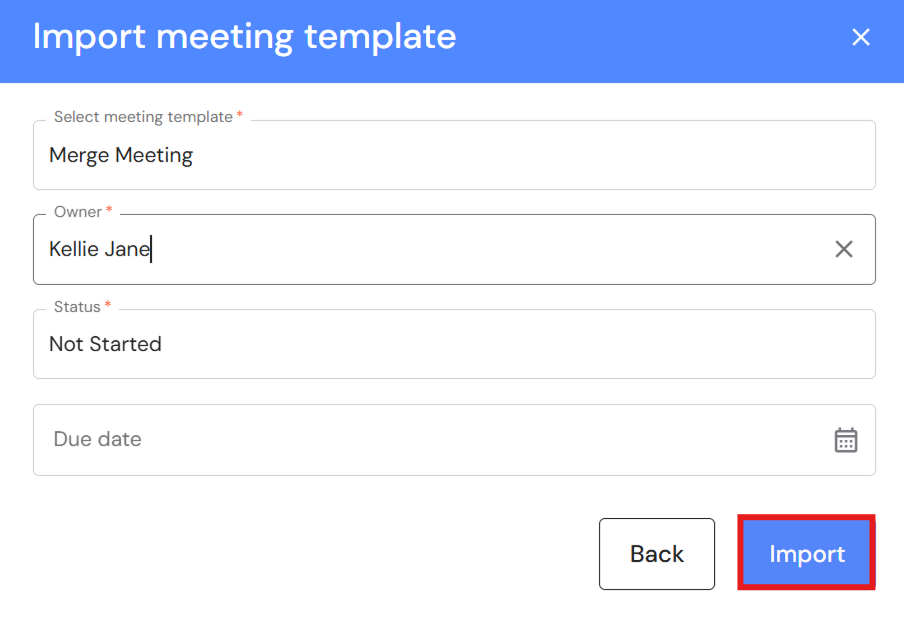
- Click 'Import meeting agenda template'.
- Select a template from the dropdown list e.g. Merge Meeting.
- Select an agenda owner.
The owner will be assigned to each agenda item. The owner is responsible to lead the completion of the agenda items. Each agendas can be re-assigned to other team members later. - Leave the status as 'Not started'.
- Select a due date to be assigned to each agenda item (optional).
The due date can be assigned later. - Click 'Import'.
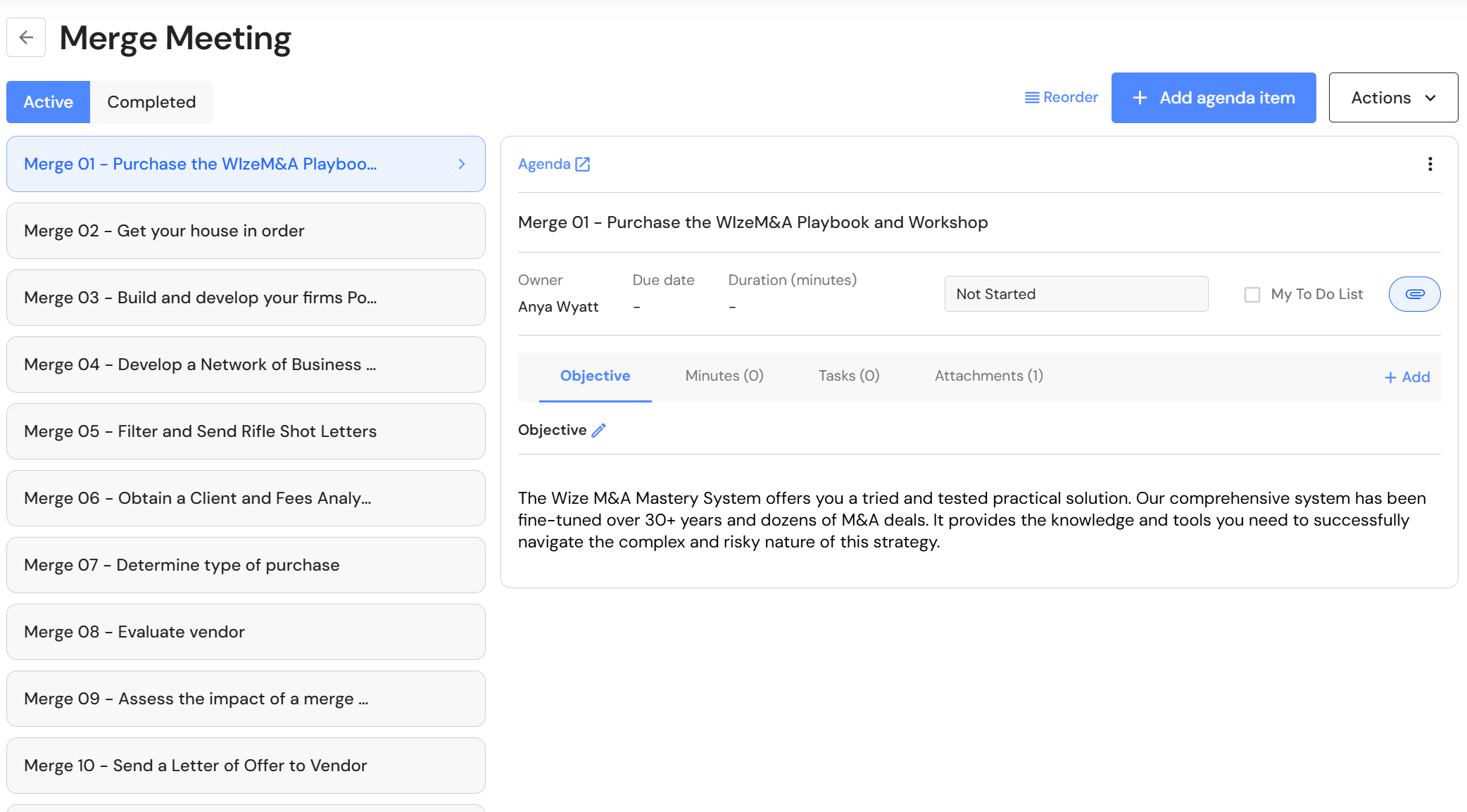
- Your meeting agenda is ready.