
Release Notes - 20 March 2025
FAB5
Sales KPI: Prospects to Clients %
The client conversion metric has been fixed. Your team's percentage now aligns with the data contained in the 'Results' tab in the Lead Pipeline. Read below to learn about new updates to the Lead Pipeline.
Fees Won & Lost
Resolved issue with clients assigned to Assistant Client Managers
We have resolved the issue where leads assigned to Assistant Client Managers were either re-assigned to the team's Senior Client Manager (if added via the Lead Pipeline) or the client would not appear in the dropdown list in new clients tab in Fees Won & Lost.
IMPORTANT - To ensure data flows through to the FAB5 dashboard correctly, client managers assigned to leads must be the Senior Client Manager or Assistant Client Manager in a production team. To check your production team go to Firm Details > Team Structures (Production tab).
Lead Pipeline
New filters
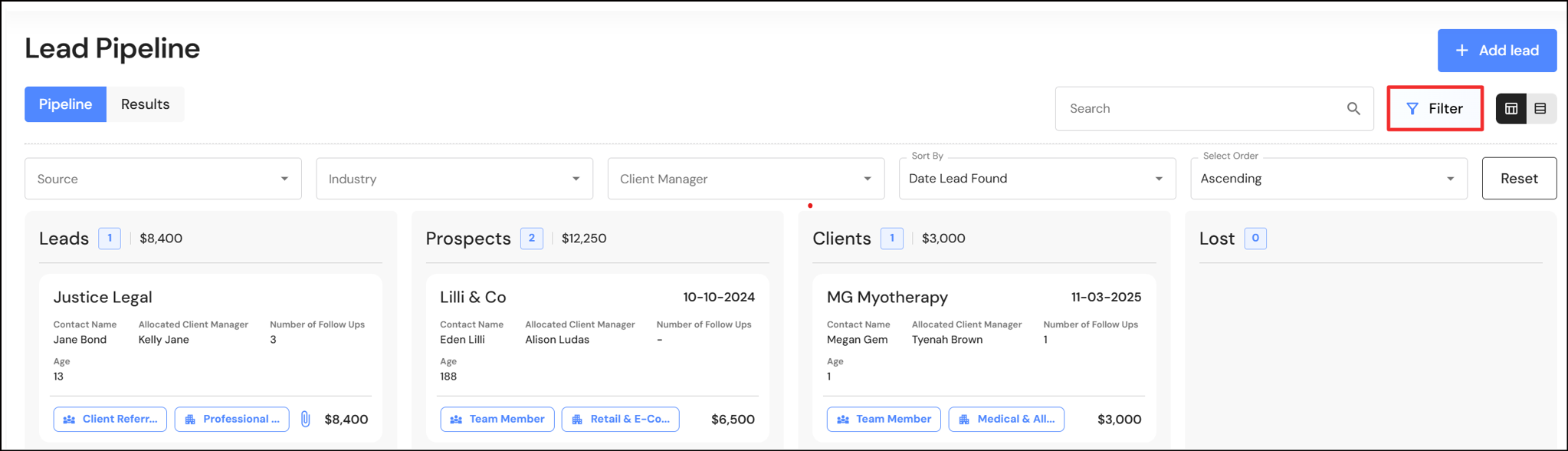
We have added a new sort filter to the Lead Pipeline Kanban and list view.
In the Kanban board, you can now sort by:
- Contact Name
- Business Name
- Date Lead Found
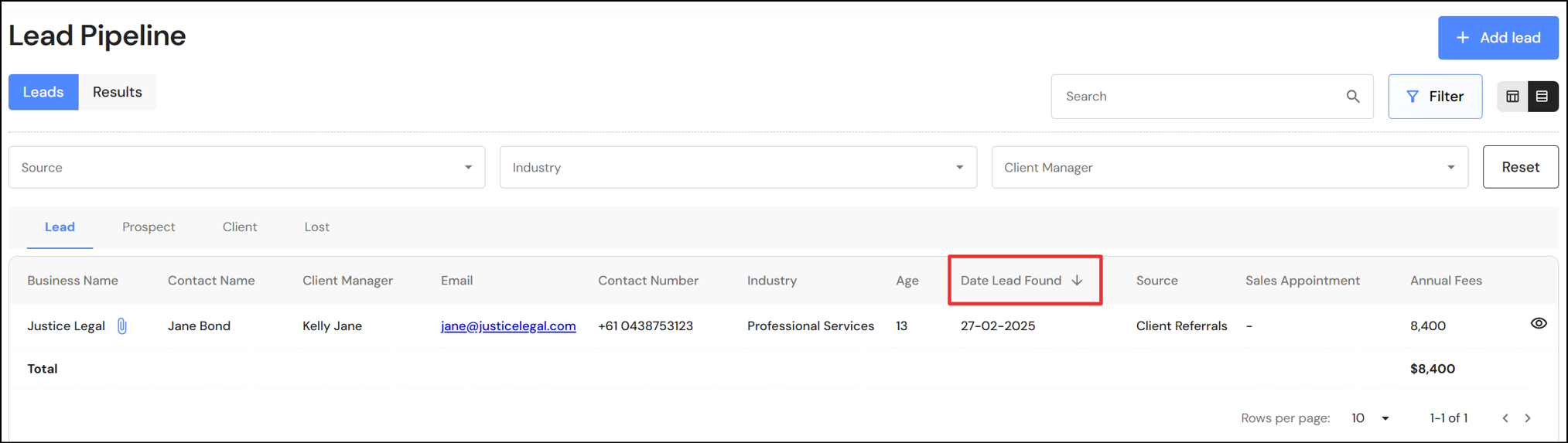
In the list view, users can apply sort filters to the lead source, client industry for client manager. In addition, you can now click on the following headings and sort columns by ascending or descending order:
- Business Name
- Contact Name
- Date Lead Found
- Sales Appointment
New field - Age of lead
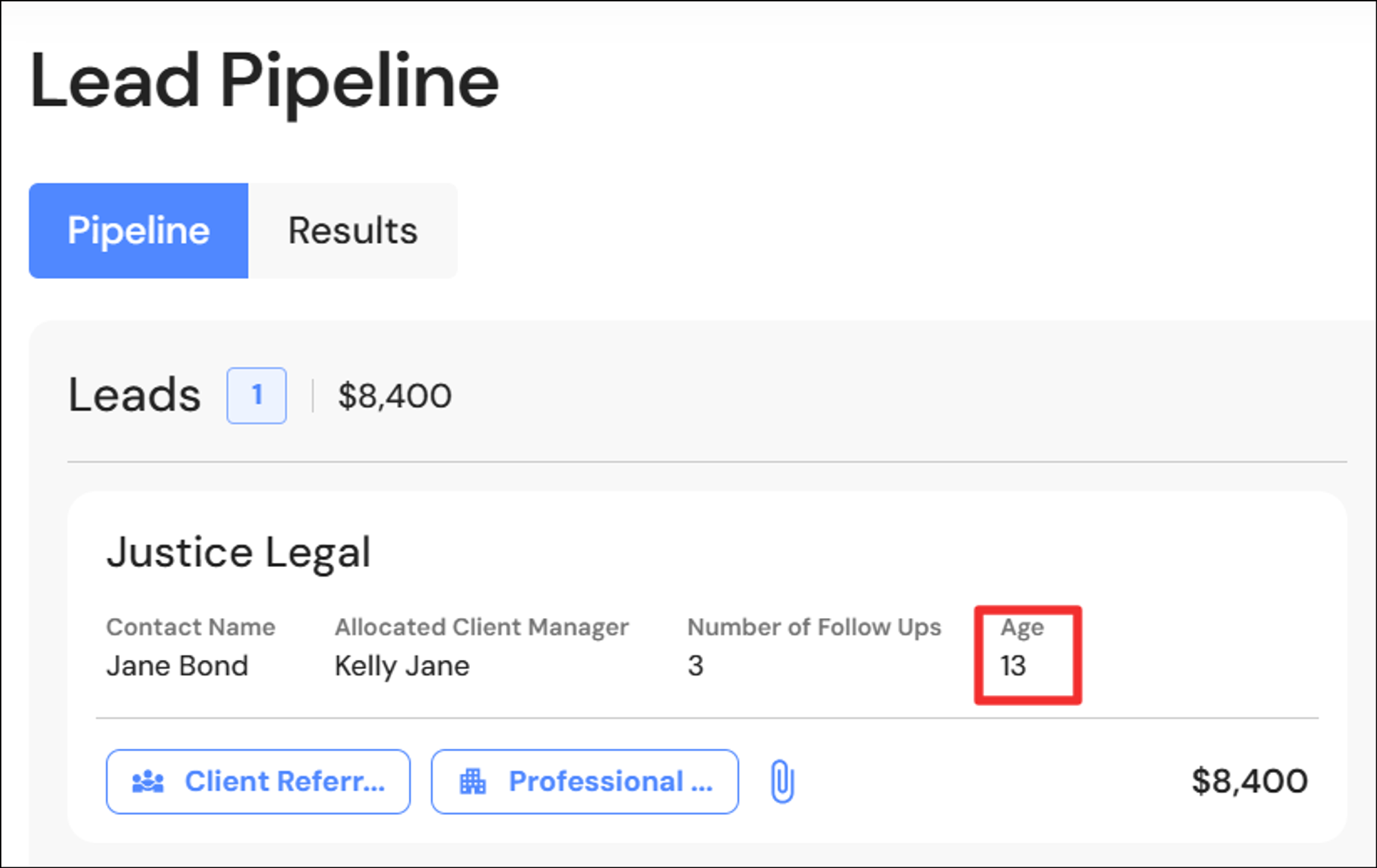
We have added the age of leads to help firms to take action on 'old' leads and prospects in your pipeline. The age column has also been added to the list view.
New field - Lead website
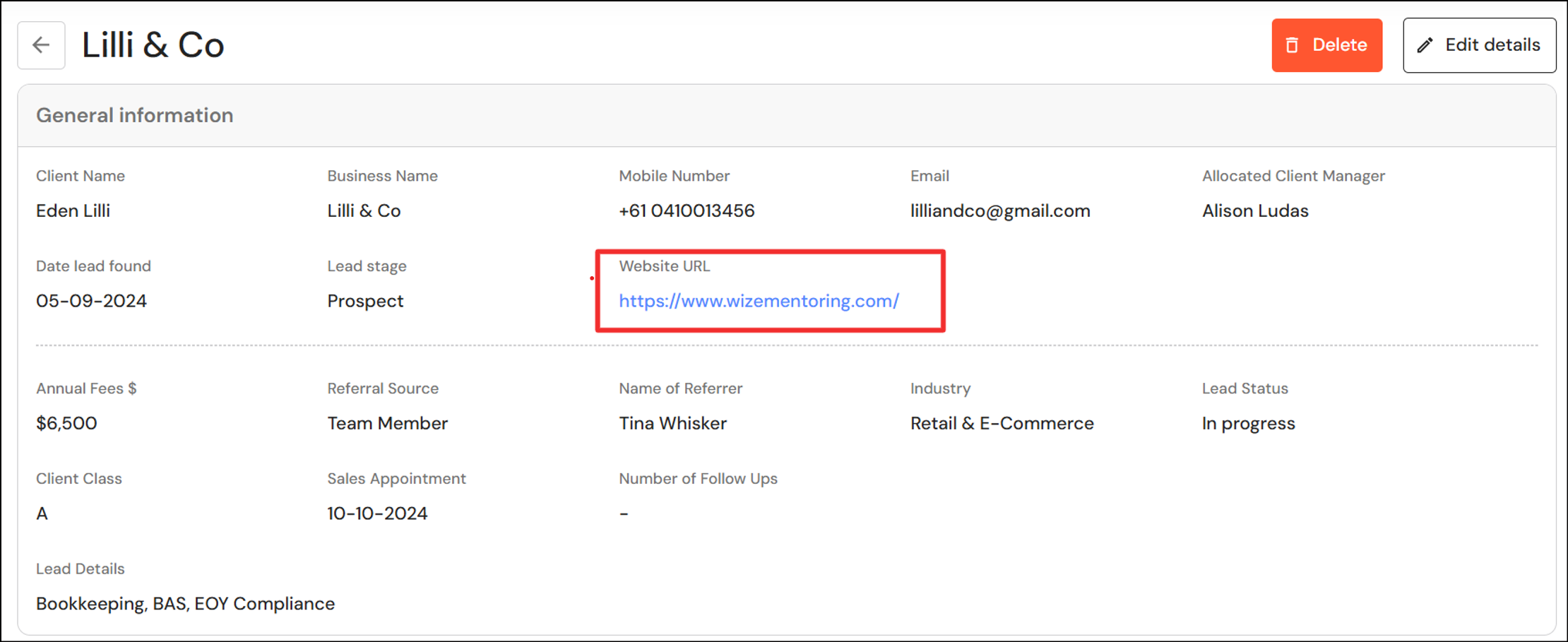
You can now add a hyperlink to the website of your leads. To add a hyperlink, copy and paste the URL from your web browser into the Website URL field in leads.
Lead action steps
When a new lead is added to the Lead Pipeline, the lead action steps are now automatically added to the new lead.
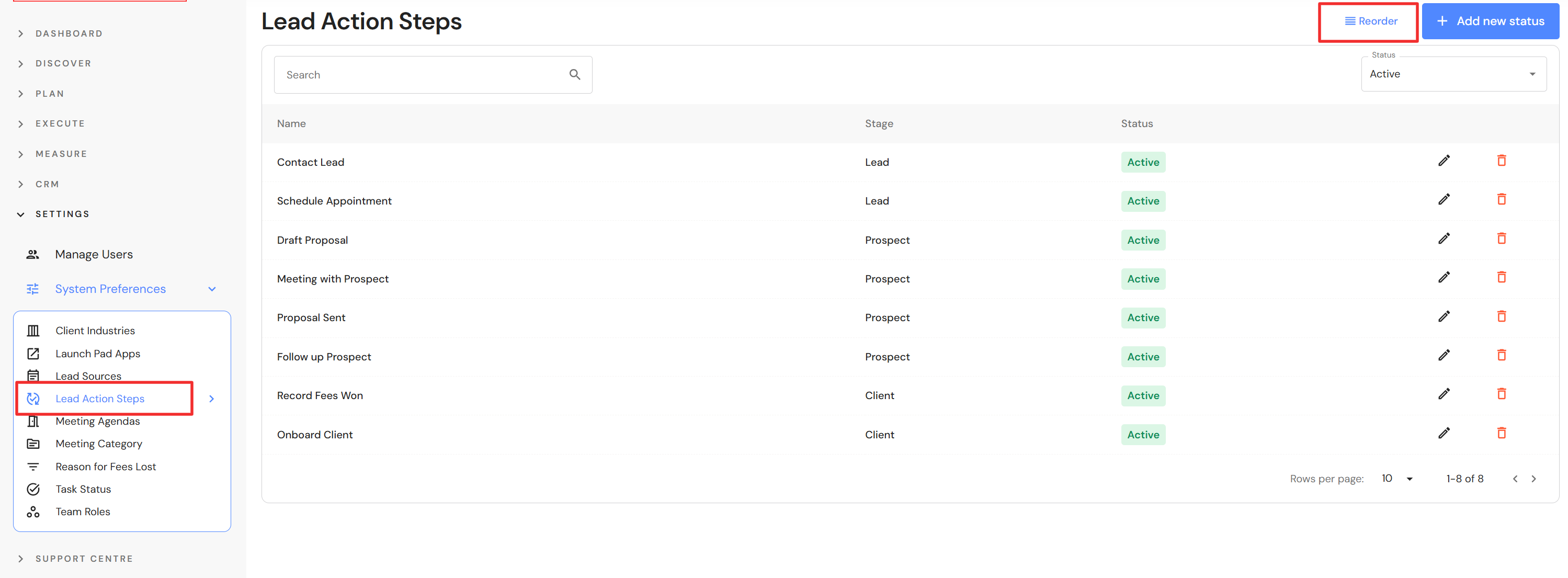
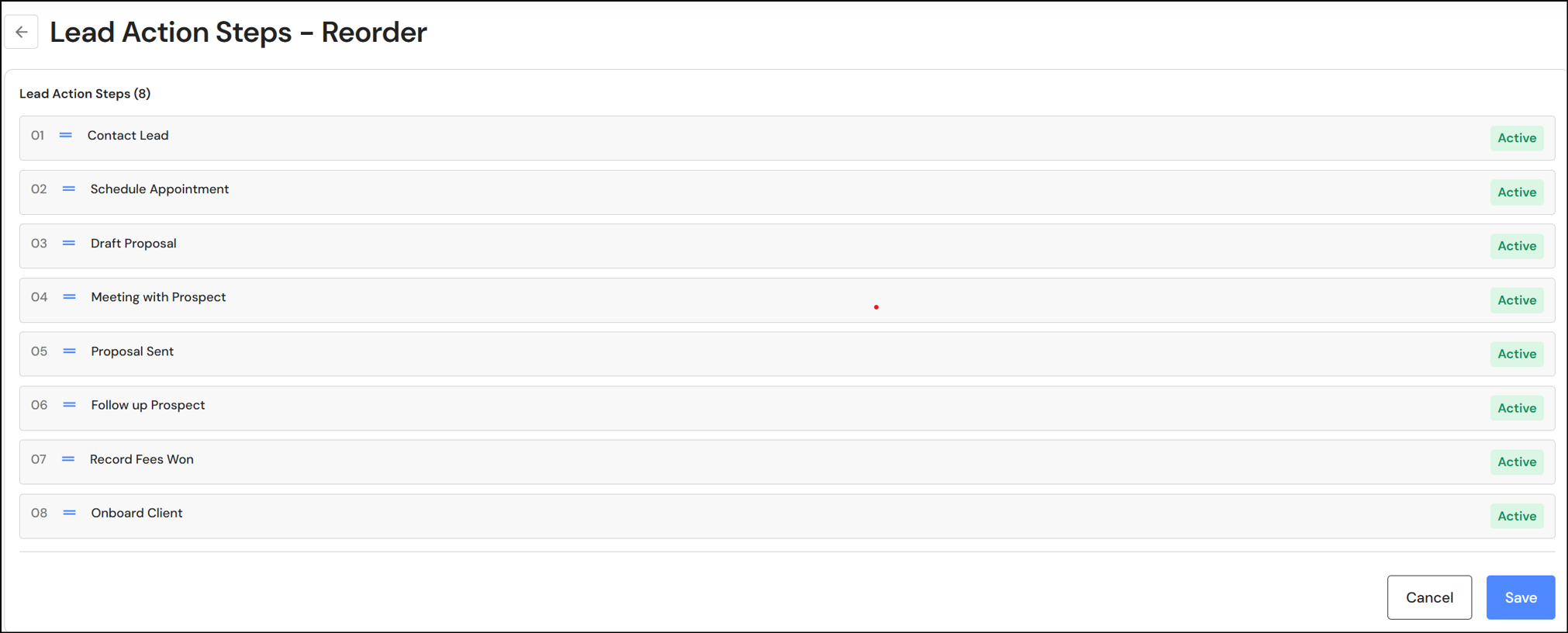
Executive, Administration Team and CFO users can set a default order for lead action steps in System Preferences > Lead Action Steps
To set a default order:
- Click on the 'Reorder' button
- Drag each step in your preferred order
- Click 'Save'
NB* This update will not apply to existing leads in the pipeline. Users will need to add the steps manually to existing leads.
Results
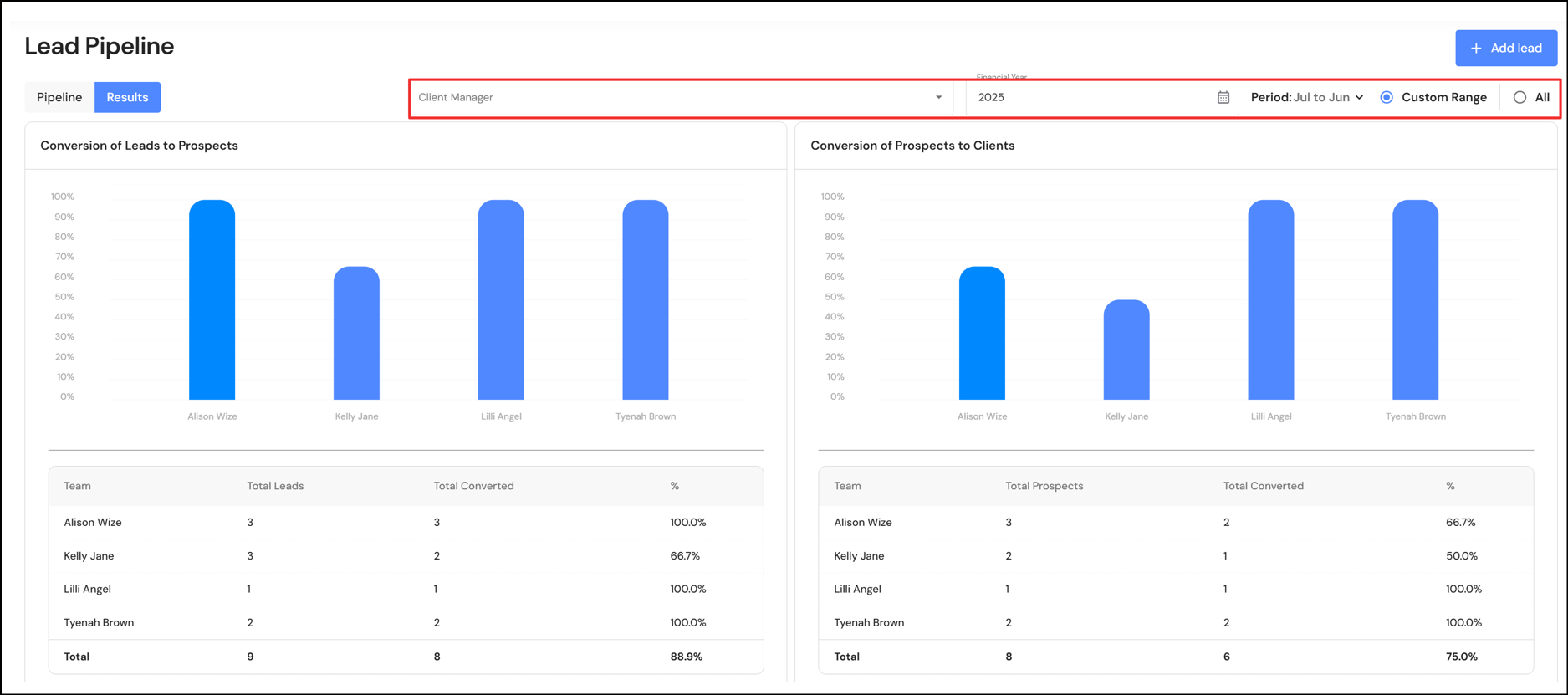
The results tab will now show Lead Pipeline data by financial year. We have also added filters so charts and graphs can be displayed for a specific period and/or by client managers.
Meetings
We have removed ‘Attendees” and 'Category’ as a required field when creating a meeting for the first time. While it is good to utilise these fields, they are no longer mandatory to create a meeting.
For the most recent update to the Meetings module, refer to product updates on 3 March 2025.
Overview
Dashboard for Non-executive users
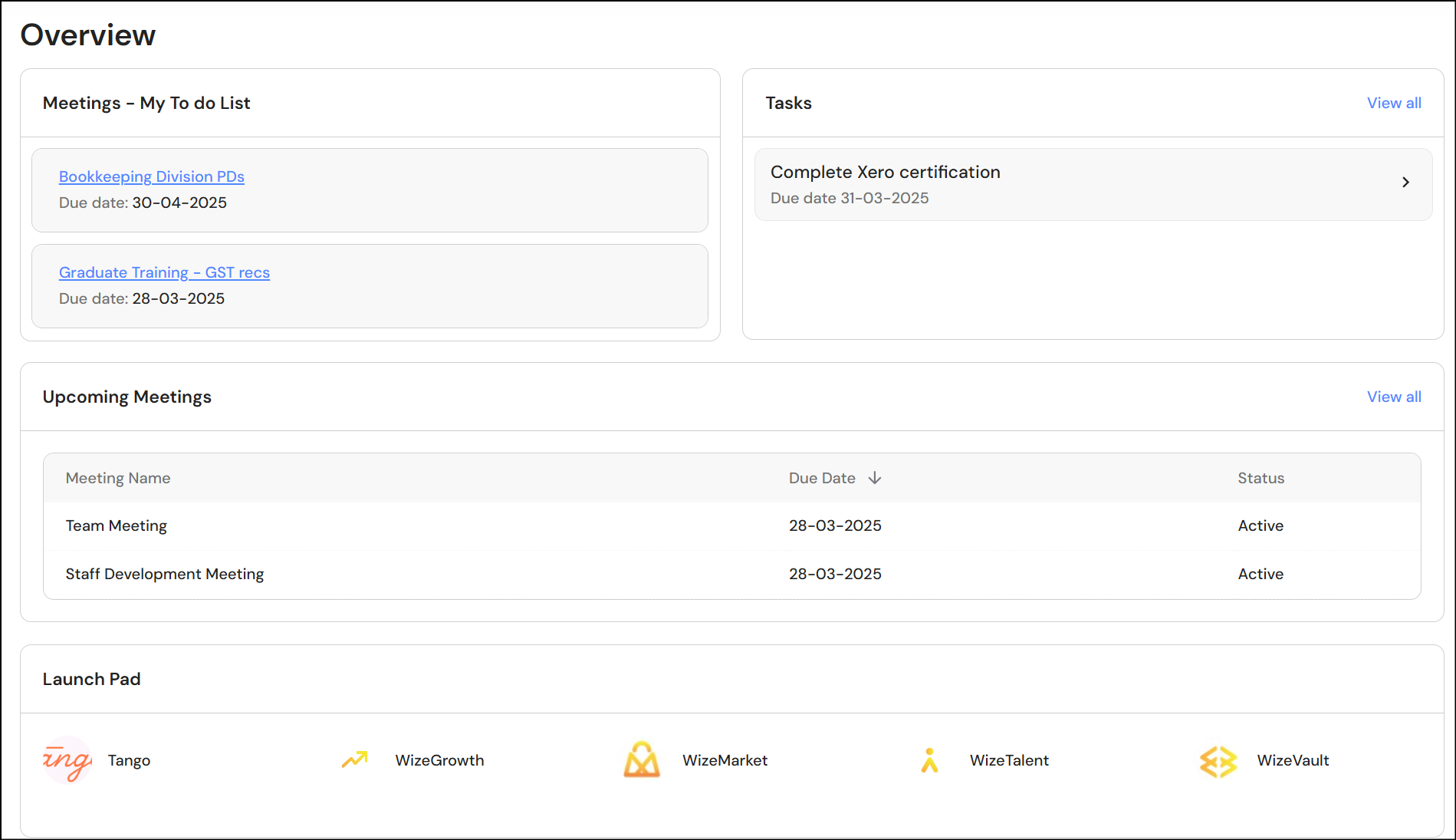
We have created a simplified Overview dashboard for Senior Client Managers, Production Team, Administration Team and CFO users.
The dashboard now includes meeting agenda to-dos. This is relevant for team members who are responsible for driving specific agenda topics in meetings ie. the agenda owner. The agenda owner can add their top items to their dashboard to-do list to get a snapshot of their key priorities.
Refer to the product updates on 20 February 2025 to learn about the “My To Do List' feature in Meetings.
We have also removed low value widgets from the dashboard such as the ‘quote of the day’.
Other Updates
Adding attachments - Drag and drop
We have added the drag and drop feature to all modules that allow you to upload attachments. This has been applied to the Lead Pipeline, Meetings, Policies & Procedures and Ideal Lifestyle*
* Executive users only