Release Notes - 17 September 2026
Team Designer
Role Placeholders
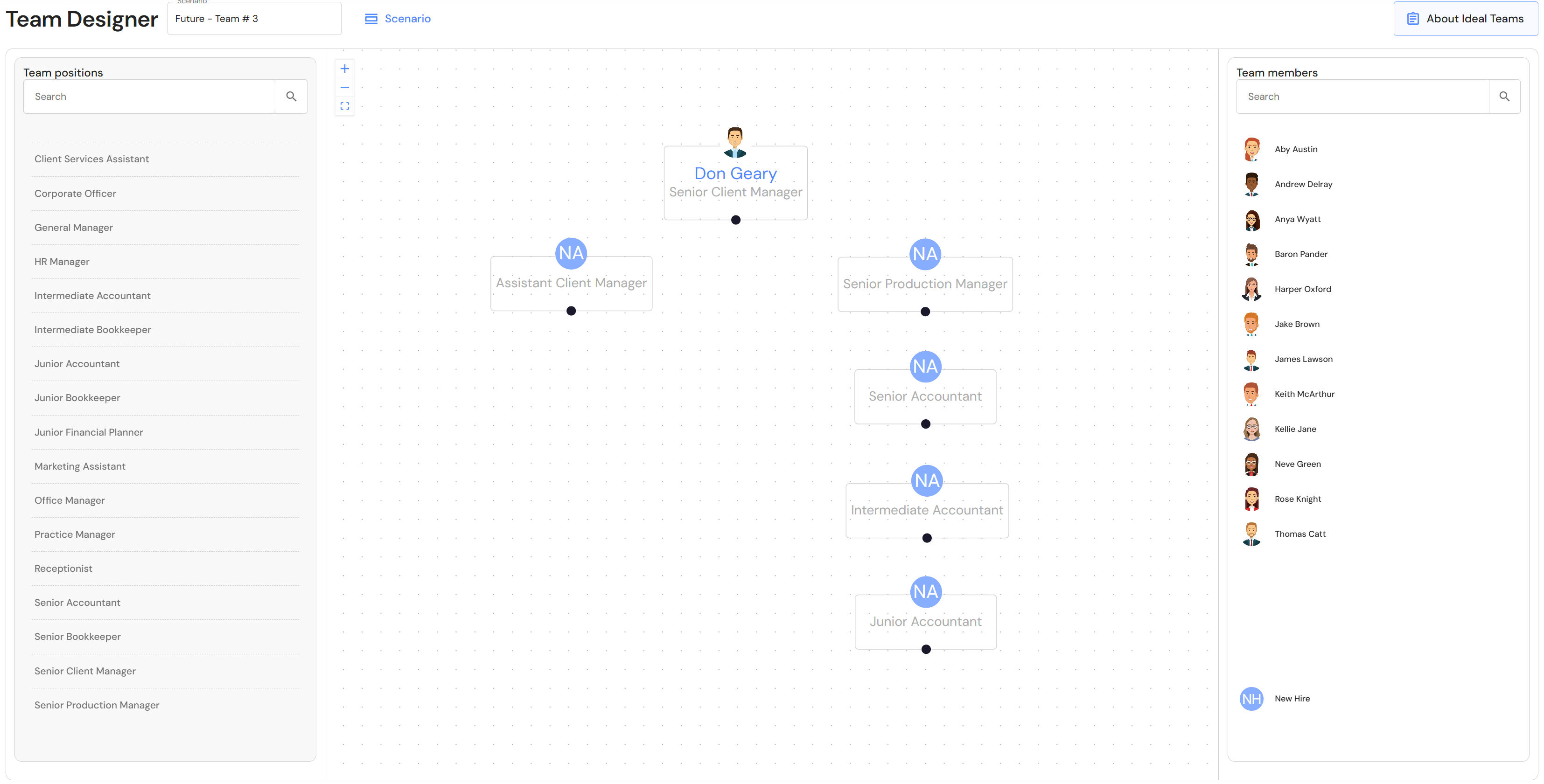
We have added the capability to drag and drop role placeholders onto the design canvas to plan structure before assigning specific team members.
Drag positions onto the canvas and then, attach team members or a new hire to each role.
Task Hub
Email Weekly Task Summaries
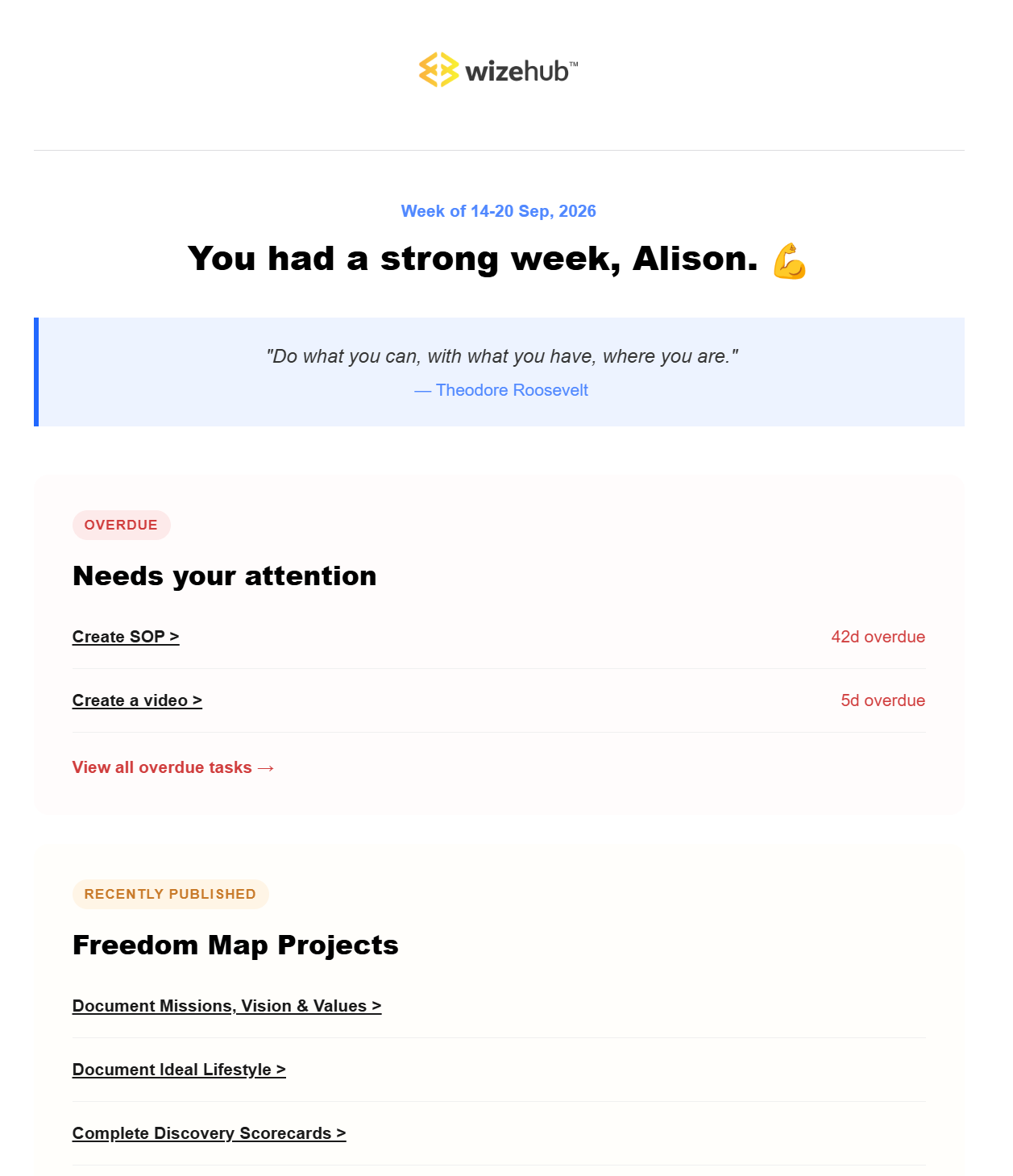
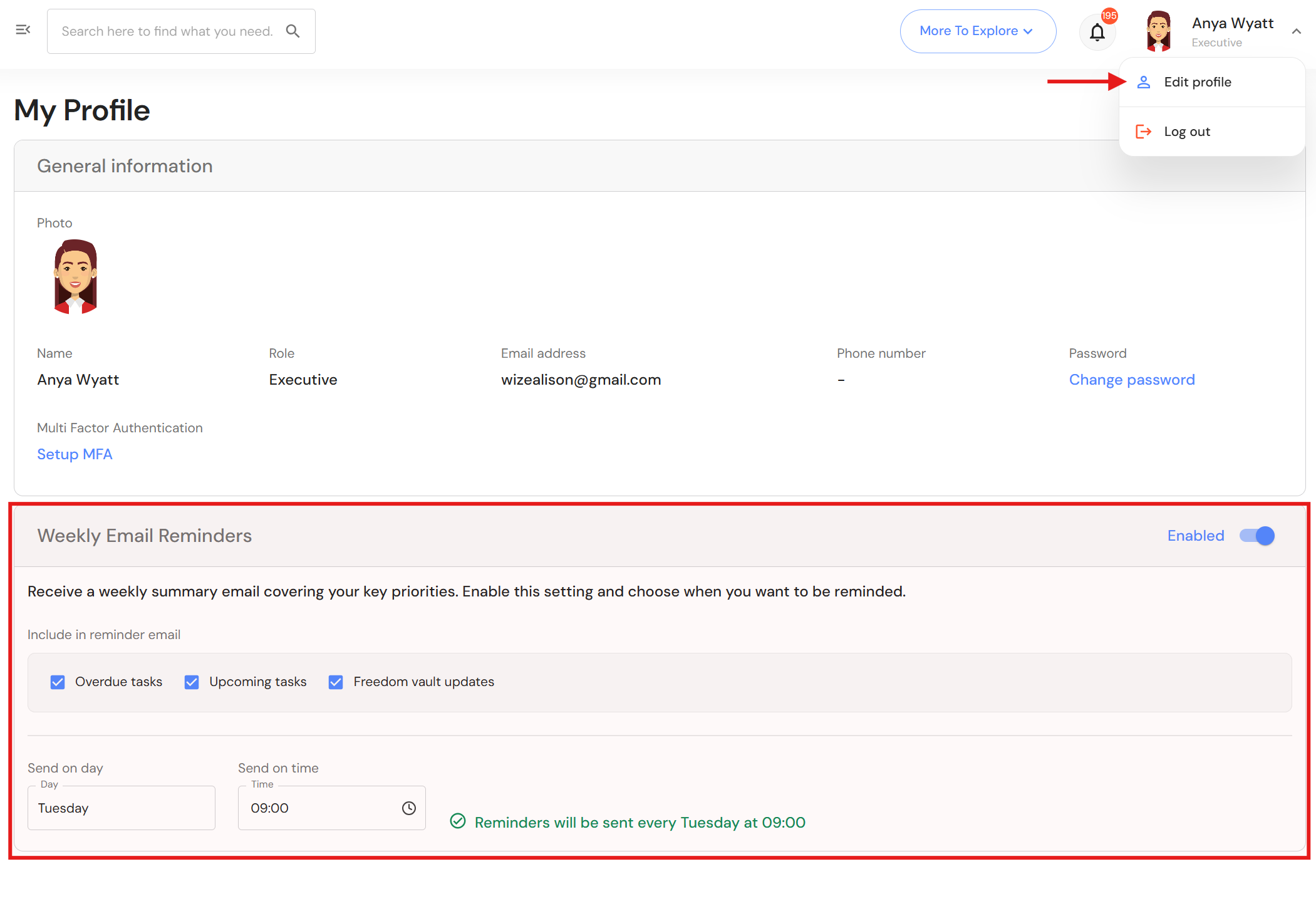
We are excited to introduce automated weekly task summaries to keep team members on track with upcoming tasks. Summaries provide team members with their overdue tasks, week-ahead priorities (next 7 days), and newly released resources from the Freedom Vault. Each user can set their notification preferences via their user profile.
To set your email preferences, click on your profile picture and select 'Edit profile'. Preferences include:
- Click the toggle to enable or disable emails.
- Check or uncheck preferred notifications.
- Set your preferred email delivery time.
Enhanced filtering
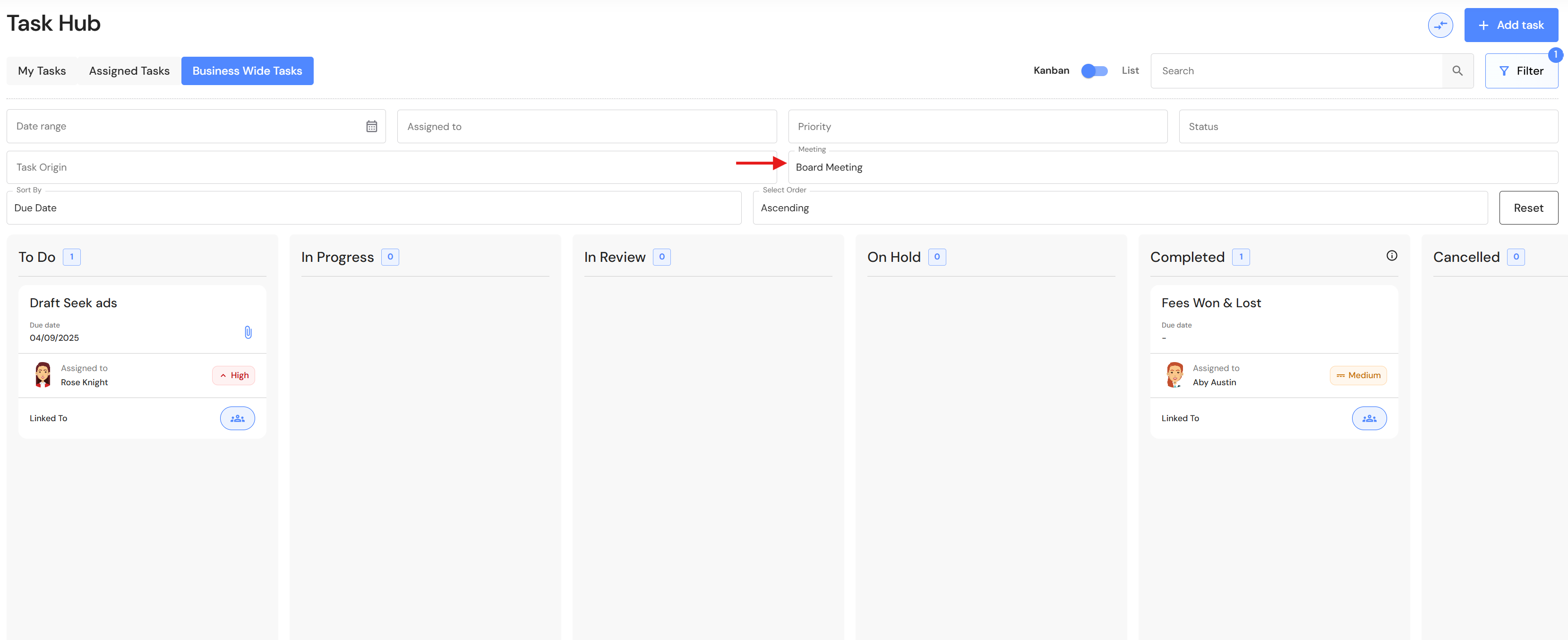
User can now filter tasks associated with a specific meeting agenda.
Meetings
Agenda Progress Icons
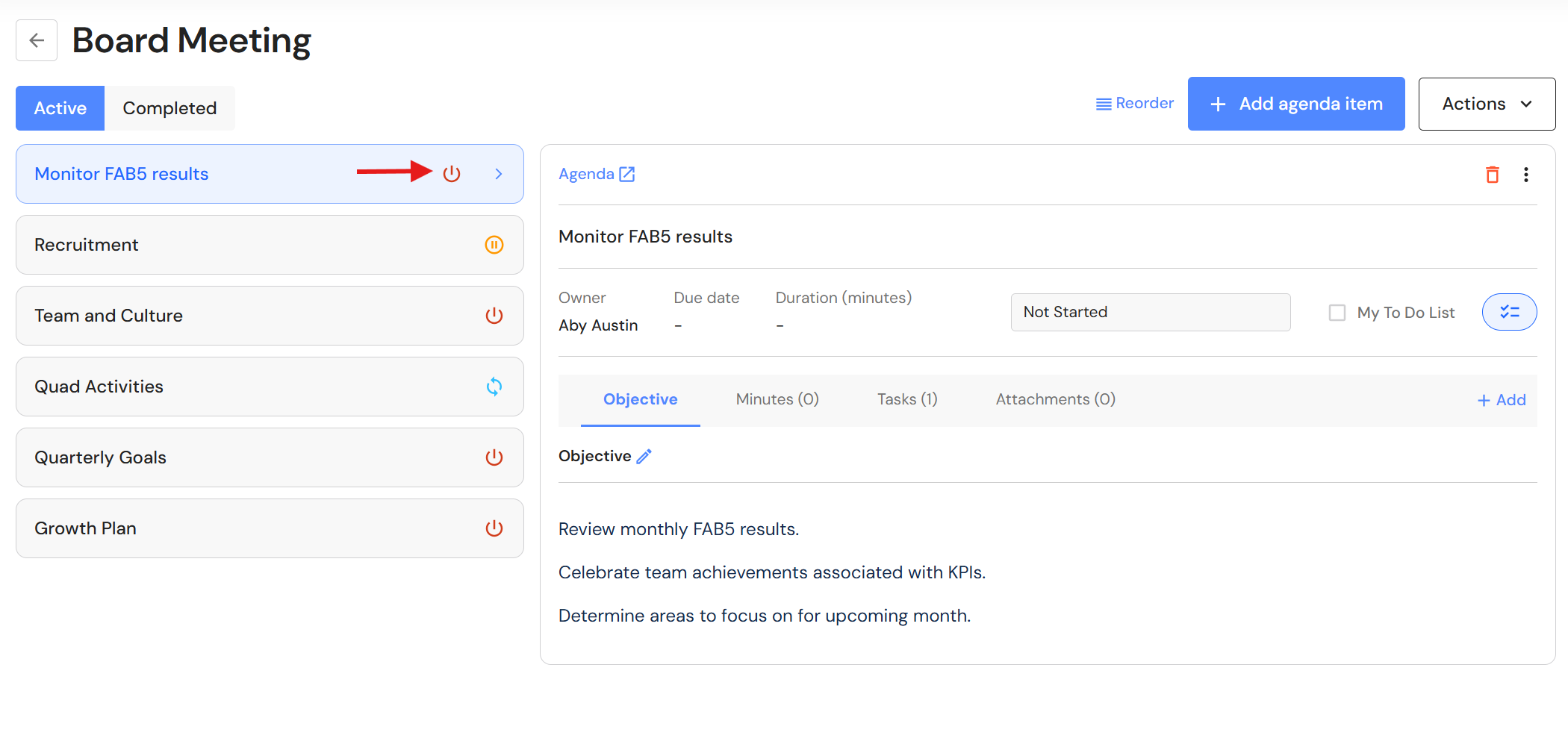
Implemented progress icons across meeting agendas, making it easier to track the agenda statuses during extended or recurring meetings.
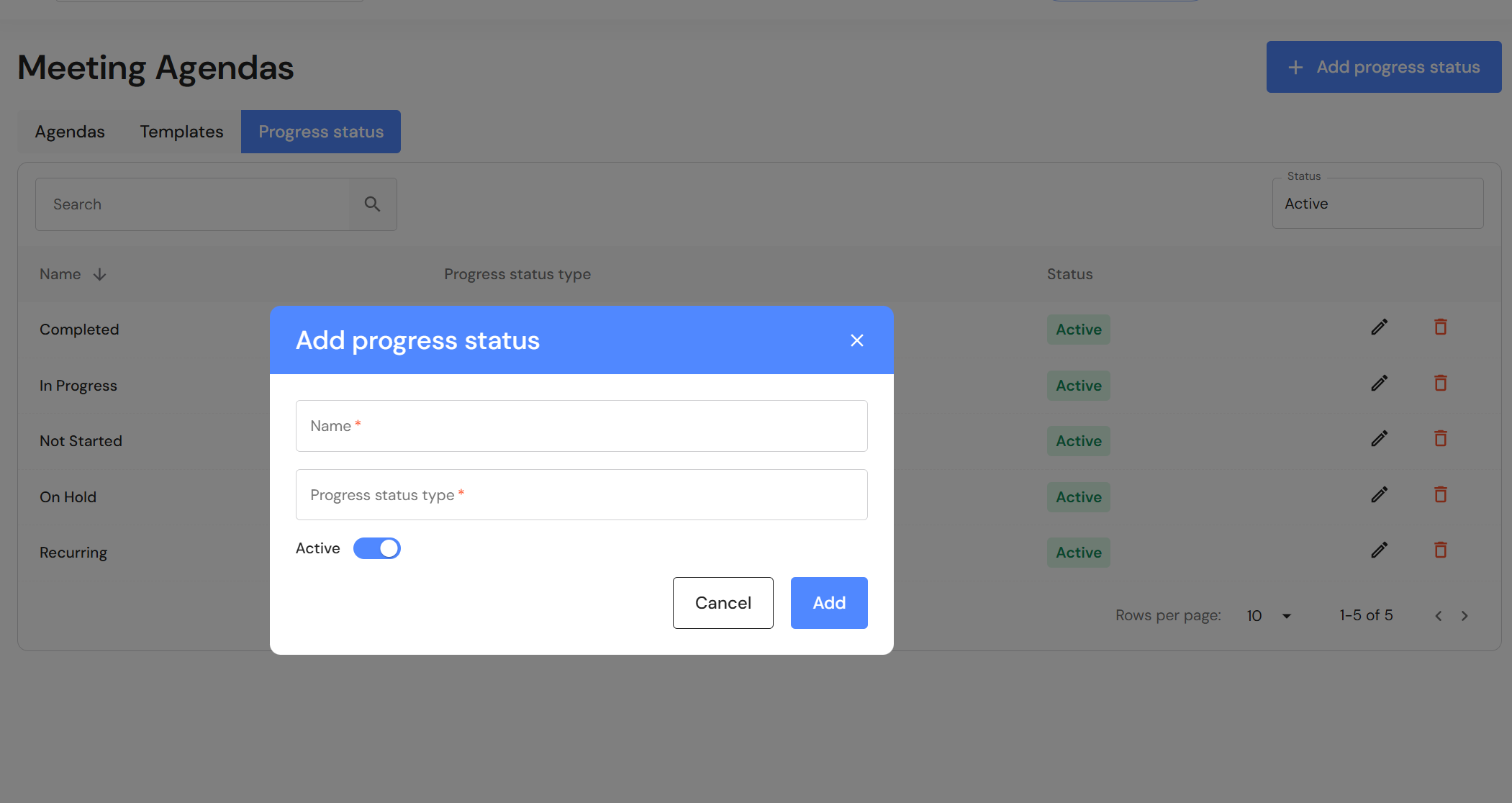
Progress Status & Icon Settings
Users can add customised progress statuses in system preferences.
Go to Settings > System Preferences > Meetings Agendas
NB* This module is available for Executive and CFO users.
- Click the 'Progress status' tab.
- Click '+ Add progress status'.
- Add a name and select a progress status type.
- Ensure the active toggle is on and click 'Add'.
Alternatively, click the pencil icon to modify existing statuses.