Life Wheel
Assess balance and fulfilment across all areas of your life.
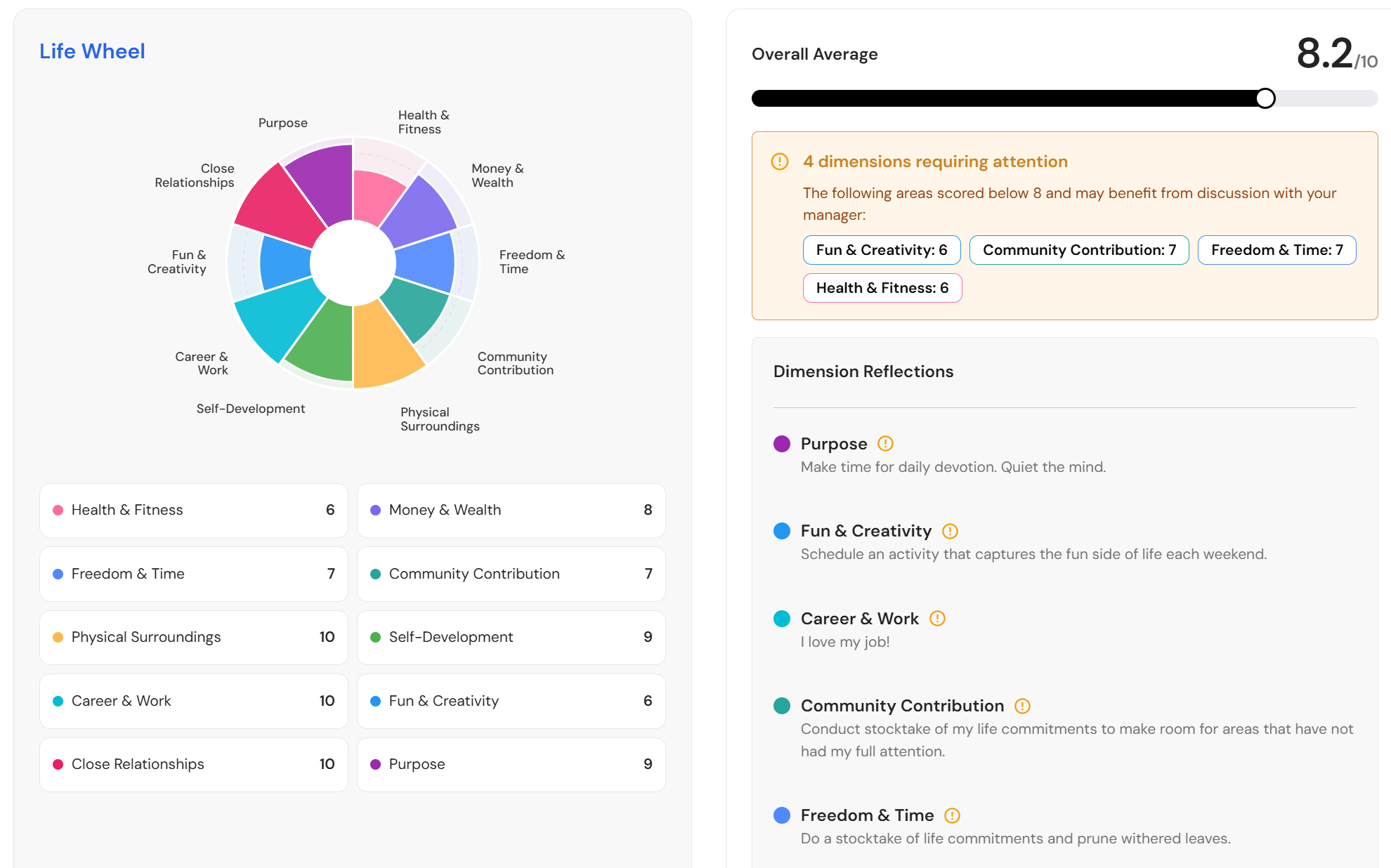
Complete your Life Wheel to get a clear, holistic view of how balanced and fulfilled you feel across all areas of your life - not just work. It helps you identify what’s going well and where there may be stress, burnout, or dissatisfaction.
Reflect on your score in each category and set small, achievable goals to move closer to a 10.
Revisit your Life Wheel each quarter to track your progress, adjust your goals, and continue building a more balanced and fulfilling life.
Create your Life Wheel
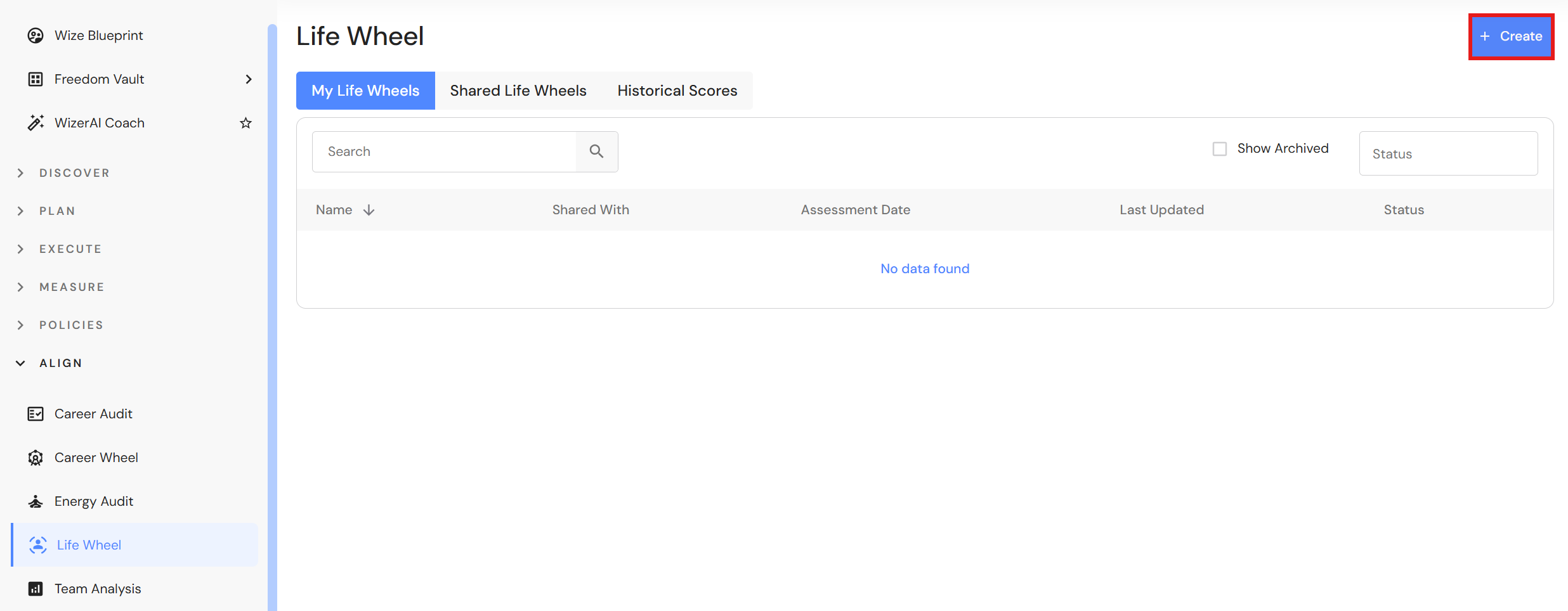
Go to Align > Life Wheel
- Click '+ Create'.
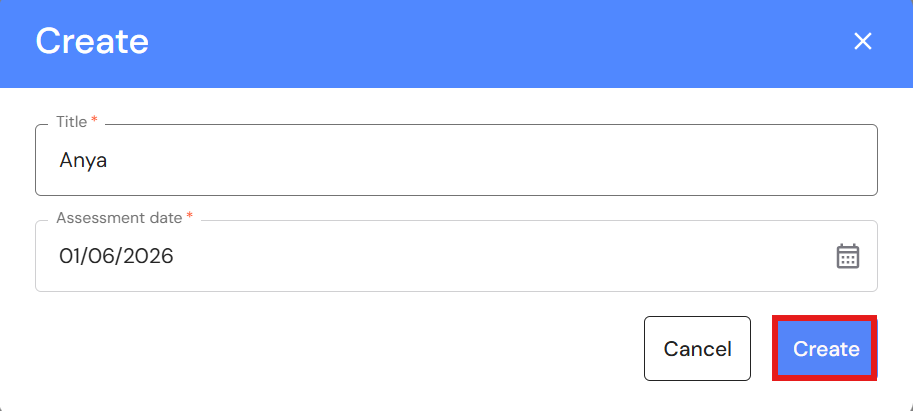
- Type your name.
- Leave or modify the assessment date, then click 'Create'.
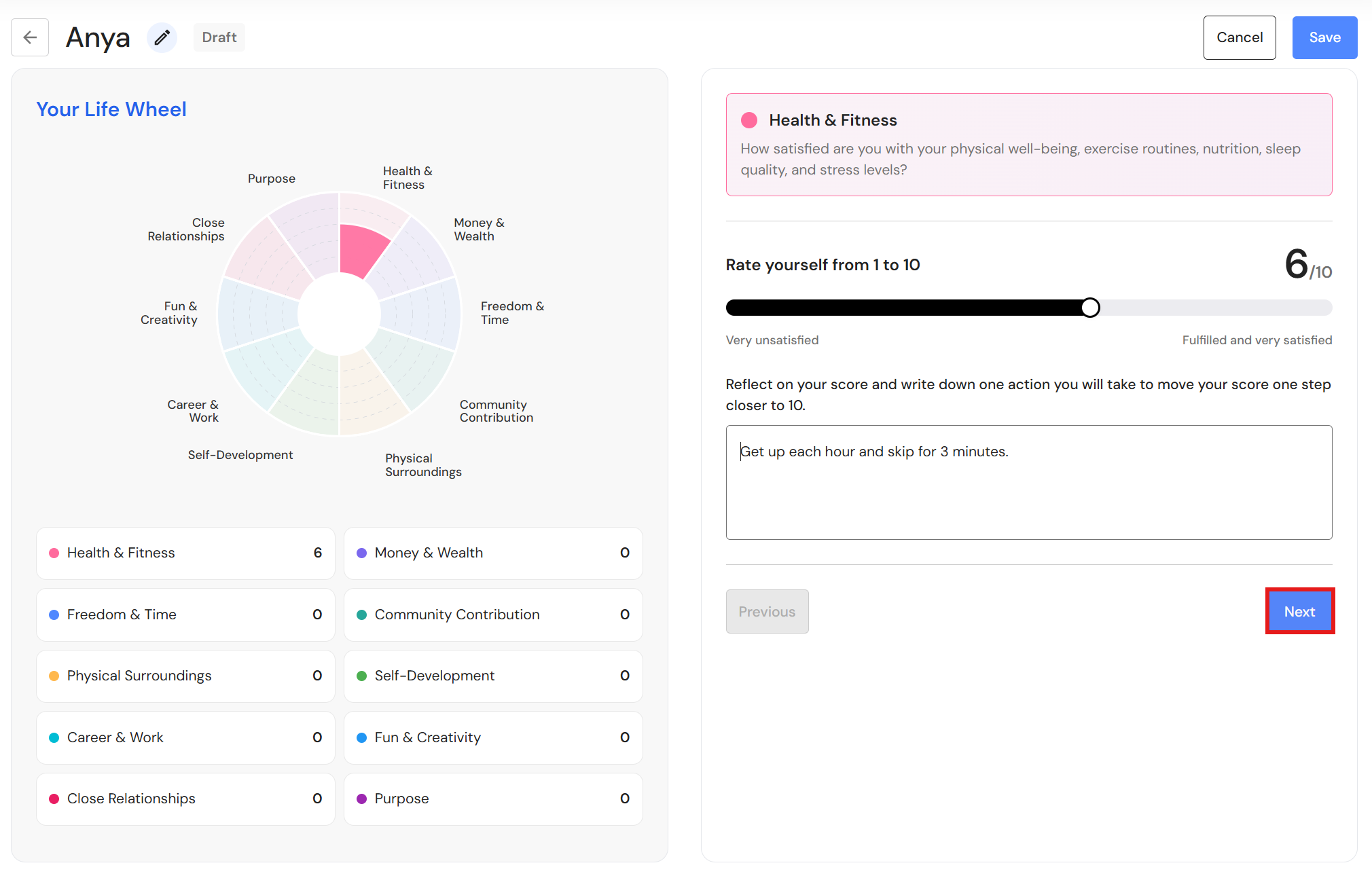
- Beginning with Health & Fitness, use the slider to rate yourself from 1 to 10.
- Enter one or more actions you will take to improve your score.
- Click 'Next'.
- Repeat the process for the remaining categories.
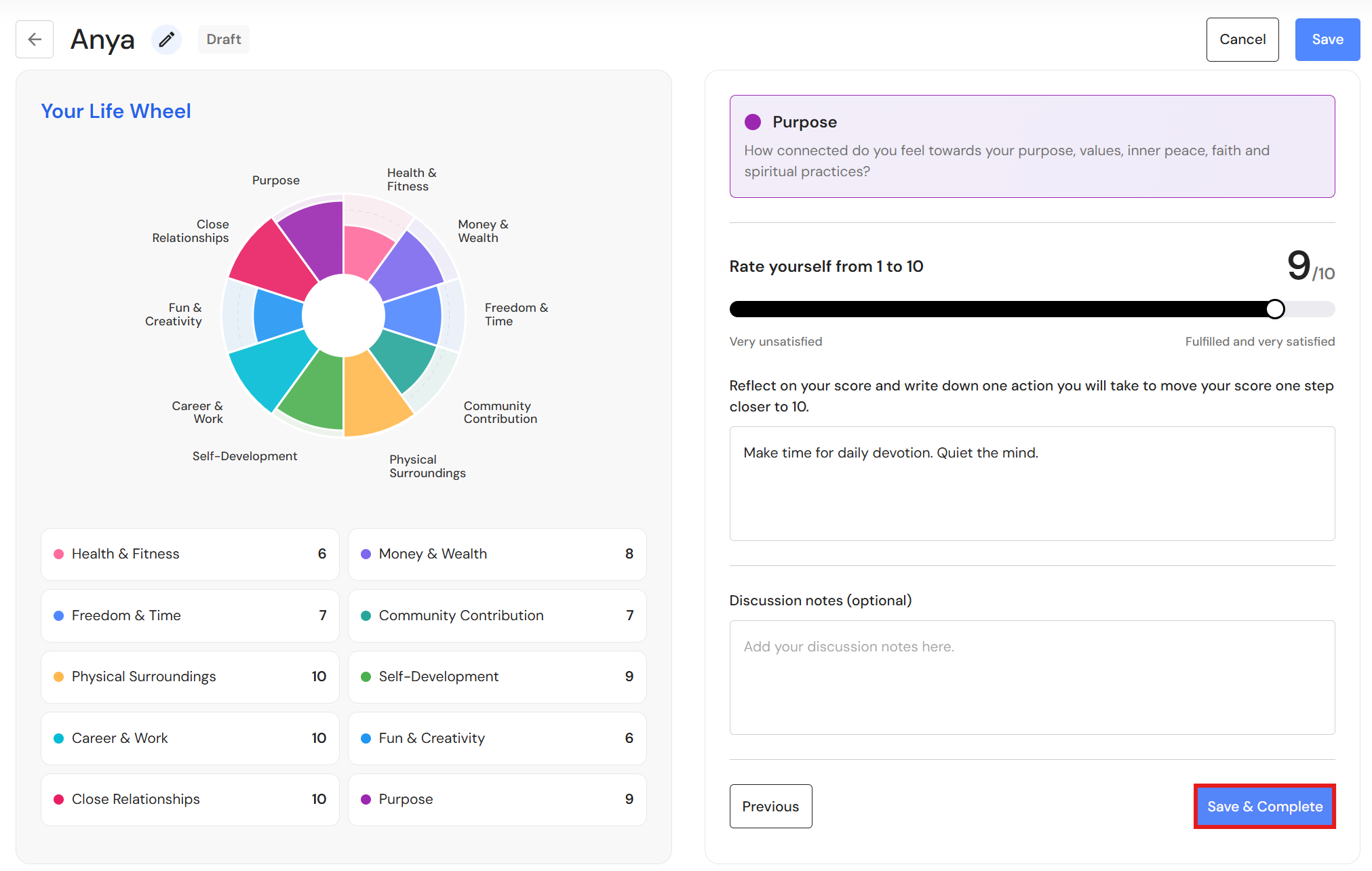
- In the final category (purpose), you can include extra notes for discussion with your manager.
- Click 'Save & Complete'.
Share your Life Wheel
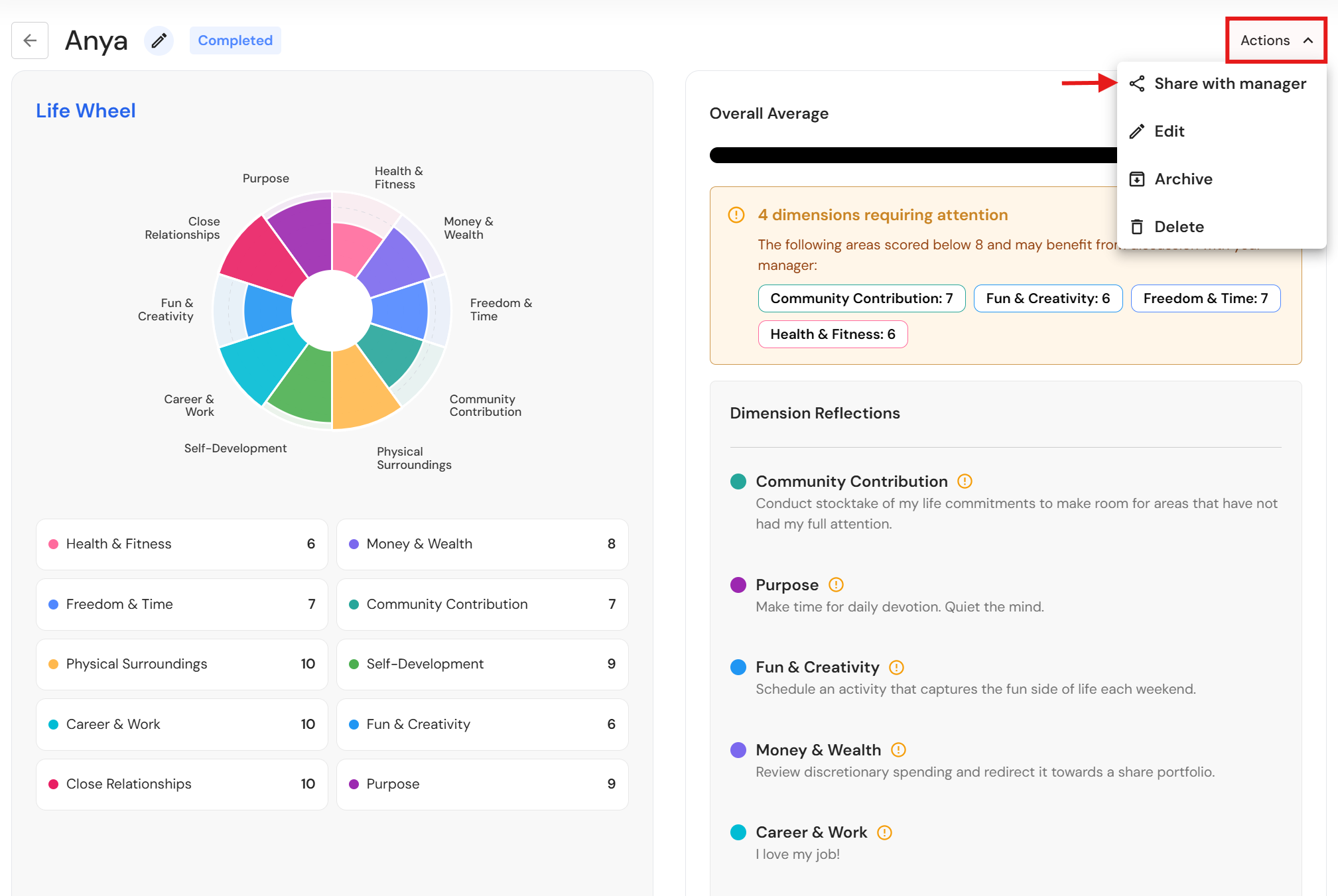
- Click 'Actions, then 'Share with manager'.
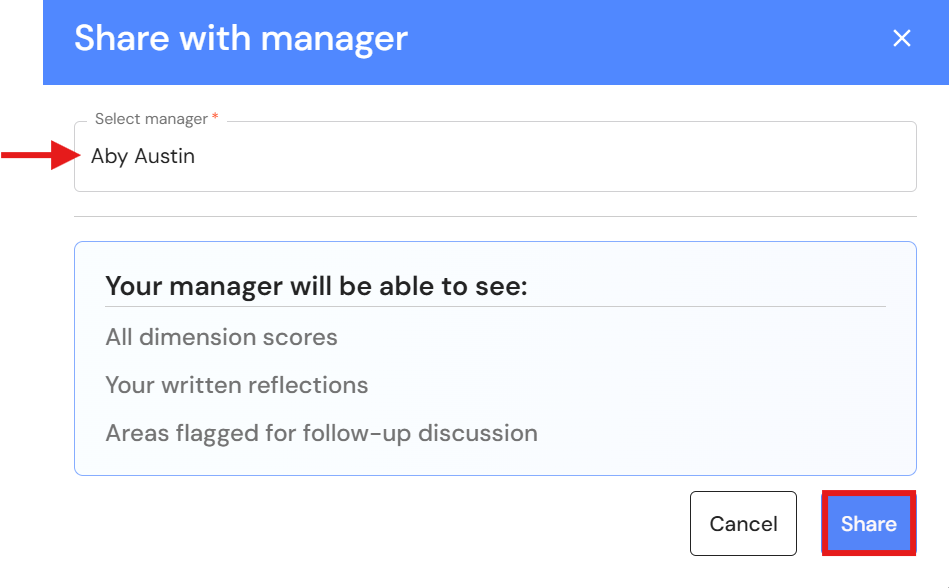
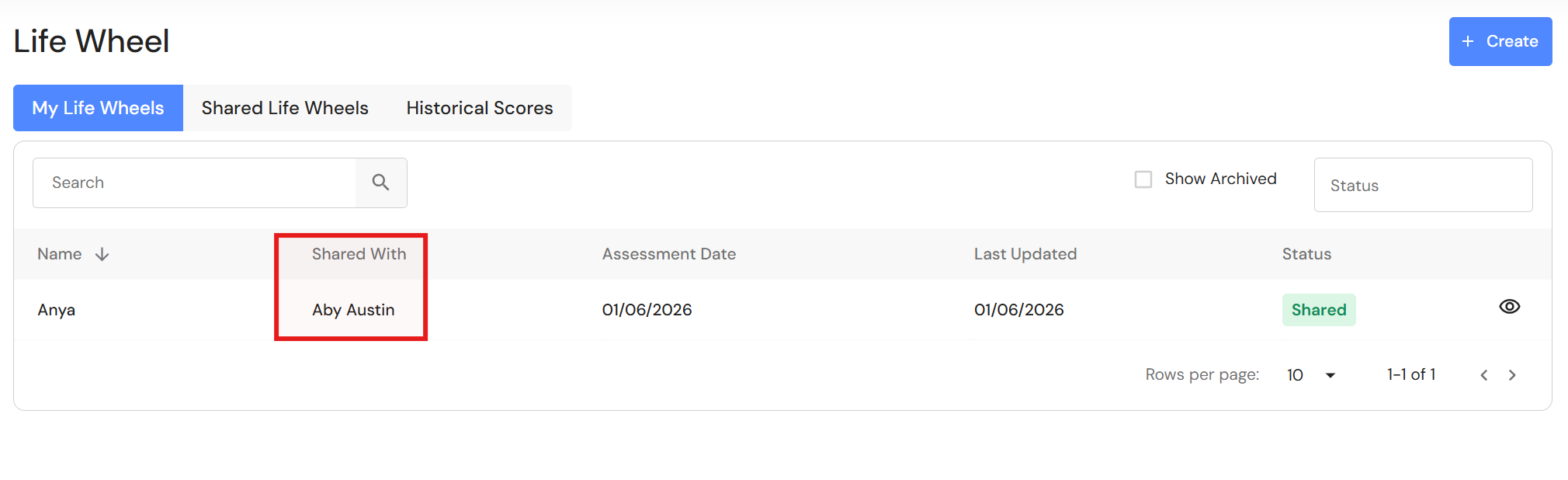
- Select the manager from the dropdown list, then click 'Share'.
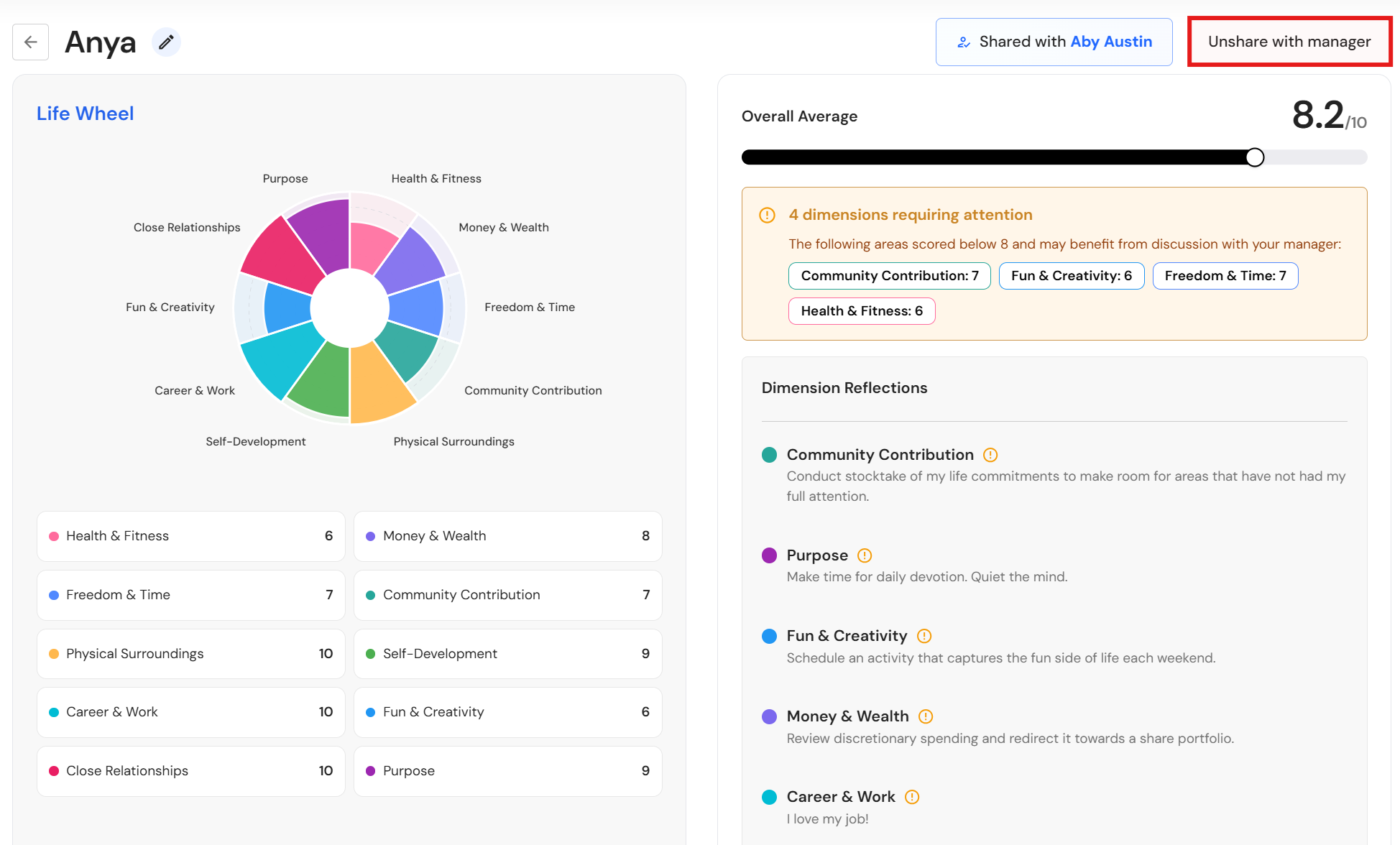
Unshare your Life Wheel
If a Life Wheel has been shared with a manager, you cannot edit, archive, or delete your Life Wheel. You first need to unshare it before you can make changes.
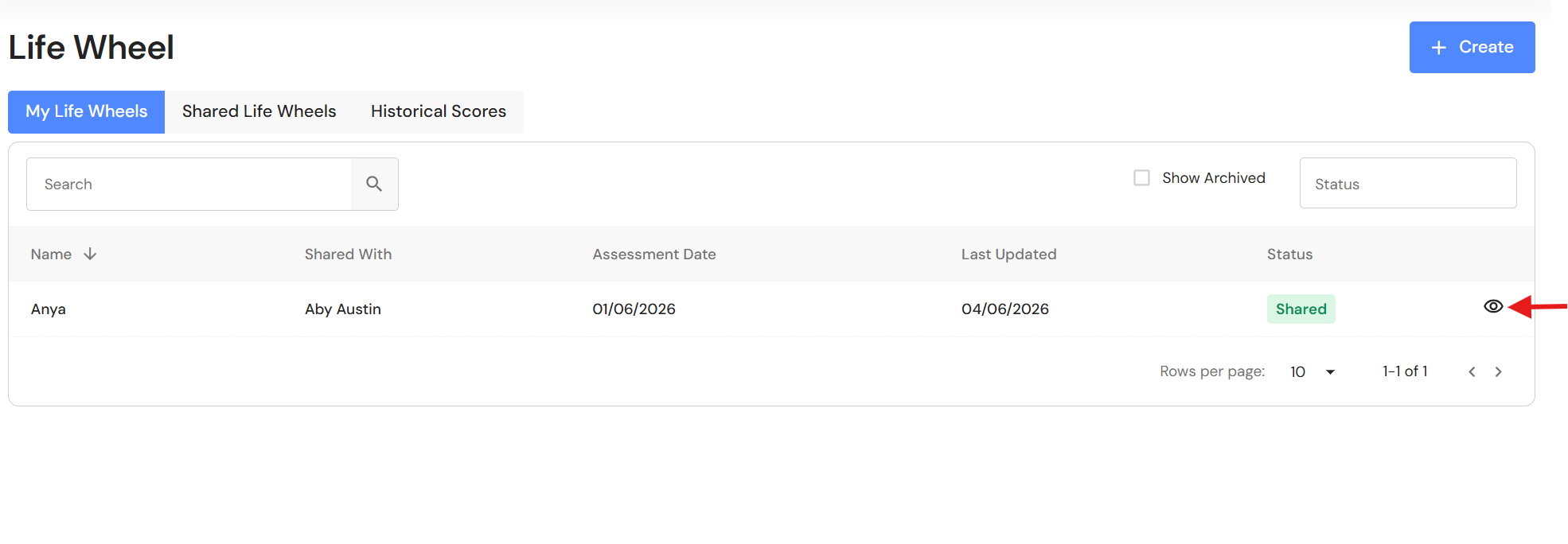
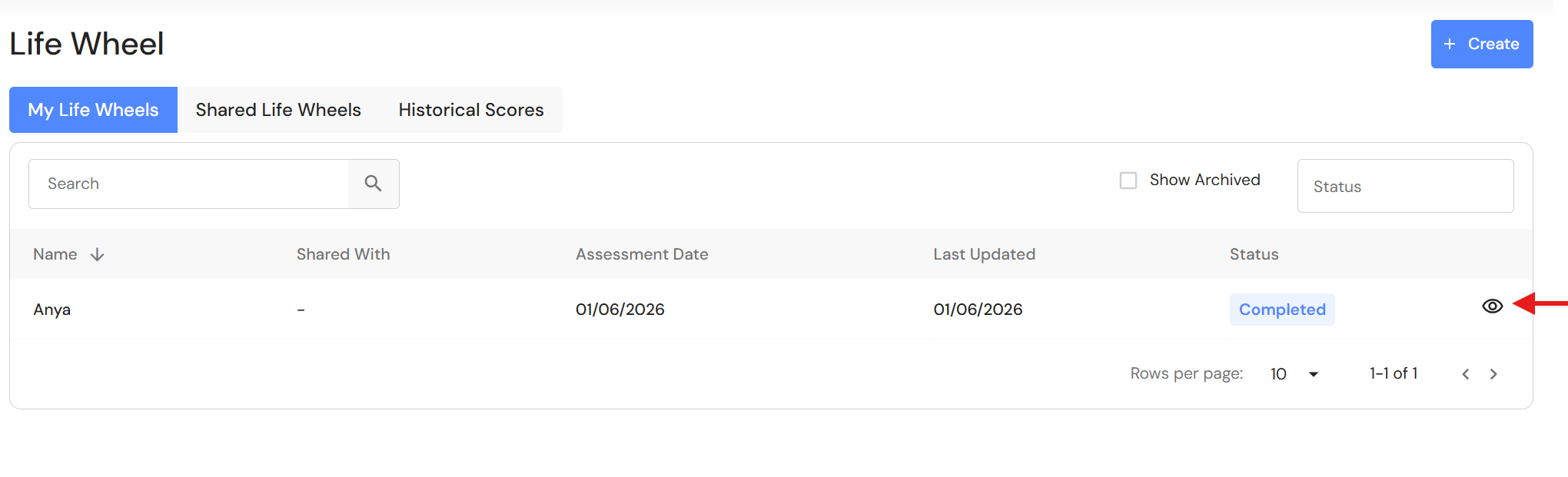
- Click the 'View' icon.
- Click 'Unshare with manager'.
Edit your Life Wheel
- Click the view icon.
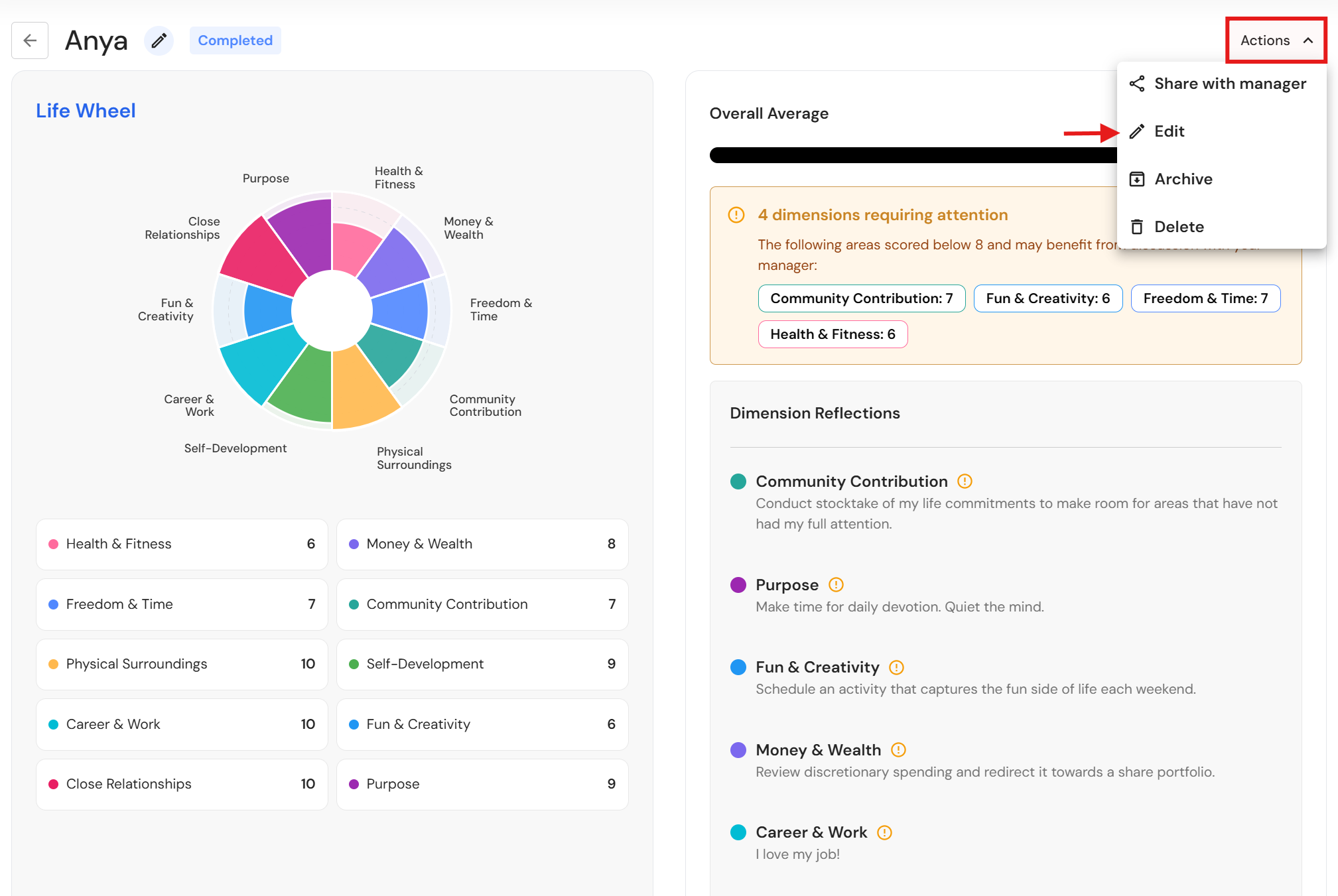
- Click 'Actions', then 'Edit'.
NB* If you have shared your Life Wheel, you will need to click 'Unshare with manager' before you can edit your details.
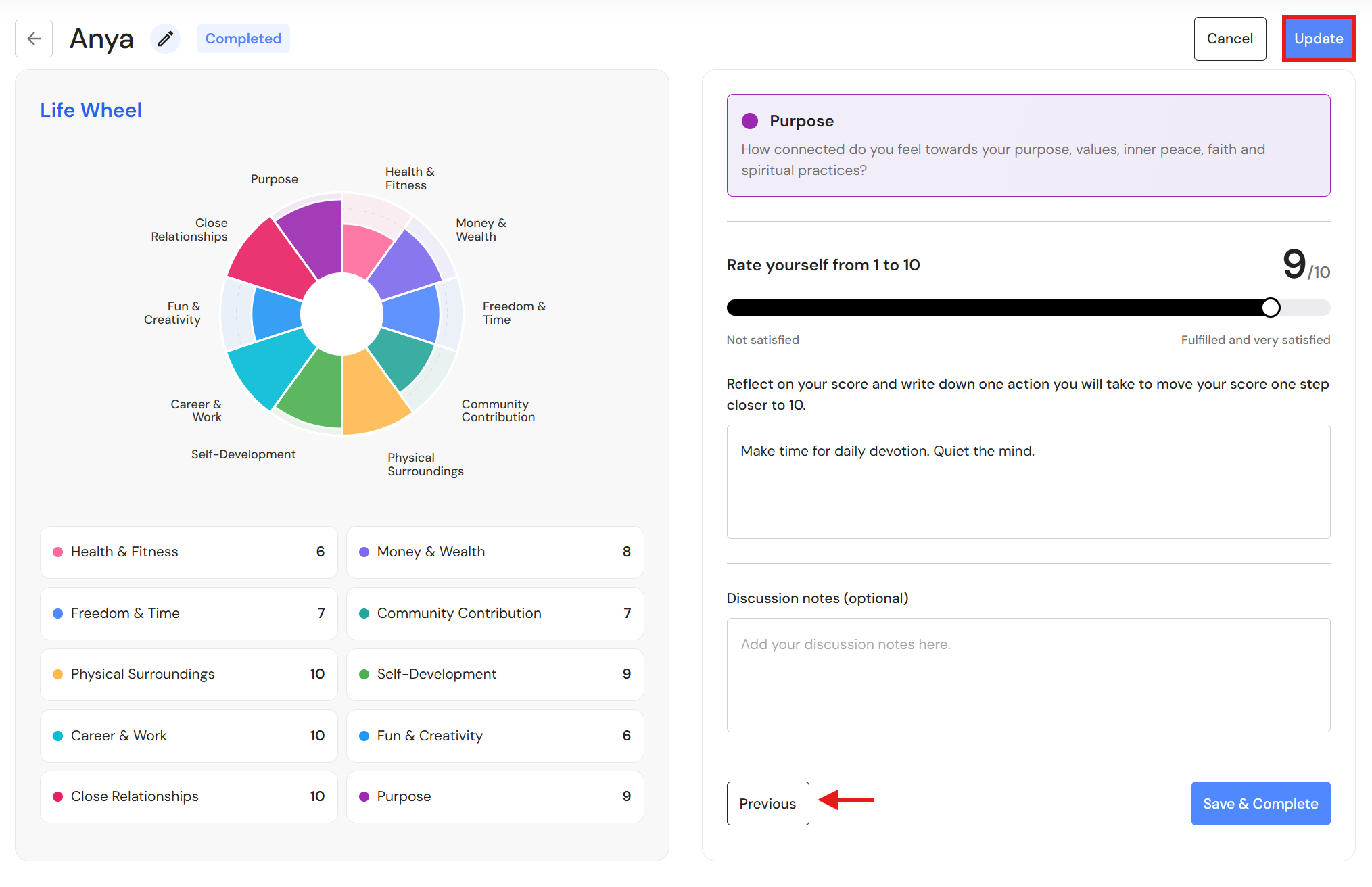
- Click 'Previous' to navigate to each category and make changes.
- Click 'Update' when you have finished.
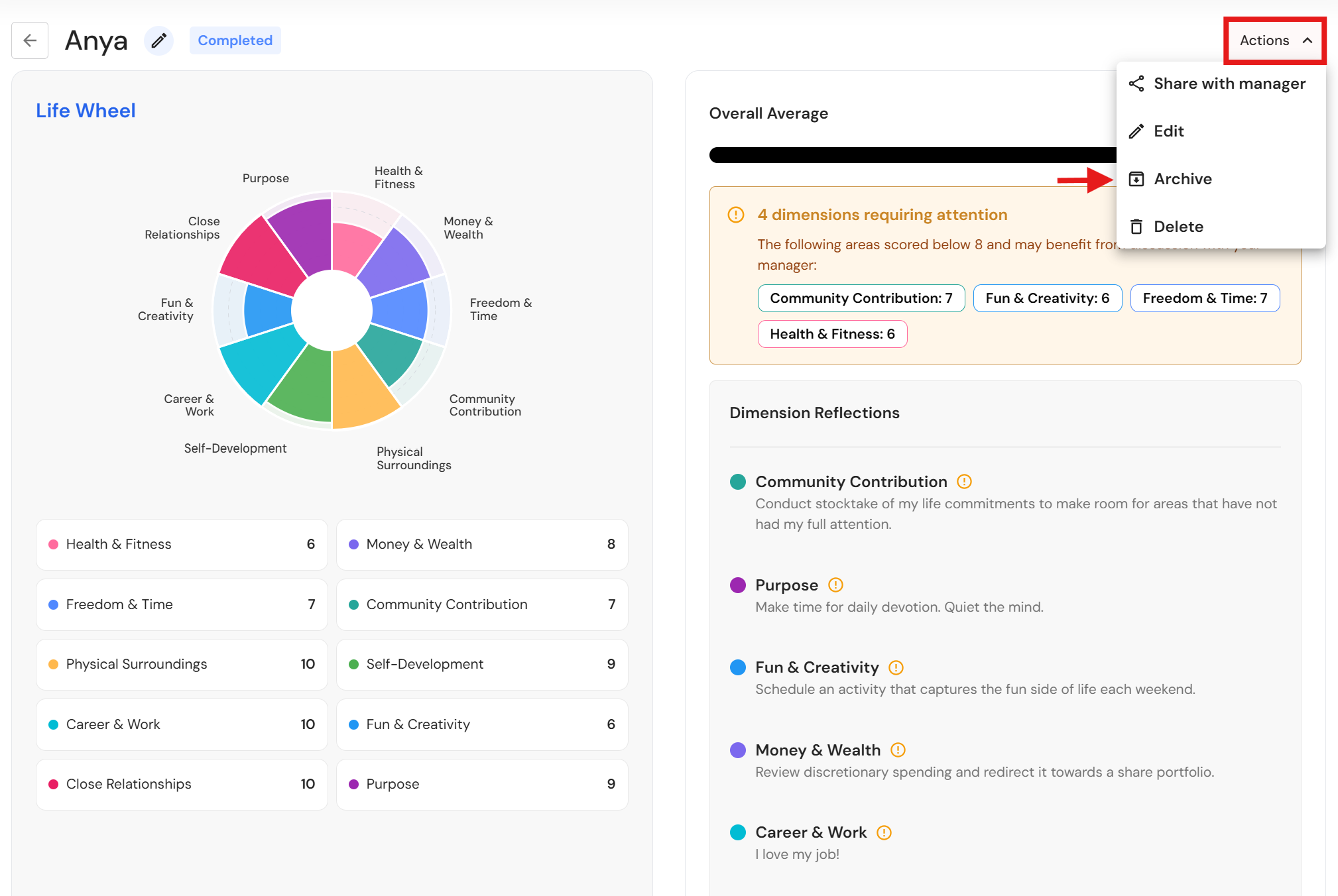
Archive your Life Wheel
- Click 'Actions', then 'Archive'.
NB* If you have shared your Life Wheel, you will need to click 'Unshare with manager' before you can archive your Life Wheel.
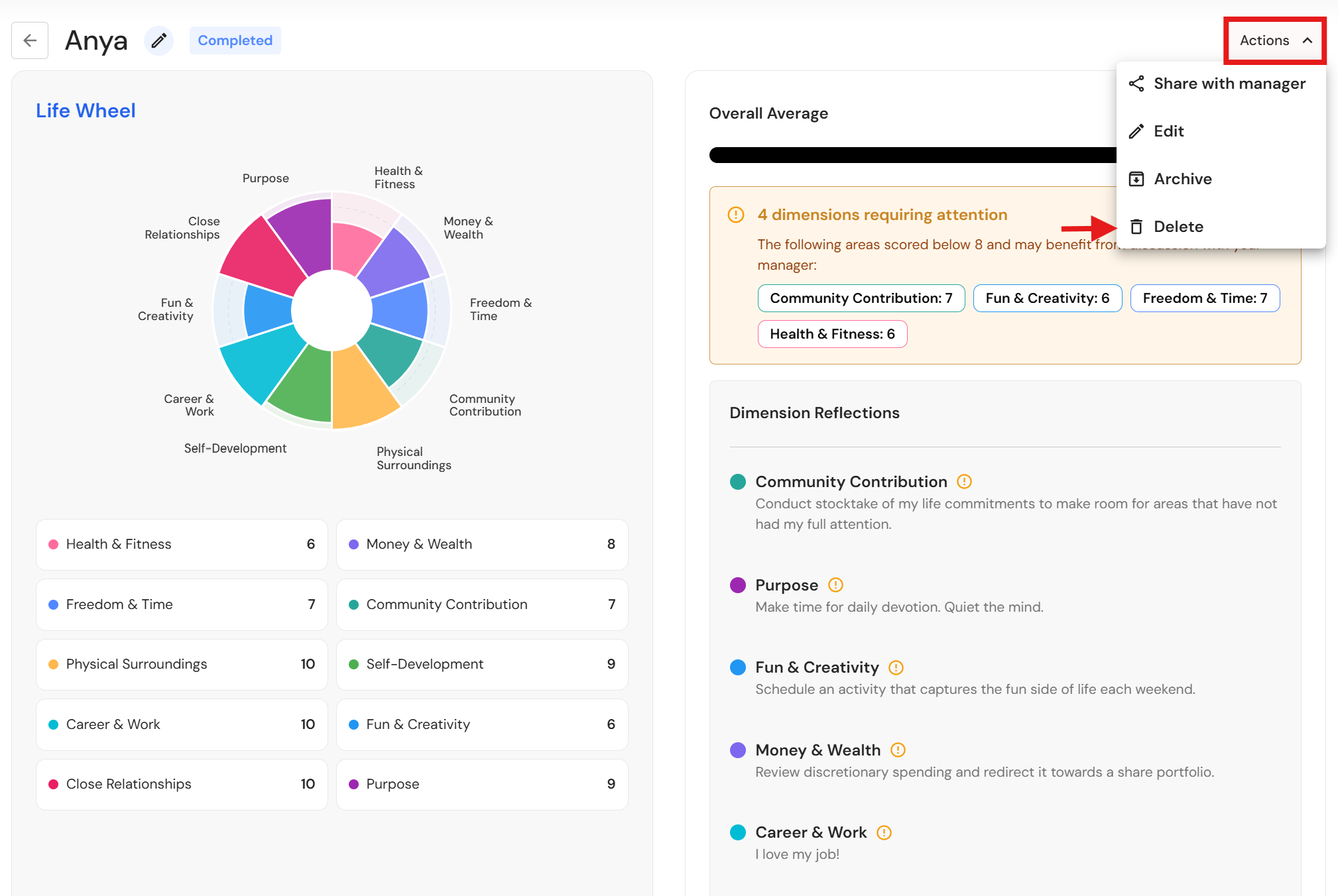
Delete your Life Wheel
- Click 'Actions', then 'Delete.
NB* If you have shared your Life Wheel, you will need to click 'Unshare with manager' before you can delete your Life Wheel.
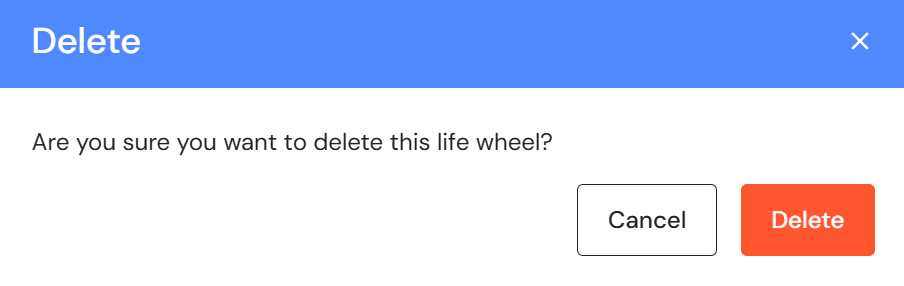
- To proceed, click 'Delete'.
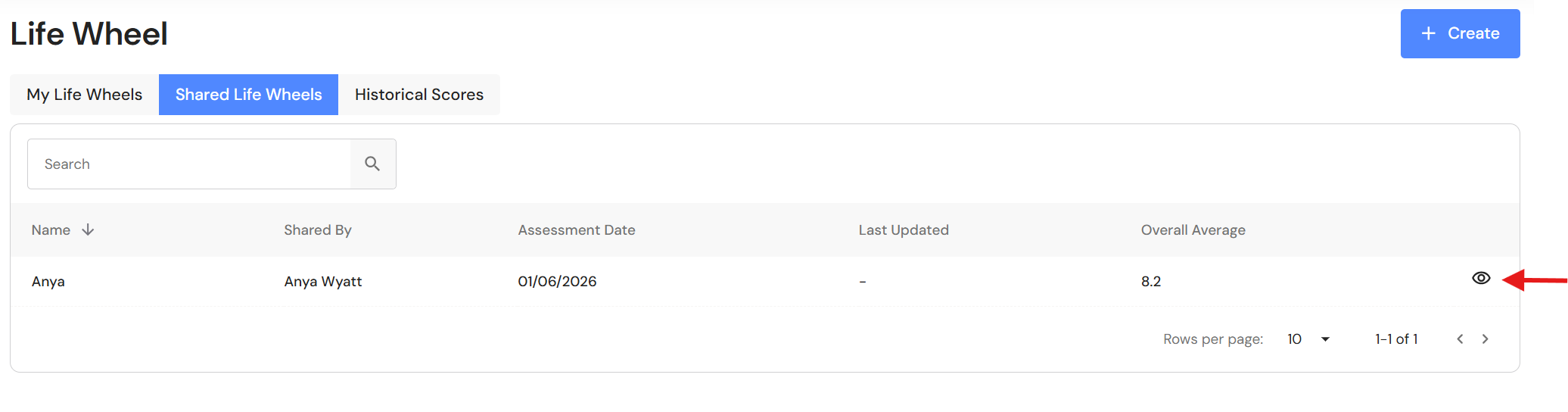
View Shared Life Wheels
- Go to the 'Shared Life Wheels' tab and click the view icon.
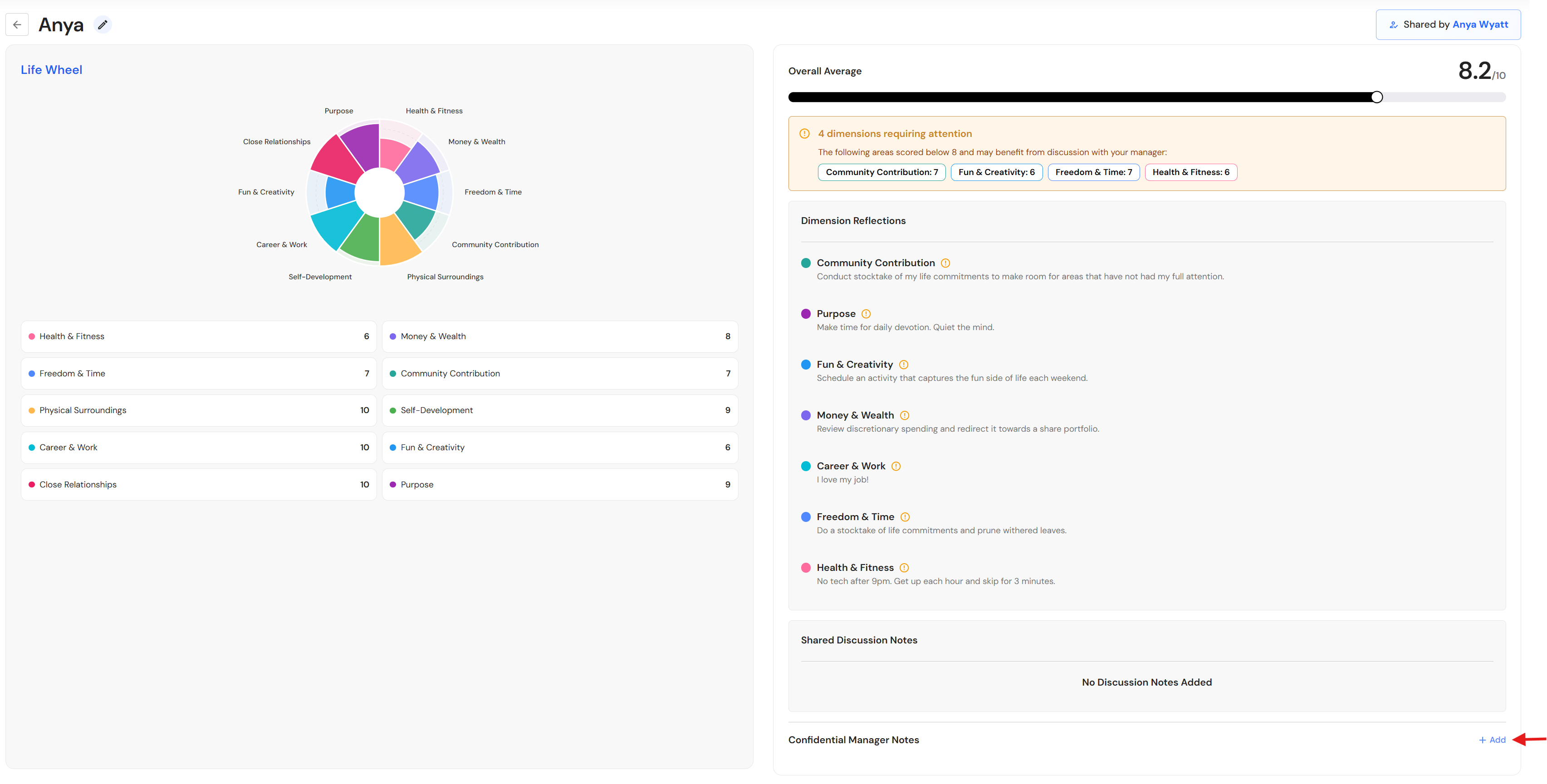
- You will see a summary of the team member's Life Wheel. Click '+ Add' to record confidential notes.
NB* Confidential manager notes are not visible to the team member.
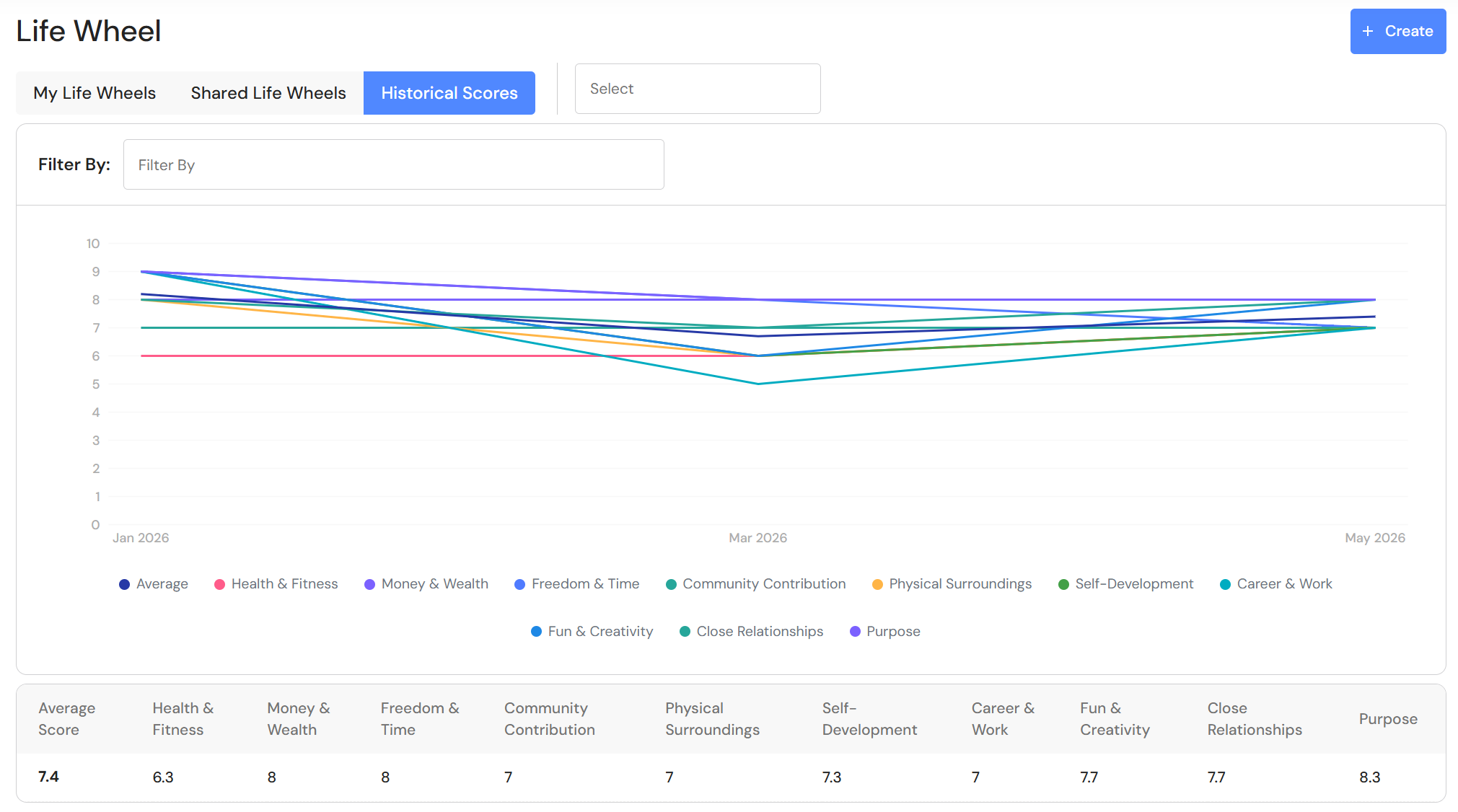
Historical Scores
- Go to the 'Historical Scores' tab.
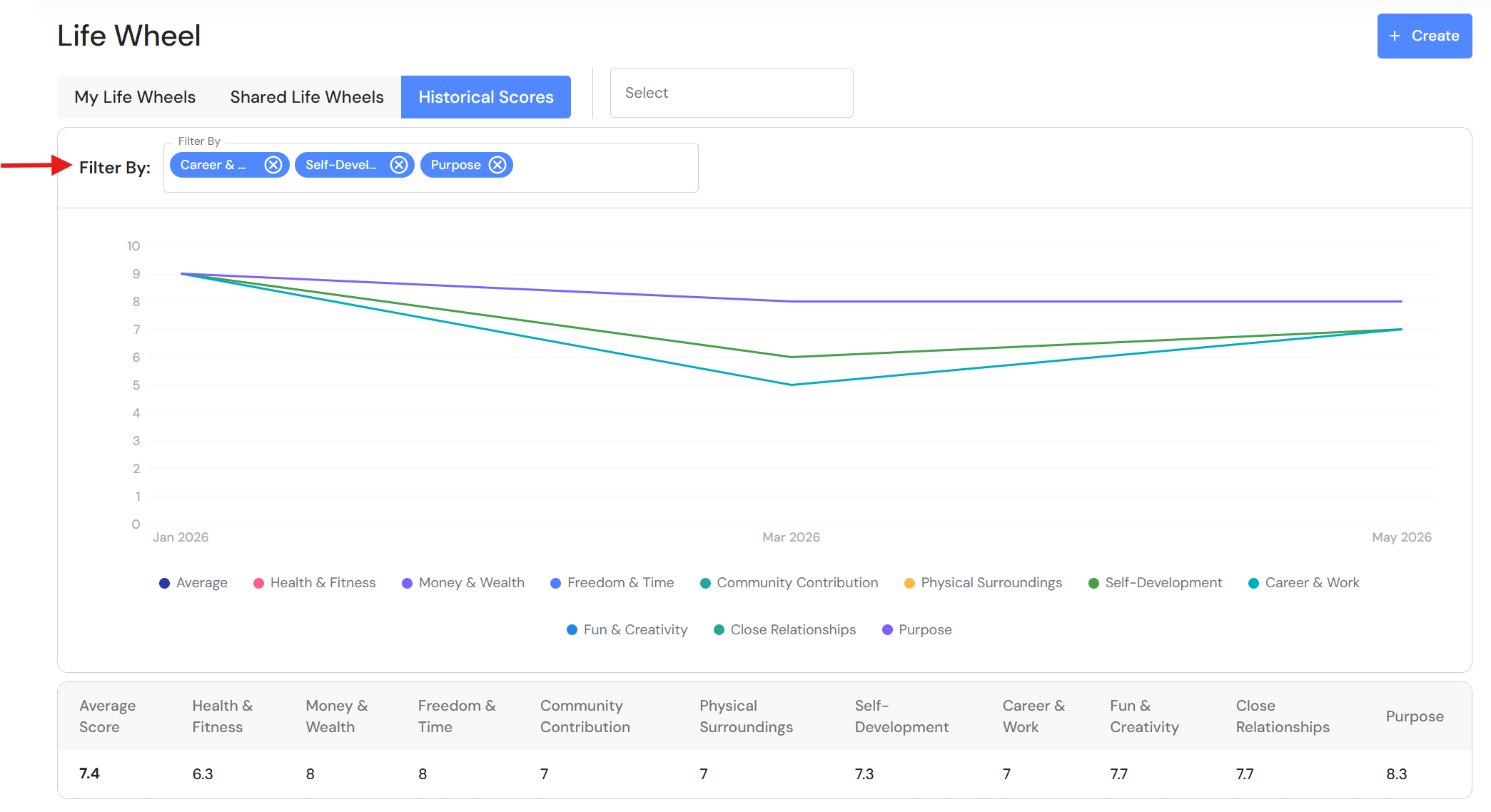
- Use the filter to focus on specific categories from the Life Wheel.
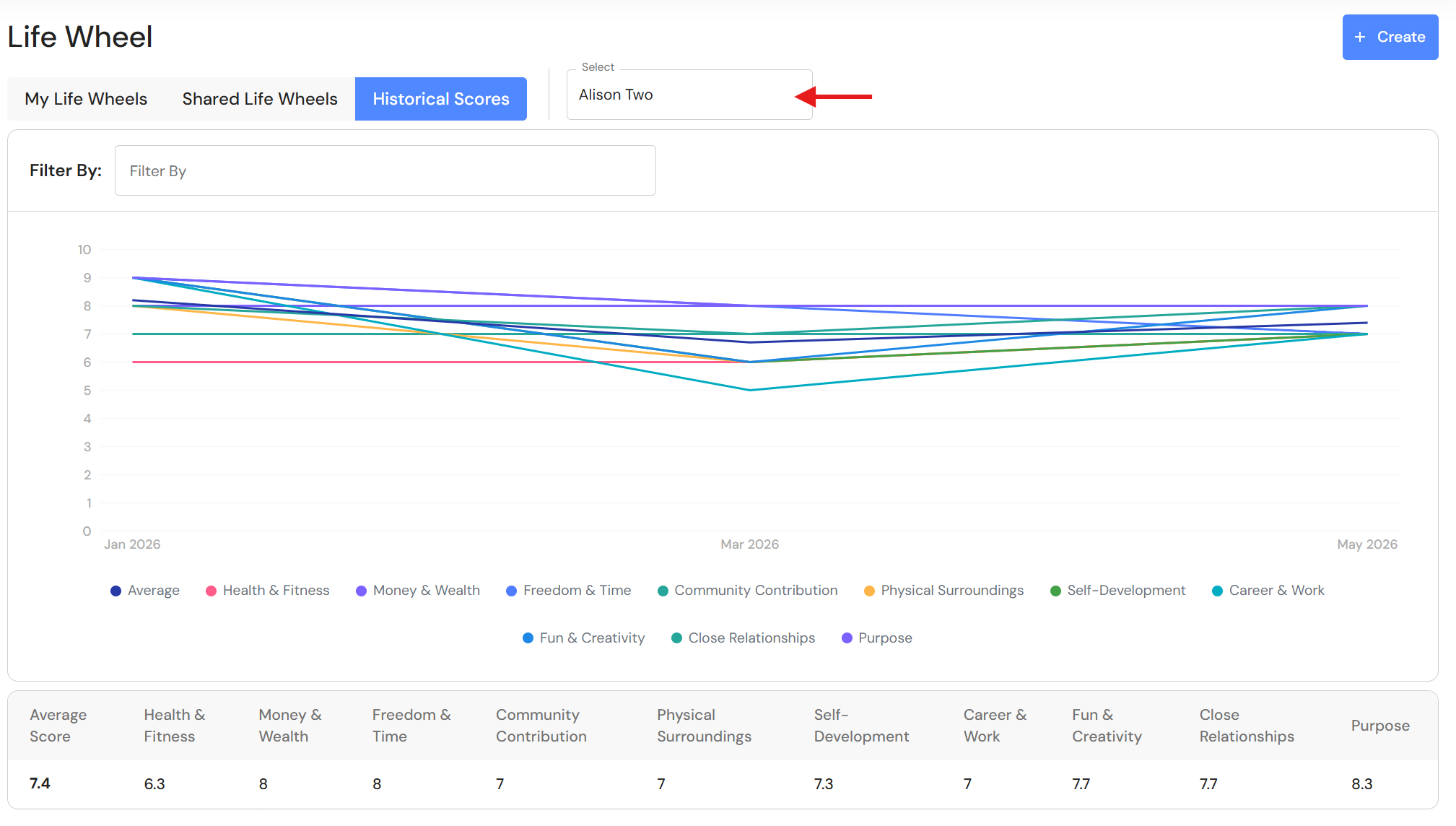
- Select a team member to view shared scores.