Change your Password and setup Multi Factor Authentication
How to change your password
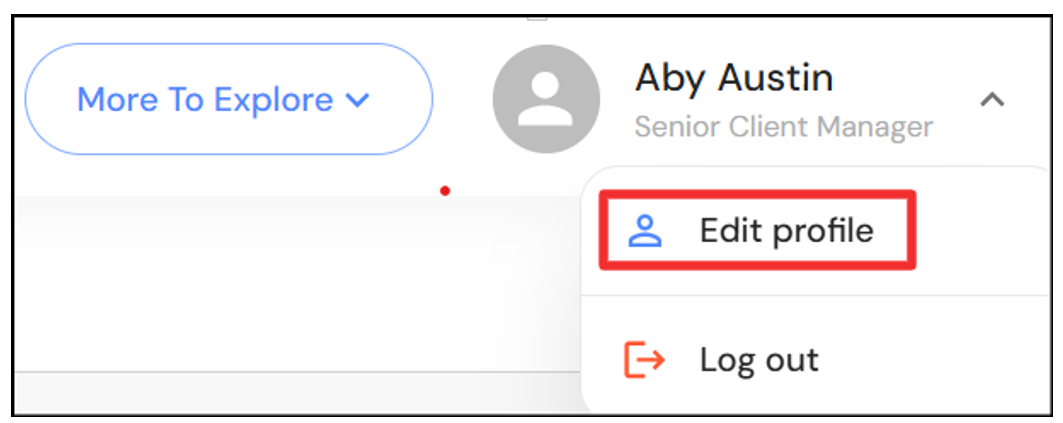
To change your password in app, go to your user profile in the top right corner and click on 'Edit profile'.
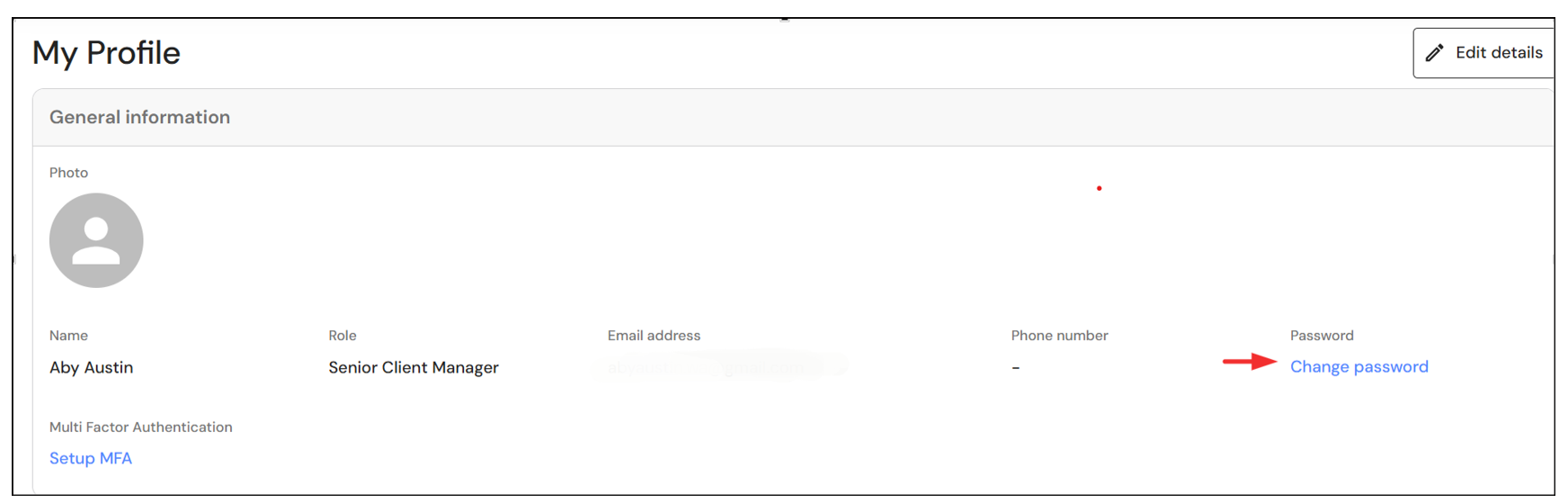
Click on 'Change password'.
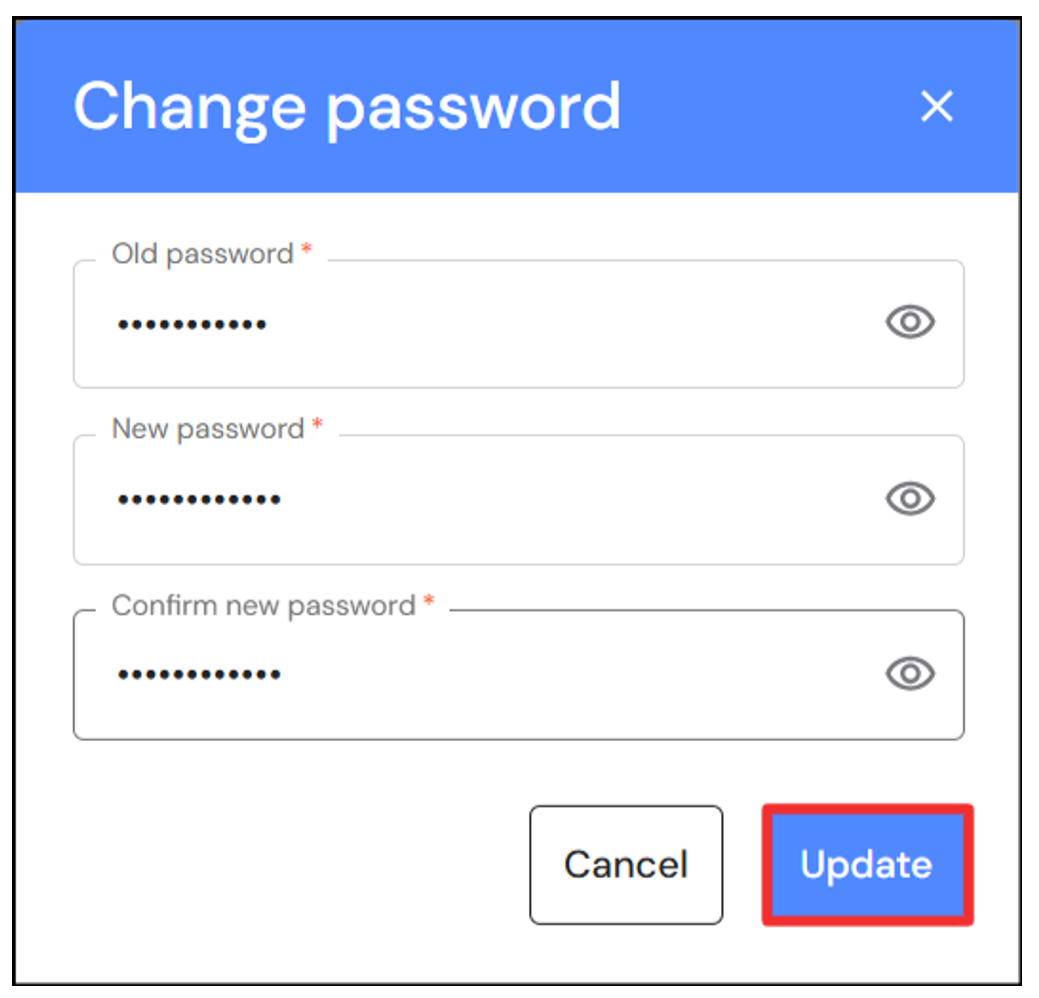
Type your old password and new password and click on 'Update'.
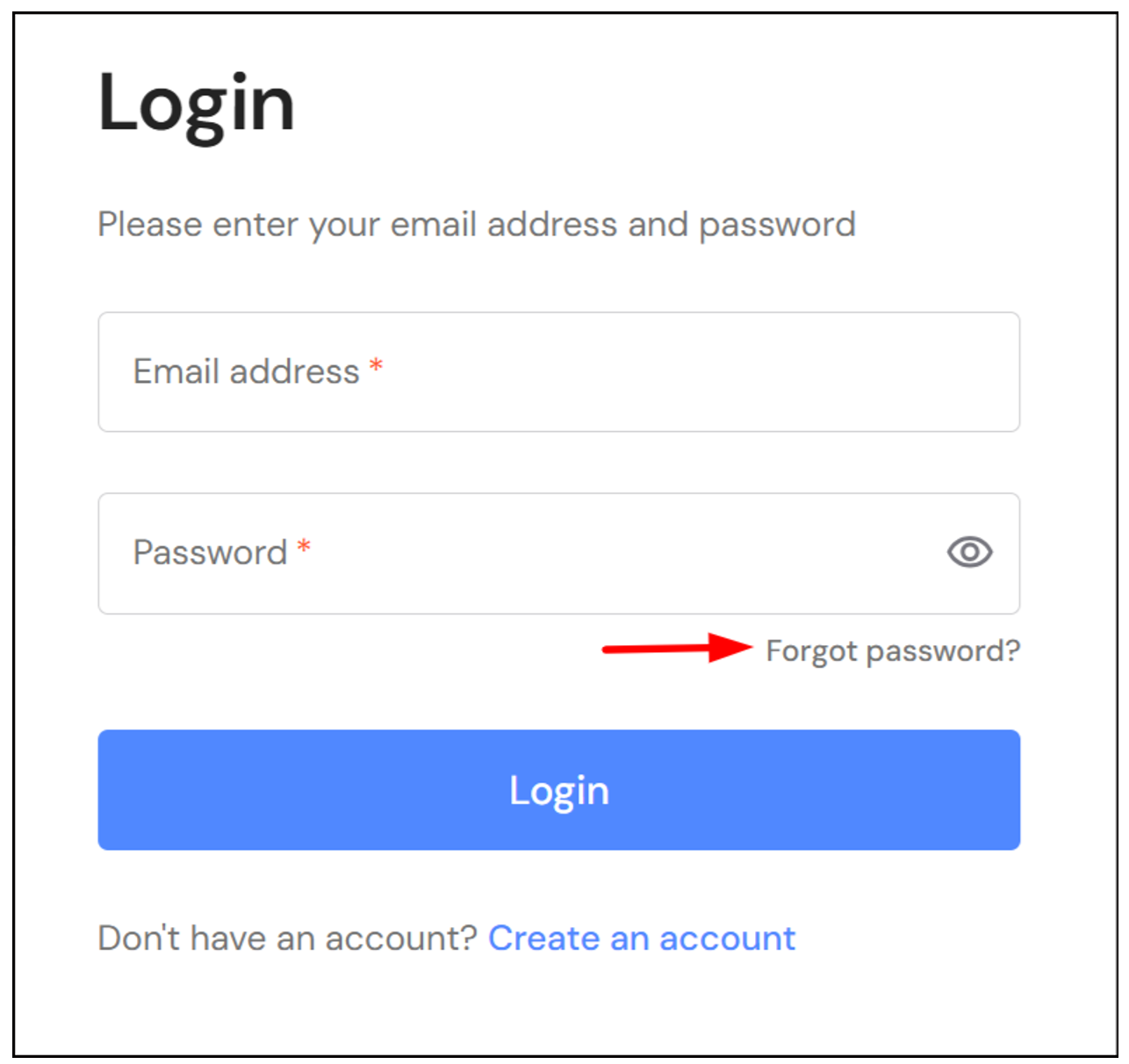
Alternatively, click on 'Forgot password?' on the login page to reset your password. Follow the prompts to receive an email with instructions to change your password.
How to setup Multi Factor Authentication
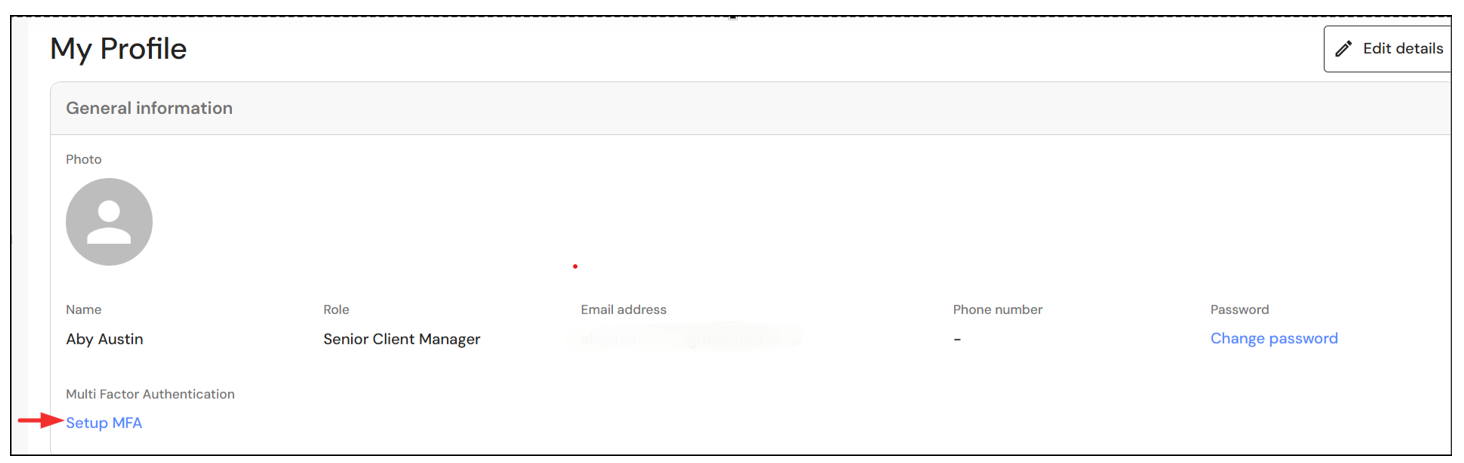
To setup Multi Factor Authentication, go to your user profile in the top right corner and click on 'Edit profile'.
Click on 'Setup MFA'.
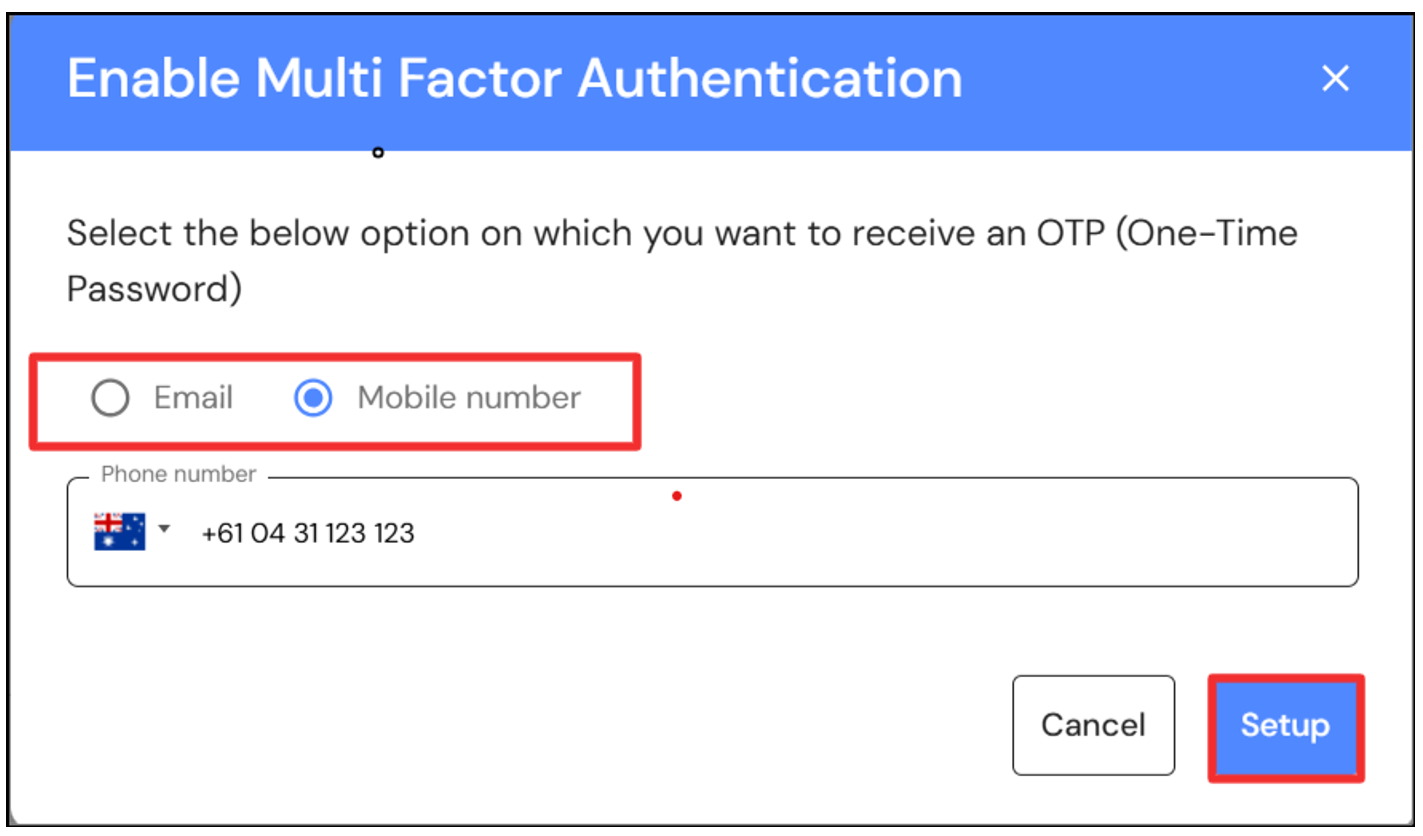
Select your preferred option; Email or Mobile number and click on 'Setup'.
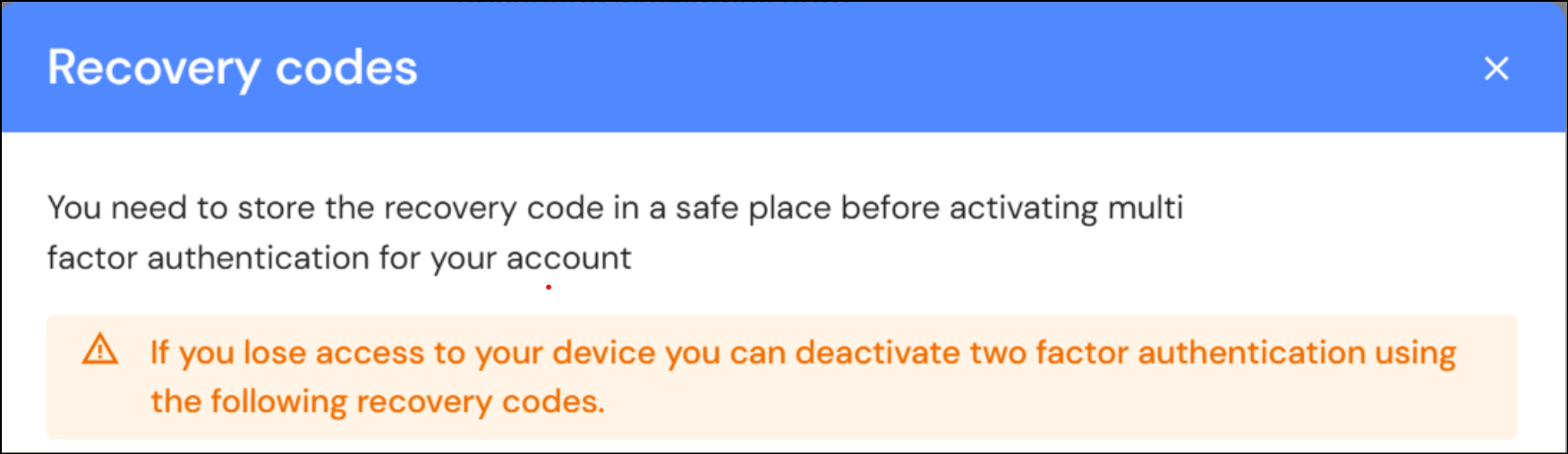
You will receive a 6 digit code to activate MFA via email or sms. Keep a copy of your recovery codes in a safe place. IMPORTANT: You will need your recovery codes to deactivate MFA.