Equity Plan
Create an Equity Plan
Pre-requisite: Make sure you have prepared the Ideal Income and Growth Plan before you proceed.
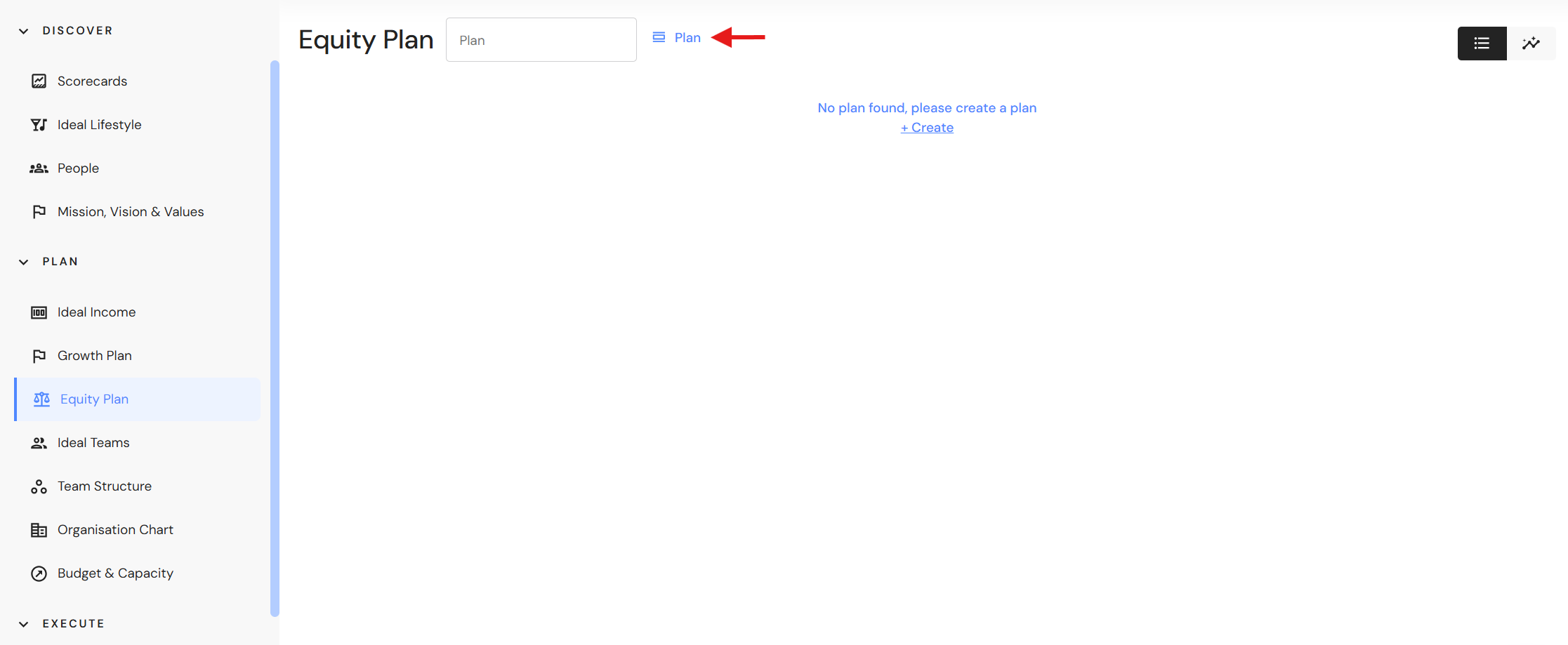
Go to Plan > Equity Plan
- Click on 'Plan' (or '+ Create' for first time plans).
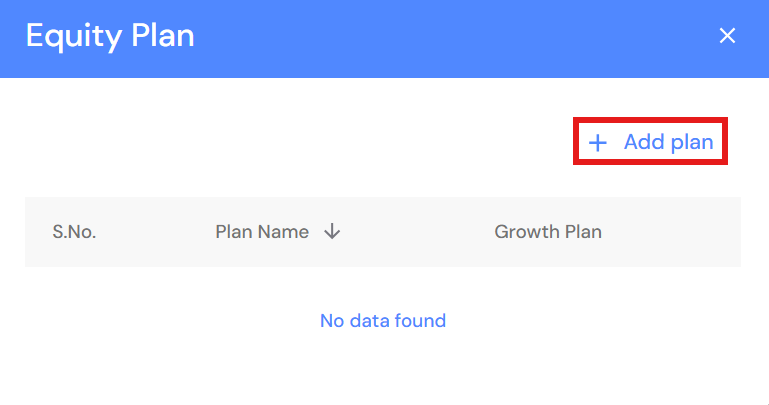
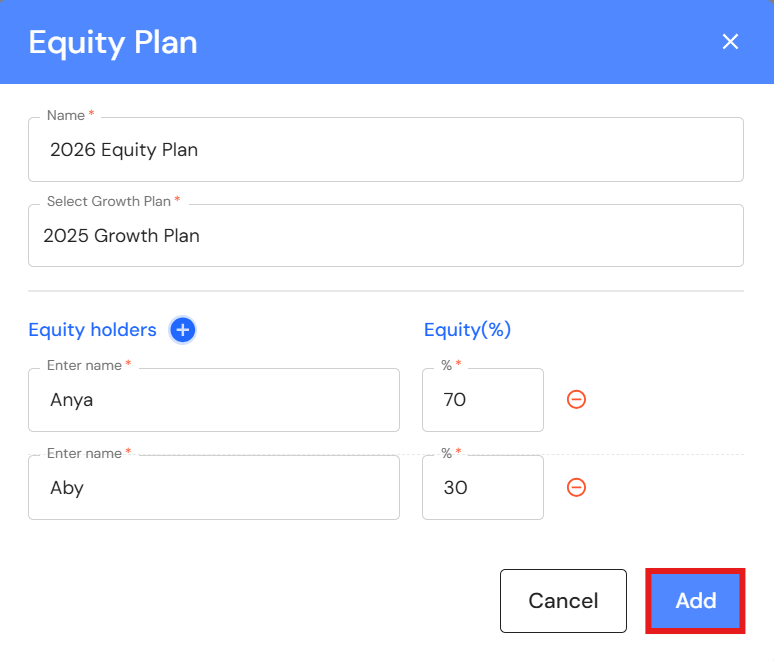
- Click on '+ Add plan'.
- Add a name.
- Select a Growth Plan.
- Equity holders will prefill from your Ideal Income plan.
NB* If the Ideal Income plan does not include equity details, the percentage will be empty. Enter equity holdings manually. - Click 'Add'.
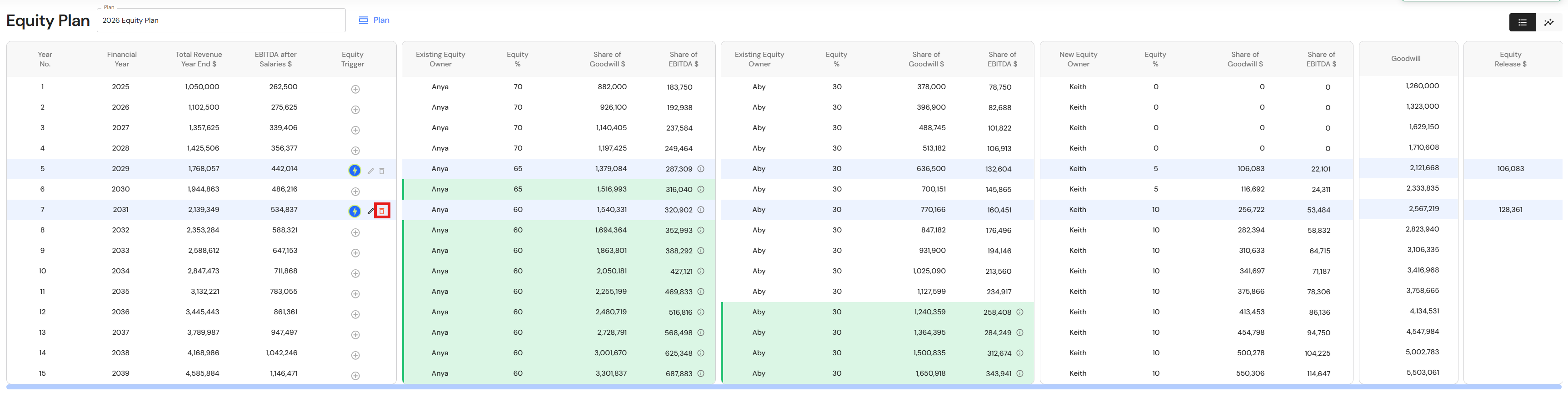
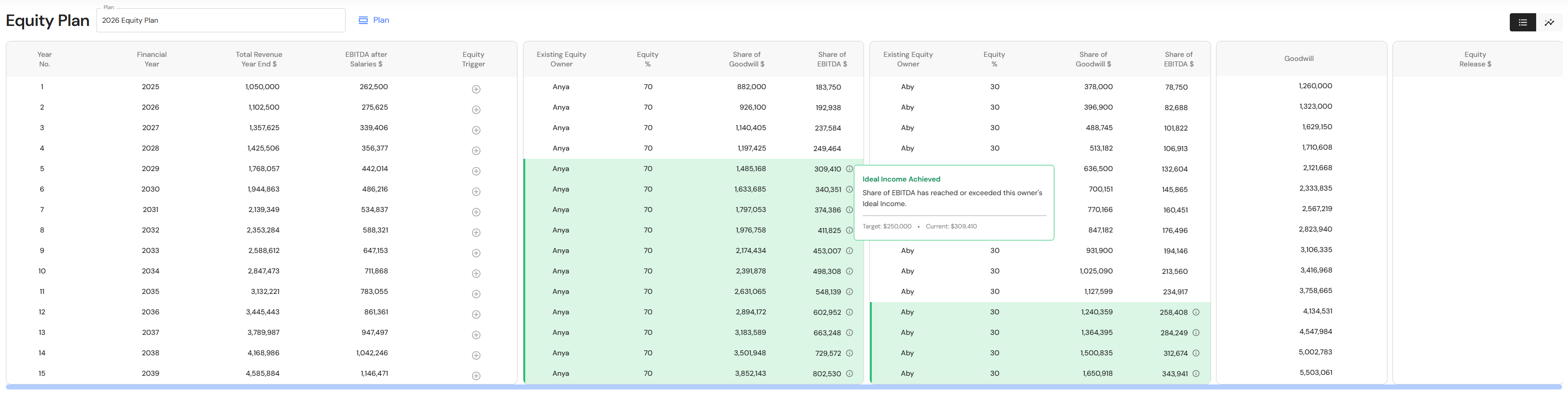
- The Equity Plan will integrate key data from the linked Growth Plan:
- Financial Year
- Total Revenue Year End
- EBITDA after Salaries
- Goodwill
NB* Changes to data in the Growth Plan are automatically reflected in the Equity Plan.
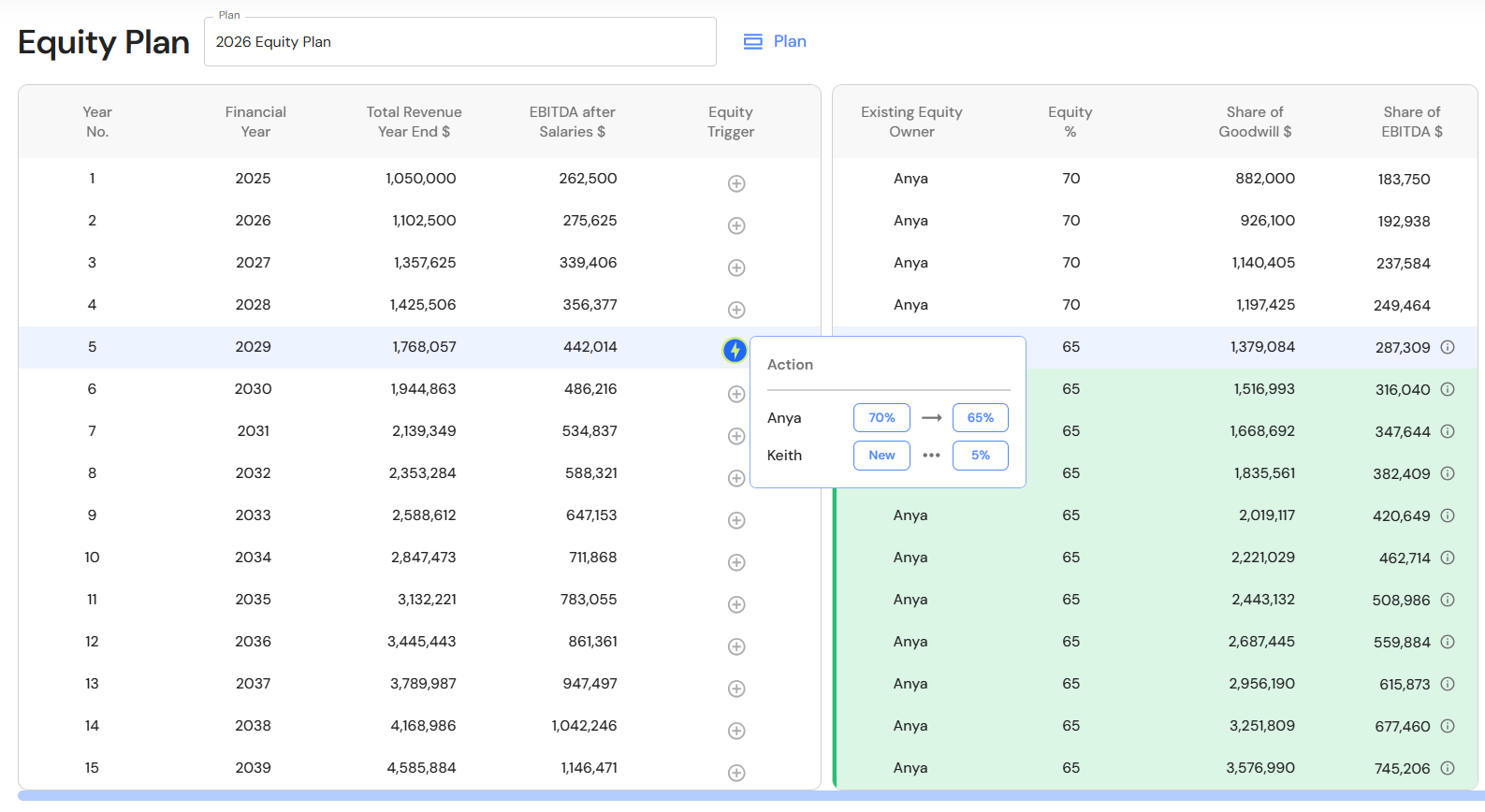
- A row turns green when an owner's share of EBITDA exceeds their Ideal Income (this works only if their Ideal Income has been set).
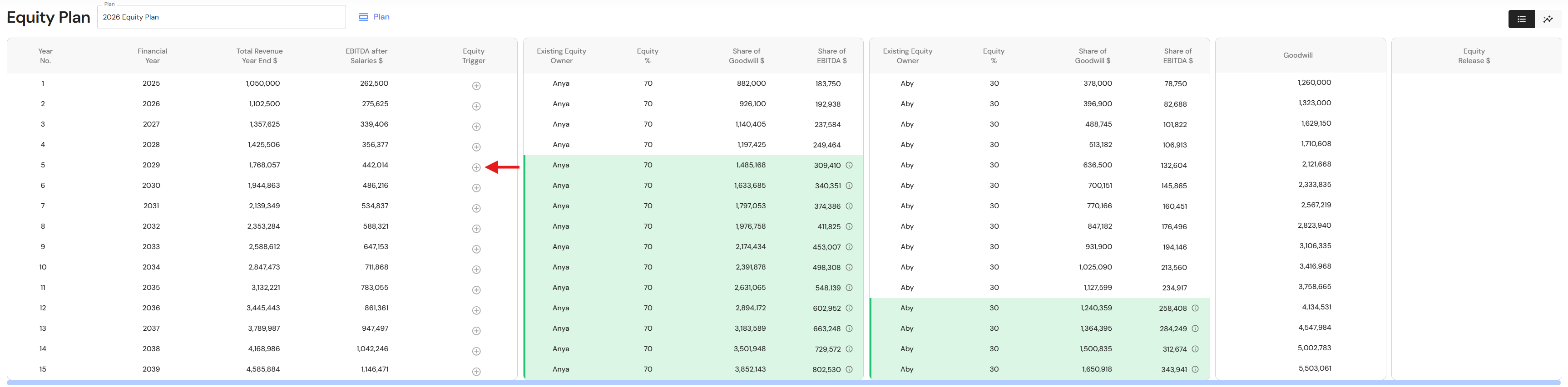
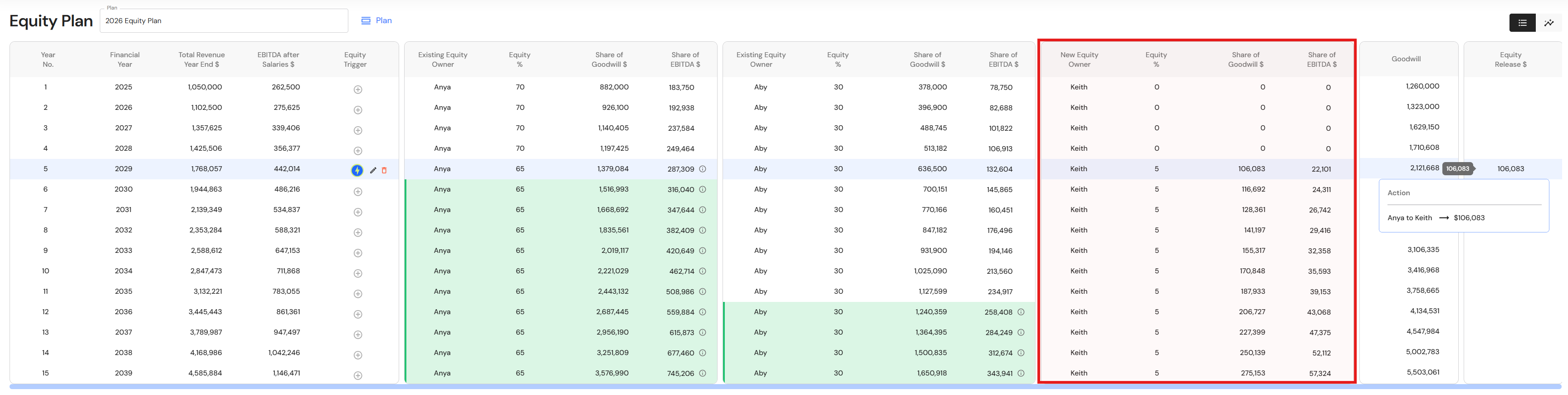
- Determine the revenue and EBITDA (after owner's salaries) that your business needs to reach before you are comfortable selling equity to existing partners or senior employees. In the year your business is likely to reach the financial milestone, that year becomes the point at which you add an 'equity trigger". The equity trigger includes the equity percentage that will be transferred from one business owner to another when agreed conditions are met. This timing helps ensure that, even after sharing ownership, you can still meet your personal income goals from the business.
Click the '+' icon in the Equity Trigger column.
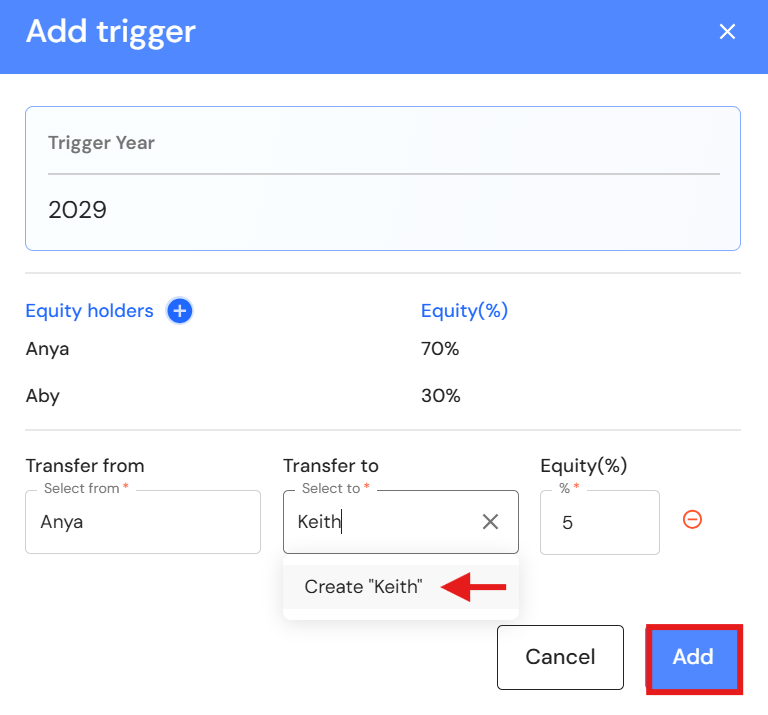
- Select equity holders in both "Transfer from" and "Transfer to" fields.
To add a new individual, type their name and click 'Create #name'. - Enter the equity transfer as a percentage.
- Click 'Add'.
Edit an Equity Trigger
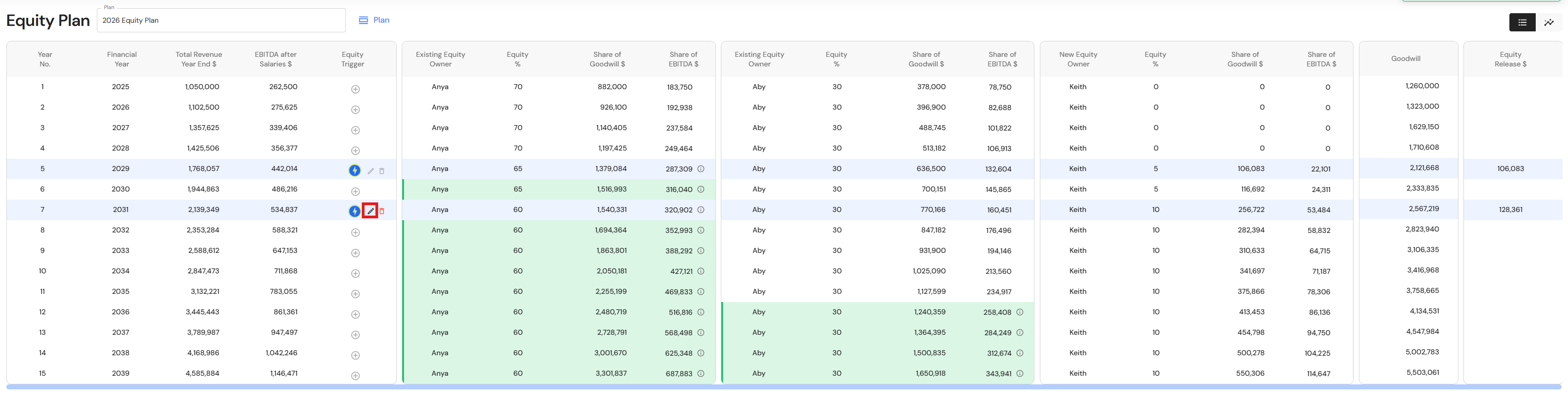
- Click the pencil icon next to the equity trigger.
NB* You can only edit the latest trigger. If the plan includes multiple equity triggers, you need to delete triggers to modify earlier events, then re-add new triggers.
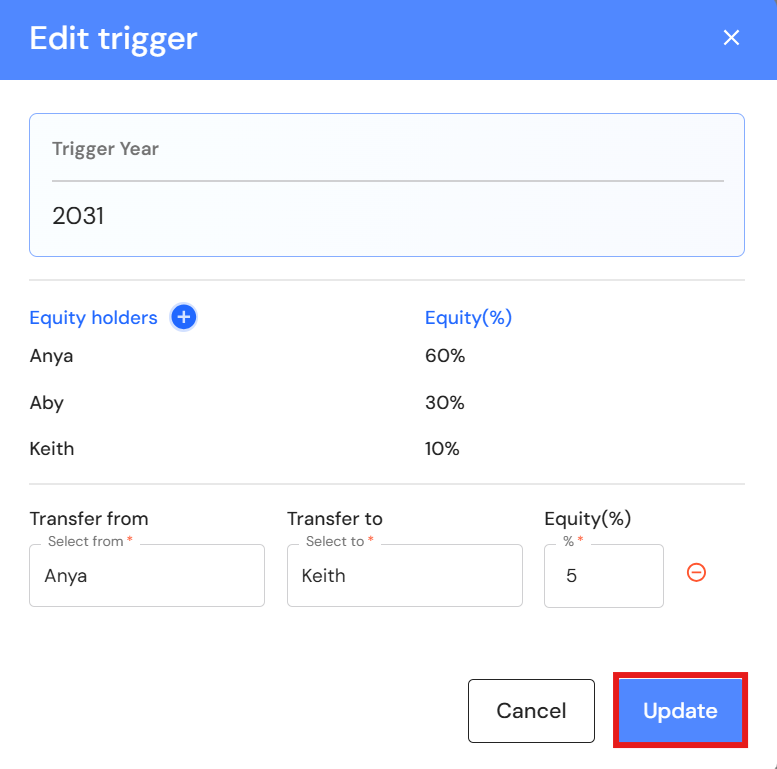
- Make changes to the fields, or add a new equity transfer.
- Click 'Update".
Delete an Equity Trigger
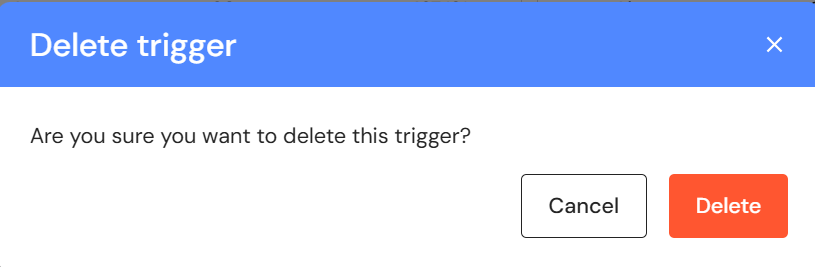
- Click on the bin icon next to the equity trigger.
- Click 'Delete'.