
Financial Year Rollover
This article explains the process to start your financial year rollover.
Financial Year Rollover
The financial year rollover automation is a seamless process to get your business up and running in the new year. The rollover is available for Executive and CFO user roles.
The rollover will create a Budget & Capacity plan along with new FAB5 schedules (there is also an option for businesses who have already created their Budget & Capacity plan).
When the rollover is completed, all you need to do is review and finalise your Budget & Capacity plan and you will be ready to record your monthly metrics.
The rollover is summarised as follows:
- Complete the Pre-Rollover Guidelines.
- Commence the rollover and choose your preferred rollover options:
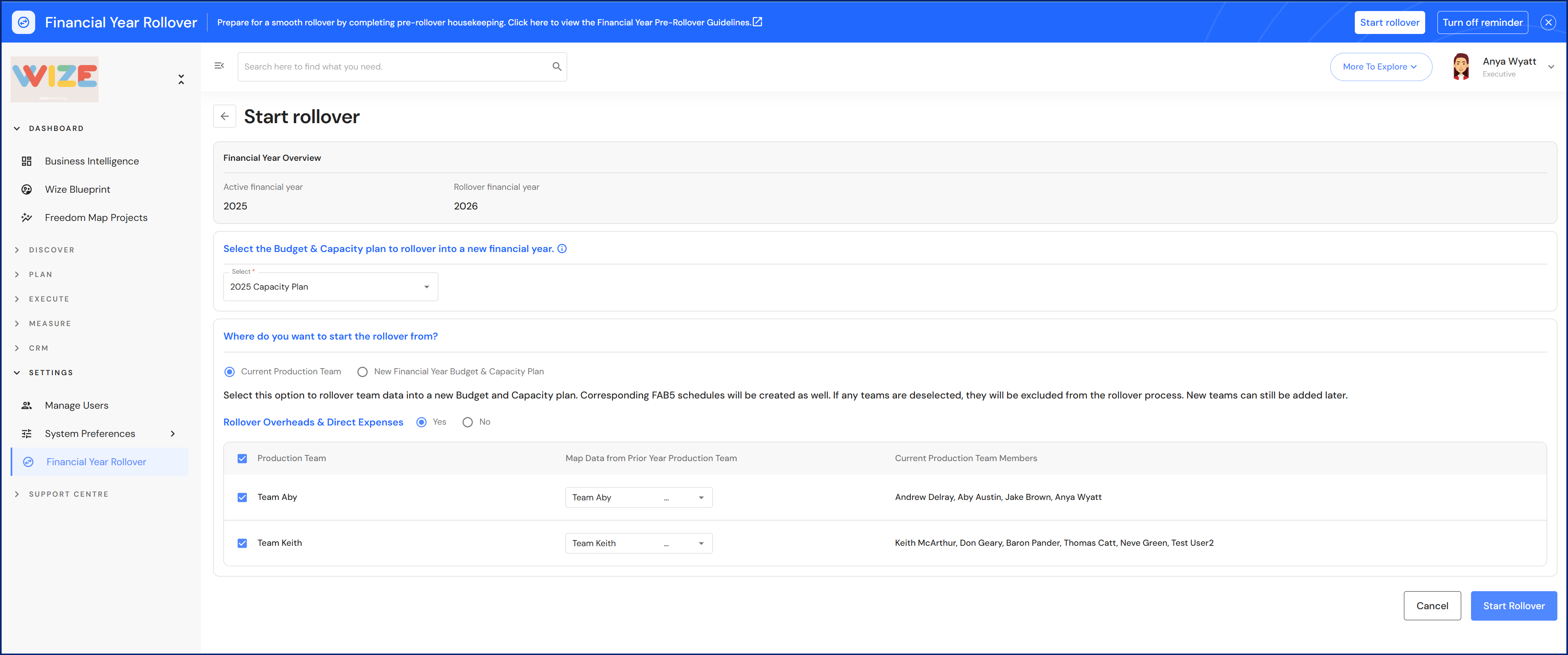
Option A- Rollover from the 'Current Production Team'. The rollover will prepare a new Budget & Capacity plan and FAB5 schedules
- Choose whether you want to bring the previous year overheads and direct expenses into the Budget & Capacity plan.
- Select the teams you want to include in the rollover and map the team data from the prior year. The rollover will match the teams based on prior year team data, however you can modify this before proceeding by changing the teams in the dropdown list.
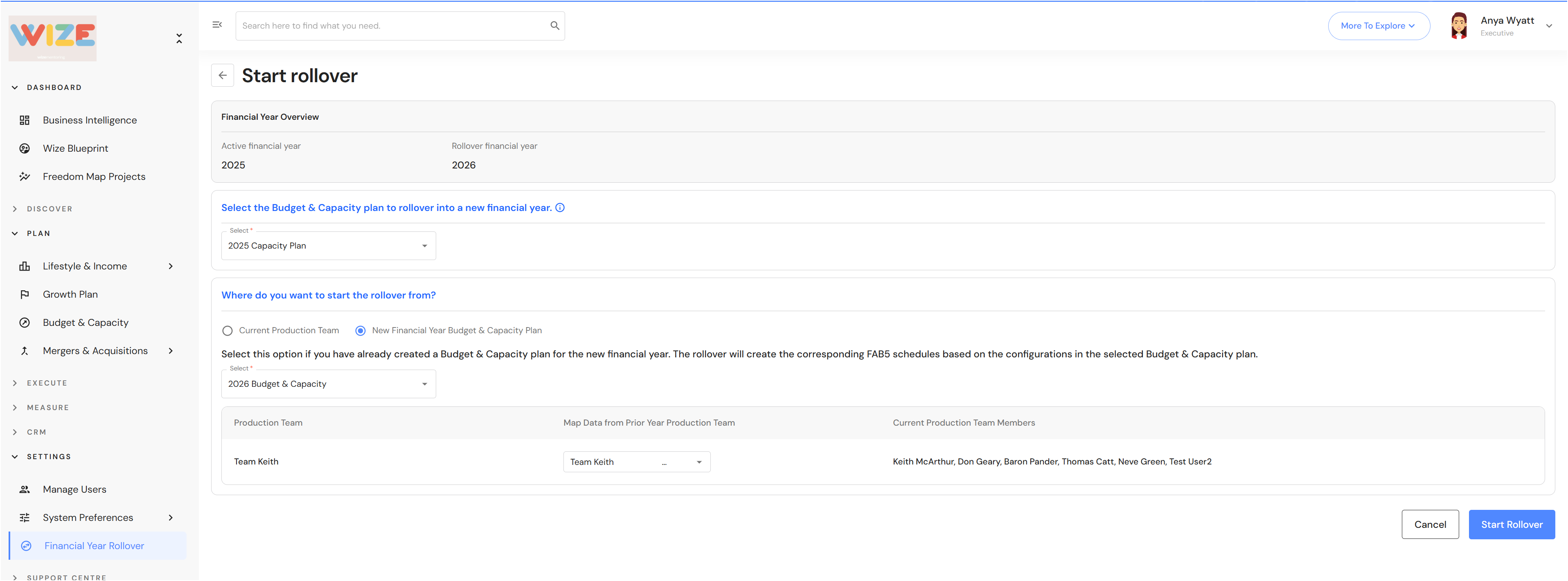
Option B - Rollover from a 'New Financial Year Budget & Capacity Plan'. The rollover will create FAB5 schedules from a newly prepared Budget & Capacity plan. The second option is helpful for businesses who plan their Budget & Capacity before the new financial year commences.
- This step will match the team data from the prior year to the teams in your Budget & Capacity plan. You can modify the team mapping by changing the teams in the dropdown list.
- Review and finalise your new year Budget & Capacity plan - Budget & Capacity Plan Post-Rollover Finalisation.
FAQ - What happens during the financial year rollover process?
Budget & Capacity plan available for CFO users
The CFO user role now has access to the Budget & Capacity plan.