Release Notes - 25 August 2025
Lead Pipeline
Proposal Calculator
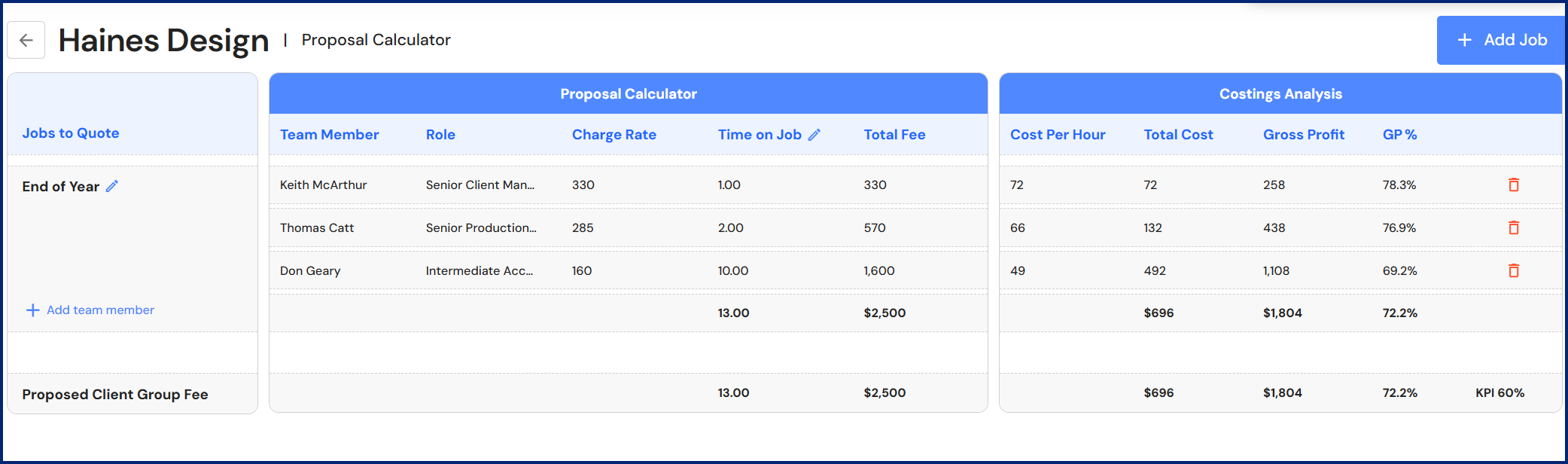
A new proposal calculator is available for prospects in the Lead Pipeline. Client Managers can use the calculator to determine fees for a new proposal based on staff and their time on each job.
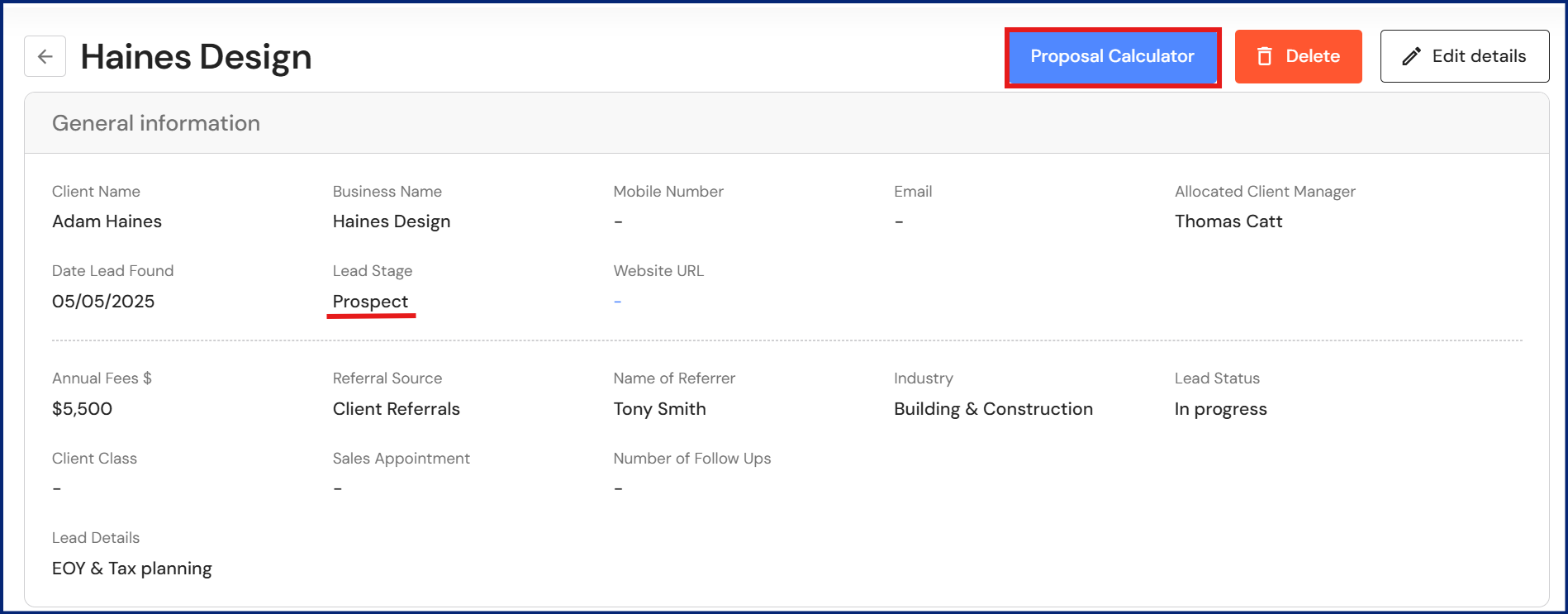
To access the calculator, go to CRM > Lead Pipeline.
- Click on a client in the prospects column.
- Click on the proposal calculator.
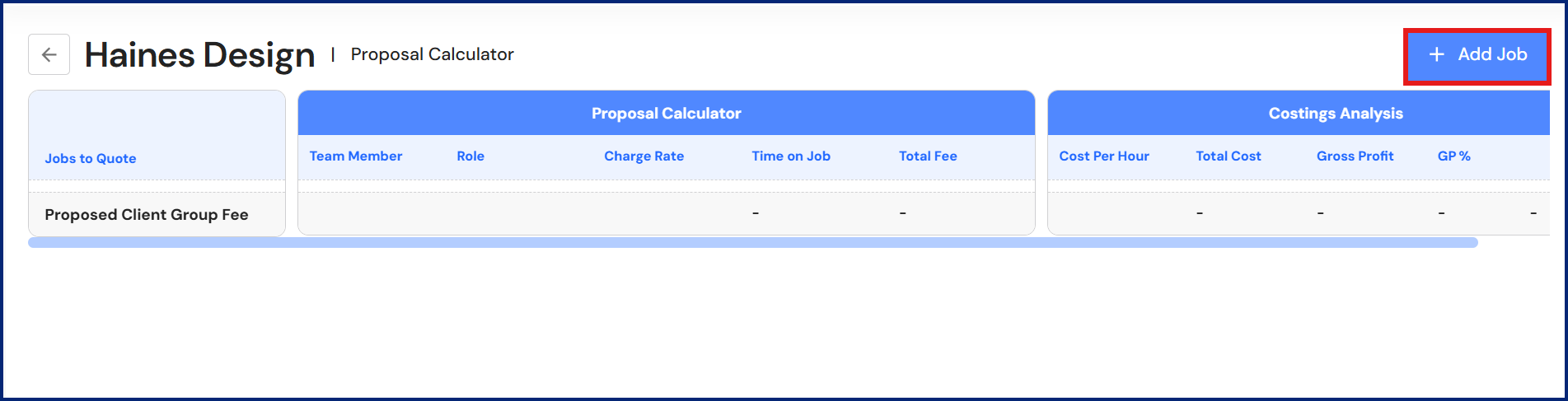
- Click on '+ Add Job'.
NB* You can add multiple jobs to the proposal.
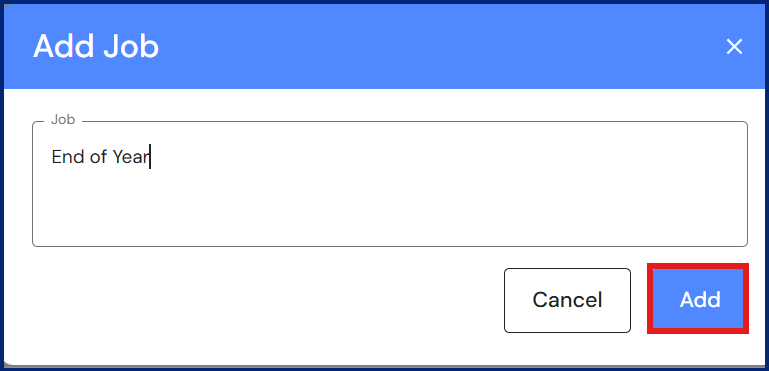
- Enter a job name.
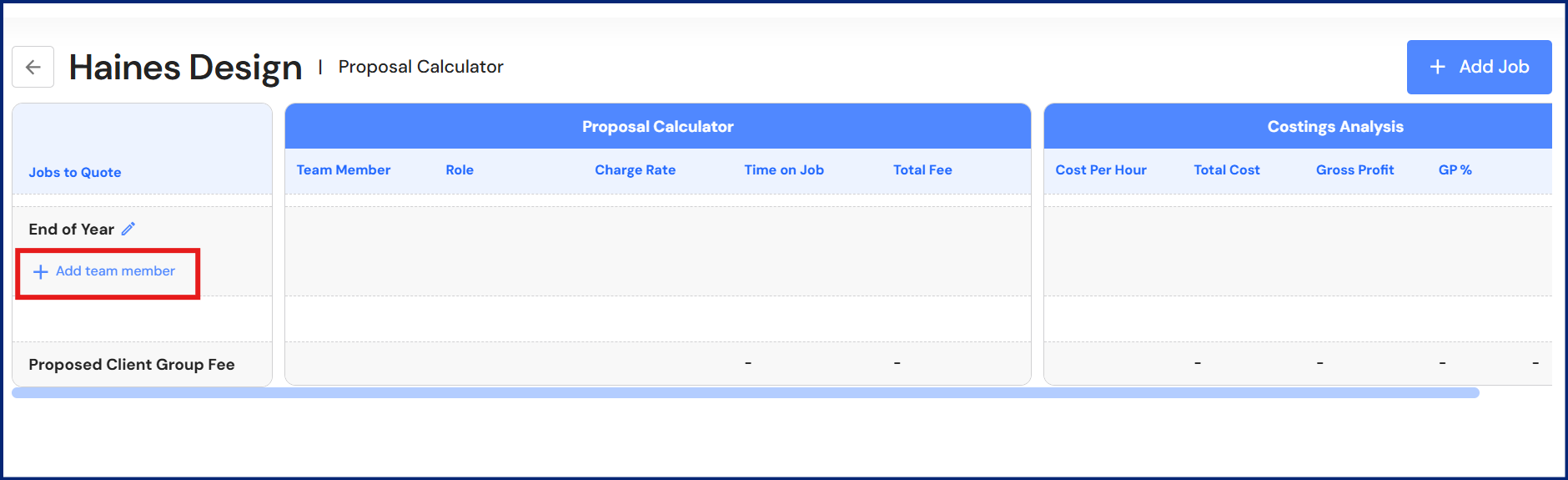
- For each job, click on '+ Add team member' to assign staff to the job.
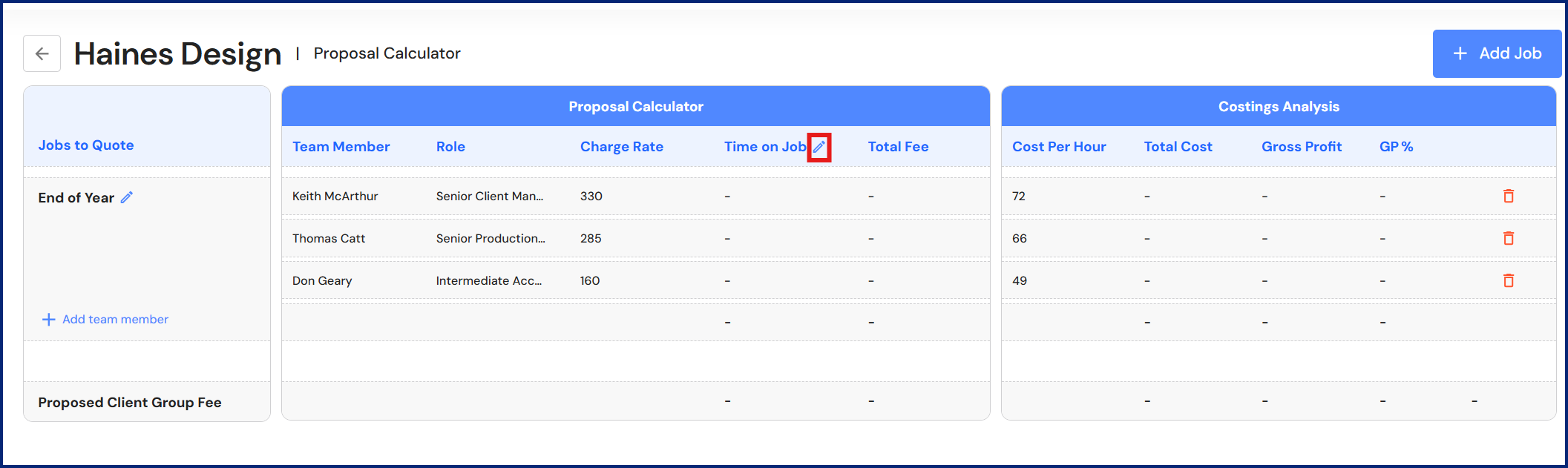
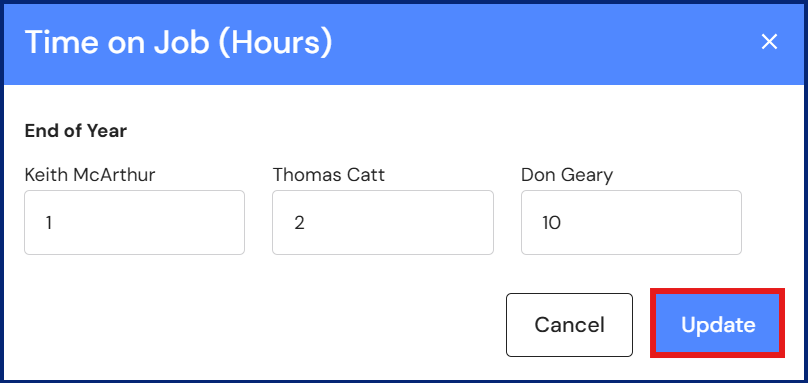
- Click on the edit icon next to 'Time on Job' to enter the time (in hours) each person will spend on the job.
- Click on 'Update'.
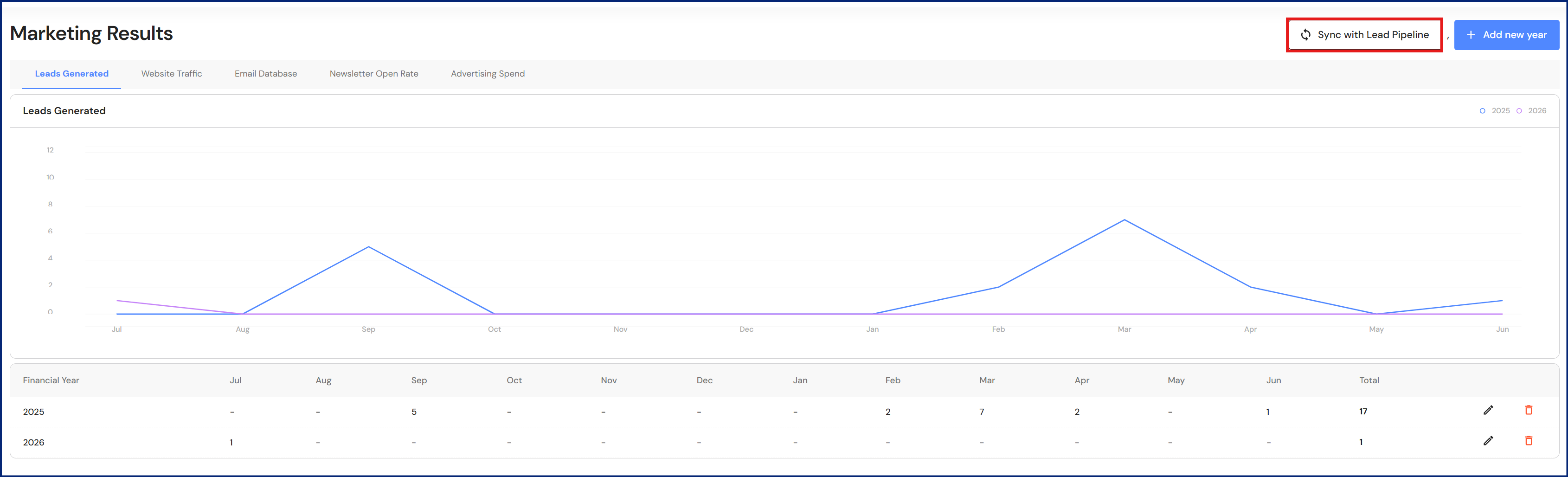
Marketing Results
Leads Generated
Lead data now integrates with the Lead Pipeline. Users can choose between manual entry or sync leads generated with the Lead Pipeline.
Minor Updates
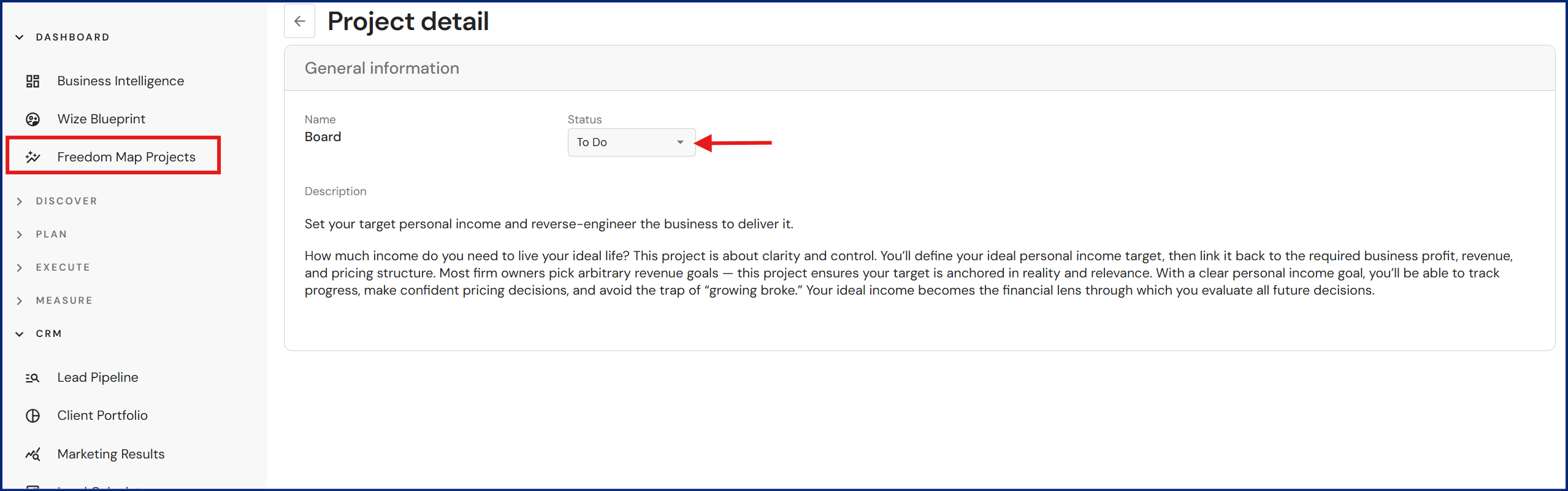
Freedom Map Projects
Users can now update the status of Freedom Map Project cards directly from the dashboard. If users are working through the 'Freedom Map Project Steps' agenda in meetings, status updates in the dashboard will also be reflected in the corresponding agenda.
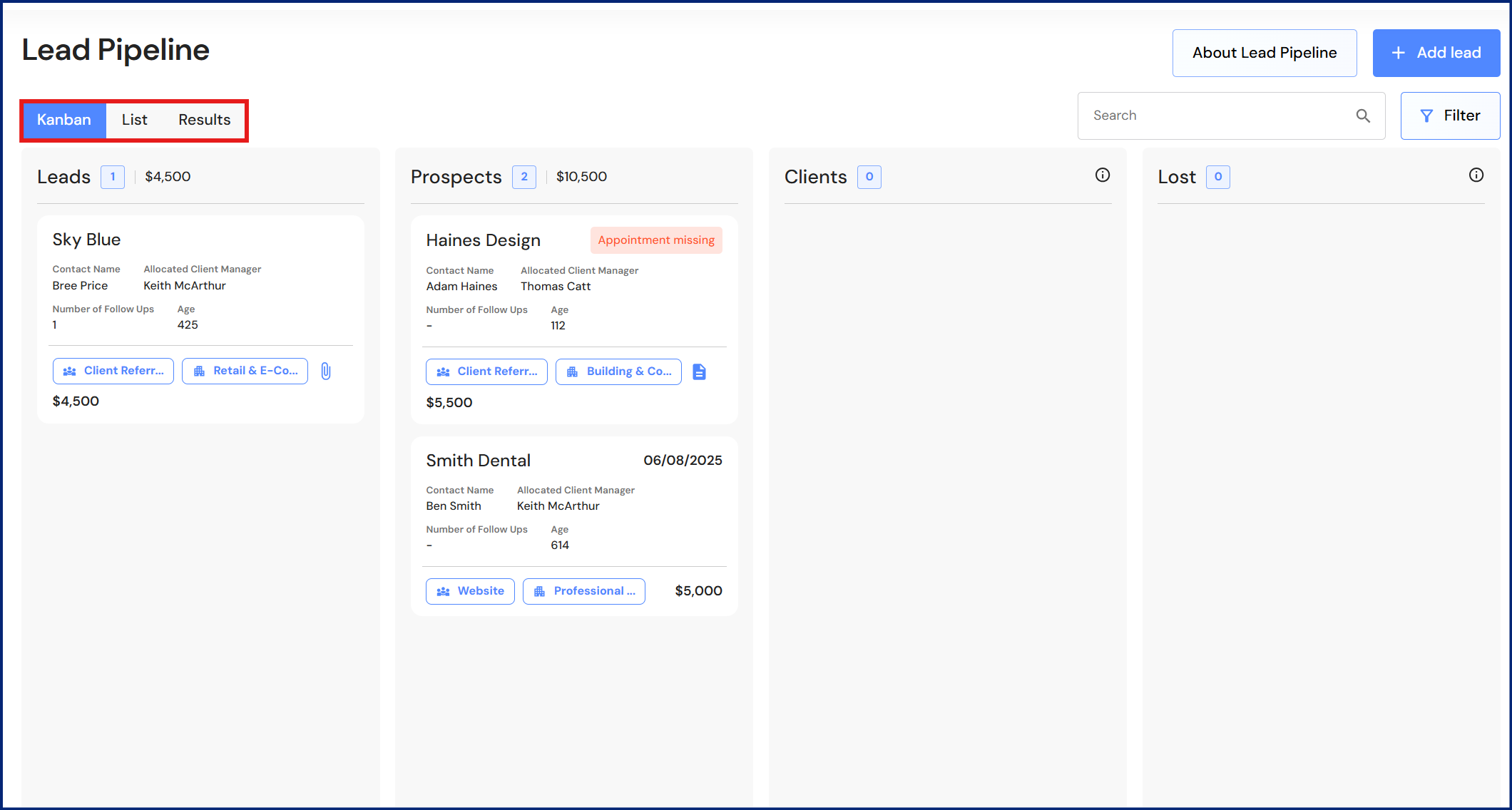
Lead Pipeline
We have made it easier for users to switch views between the Kanban board, list view and results tab by grouping the buttons side by side.
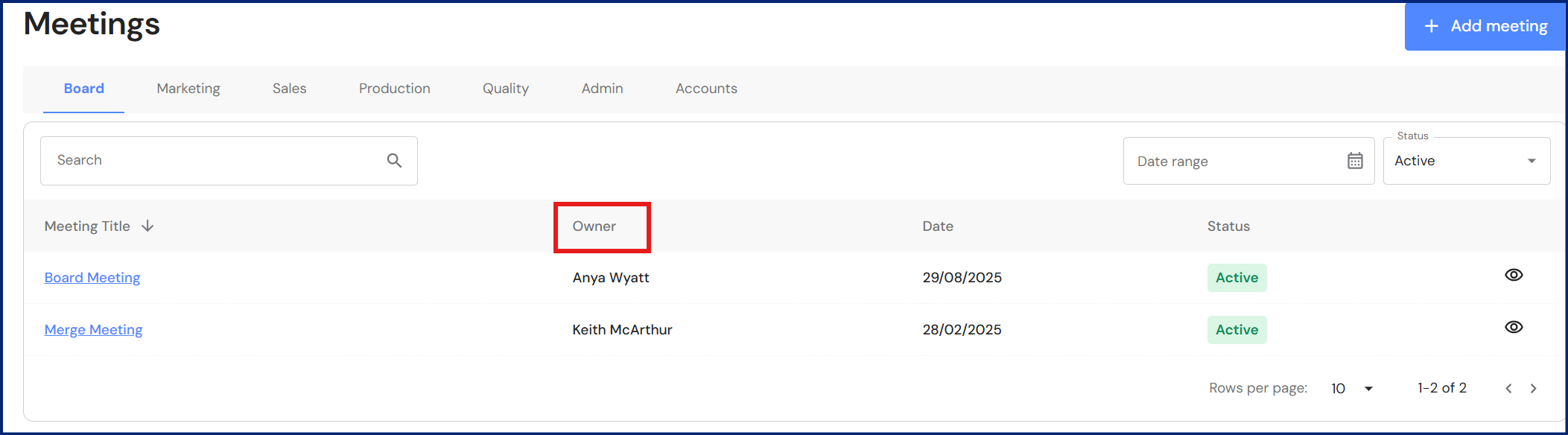
Meeting Categories
The 'category' field has been removed from the Meetings module. The category column has been replaced with the meeting owner.
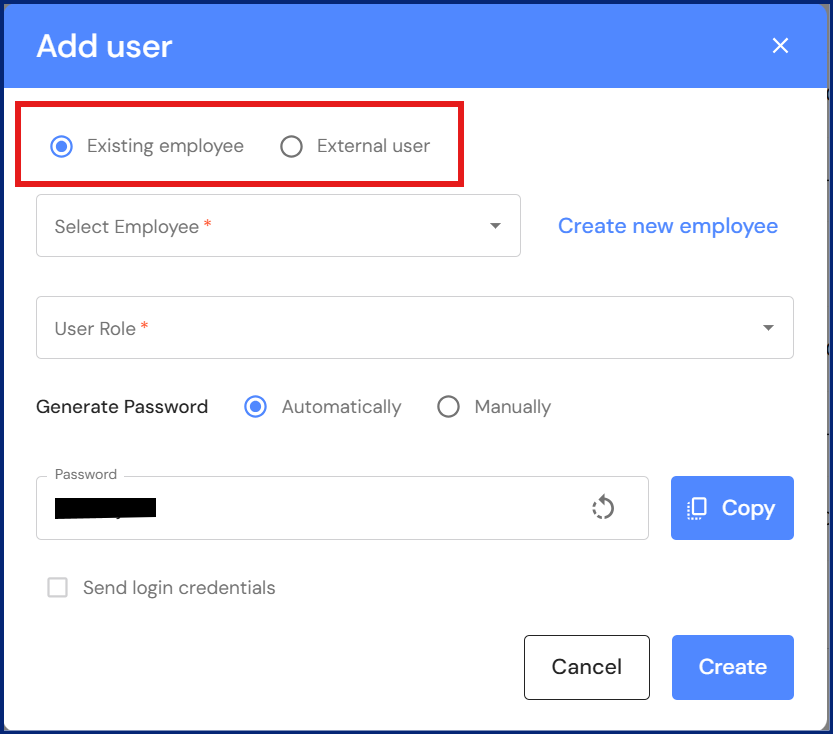
Manage Users
We have updated the user categories to bring greater clarity when inviting users to access the WizeHub. Executives can invite existing employees (recommended option) or an external user. Refer to Manage Users.
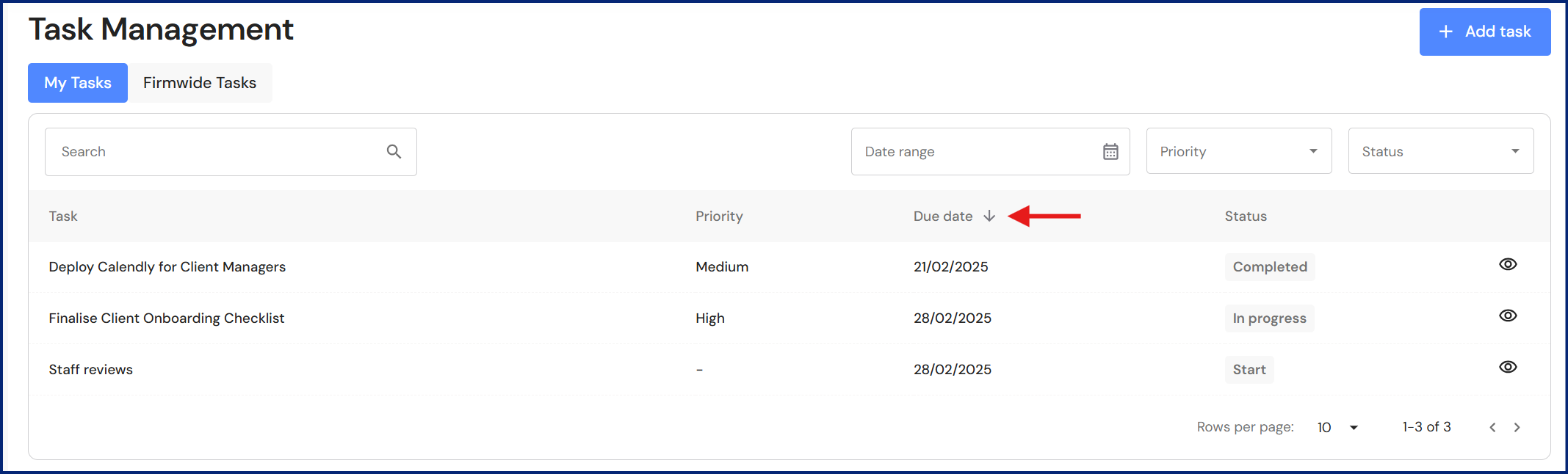
Task Management
Users can set a default sorting column in 'My Tasks' and 'Firmwide Tasks'. Click on your preferred column header and it will be retained until you change it.