Energy Audit
Assess your energy across 5 key areas and commit to your work-life balance.
Completing an Energy Audit helps you understand how well you're managing your core sources of energy - like sleep, nutrition, and exercise - so you can perform at your best and avoid burnout.
It's a practical way to spot problem areas early, commit to specific improvements, and keep yourself accountable.
Regular energy audits are especially valuable in high-pressure roles, as they help maintain work-life balance and long-term productivity.
Complete your Energy Audit
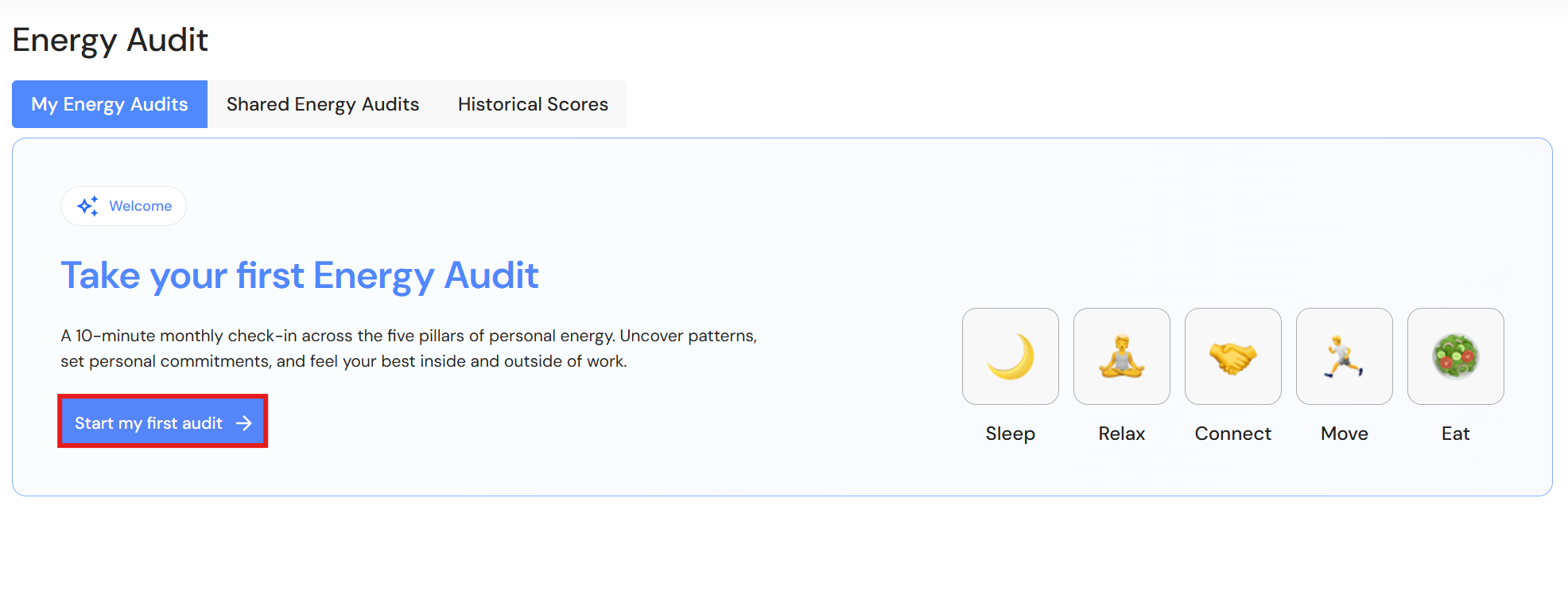
Go to Align > Energy Audit
- Click 'Start my first audit' or '+ Create' if you have already completed an energy audit.
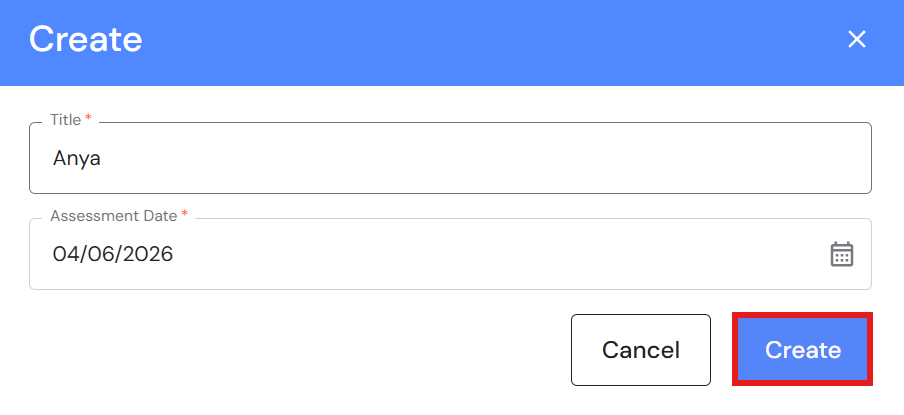
- Type your name.
- Leave or modify the assessment date, then click 'Create'.
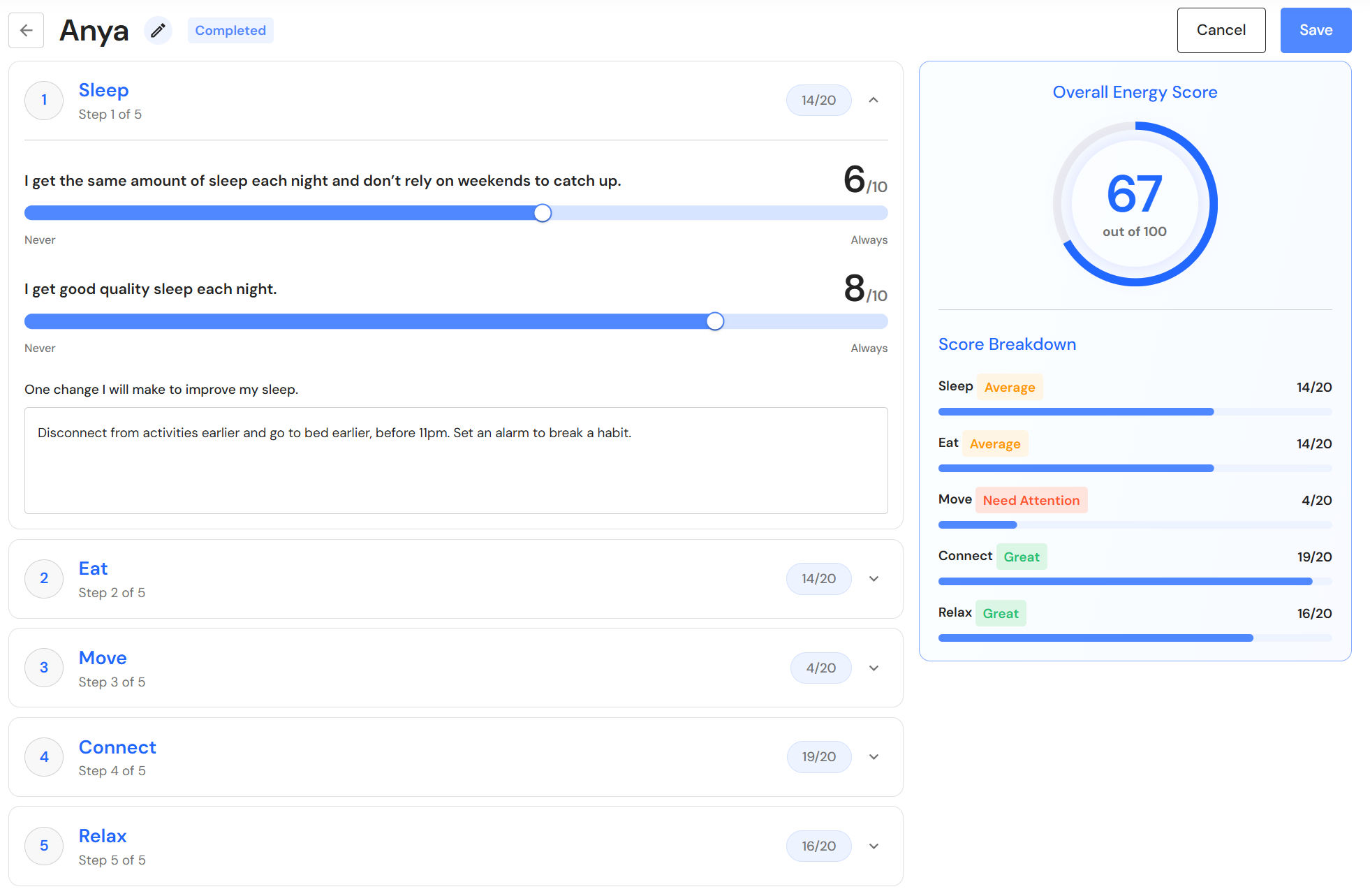
- Click on each heading and use the slider to rate yourself from 1 to 10 across each energy dimension.
- Write down and set a personal priority to increase your score in each area.
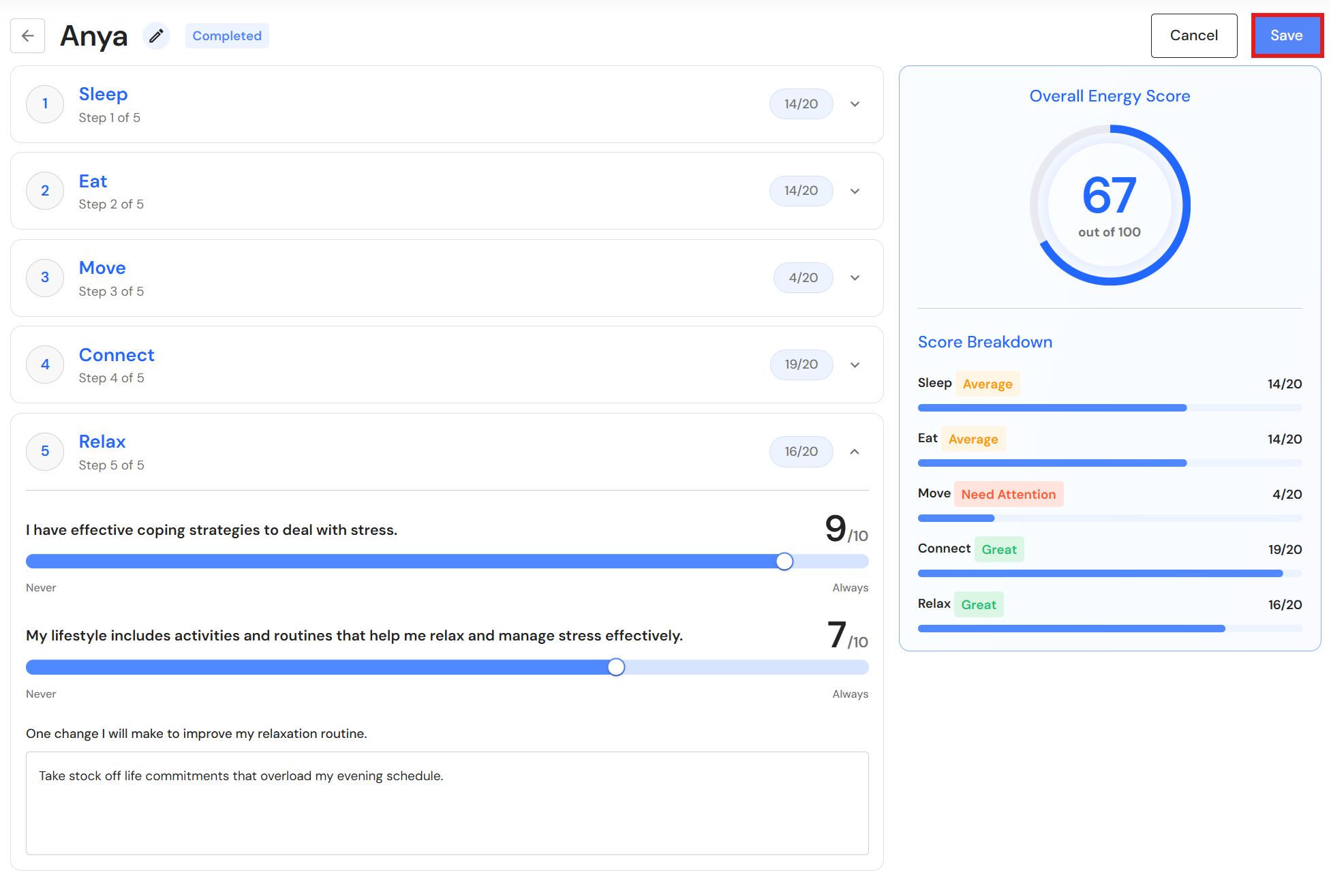
- Repeat the process for the remaining categories and click 'Save' when you finish.
- Share your energy audit with your manager or accountability partner to support progress towards overall wellbeing.
Share your Energy Audit
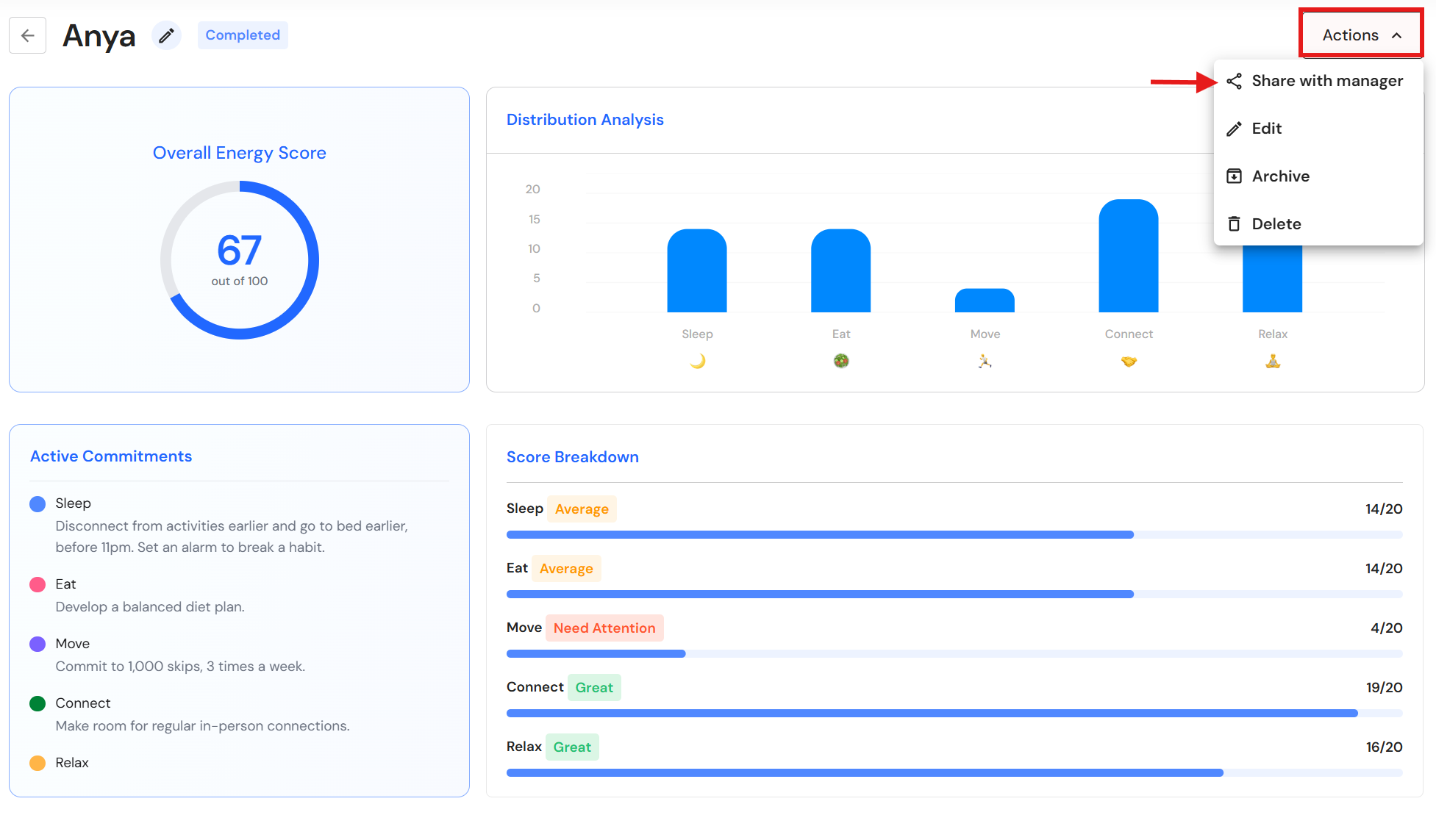
- Click 'Actions, then 'Share with manager'.
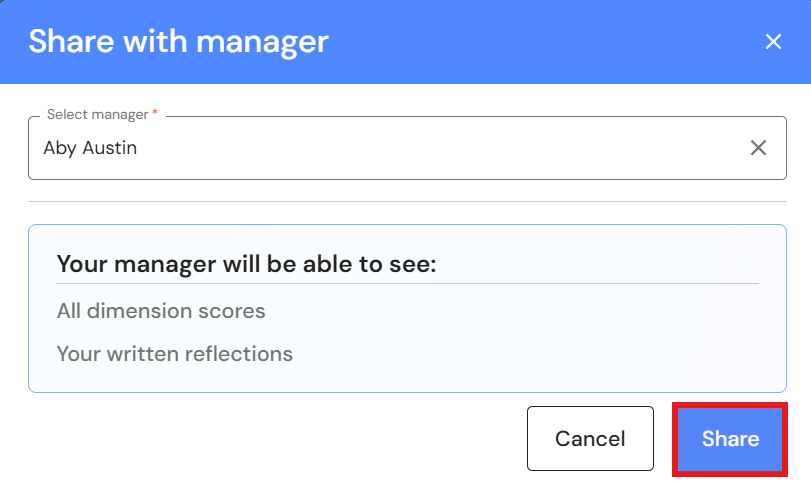
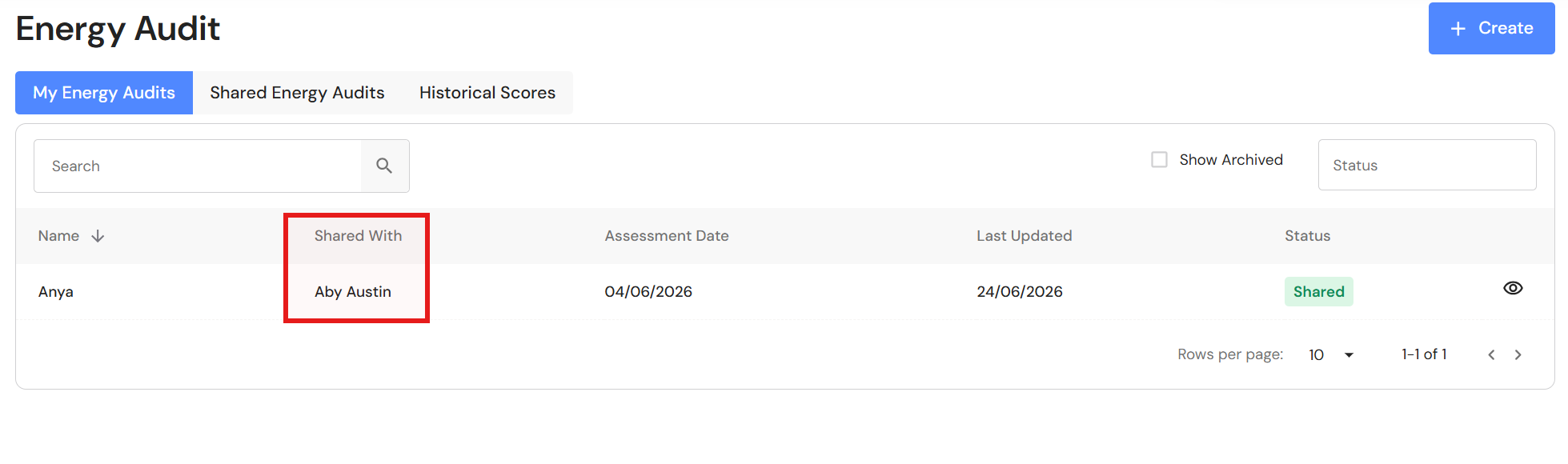
- Select the manager from the dropdown list, then click 'Share'.
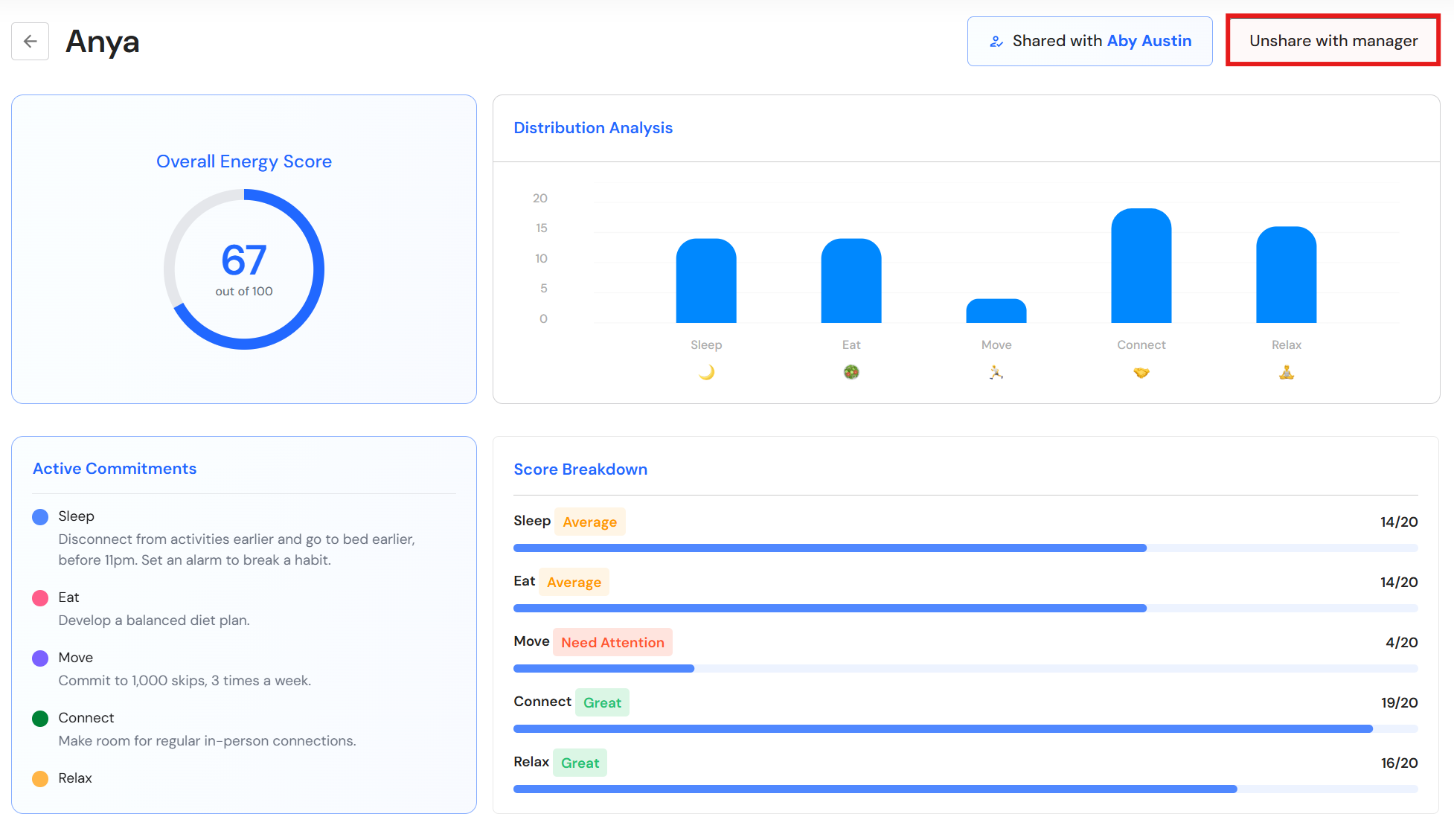
Unshare your Energy Audit
If an Energy Audit has been shared with a manager, you cannot edit, archive, or delete your Energy Audit. You first need to unshare it before you can make changes.
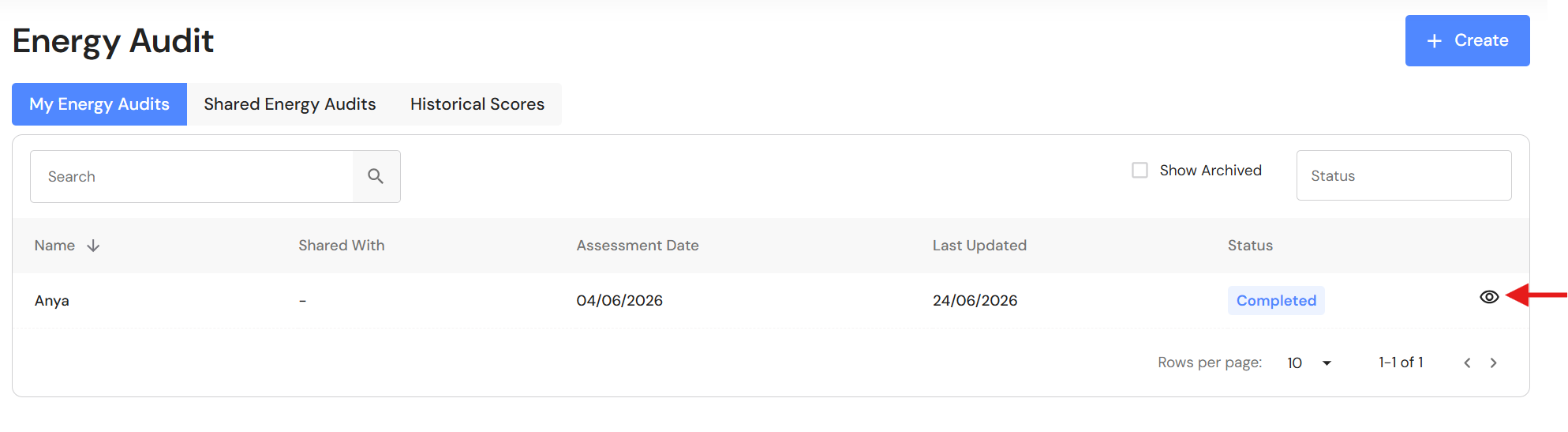
- Click the 'View' icon.
- Click 'Unshare with manager'.
Edit your Energy Audit
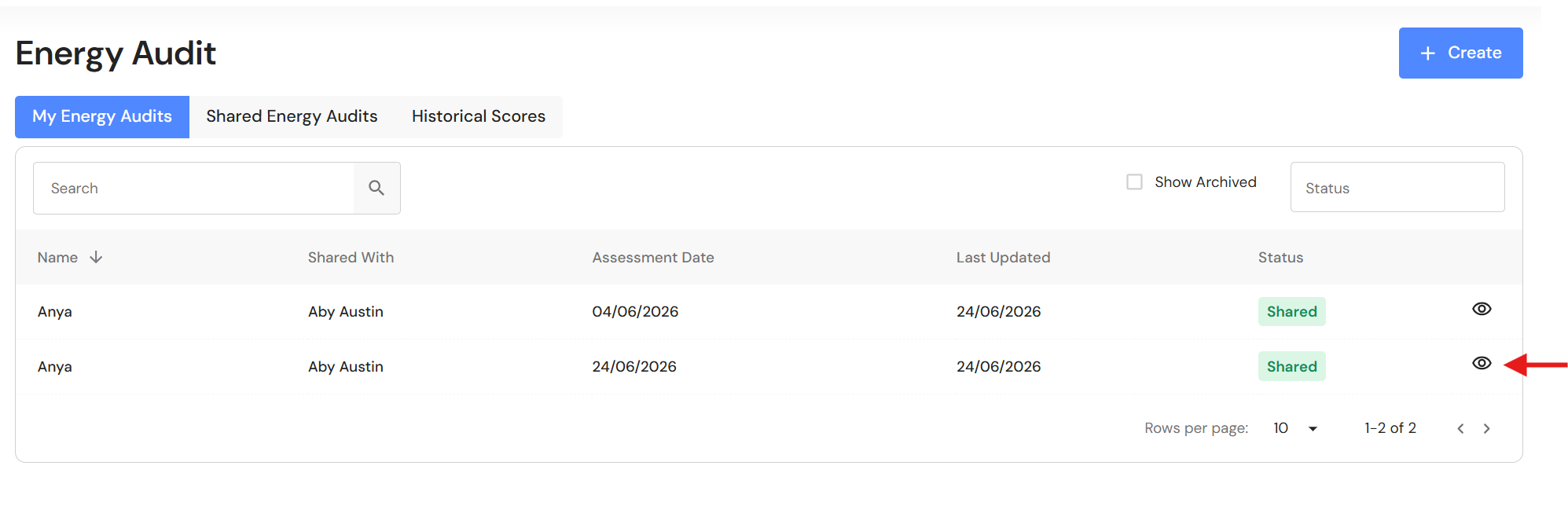
- Click the view icon.
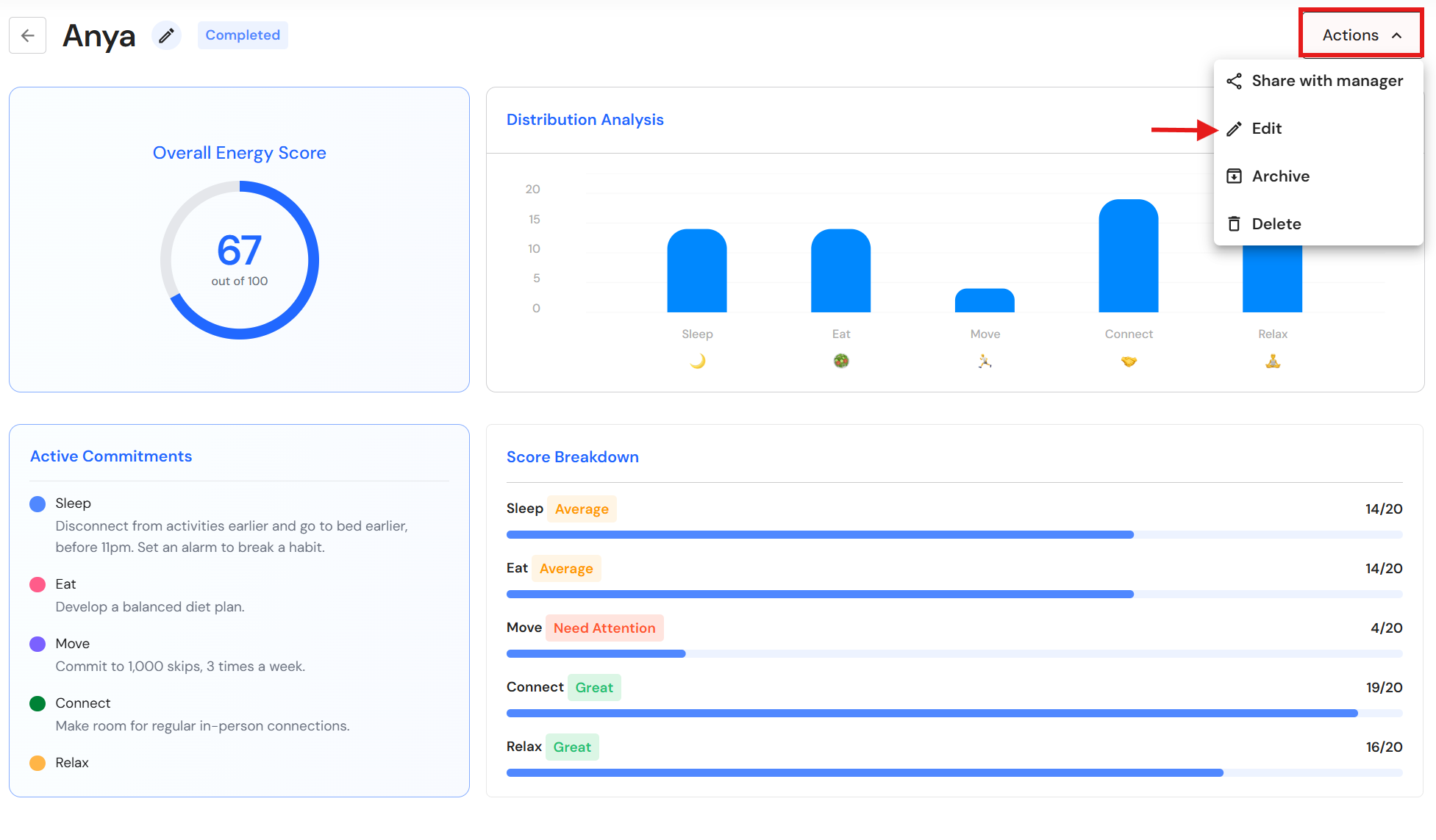
- Click 'Actions', then 'Edit'.
NB* If you have shared your Energy Audit you will need to click 'Unshare with manager' before you can edit your details.
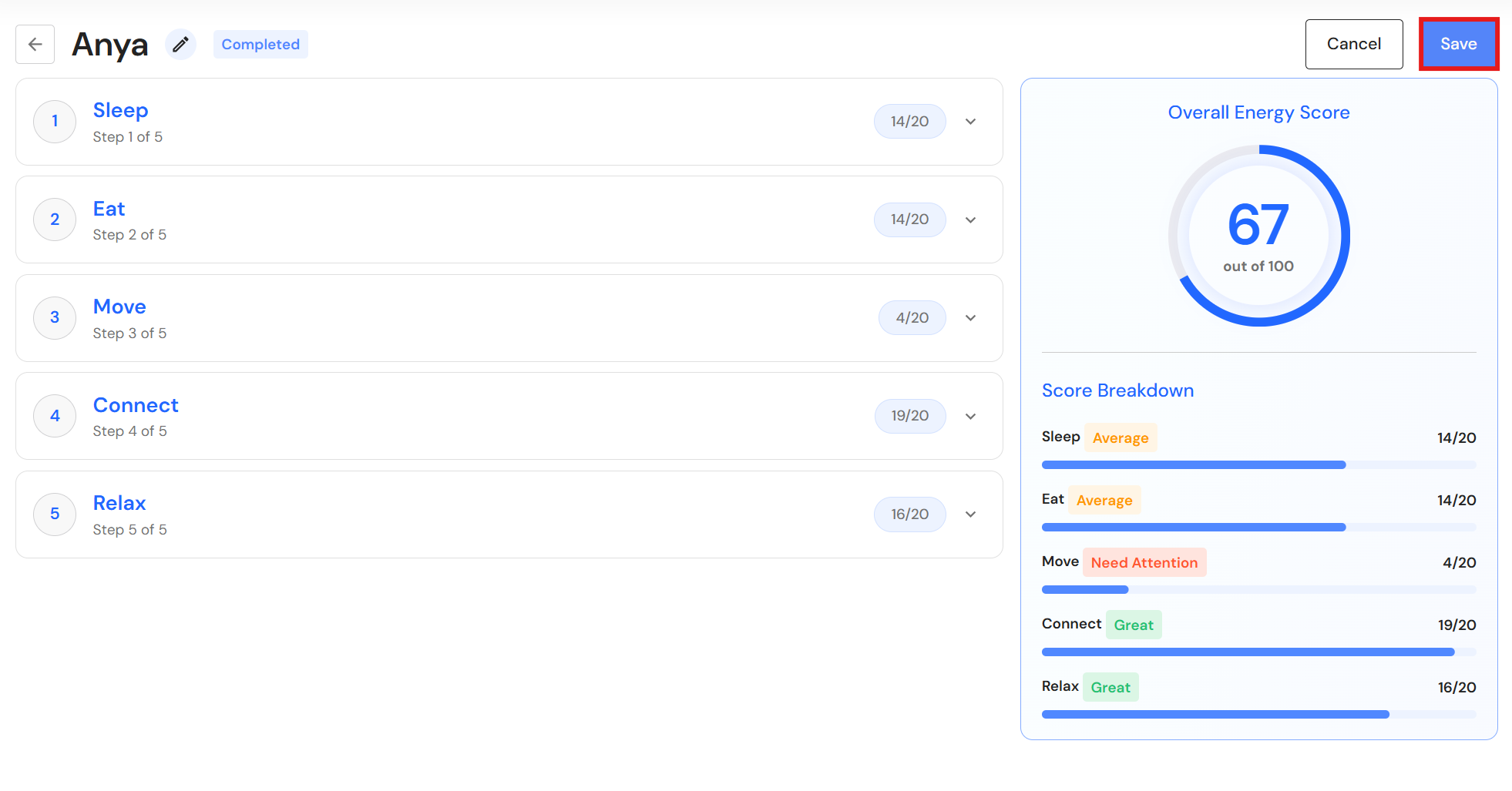
- Make changes and click 'Save' when you have finished.
Archive your Energy Audit
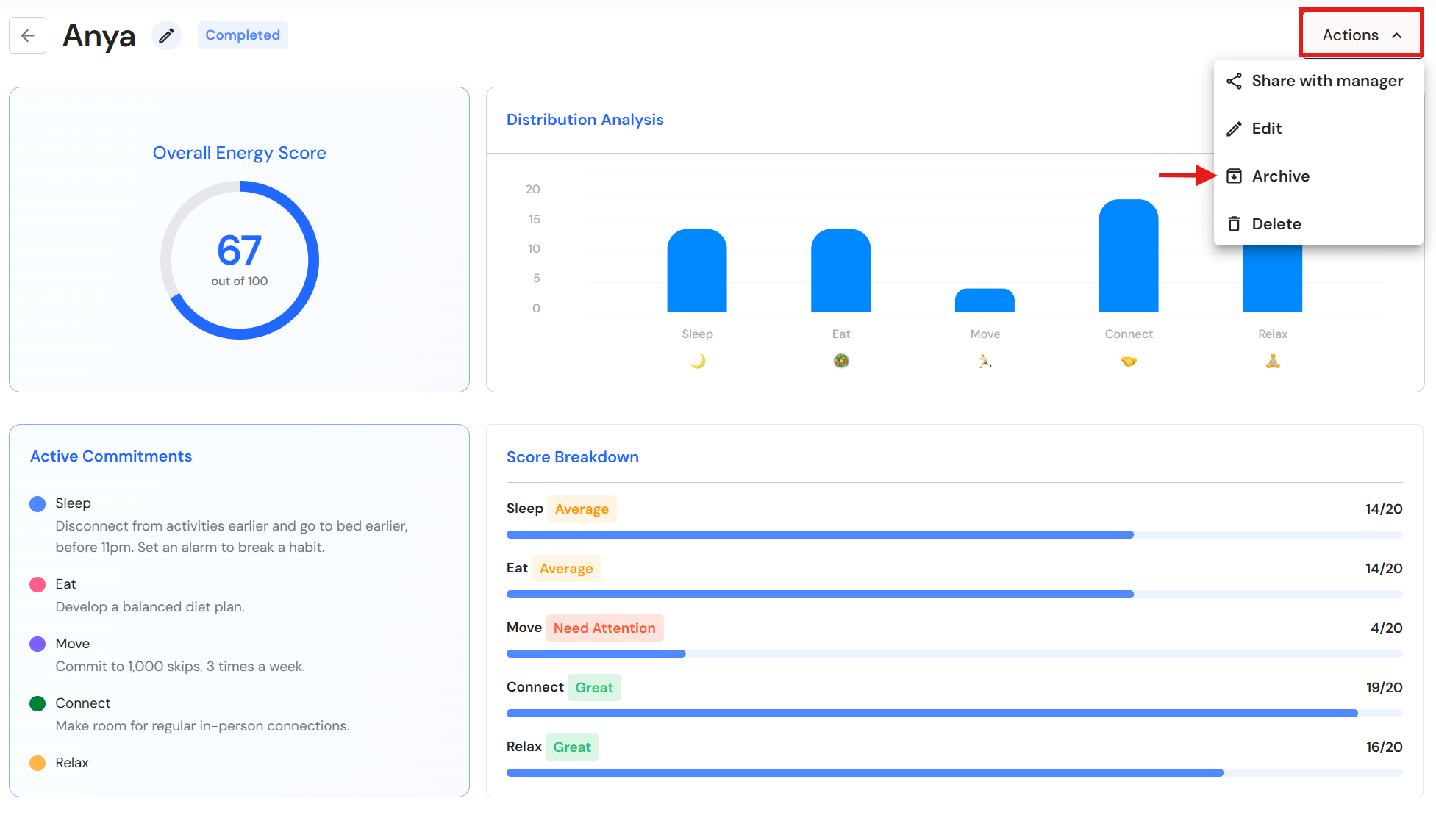
- Click 'Actions', then 'Archive'.
NB* If you have shared your Energy Audit, you will need to click 'Unshare with manager' before you can archive your Energy Audit.
Delete your Energy Audit
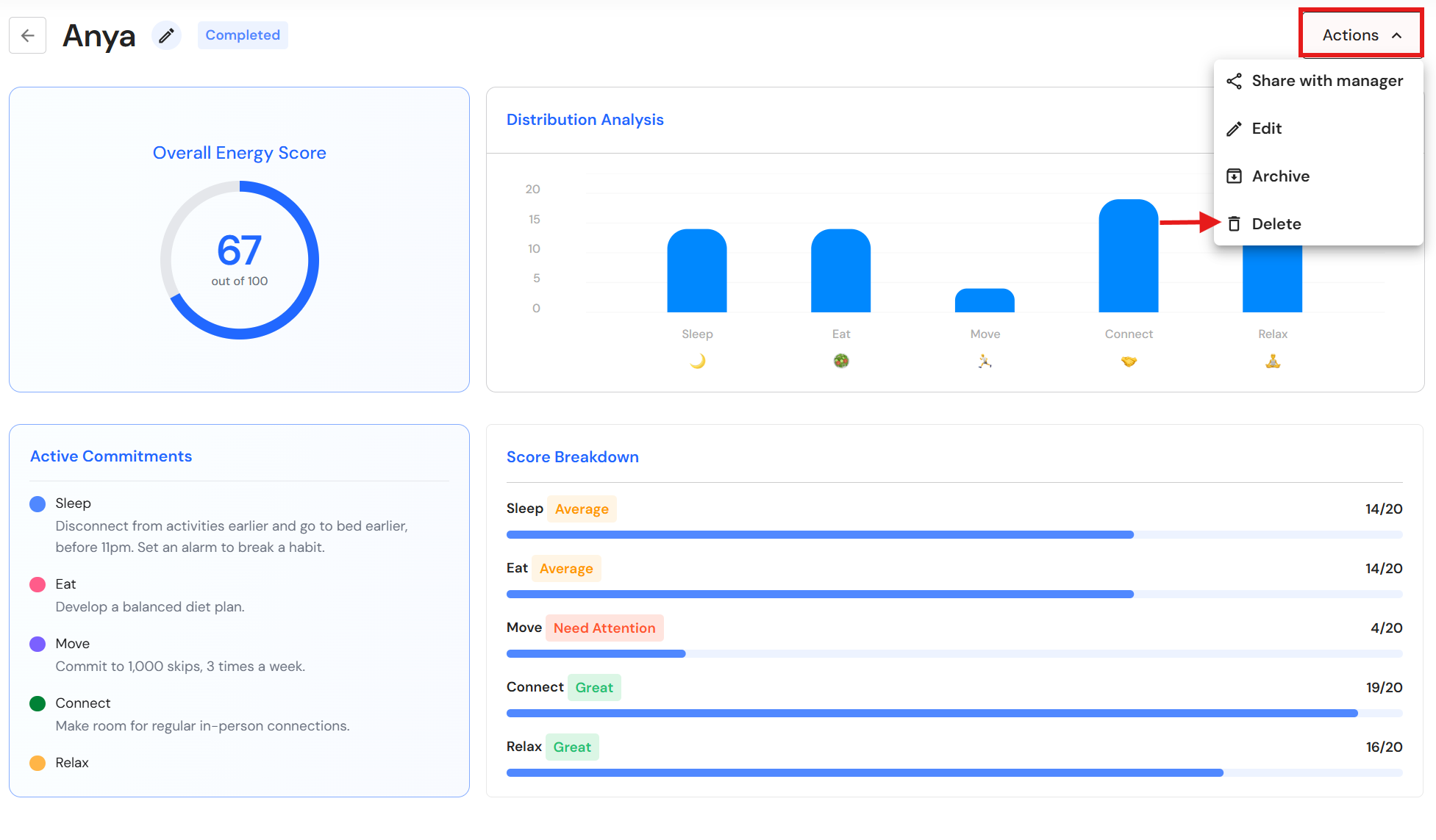
- Click 'Actions', then 'Delete.
NB* If you have shared your Energy Audit, you will need to click 'Unshare with manager' before you can delete your Energy Audit.
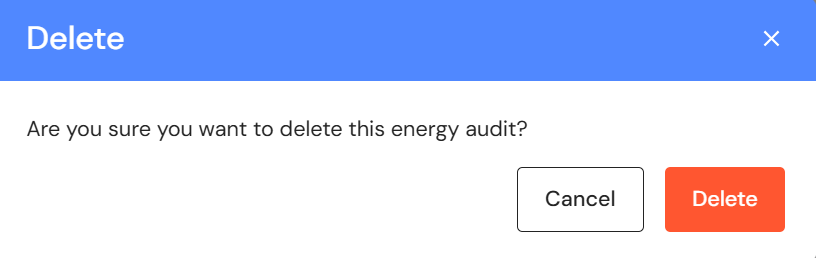
- To proceed, click 'Delete'.
View Shared Energy Audits
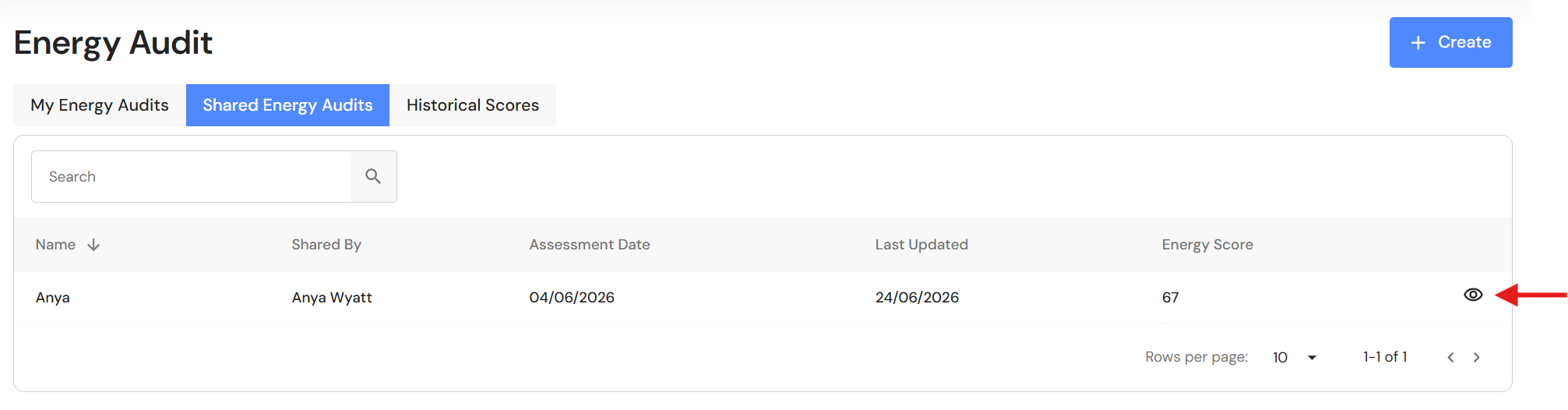
- Go to the 'Shared Energy Audits' tab and click the view icon.
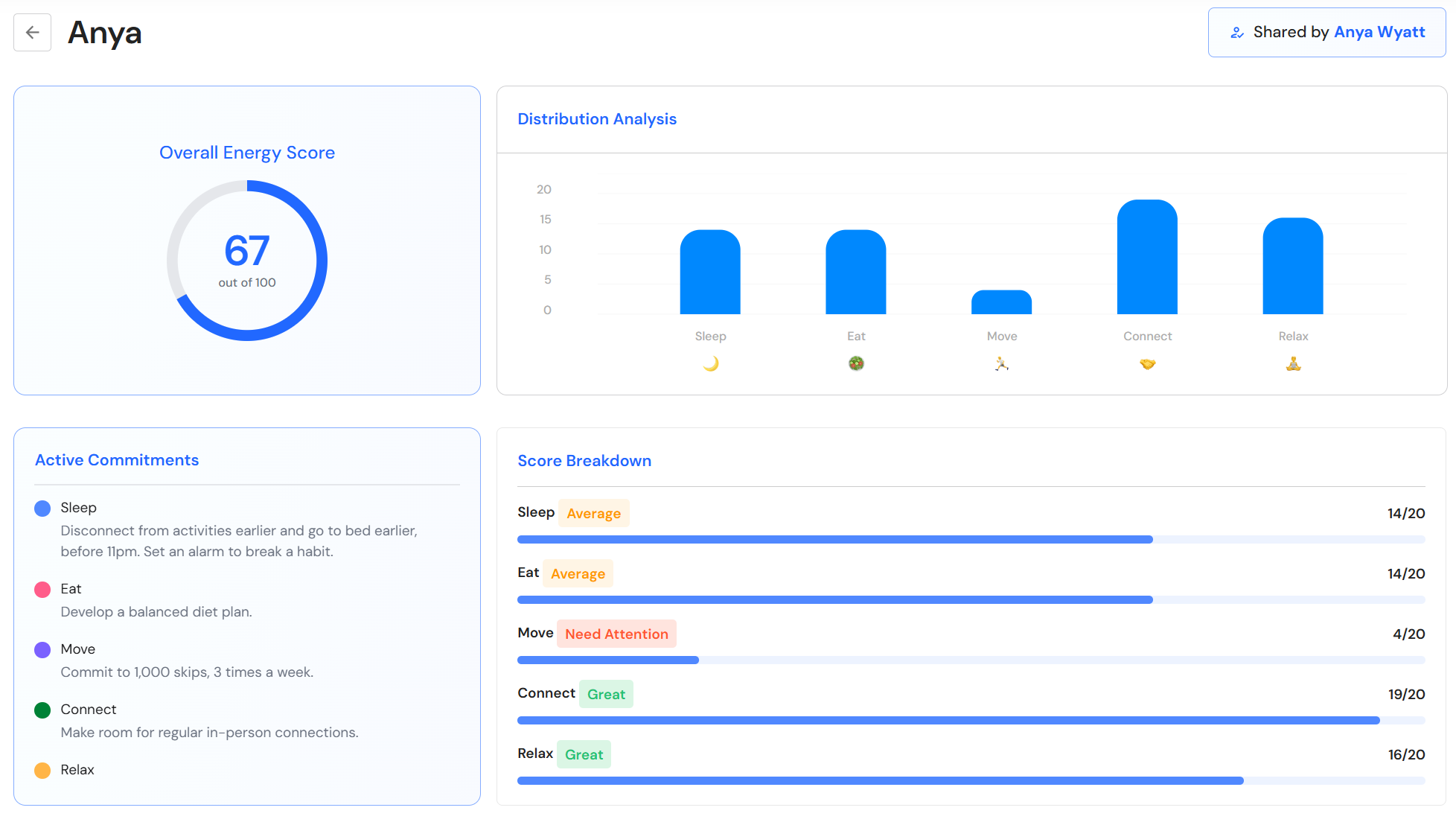
- You will see a summary of the team member's Energy Audit.
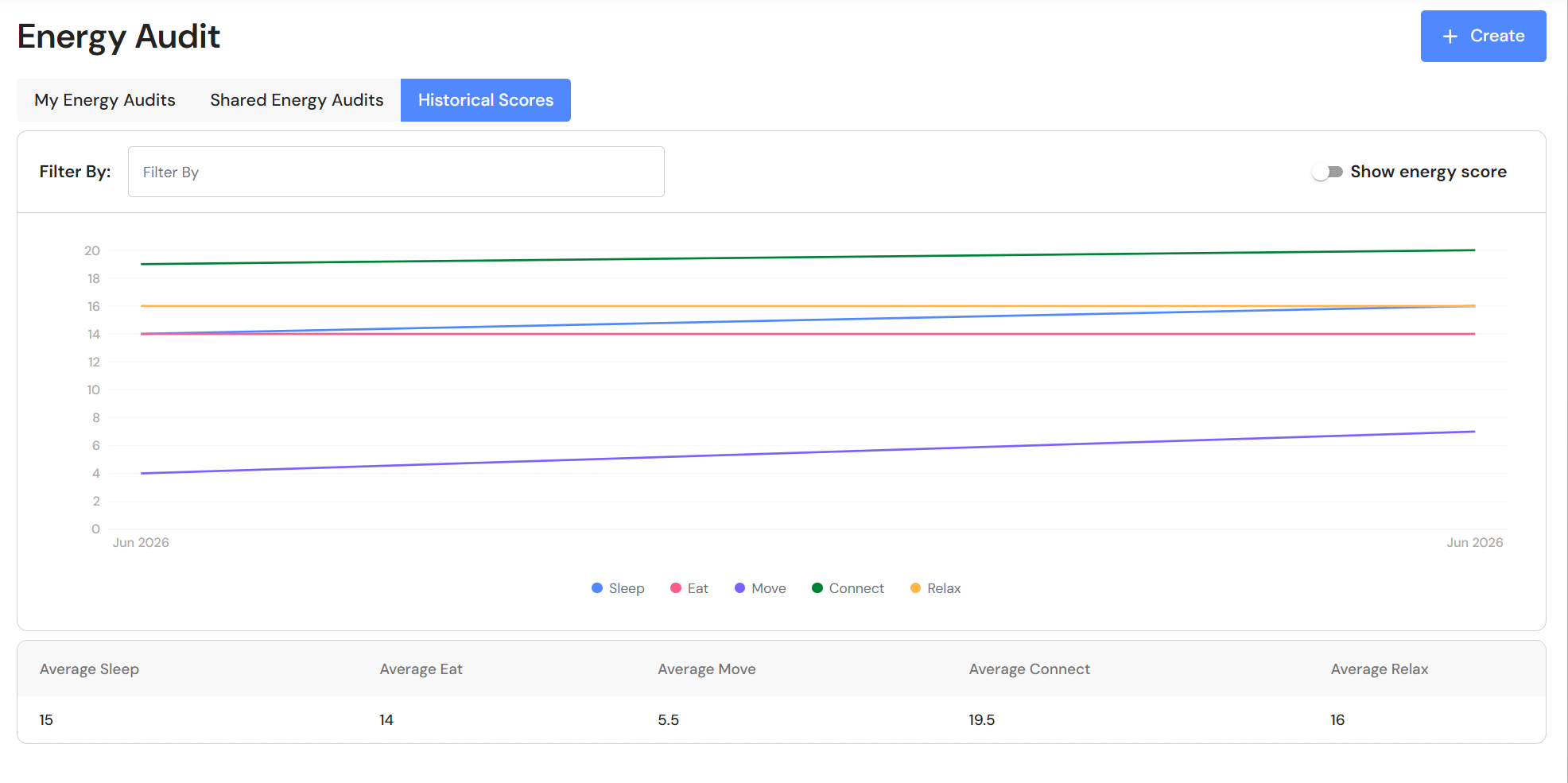
Historical Scores
- Go to the 'Historical Scores' tab.
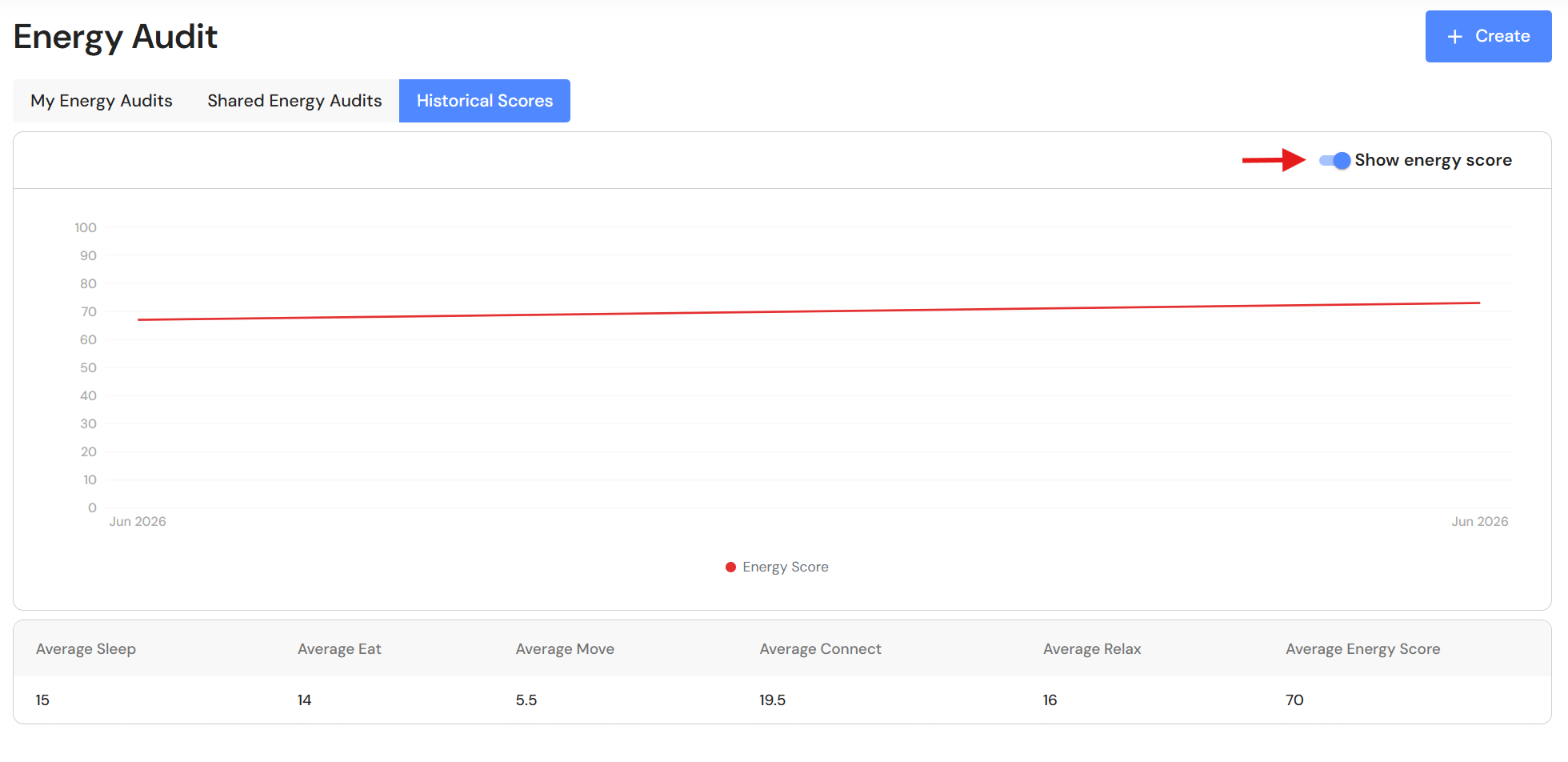
NB* The average score is the average of all completed energy audits.
- Switch the toggle to show the energy score.
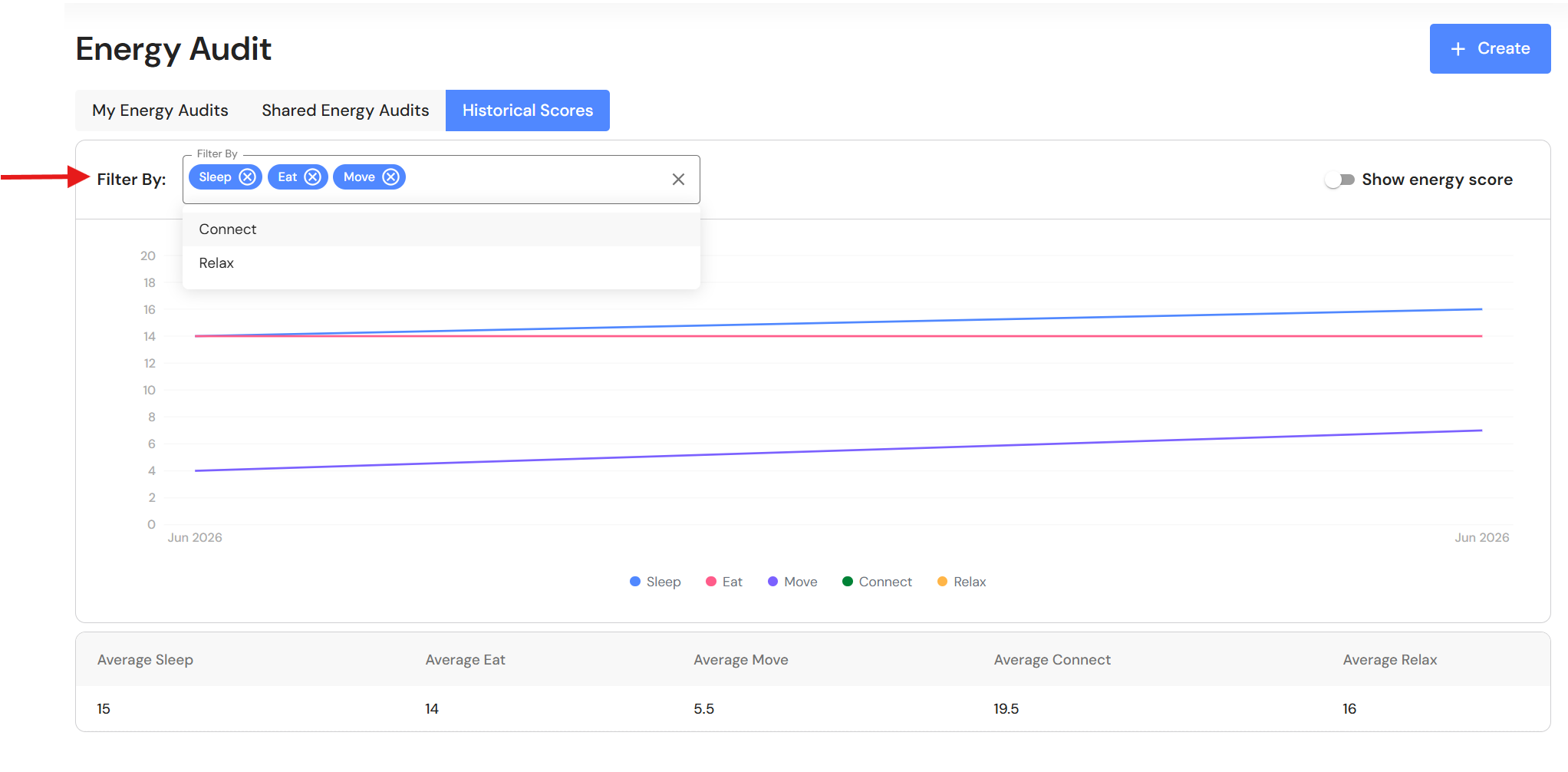
- Use the filter to focus on specific categories from the Energy Audit.
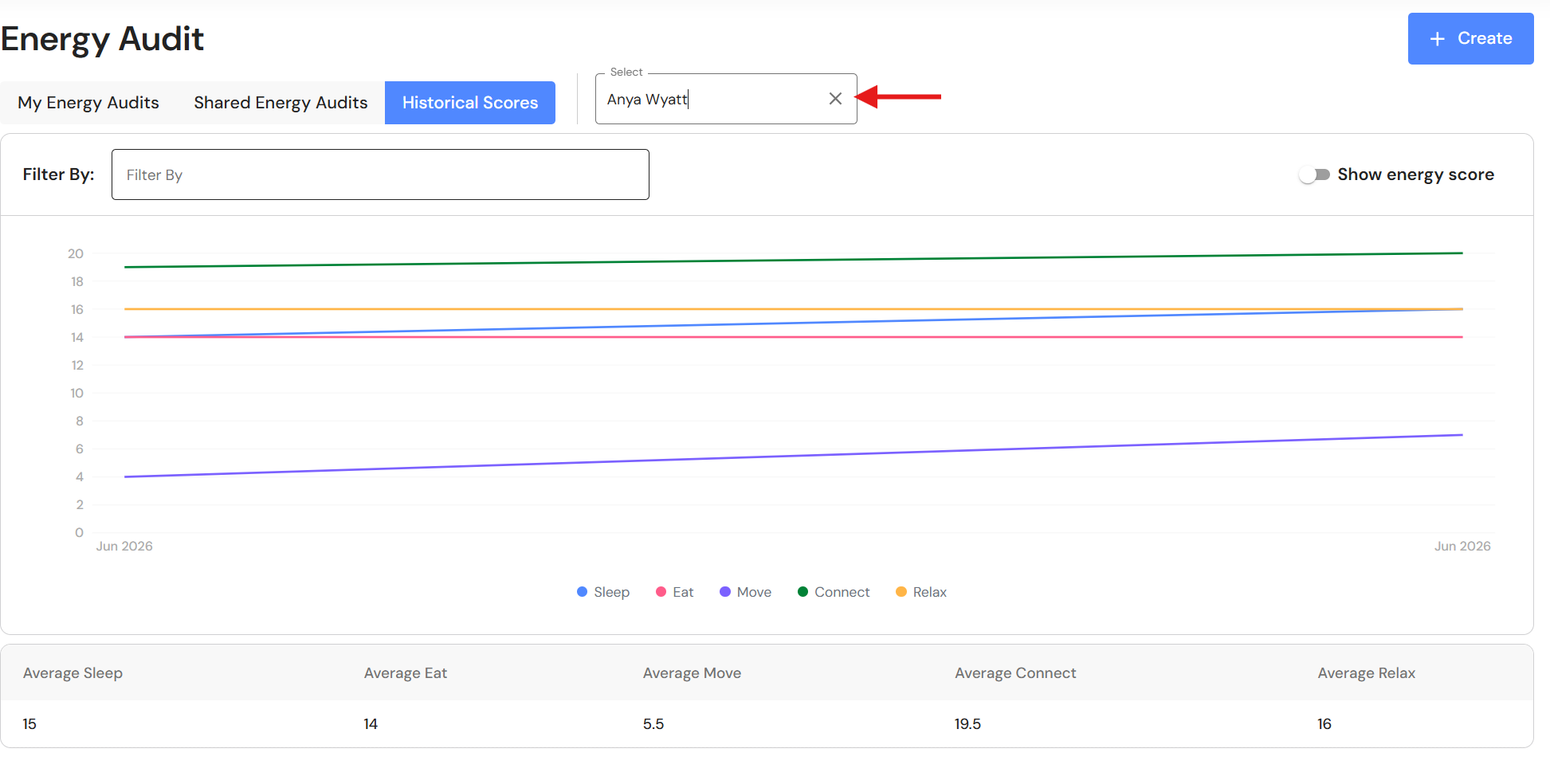
- Select a team member to view shared scores.