Release Notes - 30 April 2026
Activities & Delegation
Assign Tasks
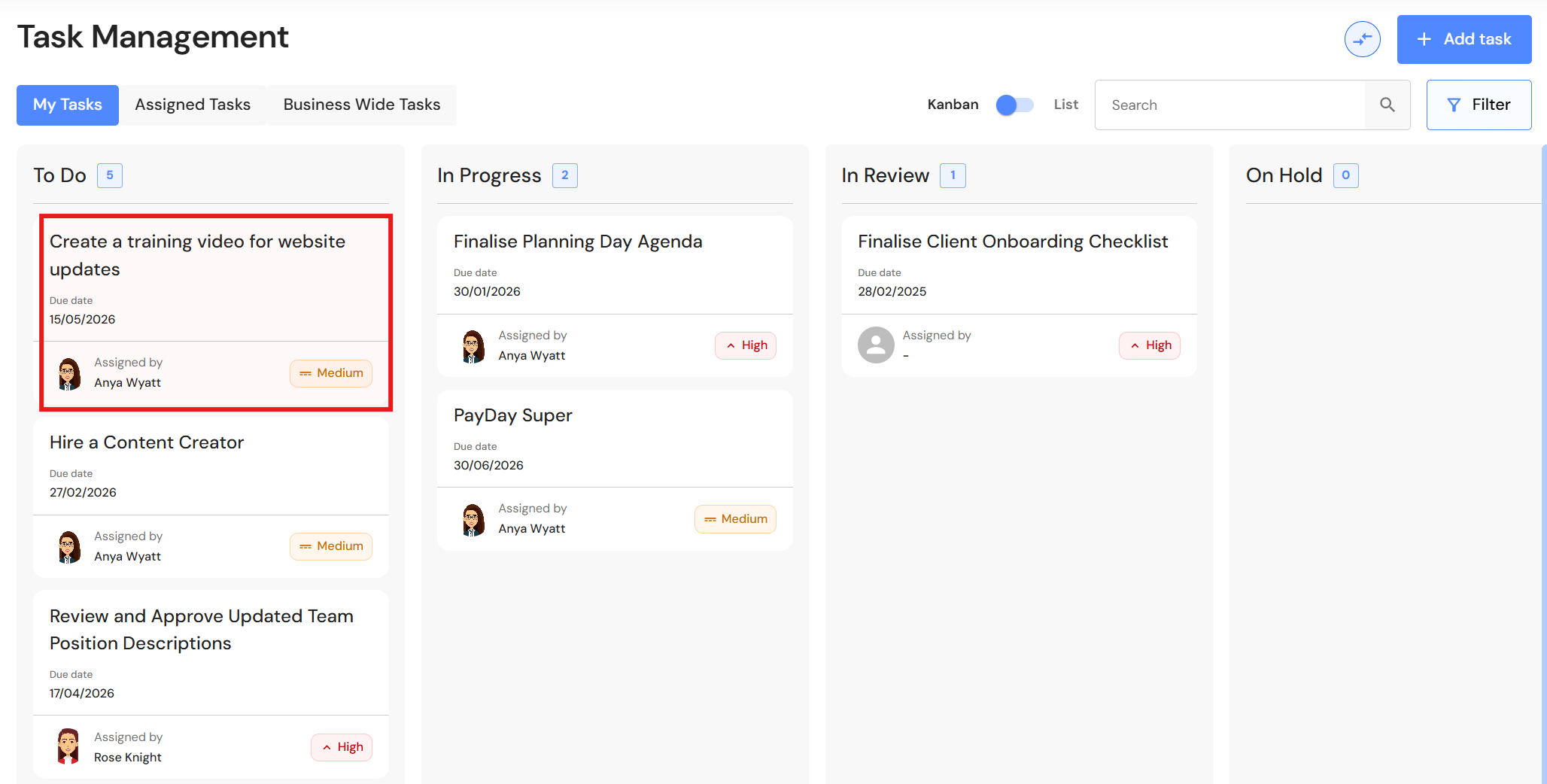
Users can easily assign tasks associated with the delegation process. The task will be added to the team member's tasks in the Task Management module while also being attached to the activity.
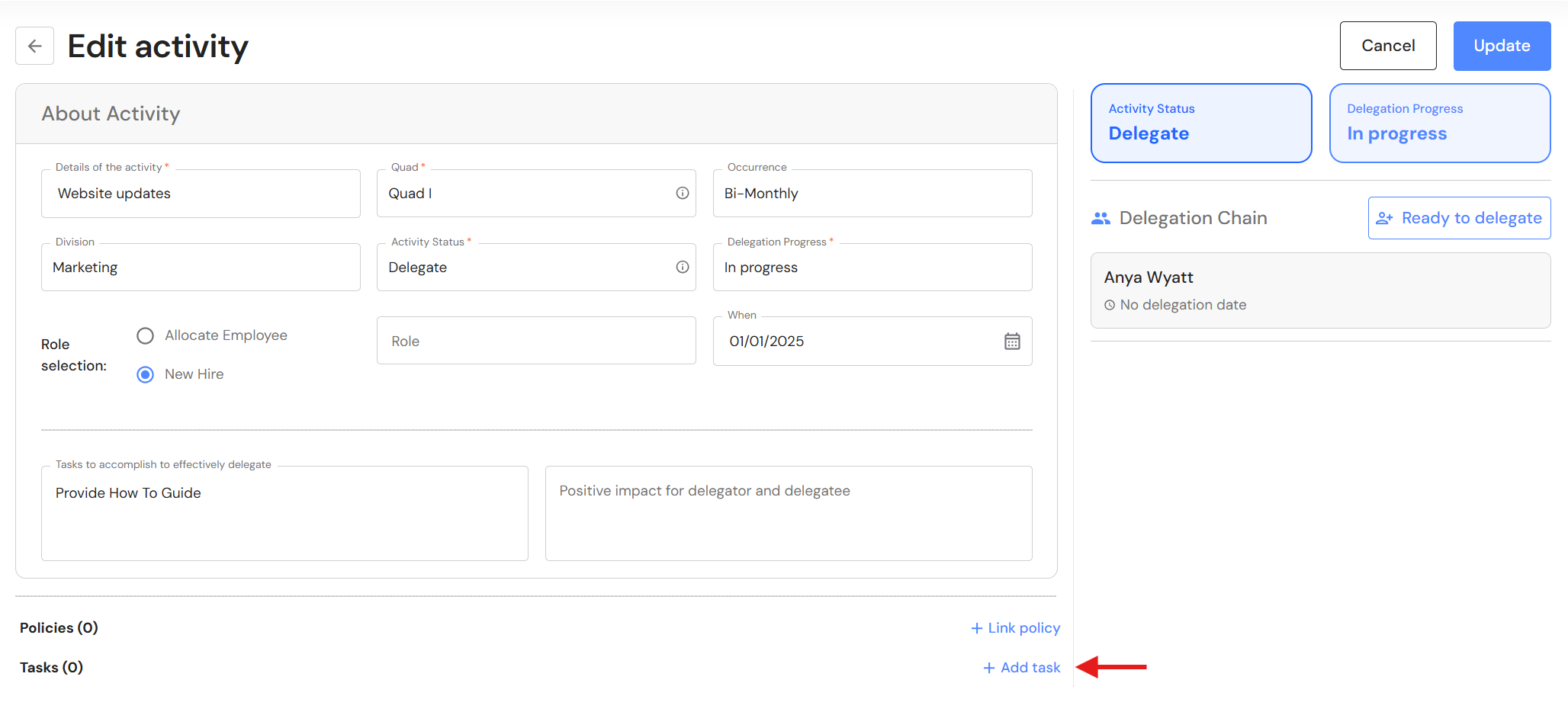
Go to Execute > Activities & Delegation
- In the activity, Click '+ Add task'.
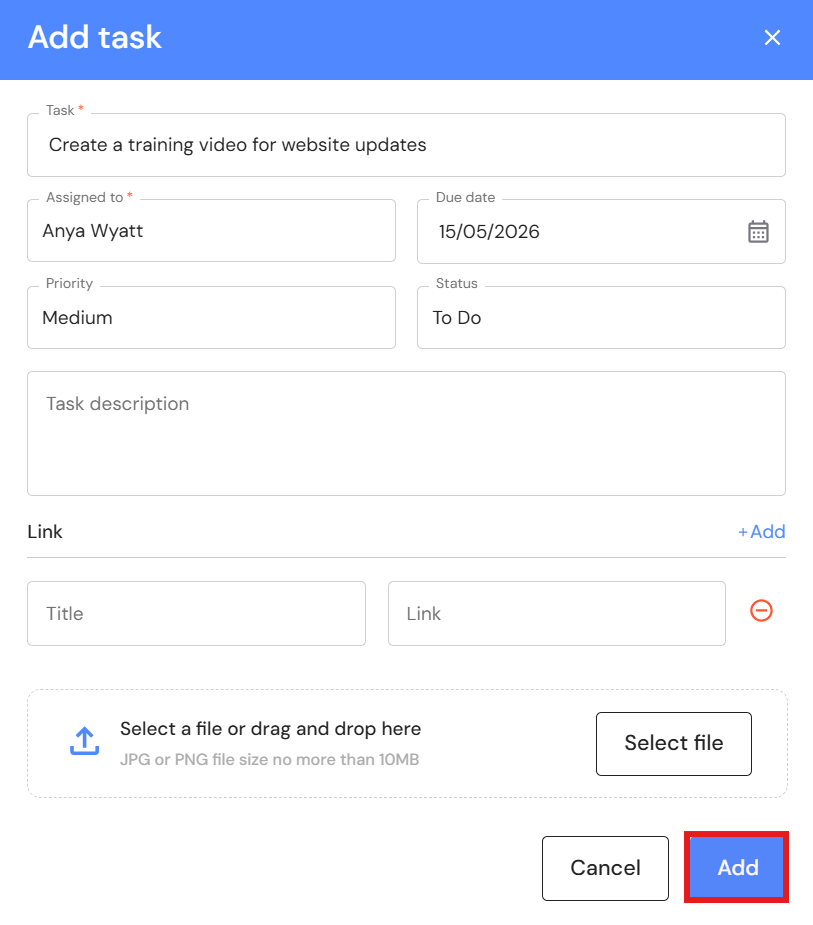
- Add a task summary.
- Assign the task to a team member.
- Add a due date.
- Add the task priority. The default is 'Medium'.
- The default status is 'To Do'.
- Optional: Include instructions or further context in the task description.
- Optional: You can include a hyperlink to an online resource or attach an image or document.
- Click 'Add'.
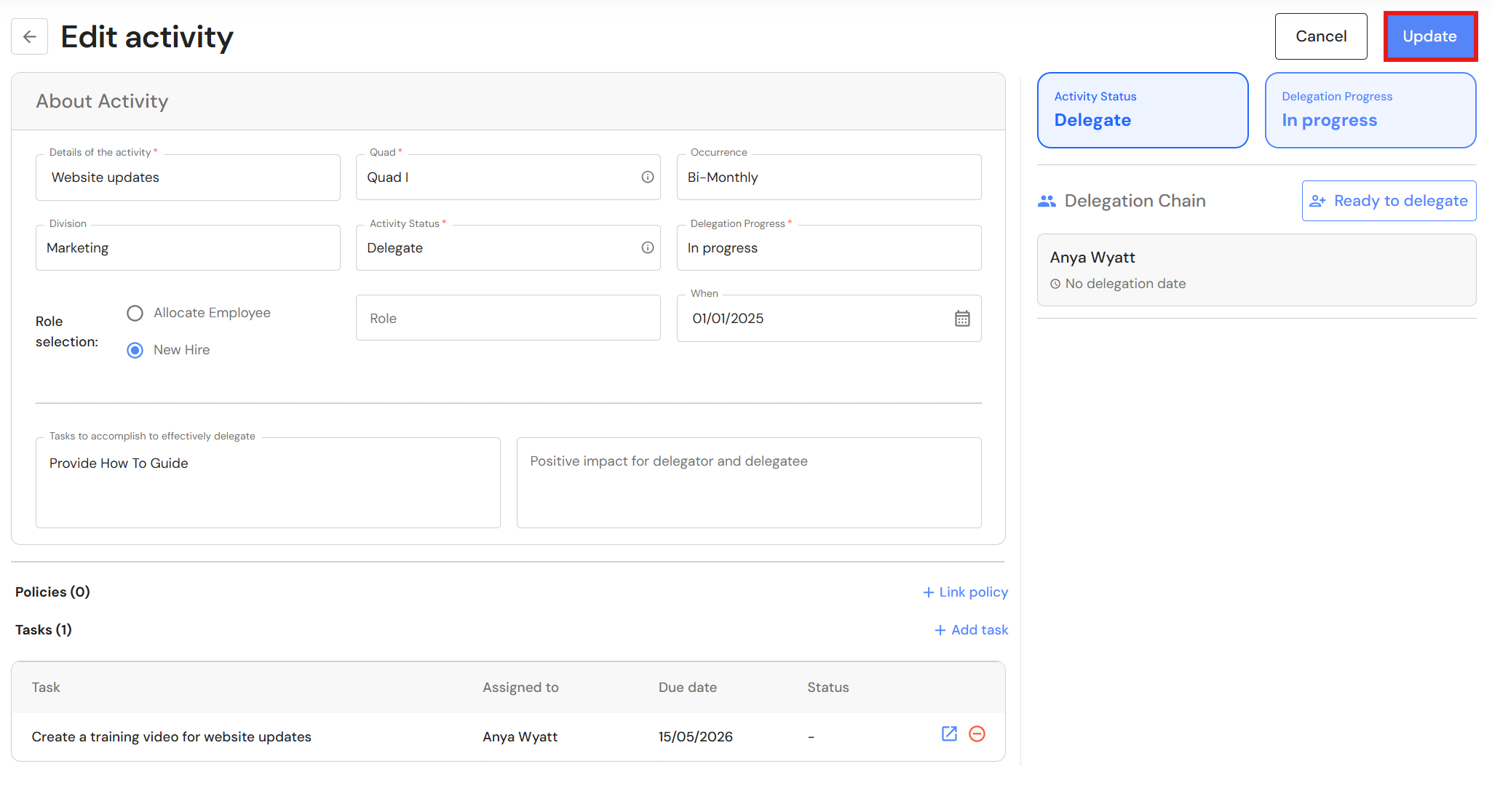
- Click 'Update' to save the task in the activity.
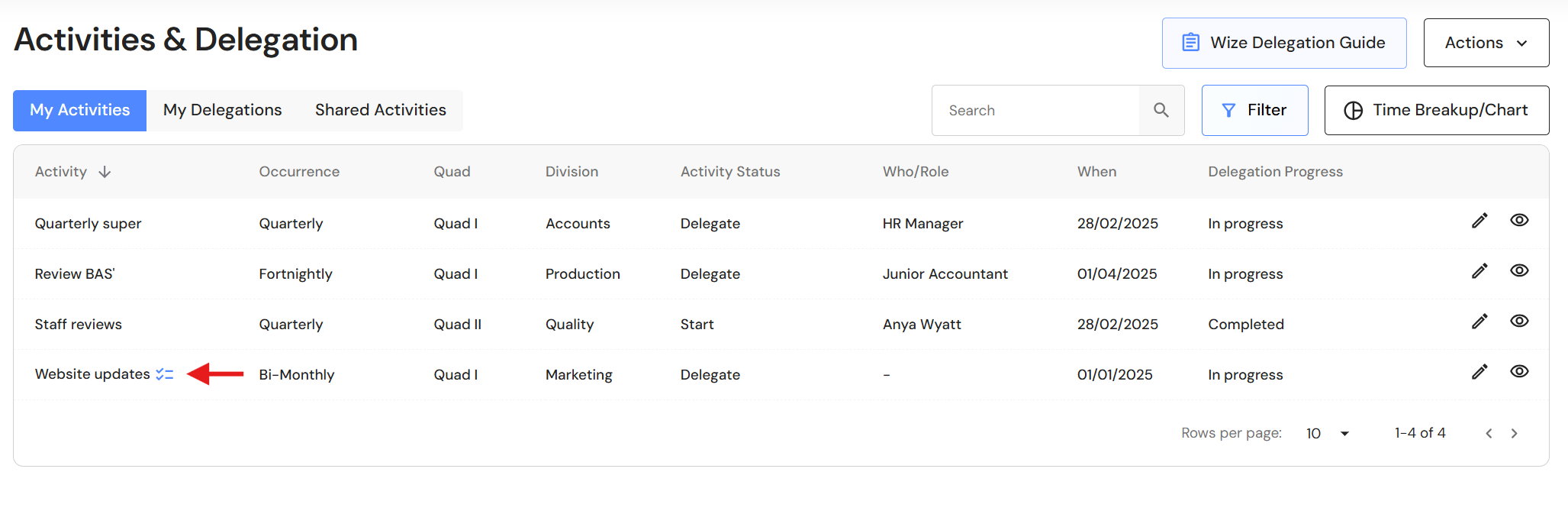
- Tasks linked to activities are identified by a task icon in the activity list.
- The task is added to the assignee's task list in Task Management.