EBITDA: Bonus System
This article outlines the steps to formulate and distribute your team's annual performance bonus.
Once the financial year is closed and your Revenue and EBITDA plans are finalised, you can assess whether your business and teams have met the performance targets required to qualify for the annual bonus.
Distribute Annual Bonus
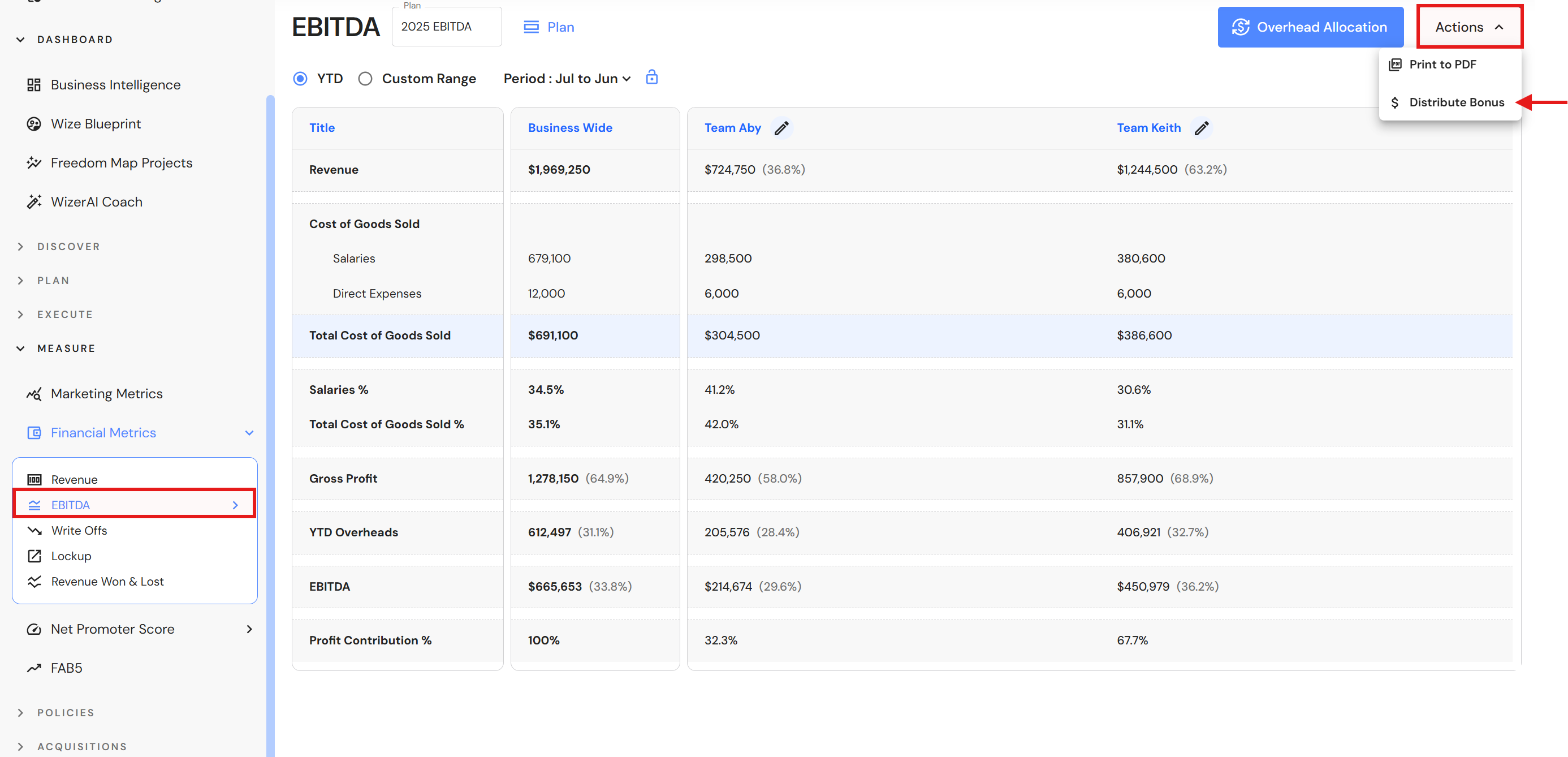
Go to Measure > Financial Metrics > EBITDA
- Click 'Actions', then 'Distribute Bonus'.
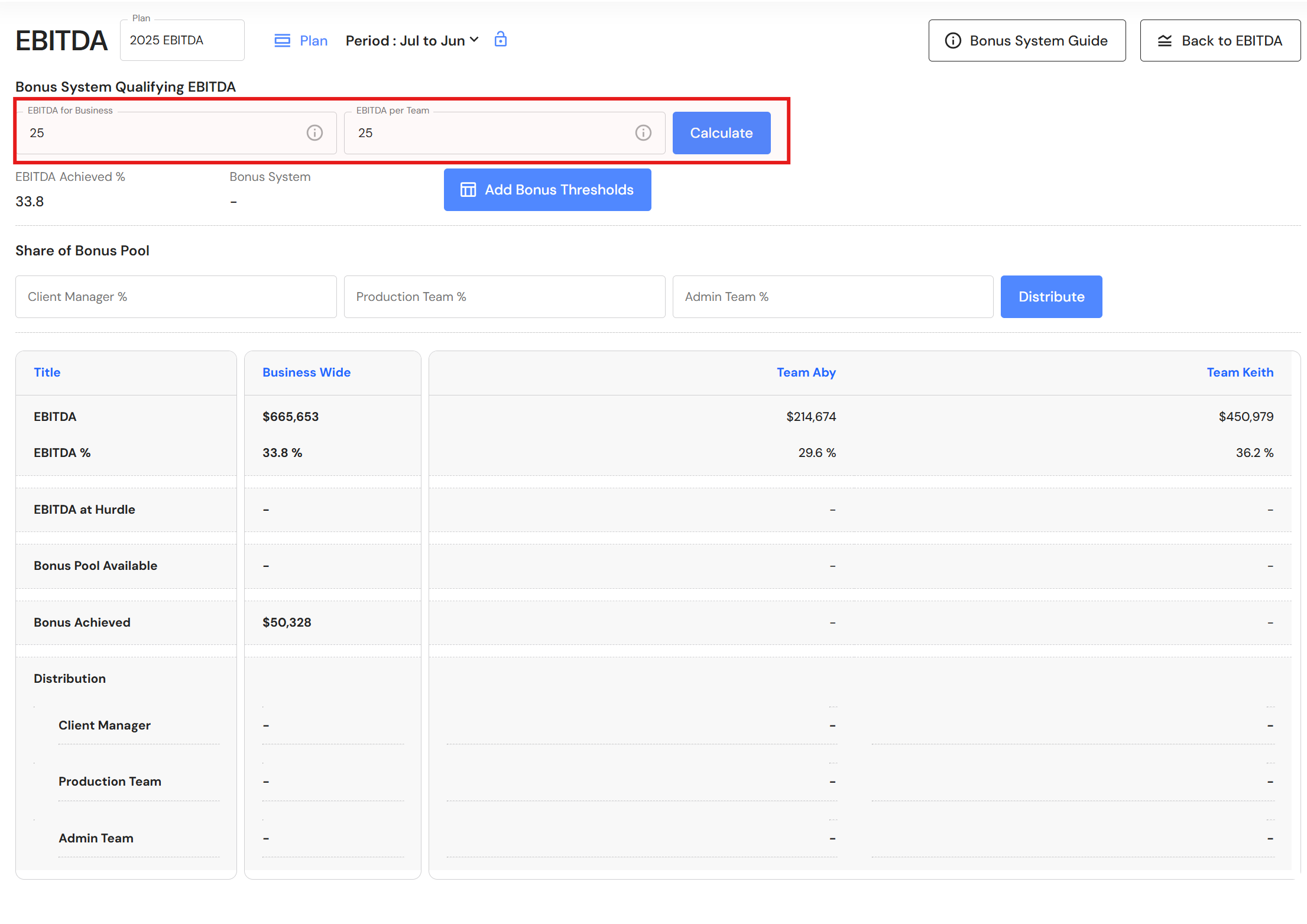
- Complete the bonus system criteria:
- EBITDA percentage the business must achieve to qualify for a bonus.
- EBITDA percentage the team must achieve to qualify for a bonus.
- Click 'Calculate'.
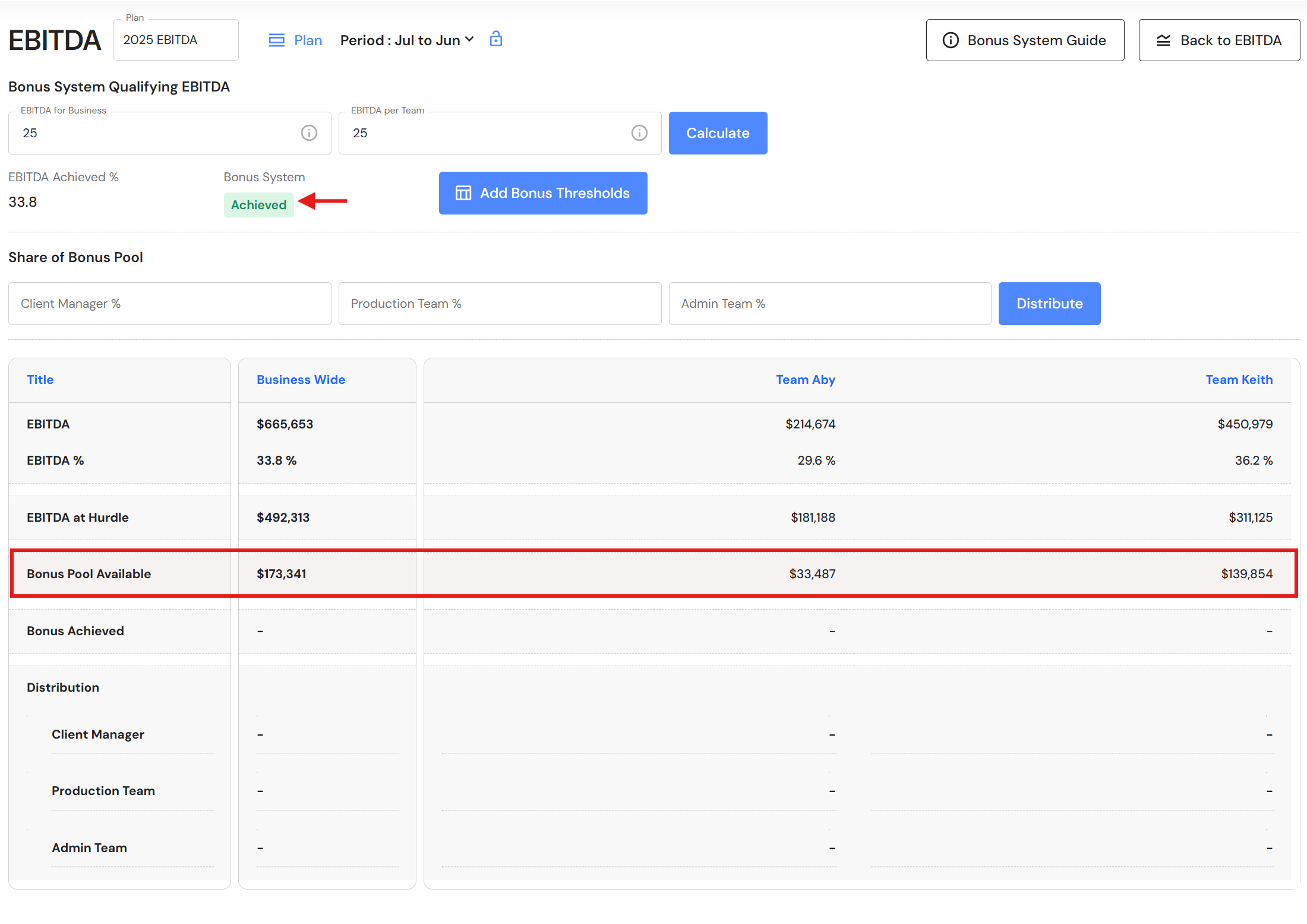
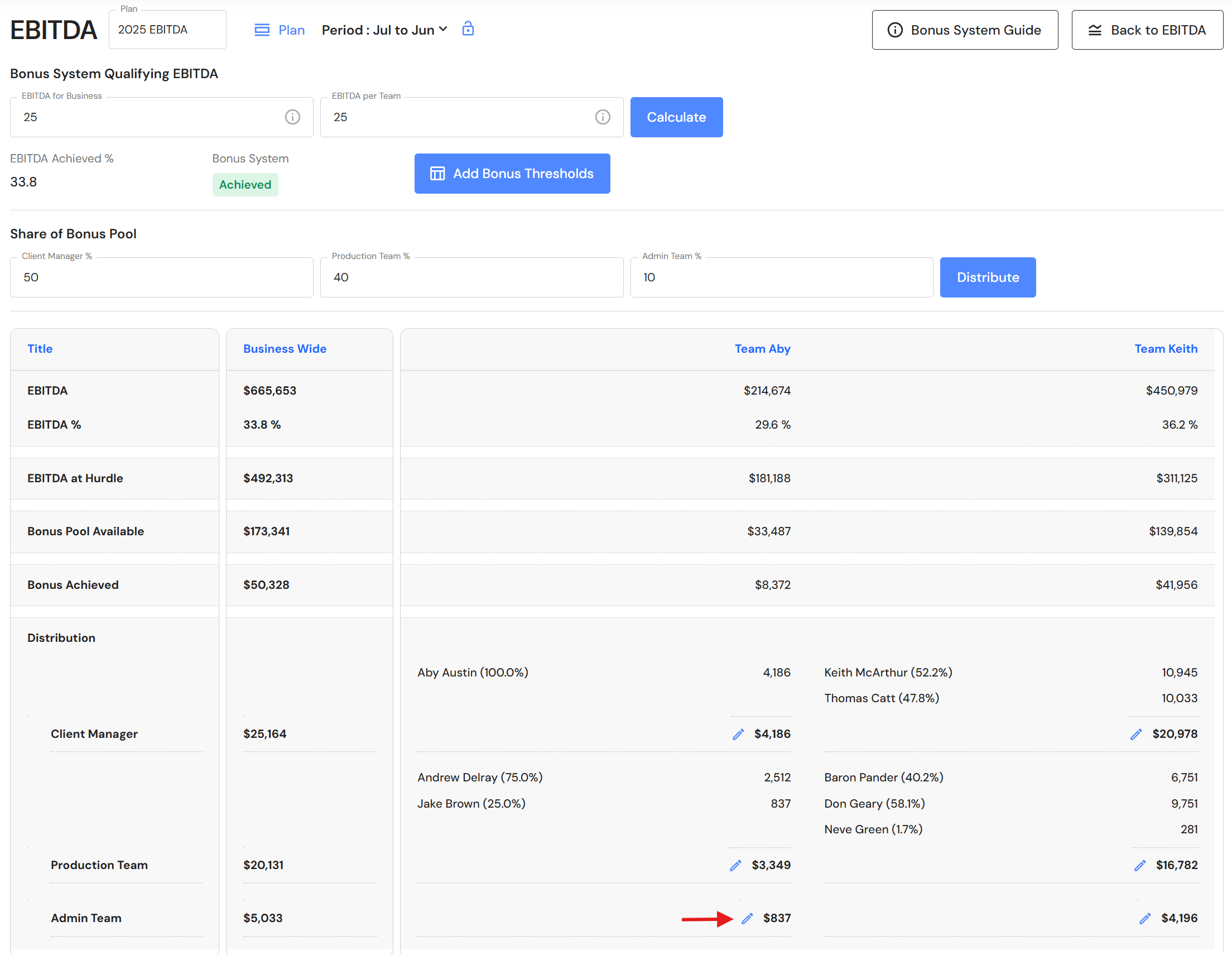
- If the team achieves the bonus, the available bonus pool will be displayed. The bonus pool is calculated as the difference between the Team’s EBITDA at the hurdle rate (EBITDA per Team) and the Team’s actual EBITDA.
Example:- EBITDA per Team (hurdle): 25%
- Team Aby’s revenue: $724,750
- Team Aby’s EBITDA at the hurdle: $181,188 ($724,750 × 25%)
- Team Aby’s actual EBITDA: $214,674 ($724,750 × 29.6%)
- Bonus Pool:
$214,674 − $181,188 = $33,487, which equals 4.6% of Team Aby’s revenue (29.6% − 25%).
- Enter the bonus system thresholds.
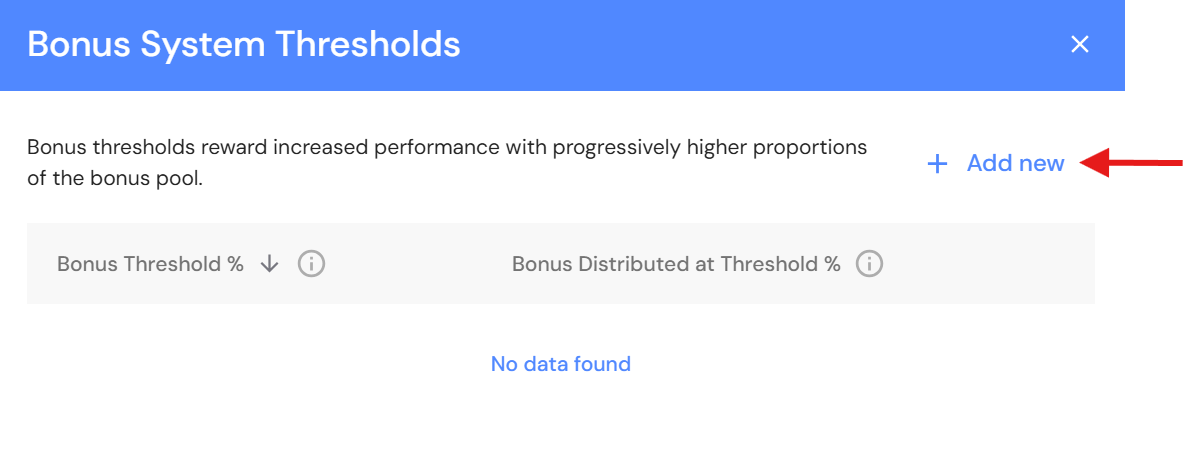
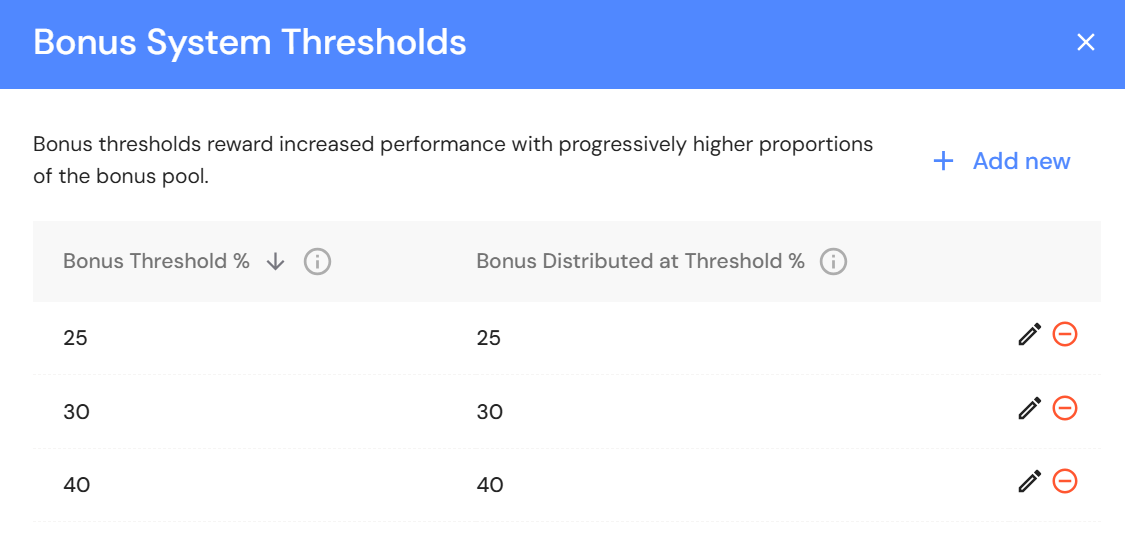
The bonus system thresholds allows you to set up a tiered bonus system. By specifying multiple thresholds, you can reward teams at different levels of performance with different proportions of the bonus pool. The higher the team’s EBITDA above each threshold, the greater the share of the bonus pool they receive. This approach incentivises teams to exceed basic targets and strive for higher profitability, as each new threshold unlocks a larger bonus percentage.
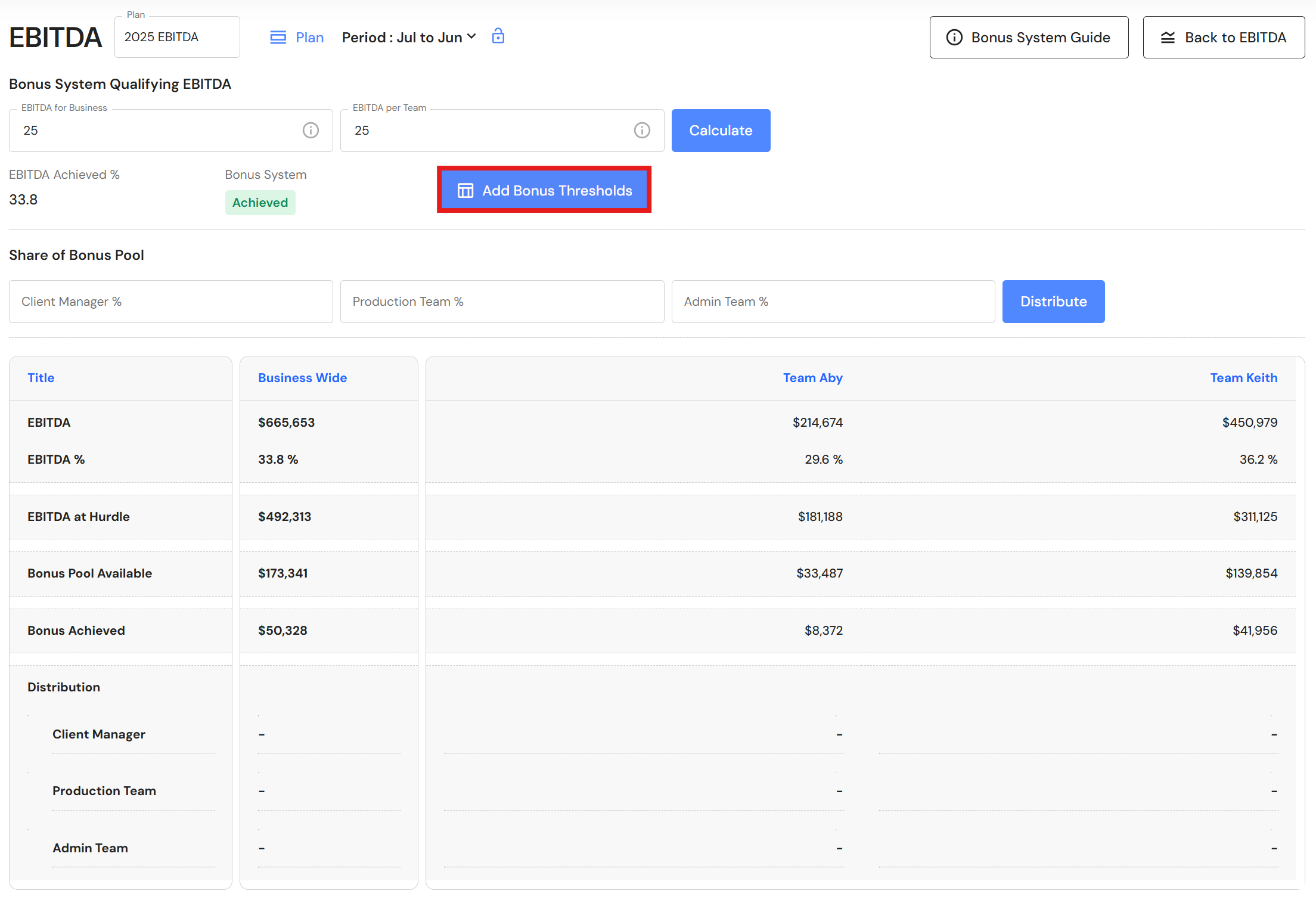
- Click 'Add Bonus Thresholds'.
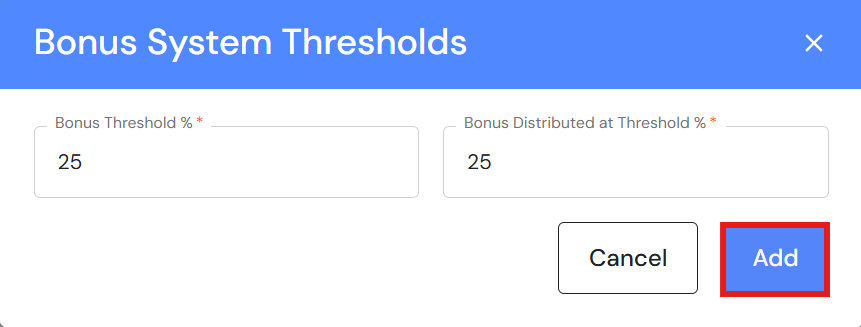
- Click '+ Add New' to create your first threshold.
- Complete:
- Bonus Threshold: EBITDA percentage the team must reach to unlock that tier.
- Bonus Distributed at Threshold: Percentage of the bonus pool that will be paid out when the team reaches this EBITDA threshold.
- Click 'Add'.
Repeat steps 7-9 for each additional tier.
For example:- If the team achieves 25% EBITDA, 25% of the bonus pool is distributed.
- If the team achieve 30% EBITDA, 30% of the bonus pool is distributed.
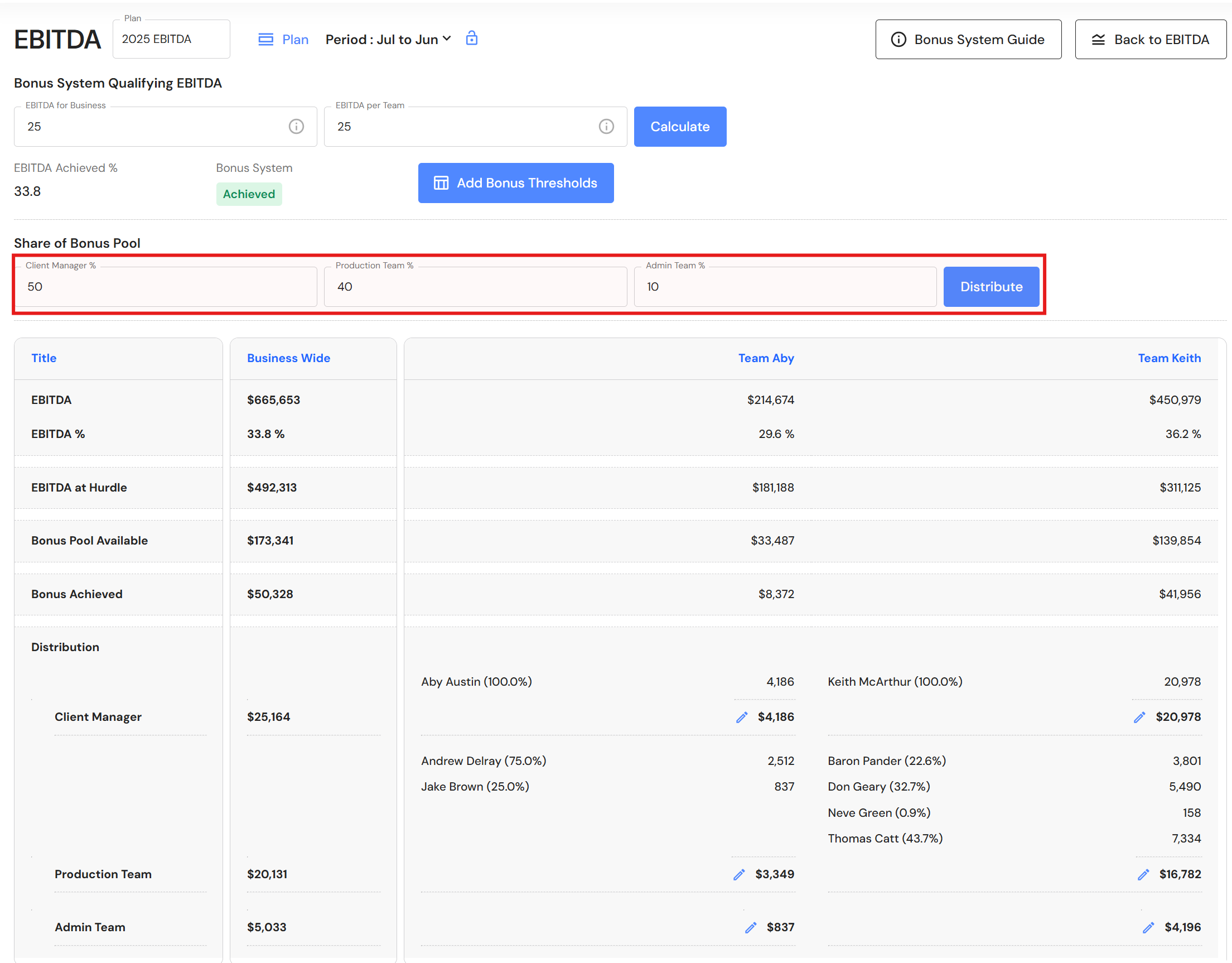
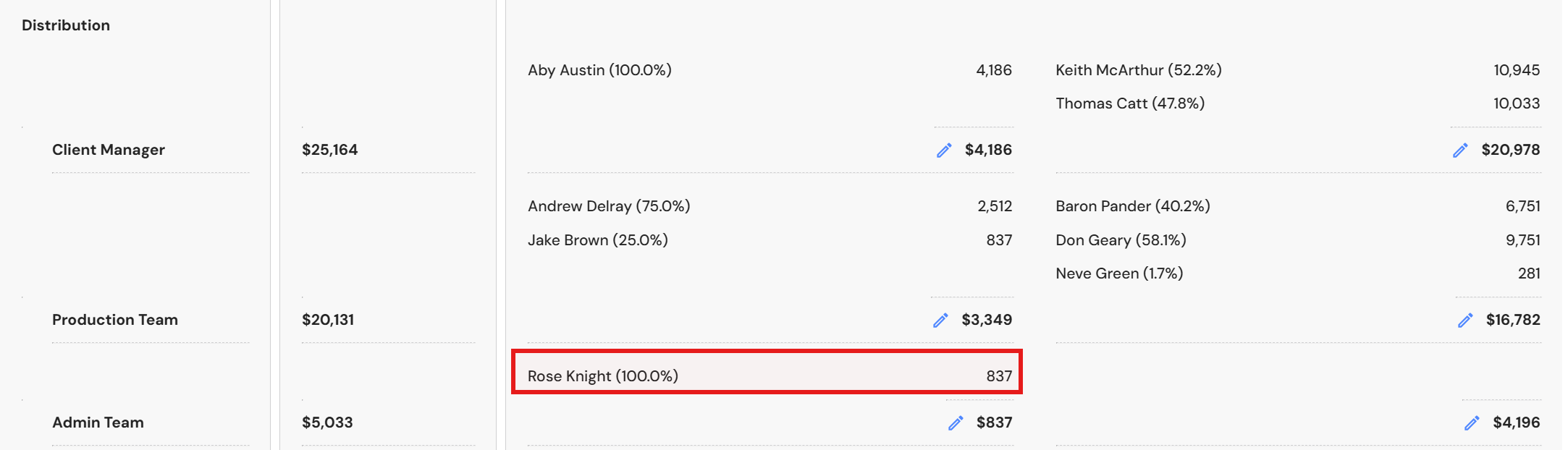
- Enter how the bonus will be distributed to each sub-group i.e. Client Manager, Production Team and Admin Team and click 'Distribute'.
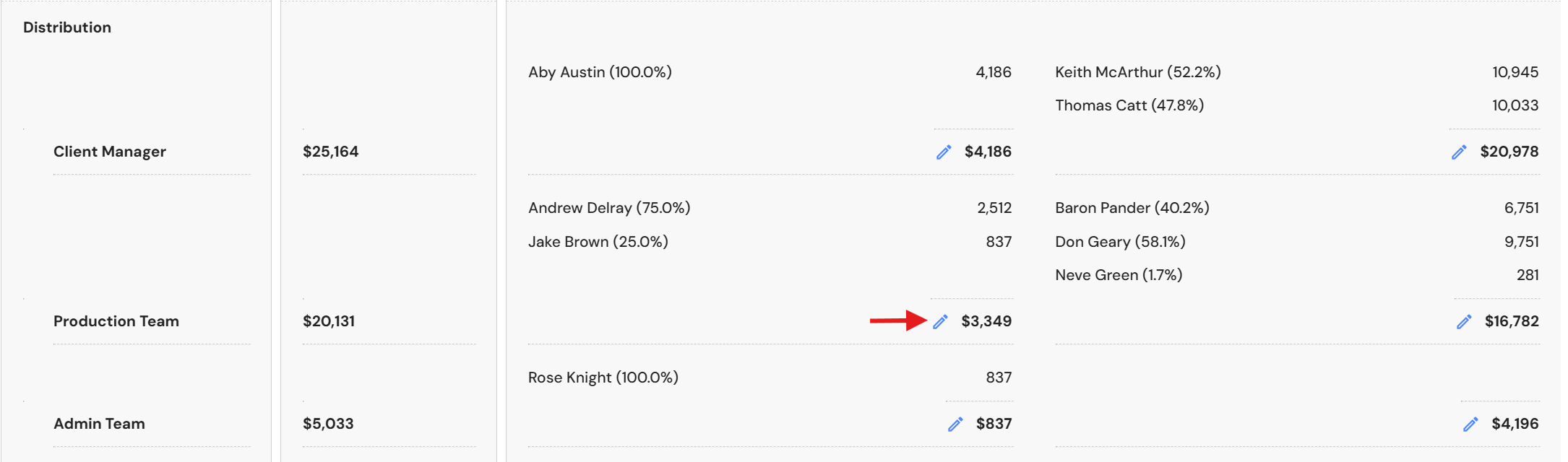
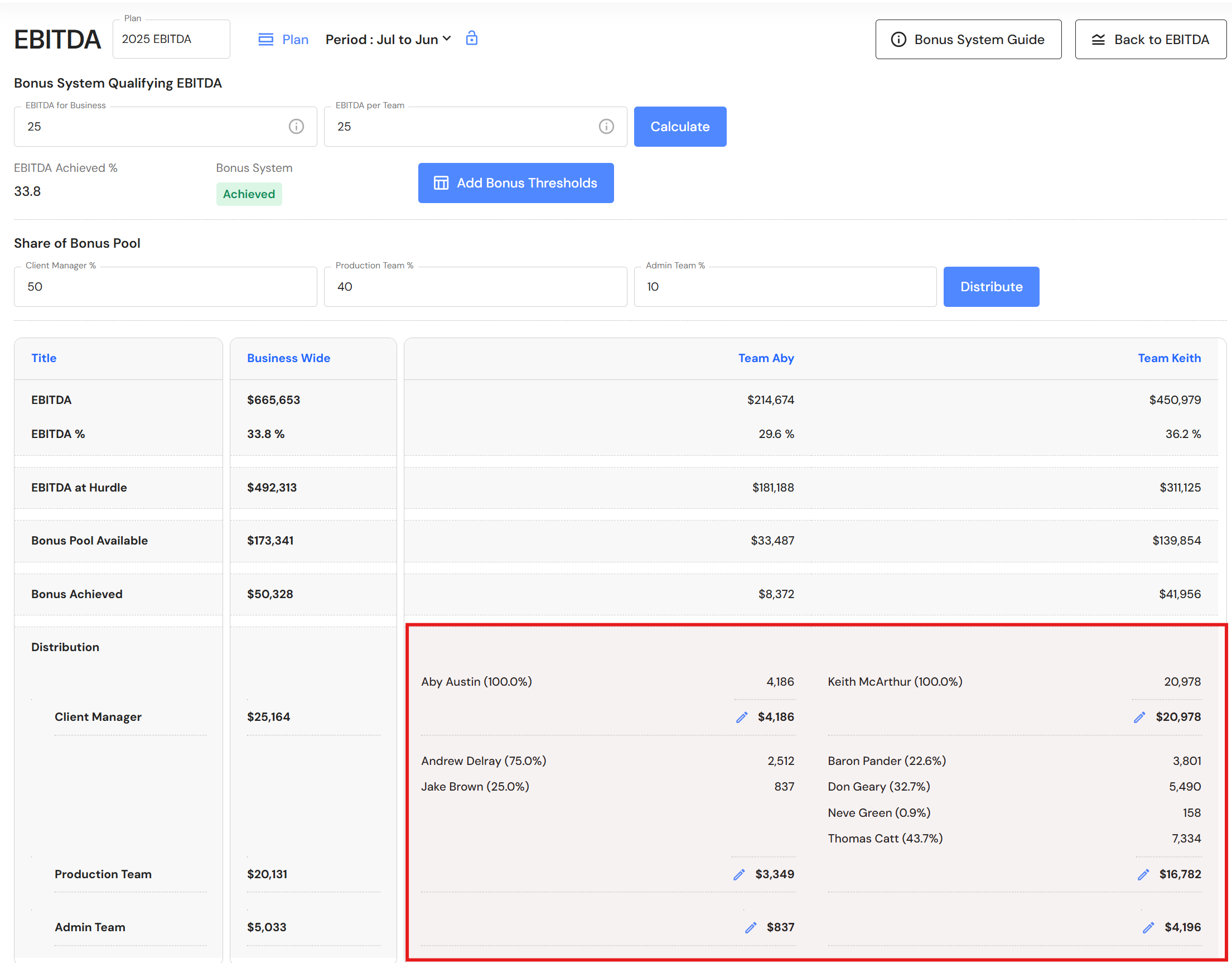
- The distribution will import the Senior Client Manager (Leader) and Production Team members directly from the Budget & Capacity plan while detecting salaries from People profiles and assigning the bonus to each team member based on their salary in proportion to total salaries in their sub-group. The distribution calculation automatically applies pro‑rata adjustments for team members who joined the business during the year.
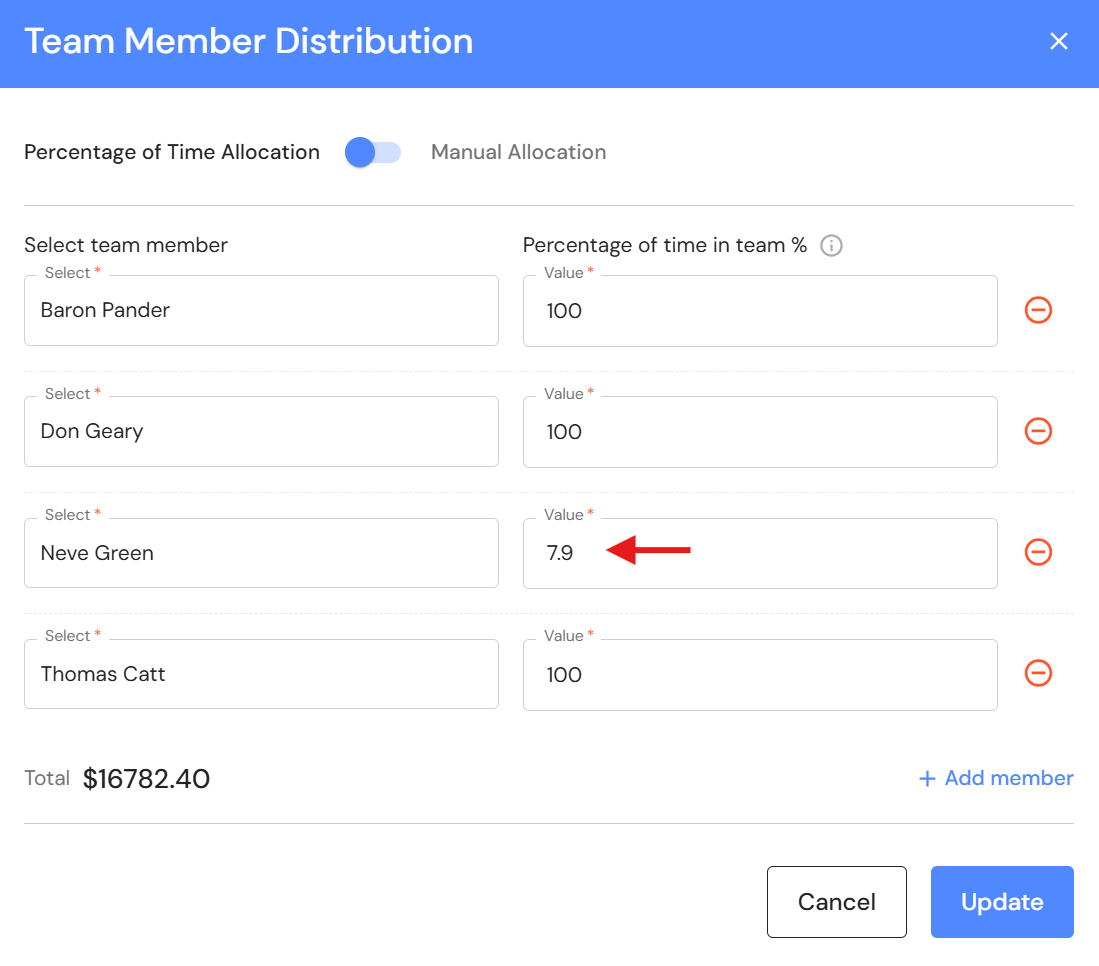
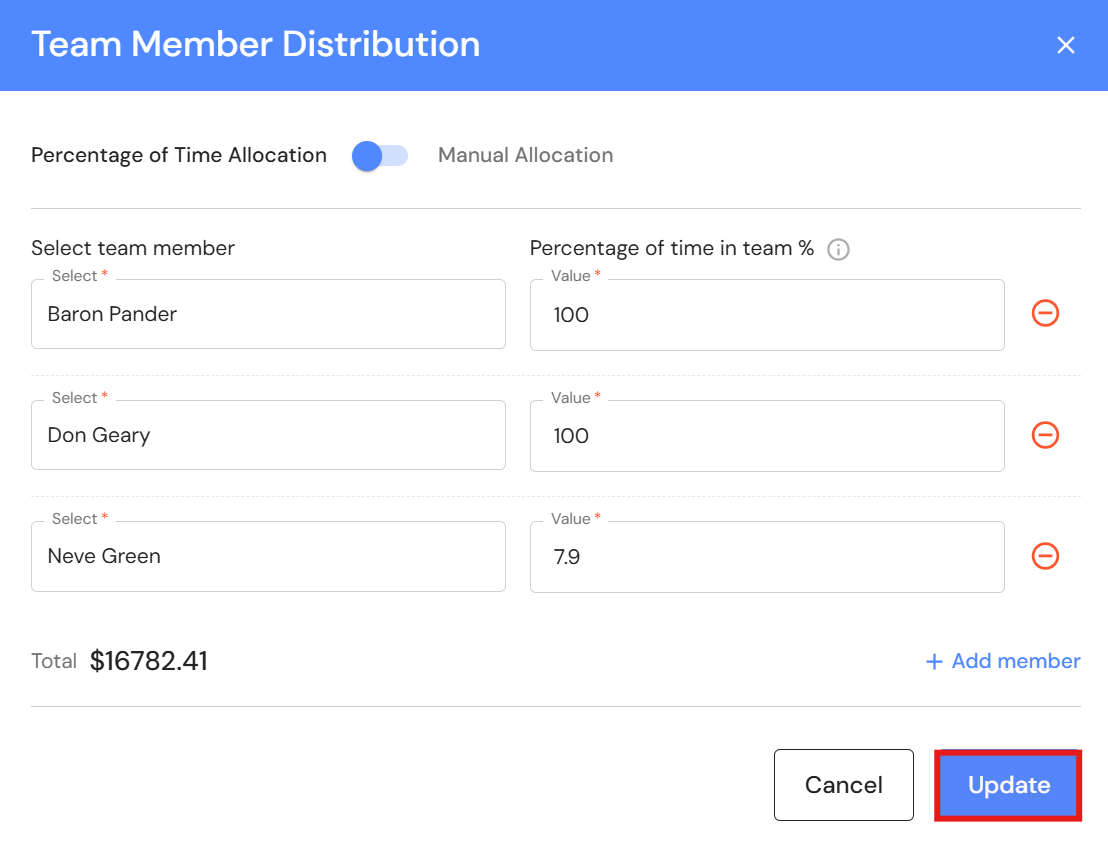
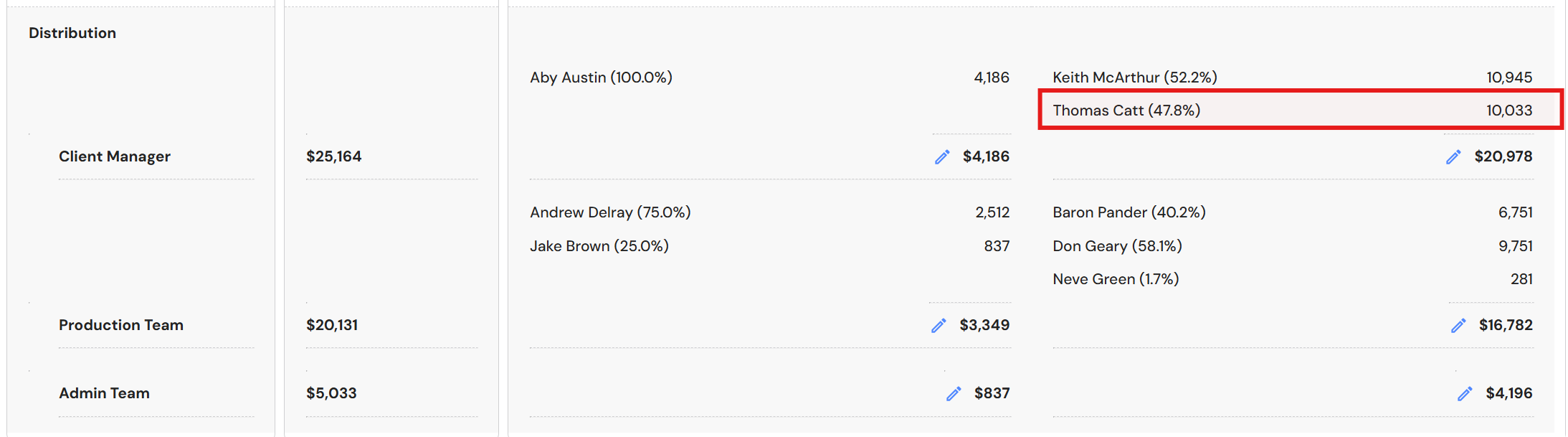
In the example below, Neve joined the business on 2 June. As she was only part of the team for 29 days, her salary is pro-rated to align with Neve's percentage of time in the team for the year i.e. 29 / 365 days = 7.9%.
Things to note:
- Assistant Client Managers can be moved from the Production Team to the Client Manager sub-group.
- Admin team members must be added manually.
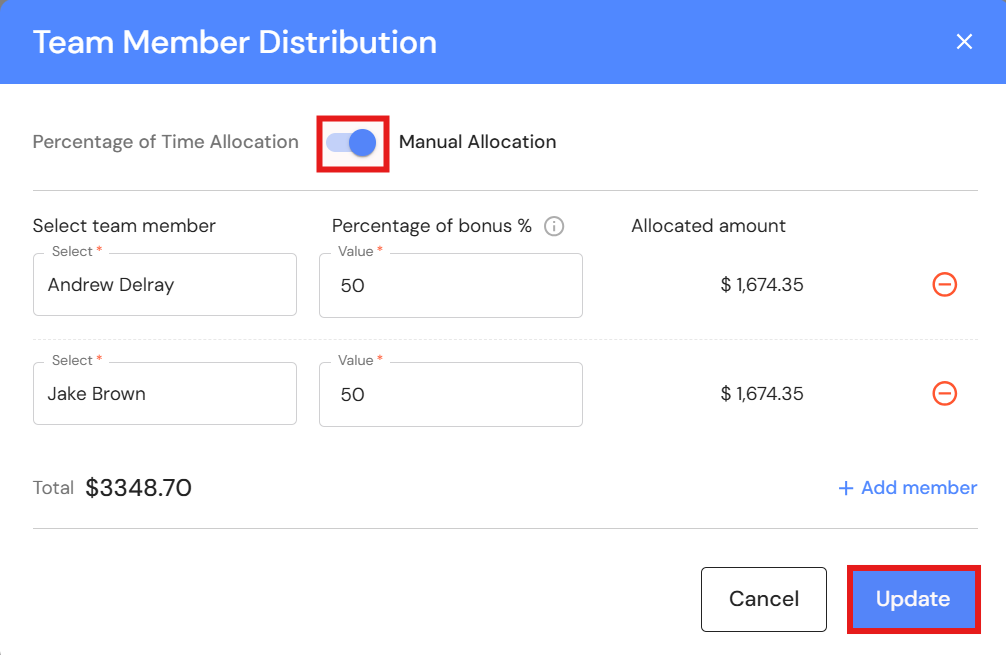
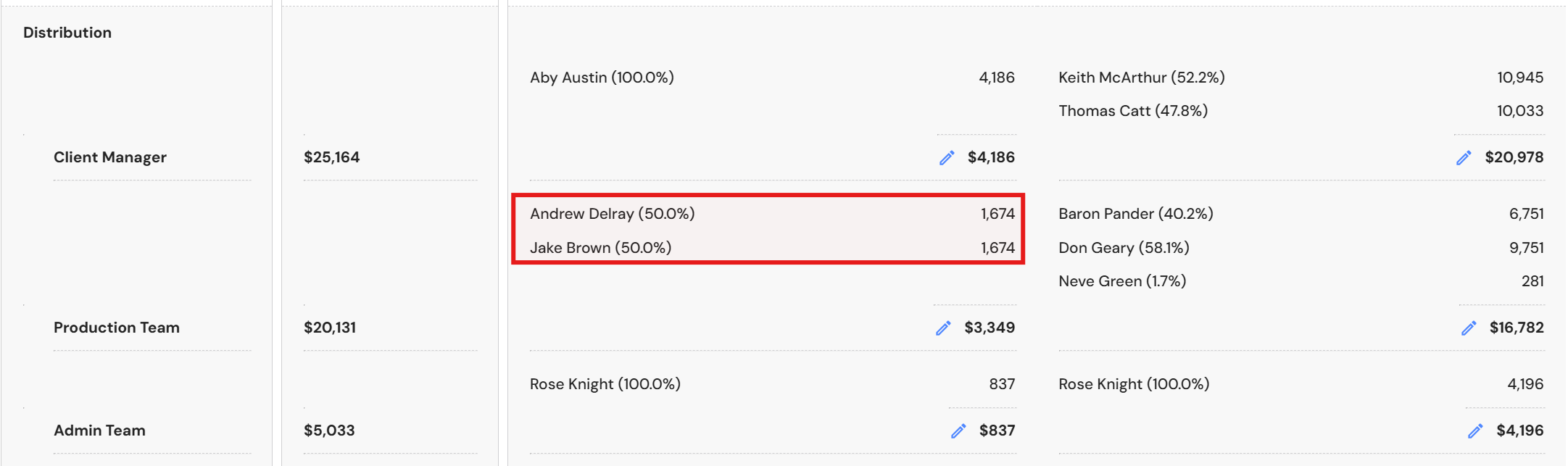
- Users can assign the bonus distribution for each sub-group by proportion of time in the team or manual distribution.
Move Team Member to another sub-group
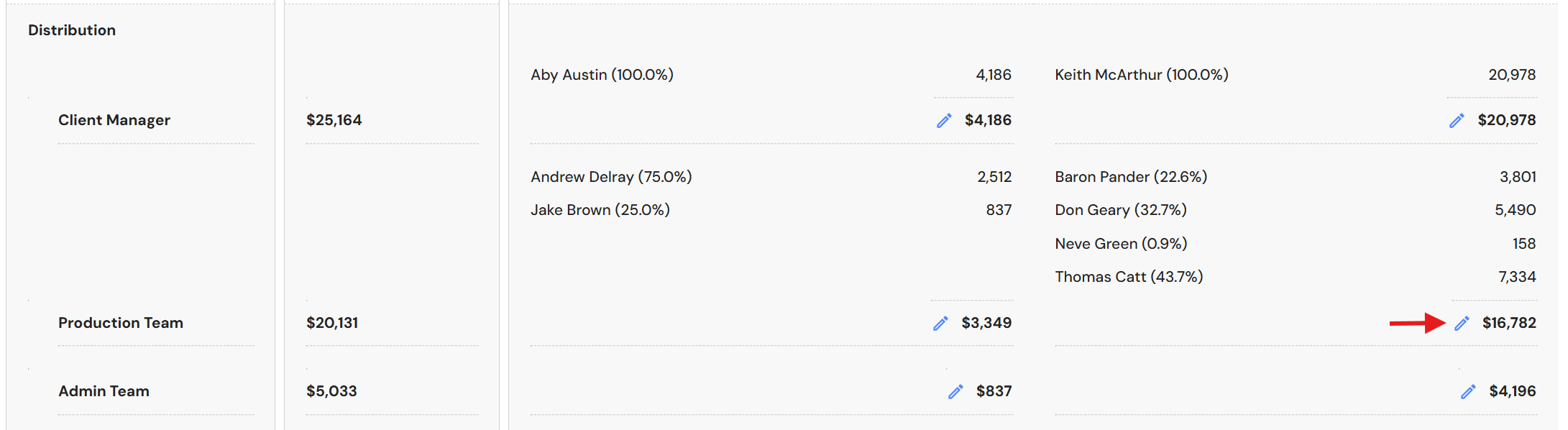
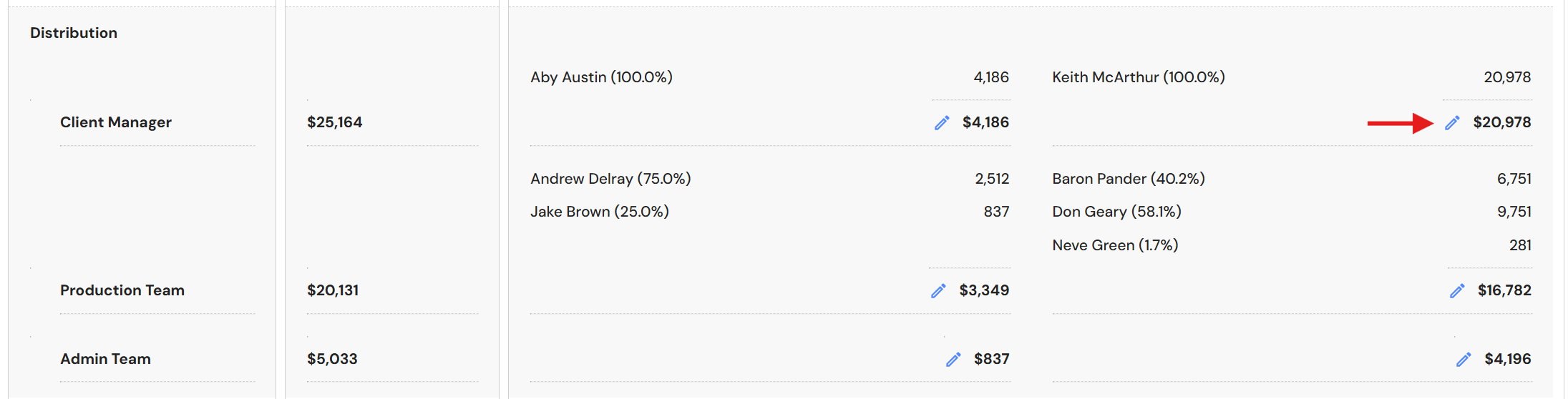
- Click the pencil icon next to the sub-group total to remove the team member e.g. Move the Assistant Client Manager from the Production Team to the Client Manager sub-group.
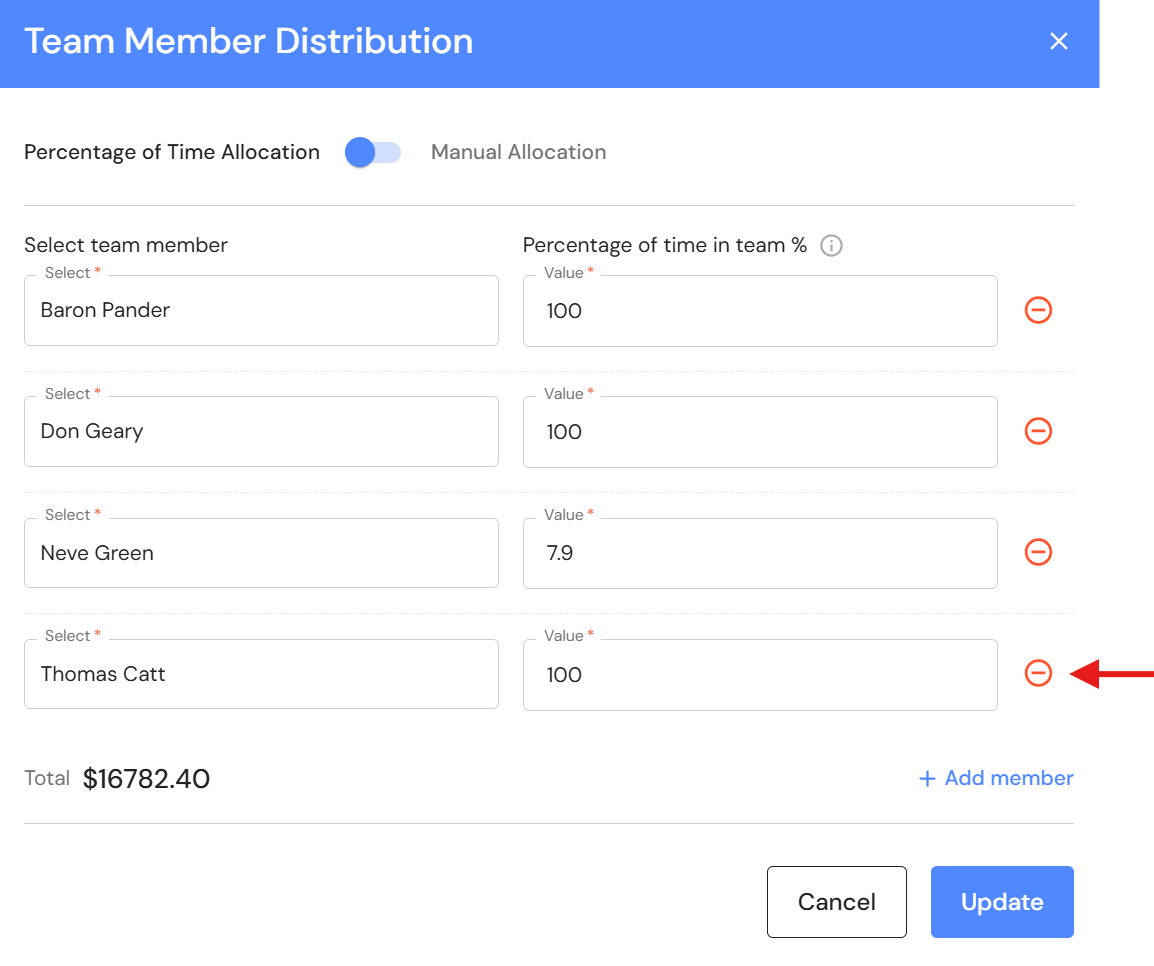
- Click the dash circle icon.
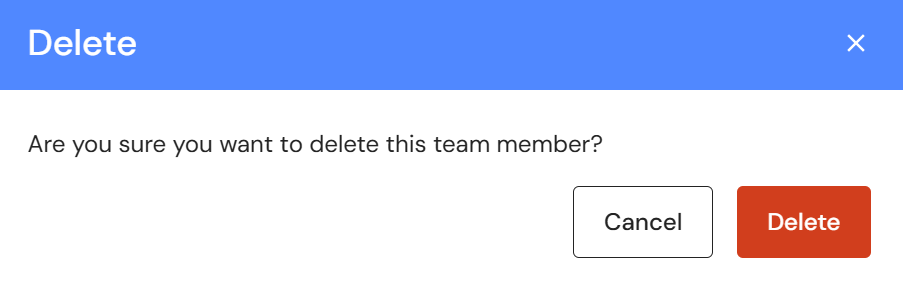
- Click 'Delete'.
- Click 'Update'.
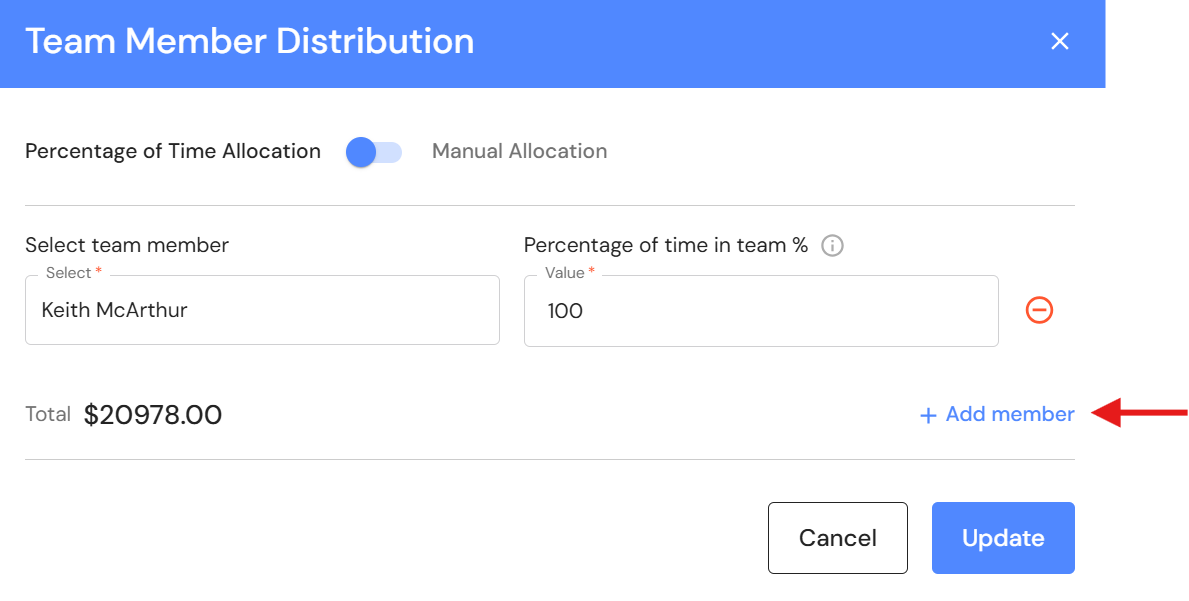
- Click on the pencil icon next to the sub-group total to add the team member e.g. Client Manager.
- Click '+ Add member'.
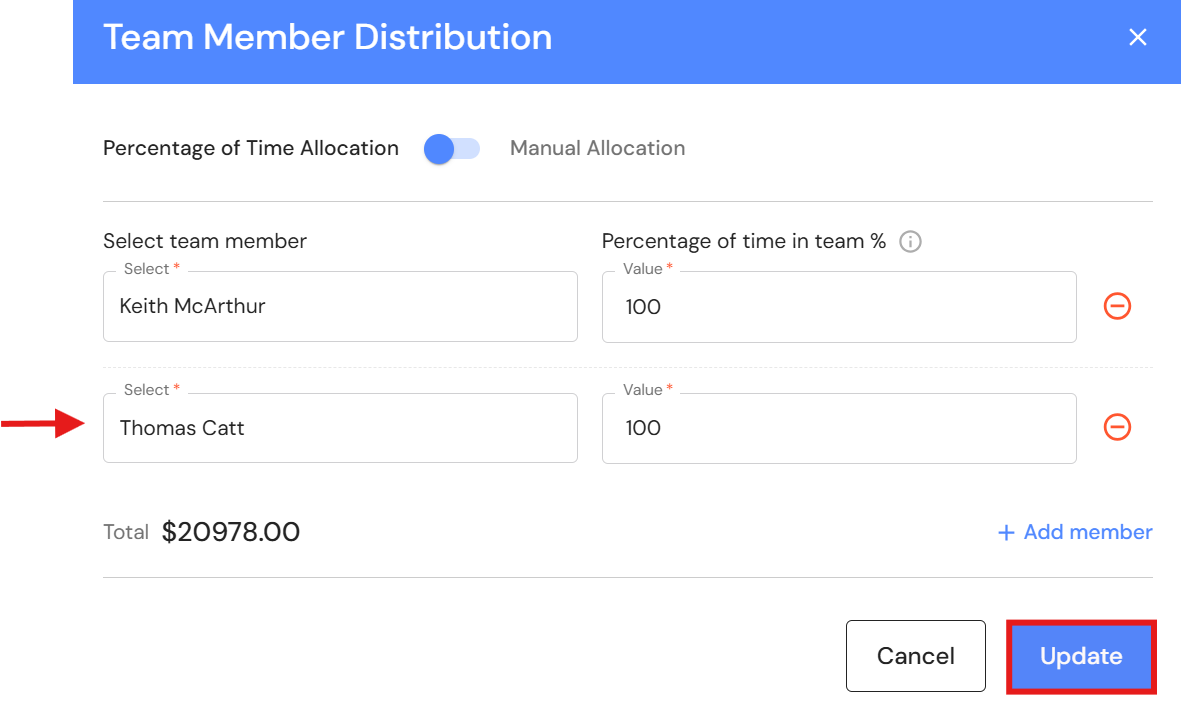
- Select the team member and click 'Update'.
Add Admin Team
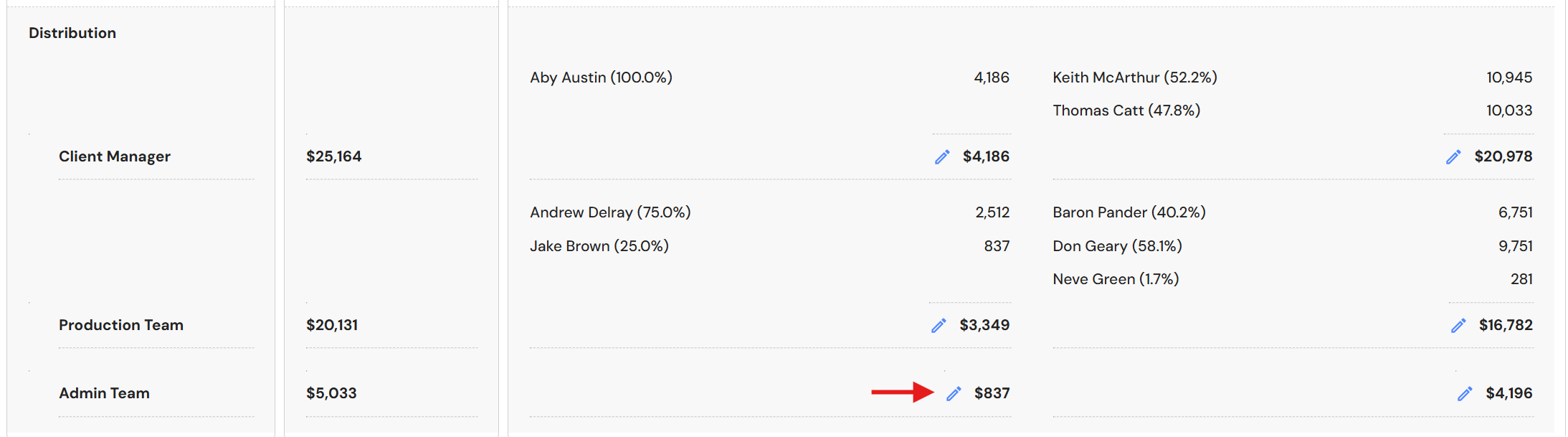
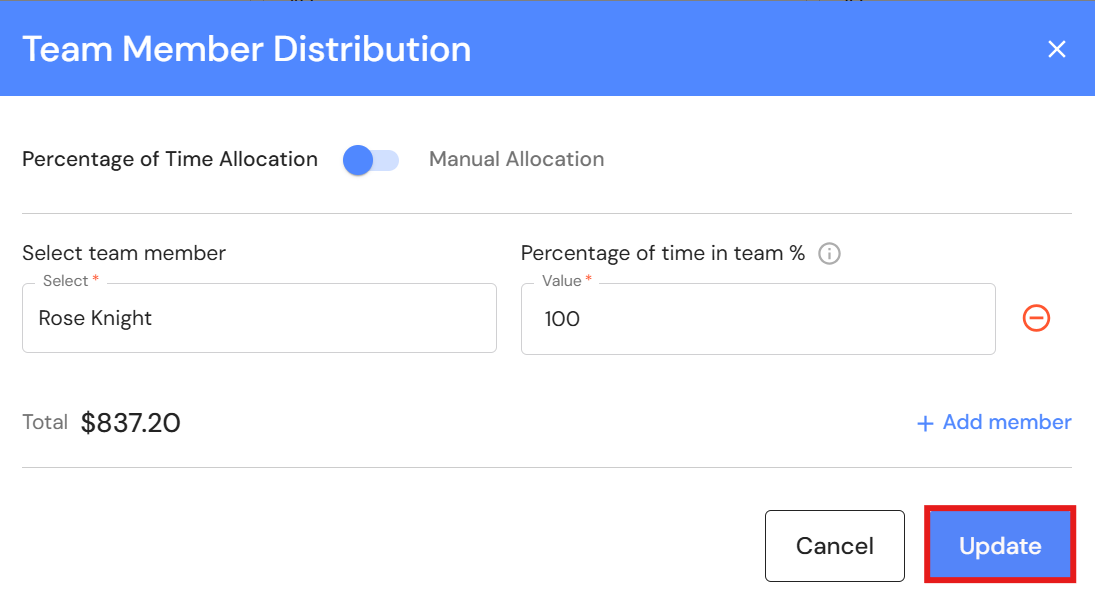
- Click on the pencil icon to add the team member to the Admin team sub-group.
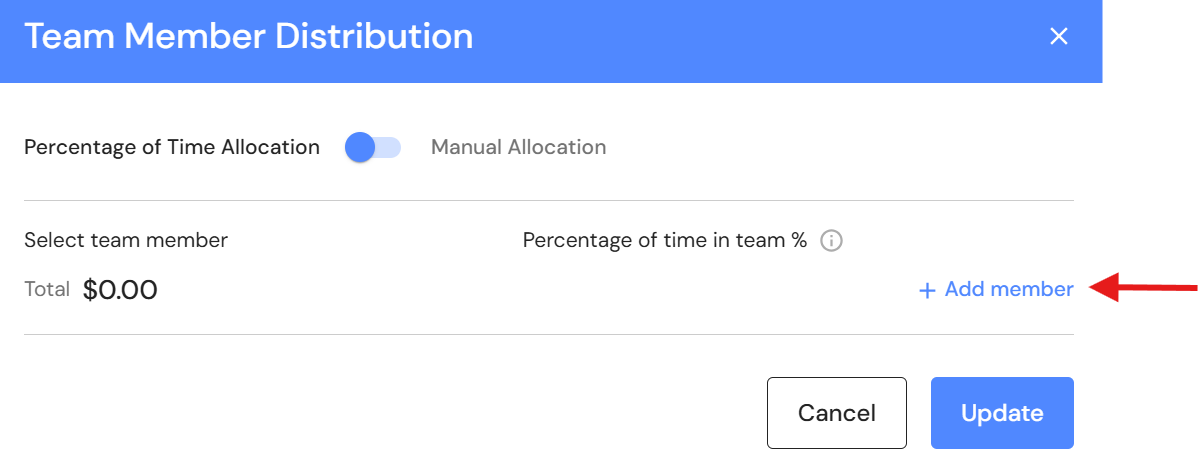
- Click '+ Add member'.
- Select the team member and click 'Update'.
Manual Distribution
- Click the pencil icon for the relevant sub-group.
- Switch the toggle to Manual Allocation.
- Enter a percentage next to each team member
- Click 'Update'.