Release Notes - 4 September 2025
Ideal Teams
We have added the Ideal Teams planning tool for firm owners to set a vision for their million dollar teams.
The standalone module allows firms to plan their Wize Ideal Team structure, including a vision for existing team members and new additions to the team.
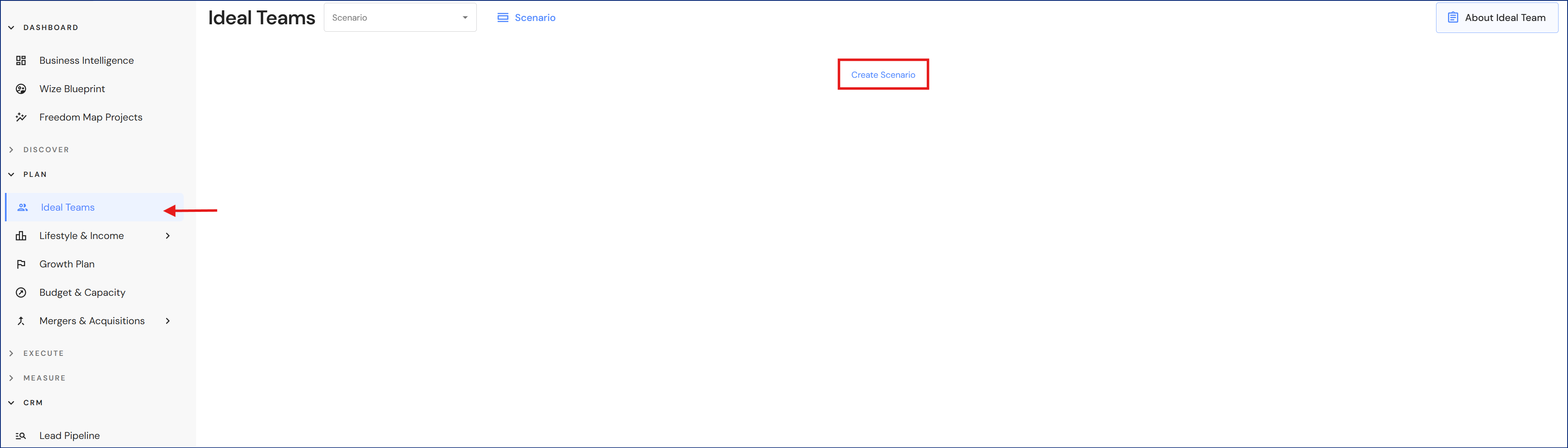
Go to Plan > Ideal Teams
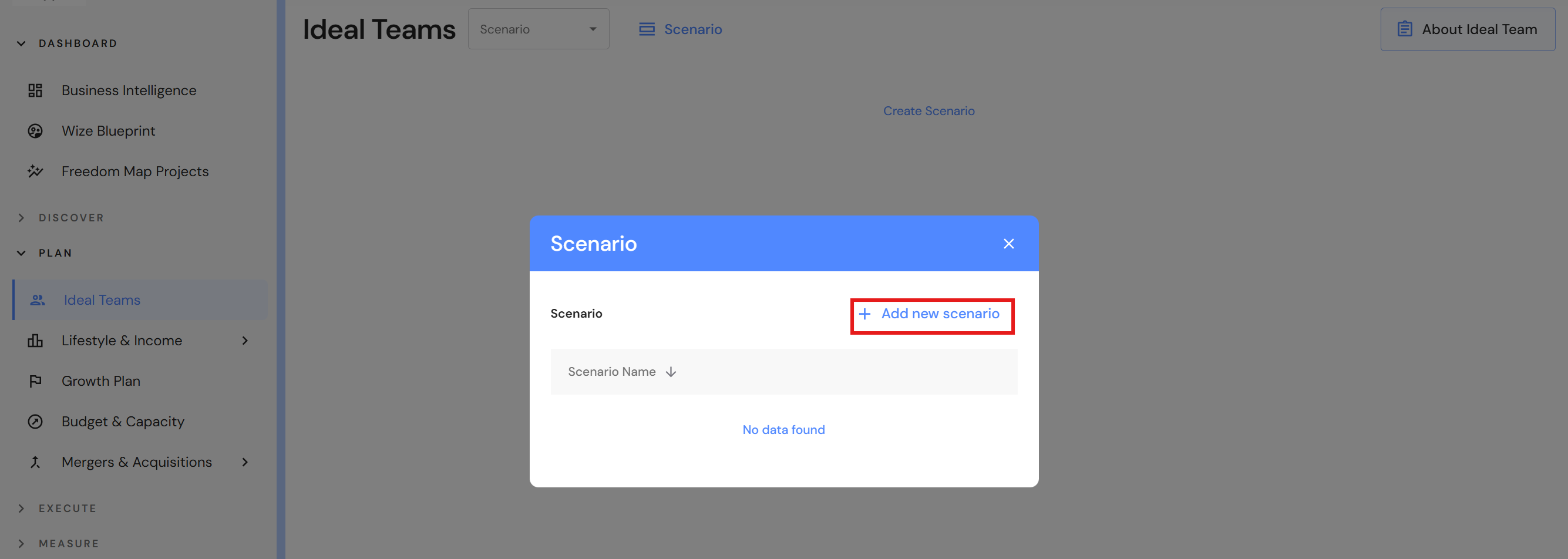
- Click on Create Scenario (first time users) otherwise click on the Scenario button.
- Click on '+ Add new scenario'.
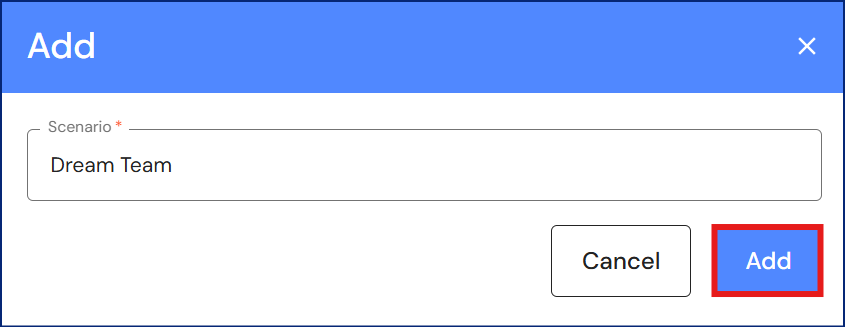
- Enter a team name and click on 'Add'.
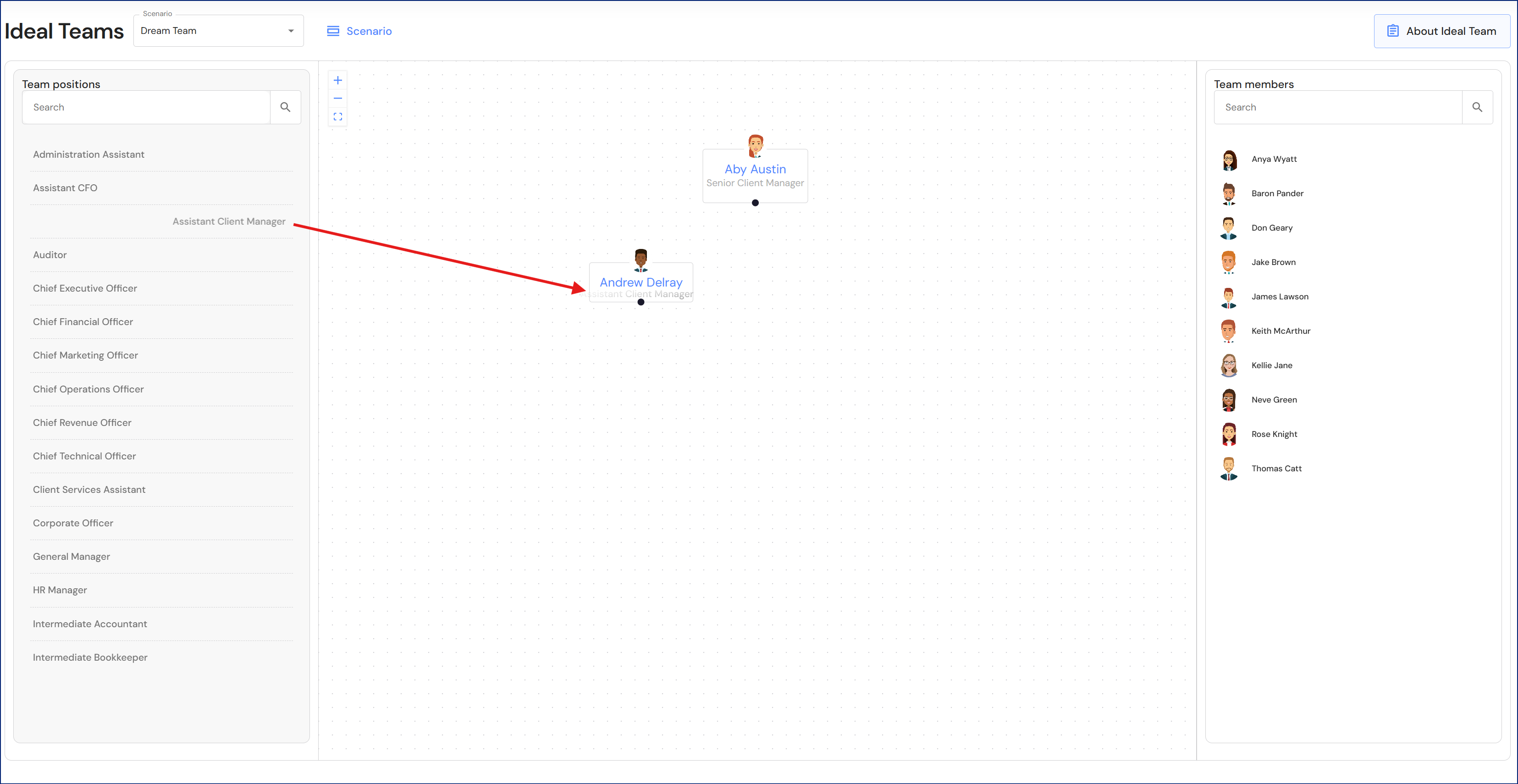
- Drag team members into position.
- Drag and connect current or future positions to team member avatars.
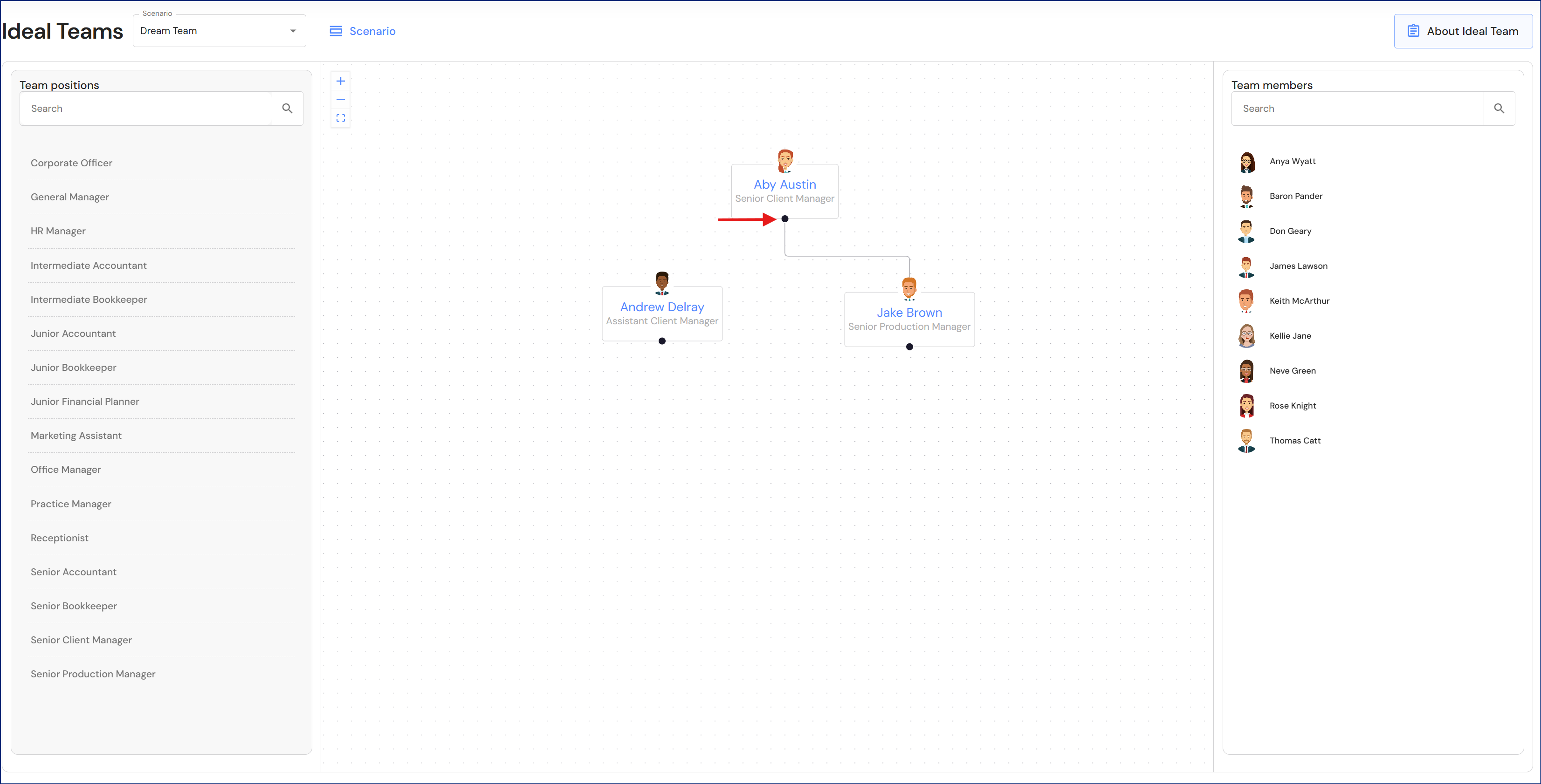
- Create reporting lines. Hover over the dot at the bottom of each avatar until you see a crossbar +. Drag the reporting line to the top of avatar profile picture to complete the connection.
Lead Pipeline
Results
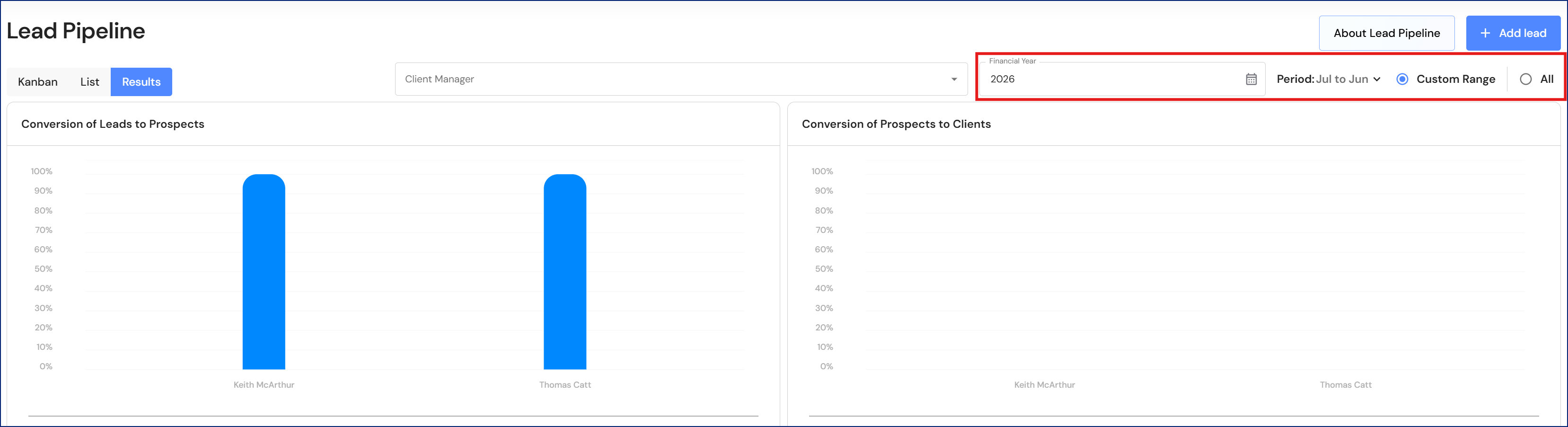
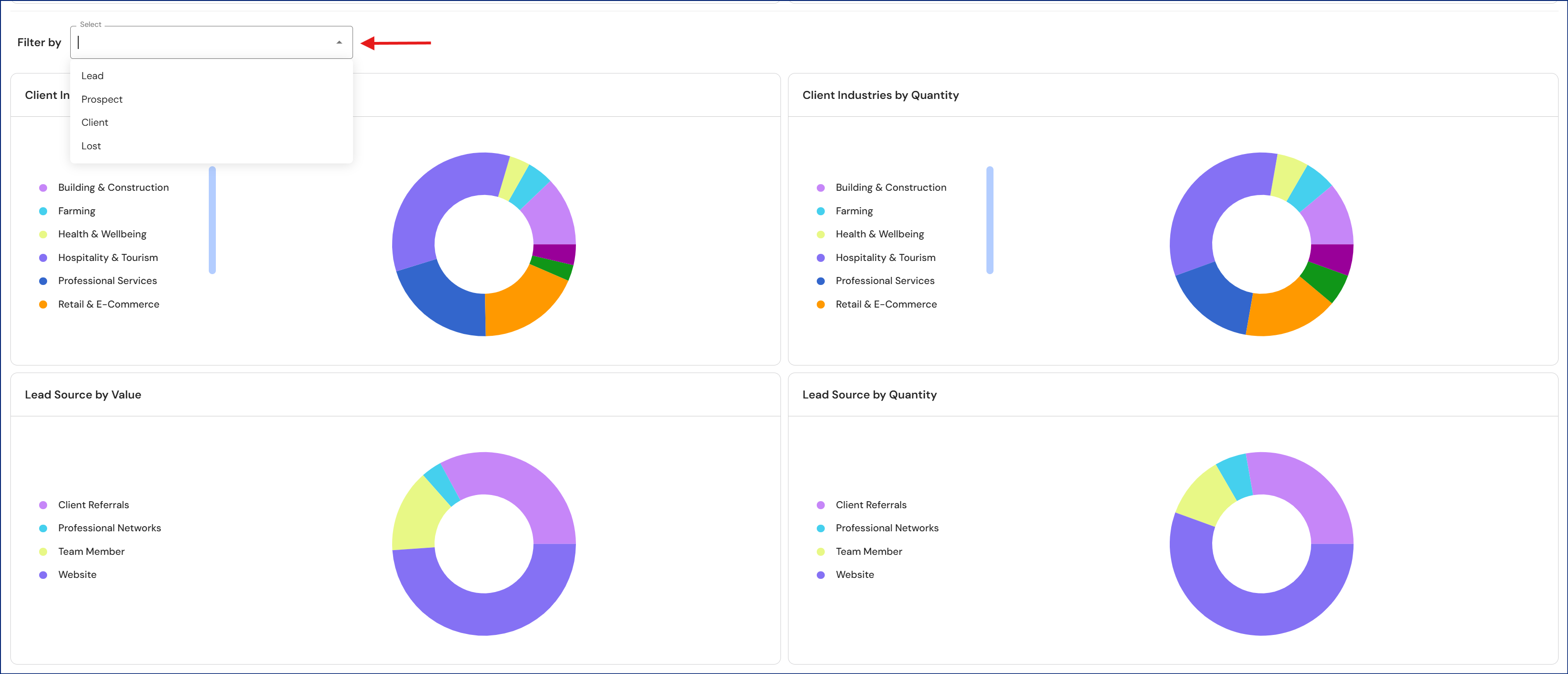
The donut charts in the results tab have been segmented into reporting periods. In addition to this, we have added a filter making it easier for users to show the results that matter most to you.
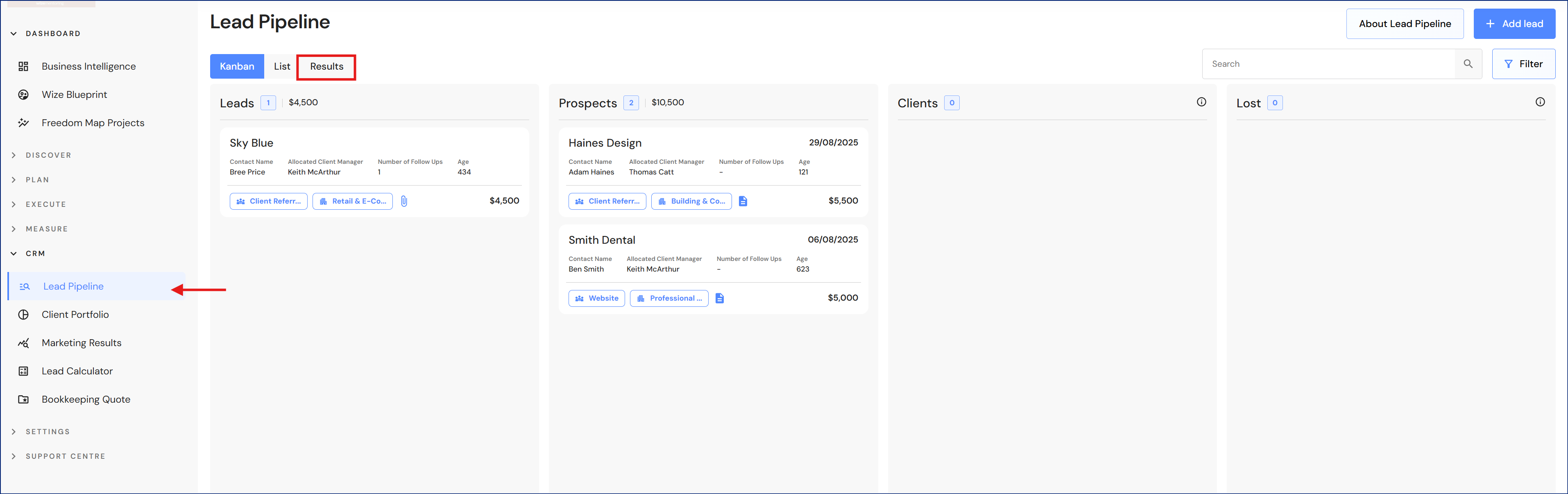
Go to CRM > Lead Pipeline
- Click on the 'Results' tab.
- Modify your reporting period.
- Filter your preferred data.
People
Salary calculator (AU firms)
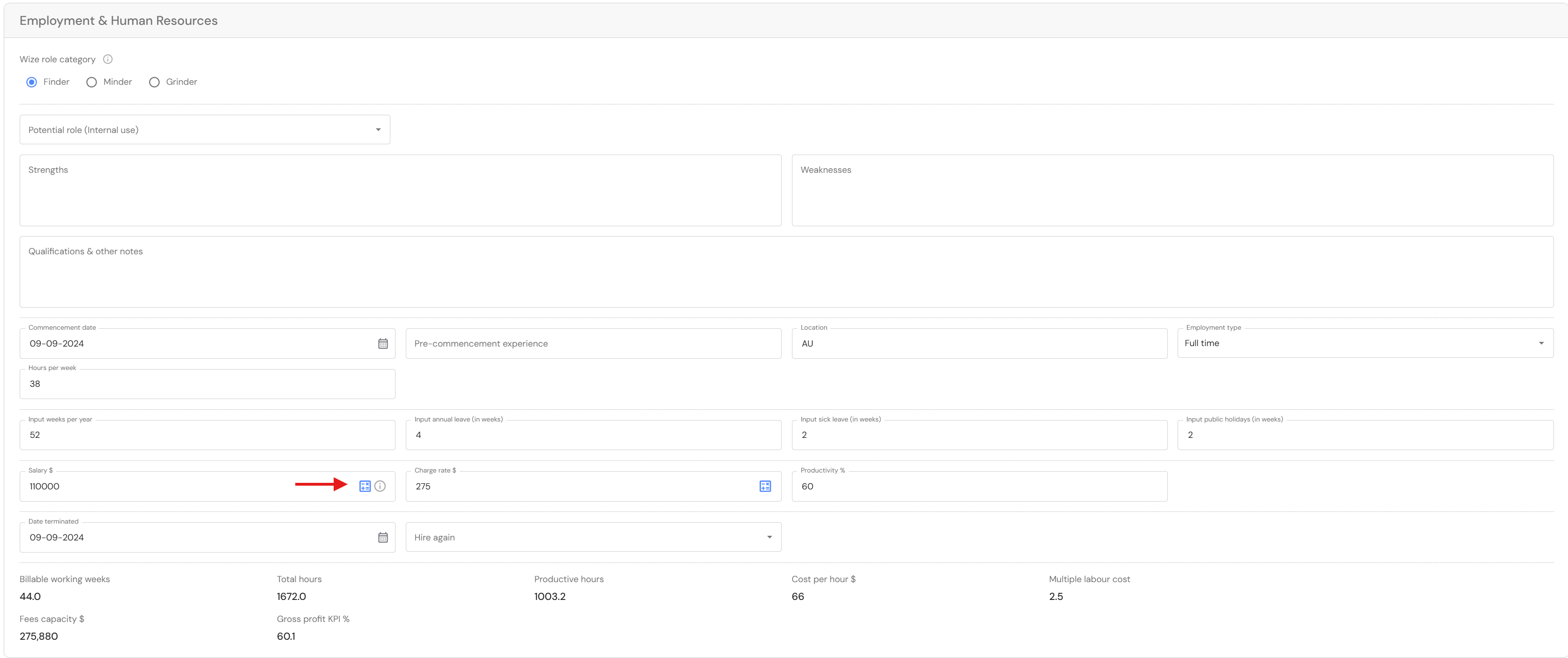
We have added a salary calculator to the salary field in the People profile. The calculator makes it easy for firms to determine a benchmark charge rate for chargeable team members.
Go to Discover > Firm Profile > People
The calculator icon will appear in the salary field when you 'add' or 'edit' team member details.
- Click on the calculator icon.
- Enter the gross annual income and the calculator will automatically add superannuation. Click on 'Apply calculation'.

Mergers & Acquisitions
Potential Acquisitions
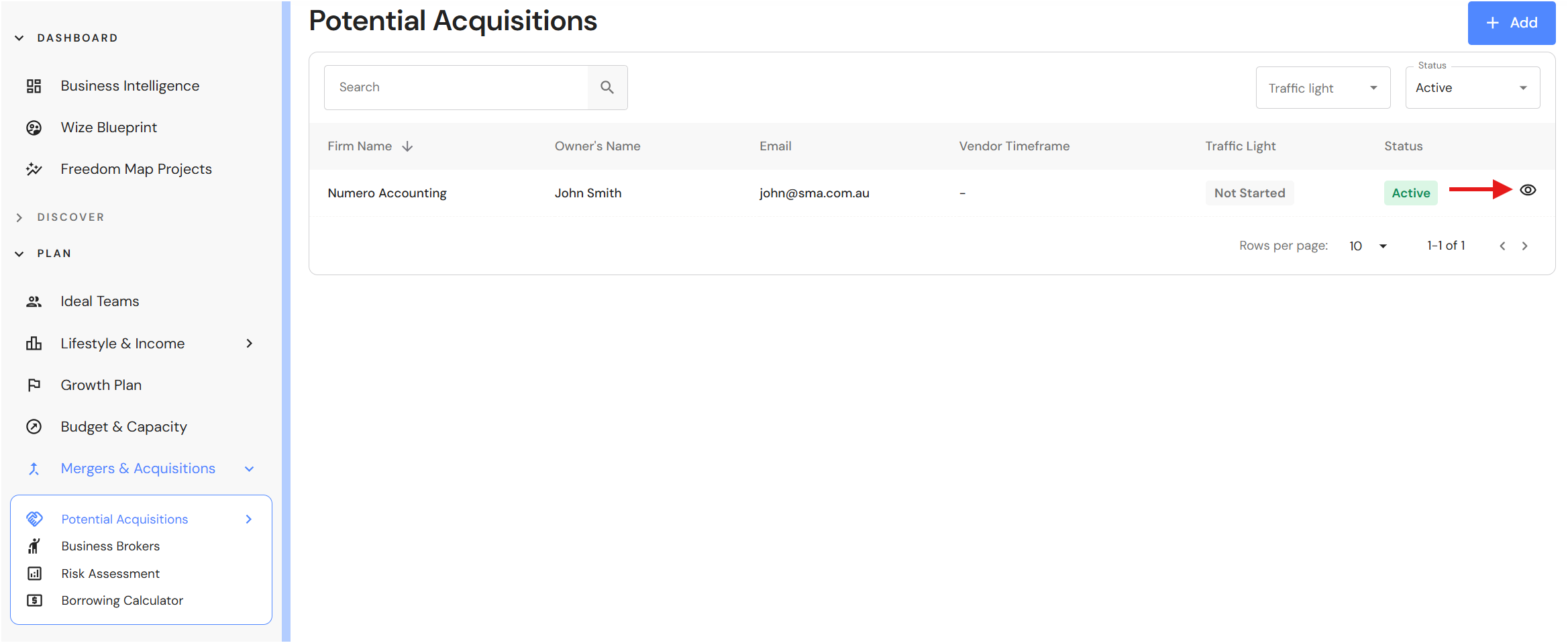
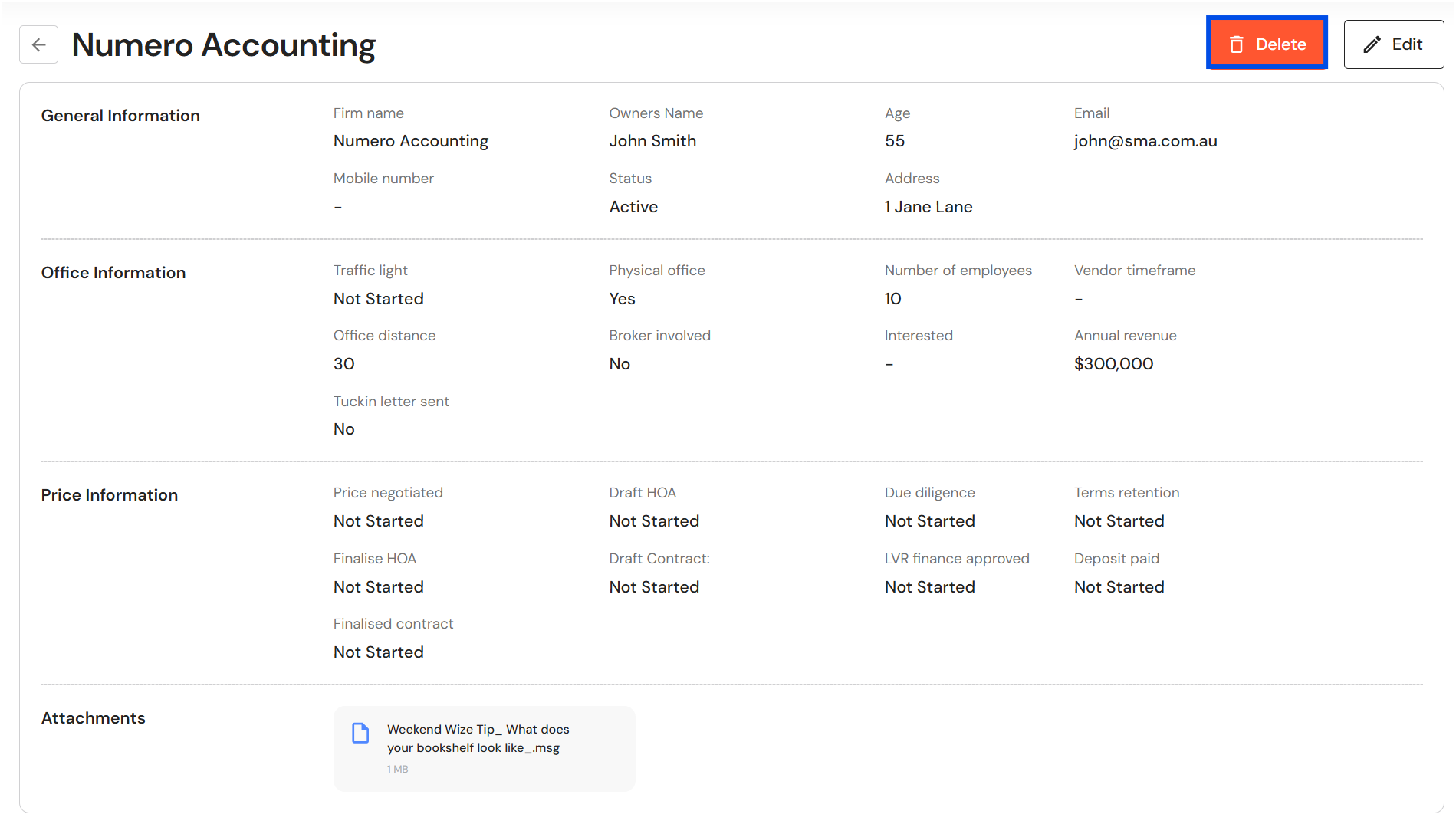
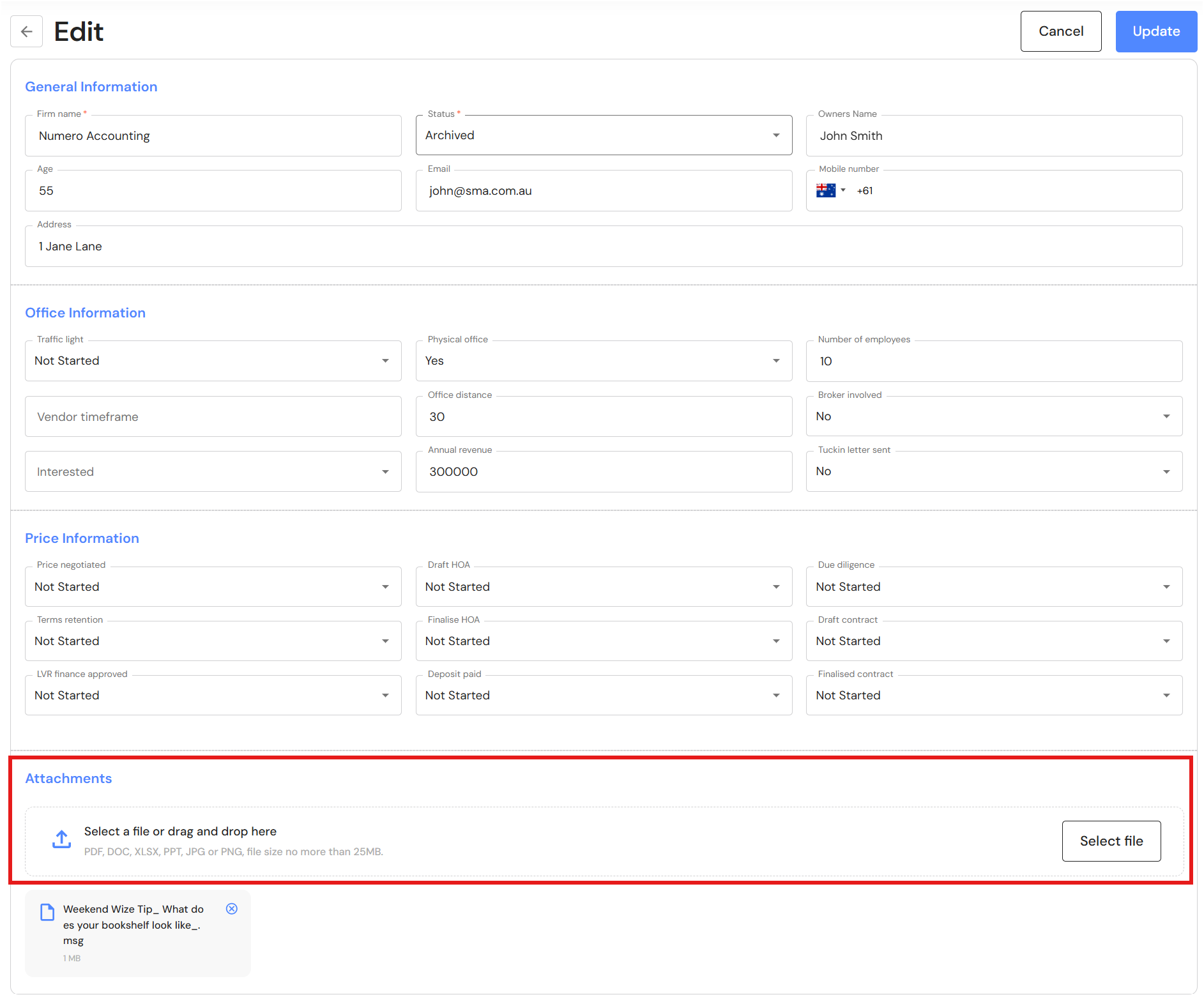
Users now have the option to archive or delete entries in Potential Acquisitions. We have also added a section to add attachments.
Go to Plan > Mergers & Acquisitions > Potential Acquisitions
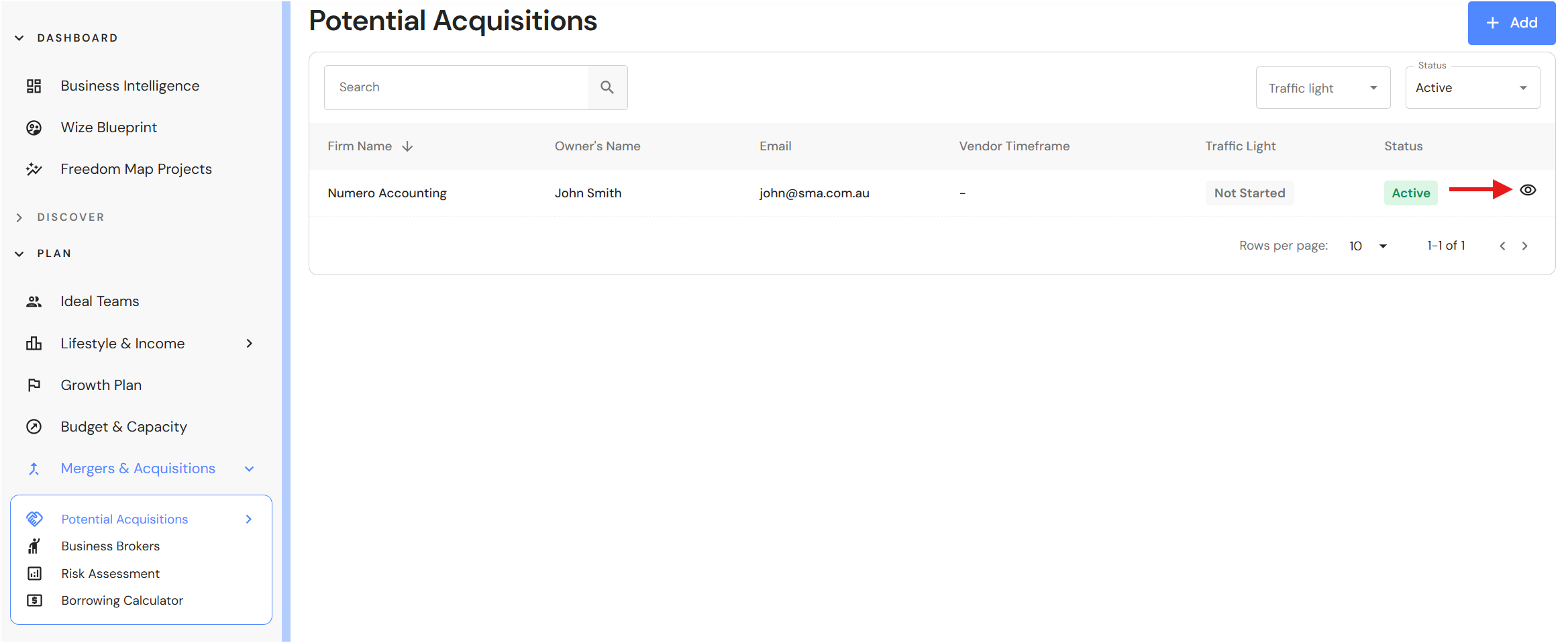
- Click on the view icon.
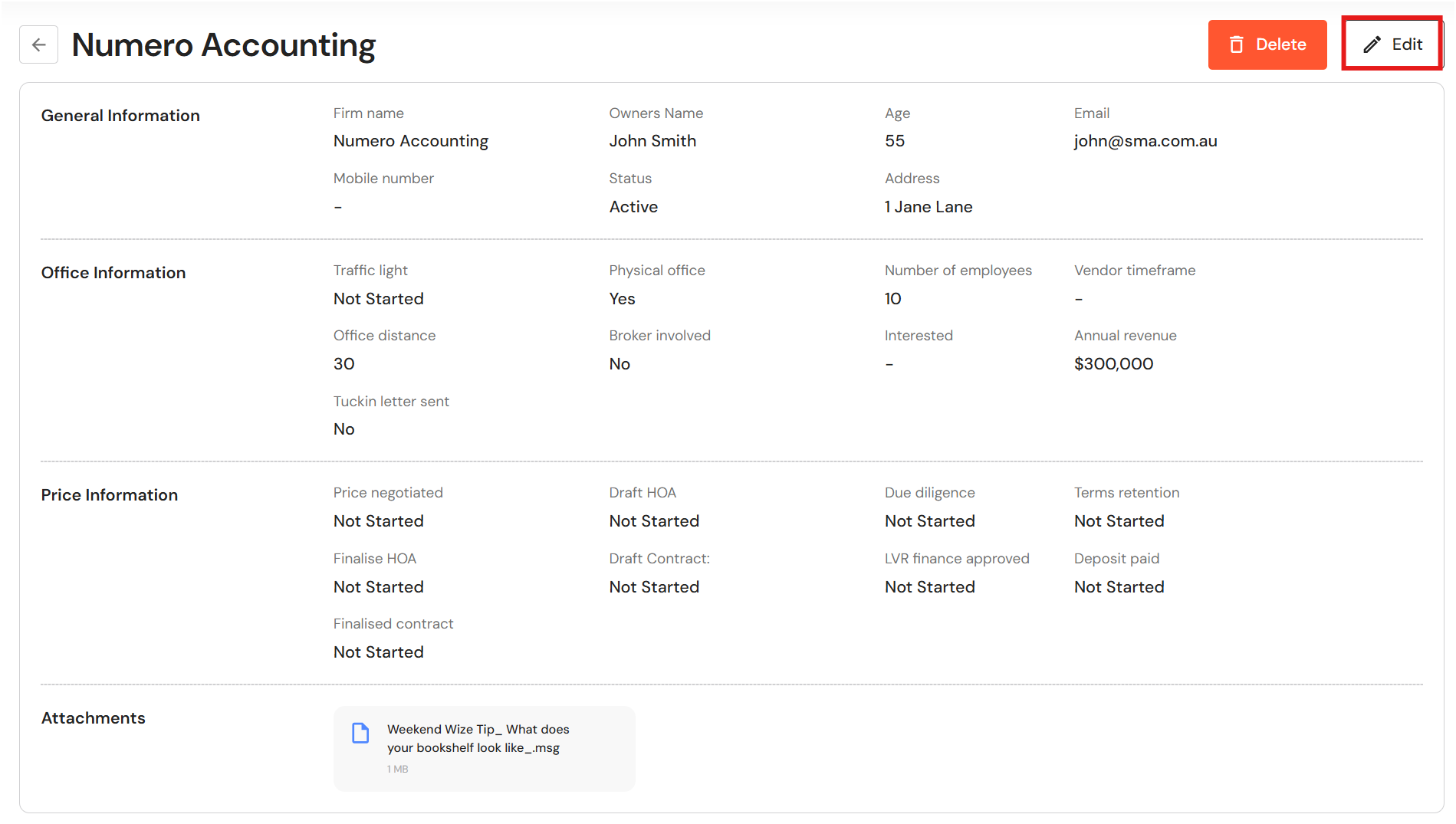
- Click on 'Edit'.
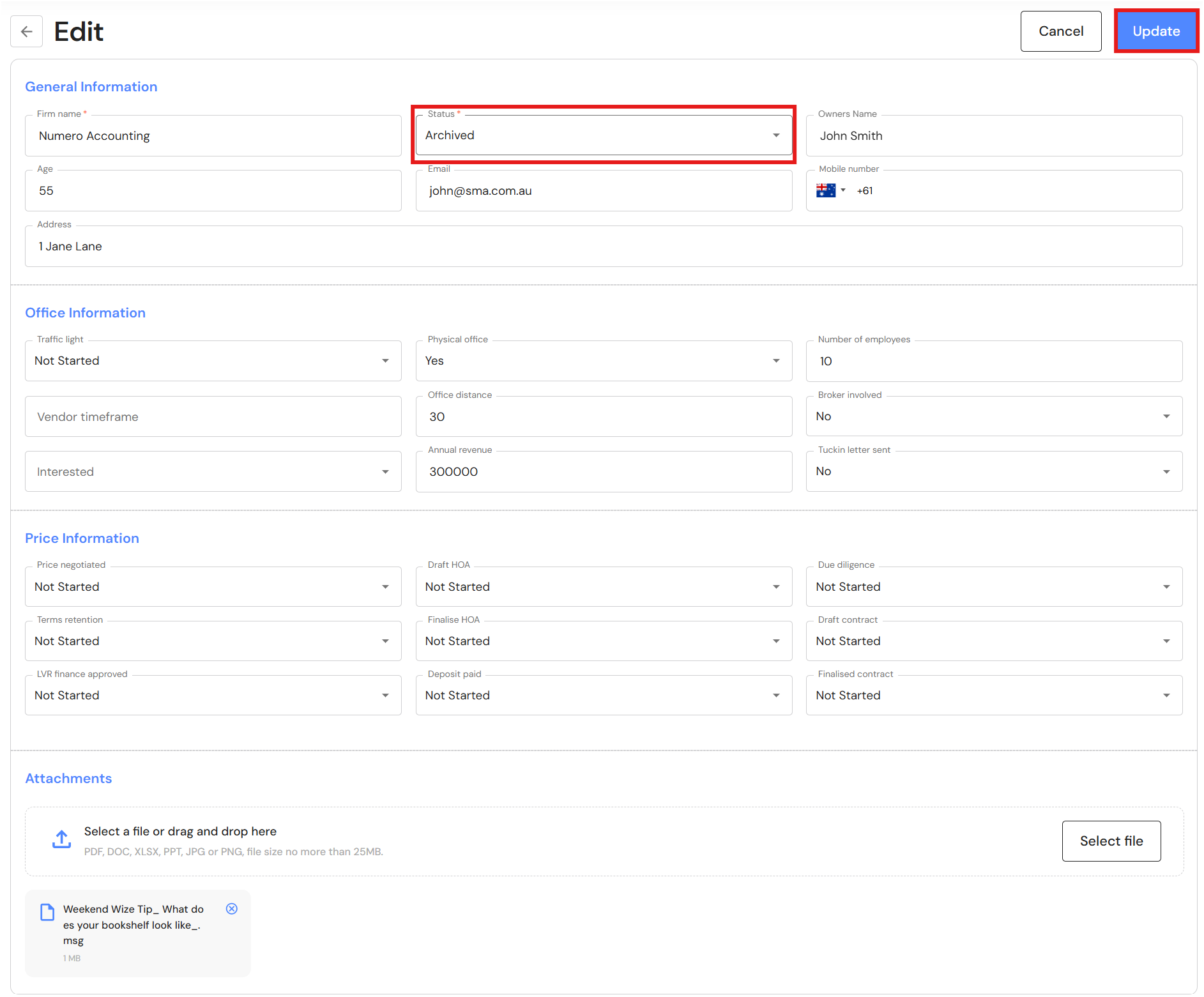
- Change the status to archived.
- Click on 'Update'.
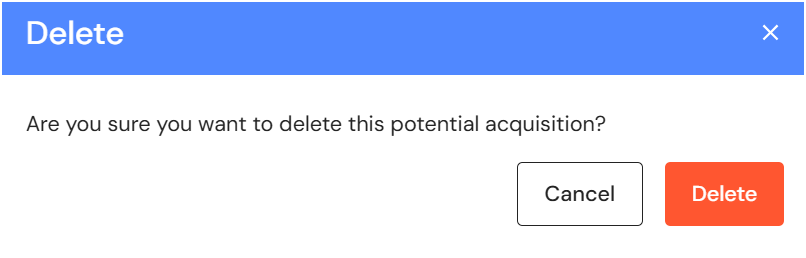
- To delete a record, click on the view icon.
- Click on 'Delete'.
- To add attachments, click on 'Select file' to upload a document or drag and drop items.