Release Notes - 1 May 2025
Lead Pipeline
Lead Action Steps
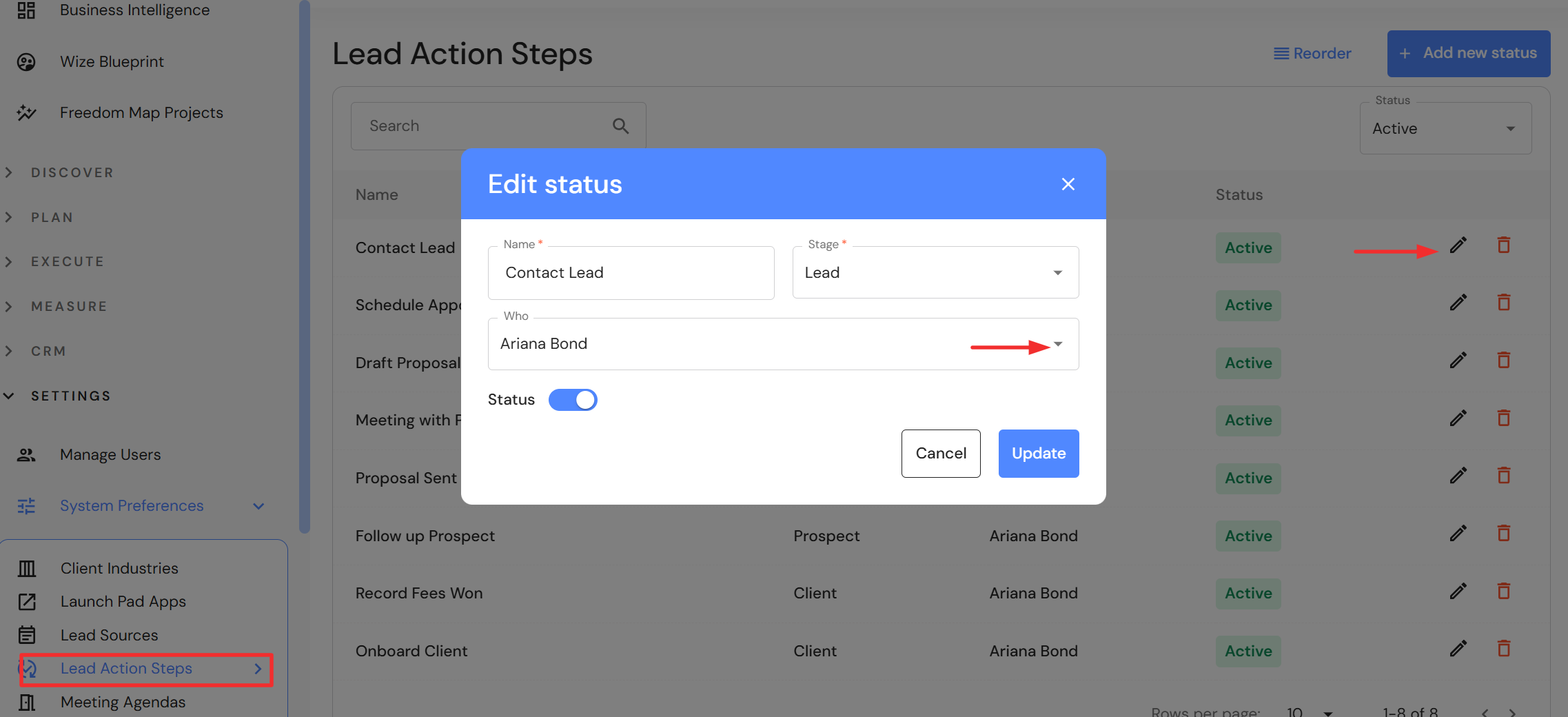
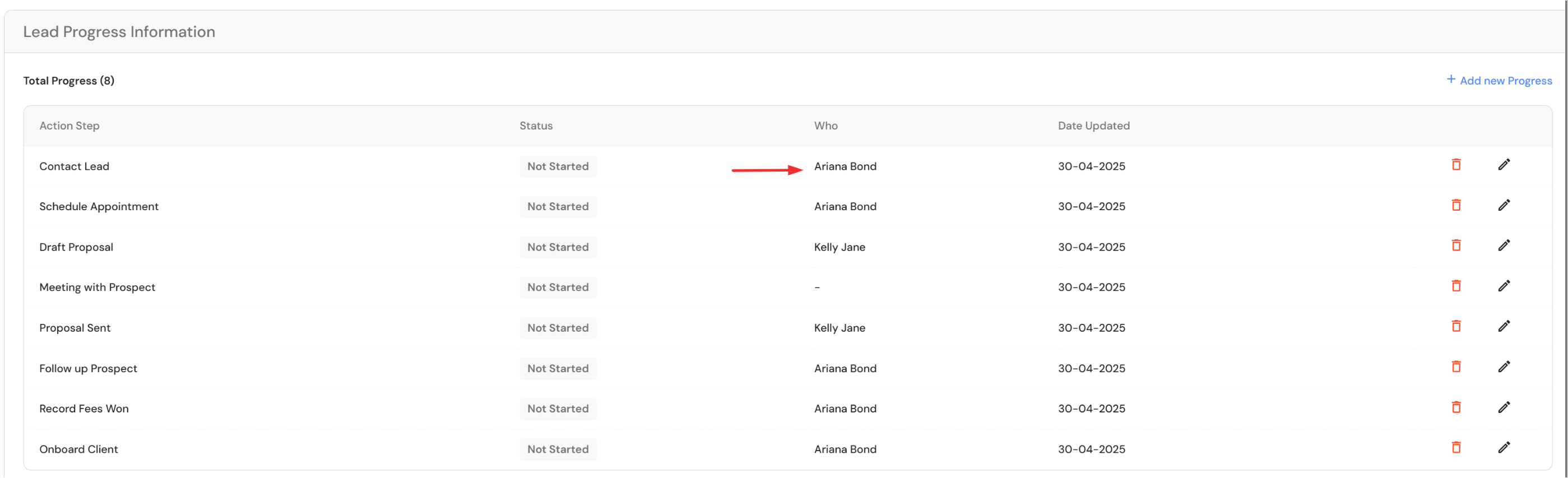
Following the update to lead actions steps on 20 March 2025, we have added the ability for firms to assign a default team member to each step. When a new lead is added to the Lead Pipeline, the lead action steps will include the default team member assigned via System Preferences > Lead Action Steps.
To add a team member:
- Click on the pencil icon to edit the lead step.
- Select a team member from the dropdown list in the 'Who' field.
- Click 'Update'
NB* This update will not apply to existing leads in the pipeline. Users will need to add the steps manually to existing leads.
Adding attachments
Users can now drag and drop emails (.msg files ) into the attachments section in a lead card. This feature has also been applied to meeting attachments.
Activities & Delegation
Interim update to task delegation
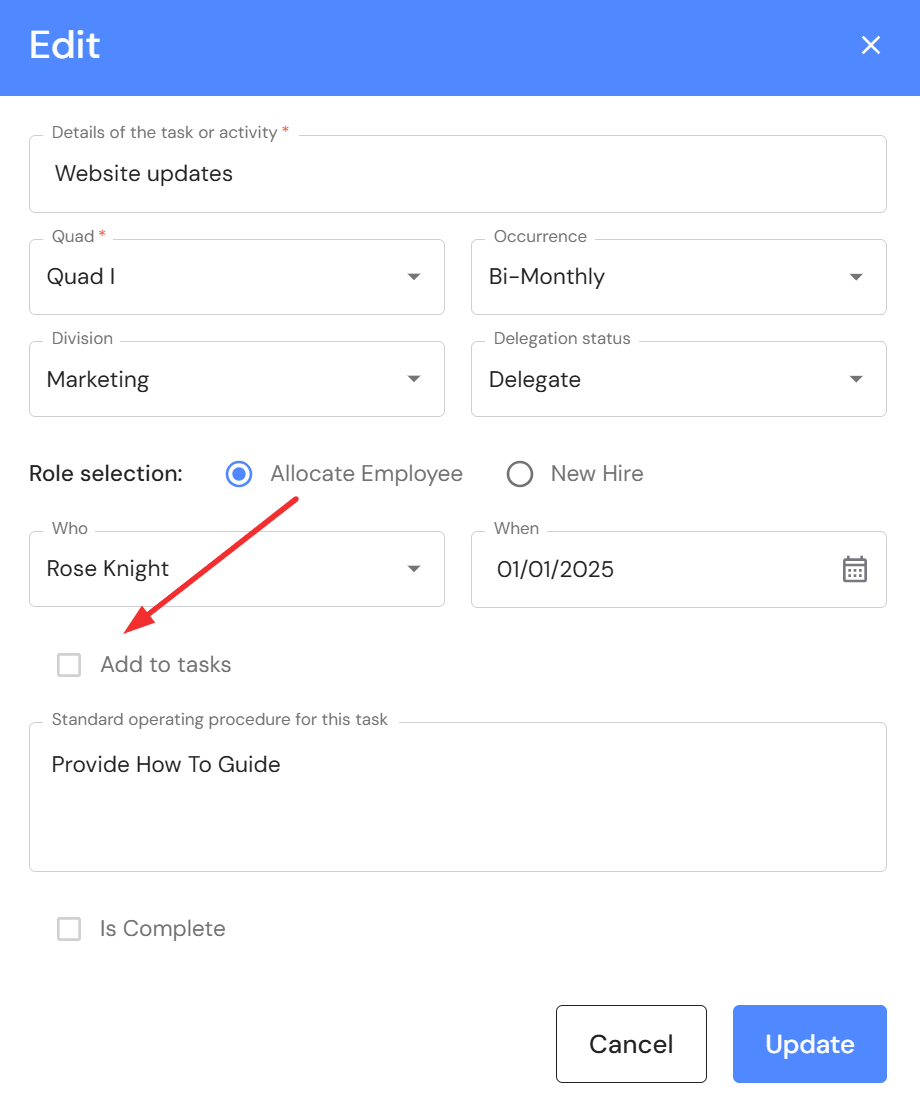
We have removed the "Received Tasks" tab from Activities & Delegation as an interim step while we plan further updates. For now, when an activity is assigned to an existing employee, users can check 'Add to tasks' when they are ready to delegate the activity to the team member. The activity will appear in Task Management under the employees "My Tasks" tab. Please note, it is a placeholder that cannot be edited as yet. Delegated activities will not appear in the "Firmwide Tasks" tab. When the delegation is complete, the owner can mark the status as complete in the original activity.
Minor Updates
About Lead Pipeline button
A button has been added to the Lead Pipeline with a helpful summary of potential client personas used in the module.
About Fees Won & Lost button
A button has been added to Fees Won & Lost to help firms apply the insight gained for the Sales & Quality division, while also explaining the flow on effect for budget preparation.
Added context via information icons
We have rolled out 'information icons' across various fields in the WizeHub to help users understand the criteria relevant to the field. Information icons have been added to the following areas:
- Budget & Capacity: Fee Budget (Overheads) - Context added to explain what is included in business overheads and administration salaries.
- EBITDA: Cost of Goods Sold - Context added to explain what is included in monthly salaries.
- EBITDA: Overheads - Context added to explain what is included in monthly operating expenses.
- Lead Pipeline: Kanban board - Context added to the header of 'Clients" & "Lost" highlighting the days clients & lost leads drop off the Kanban board.
- People: Salaries - Context added to explain what is included in the annual salary.
Business Intelligence board
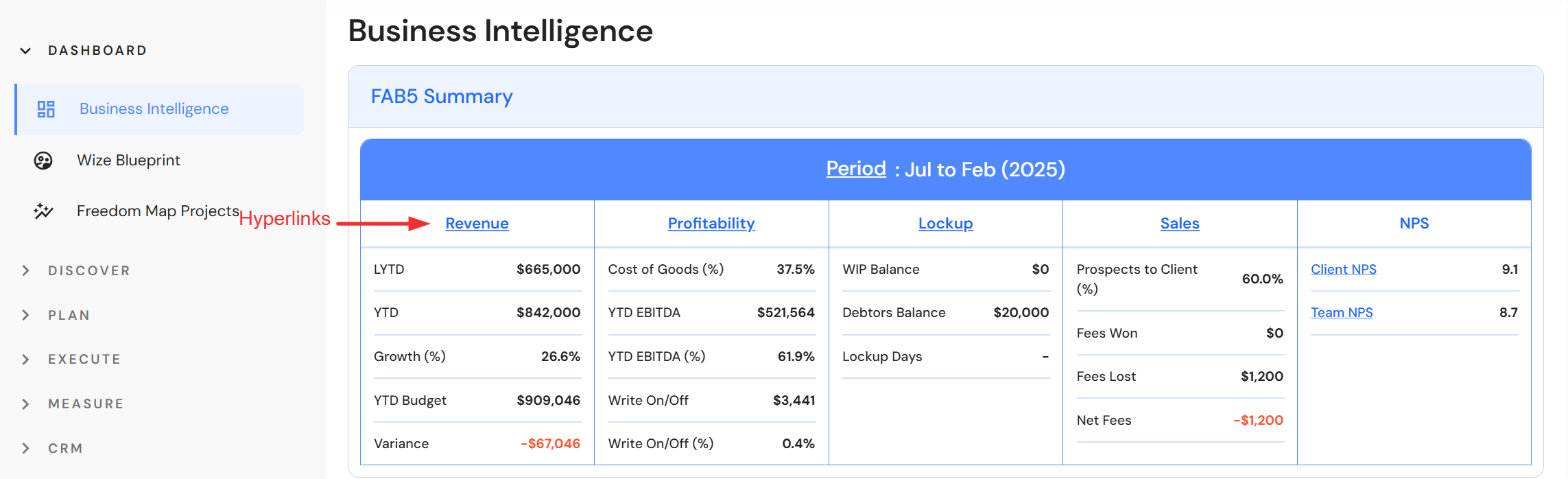
Hyperlinks have been added to the FAB5 summary so users can drill down to their data. NB* Executive users only.
Meetings
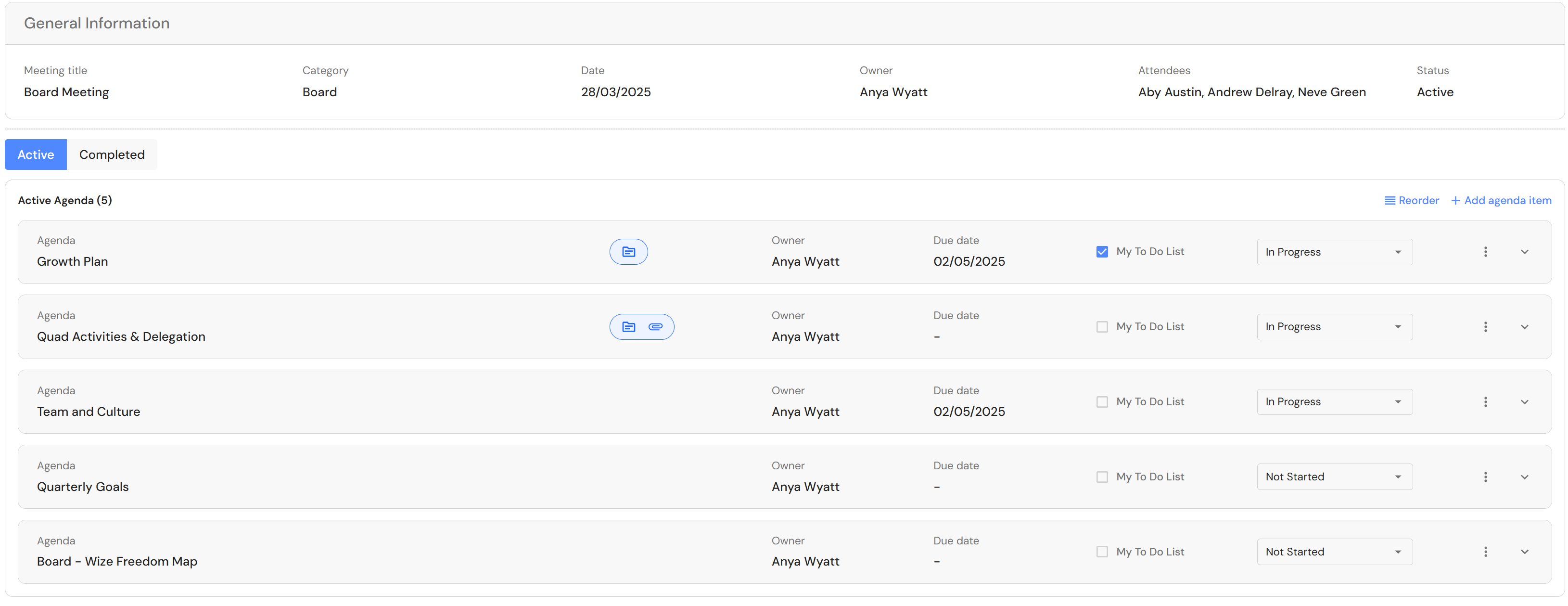
Meeting agendas have been re-designed to an improved compact view. A further improvement to the meetings user interface is coming soon.
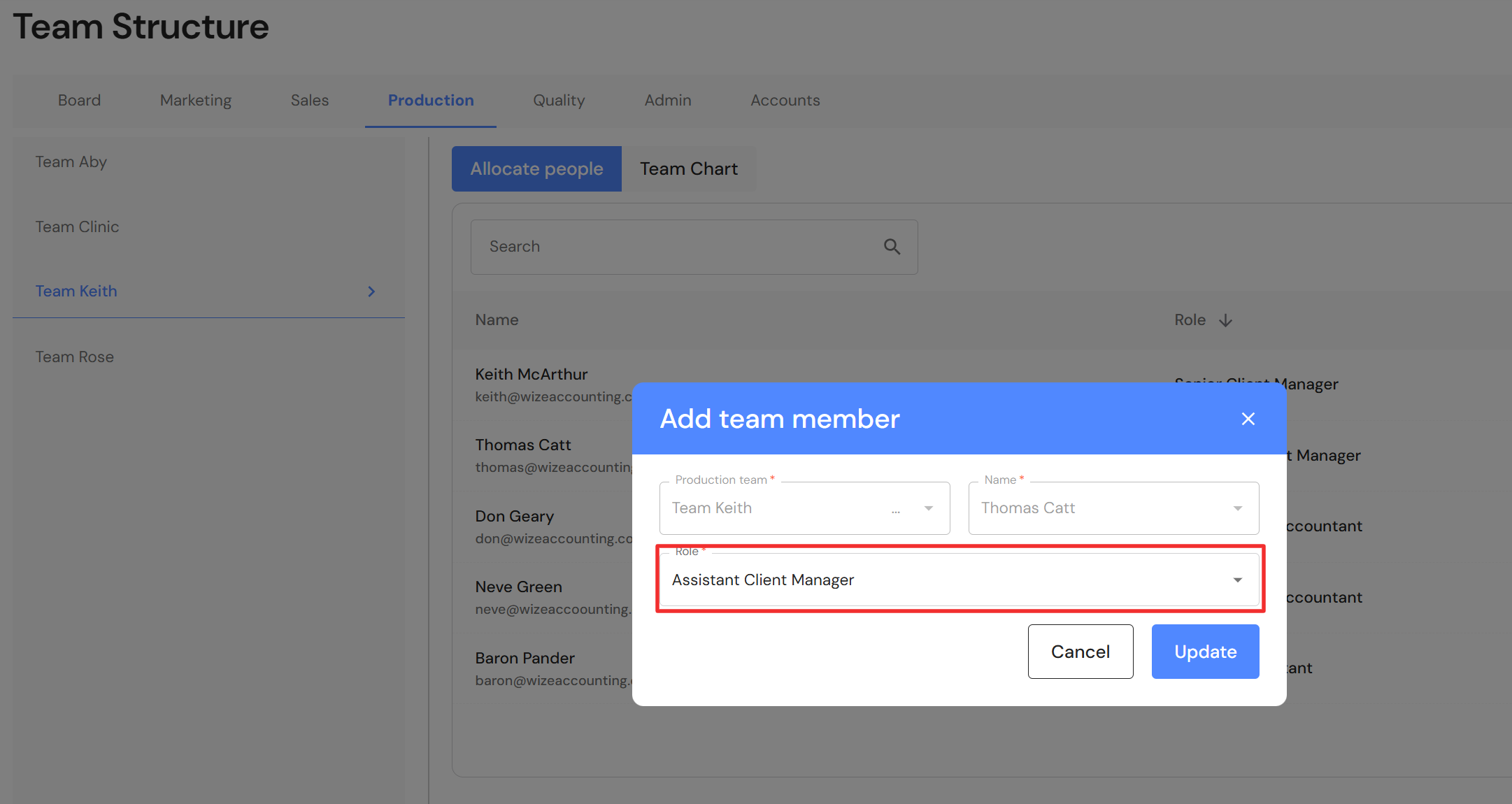
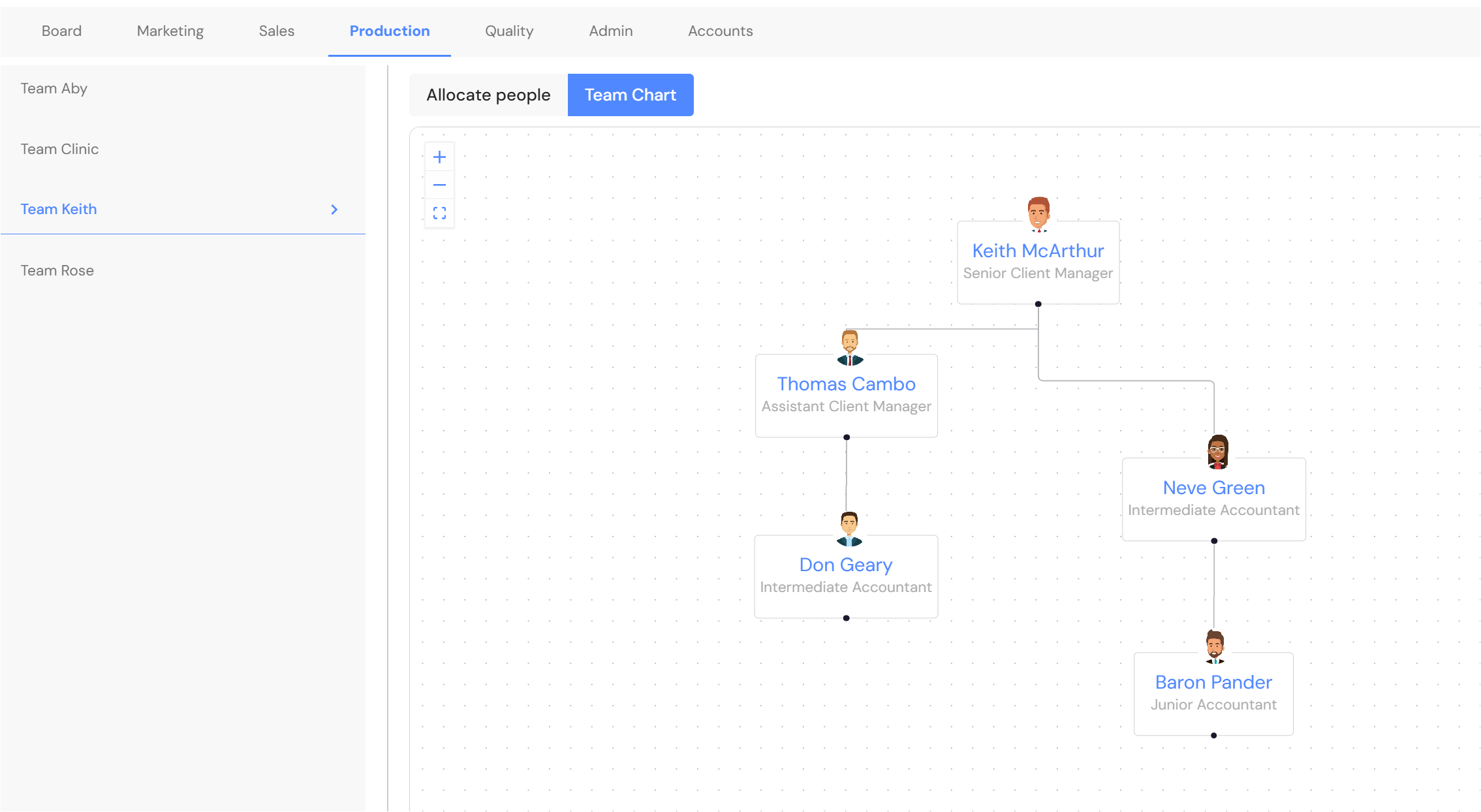
Team Structures - Production Team: Team Chart
If you update the role for a team member in the production team, the team chart will also be updated. Previously, the team chart did not update and users had to delete the team member and add them back to reflect the change.