
How Your Data Connects in WizeHub from People to FAB5
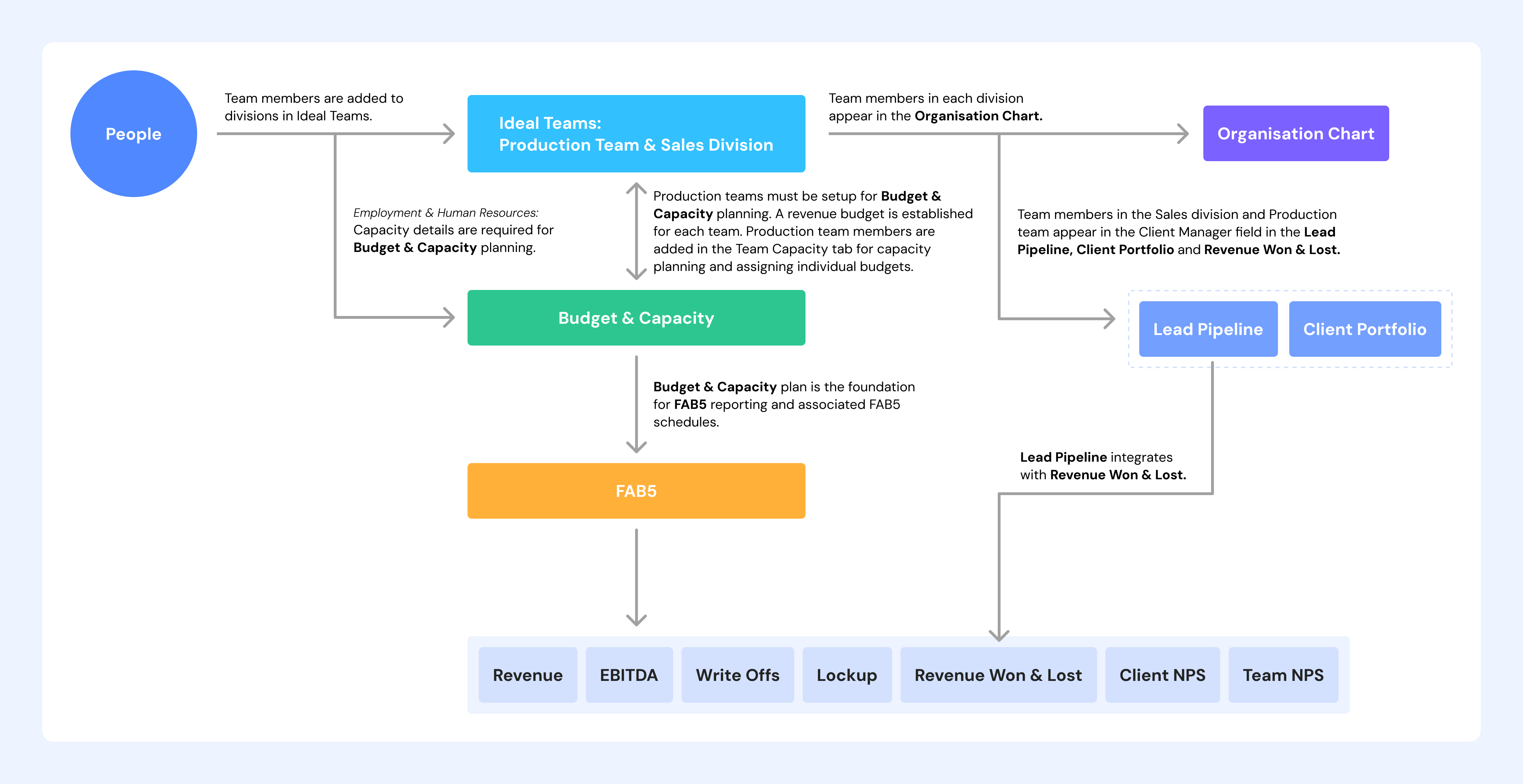
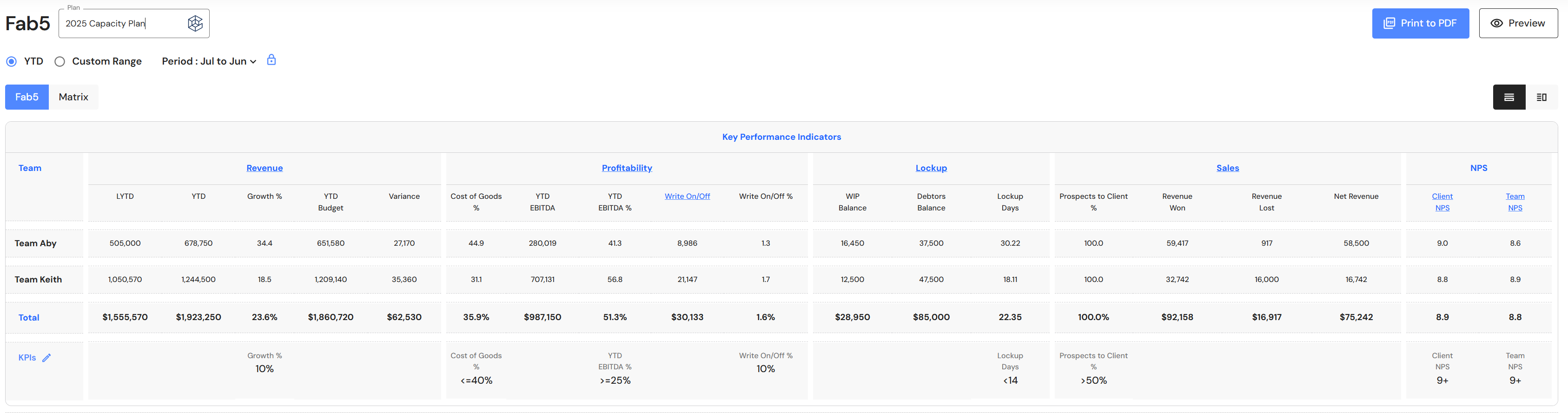
The graphic demonstrates how data flows through WizeHub, starting with adding People and adding them to Production Teams and the Sales Division in Ideal Teams, which then feeds into the Organisation Chart and forms the basis for Budget & Capacity planning. Sales and Production team members also flow into the Lead Pipeline, Client Portfolio, and Revenue Won & Lost modules. All these modules work together to bring you the key metrics in the FAB5 dashboard - Revenue, Profitability, Lockup, Sales, and NPS (Net Promoter Score).
In short, accurate setup of people, production and sales teams, budgets, and client data ensures accurate FAB5 reporting.
Like links on a chain, each step depends on the one before it.
1. Start with People
You begin by adding team members into WizeHub under the People section.
2. People are grouped into Teams
These people are then placed into Ideal Teams (Production Team and Sales Division). This matters because:
- Production teams need a budget and capacity plan.
- Production and Sales team members appear in client‑related modules.
3. Organisation Chart uses the team structure in Ideal Teams
The Organisation Chart shows the same people in their assigned divisions.
4. Budget & Capacity is built using these teams
Once Production teams are set up:
- You prepare a revenue budget for each team.
- You add production team members and determine overall team capacity (how much work they can handle).
- You assign budgets (revenue targets for Production team members).
This planning step is essential, because it forms the foundation of FAB5 and the associated schedules.
5. Client‑side modules use the Sales and Production teams
On the Sales/Client side:
- Team members in Sales and Production appear in the Client Manager fields in the Lead Pipeline, Client Portfolio, and Revenue Won & Lost.
- Lead Pipeline also feeds into Revenue Won & Lost.
6. FAB5 pulls everything together
The FAB5 dashboard uses data from associated schedules:
If any earlier setup step is missing or incorrect, FAB5 won't show accurate results.
Resource
Adding Client Managers to the Lead Pipeline, Revenue Won & Lost and Client Portfolio