Release Notes - 14 April 2026
Budget Capacity Plan
New: Control How Direct Expenses Affect Gross Profit
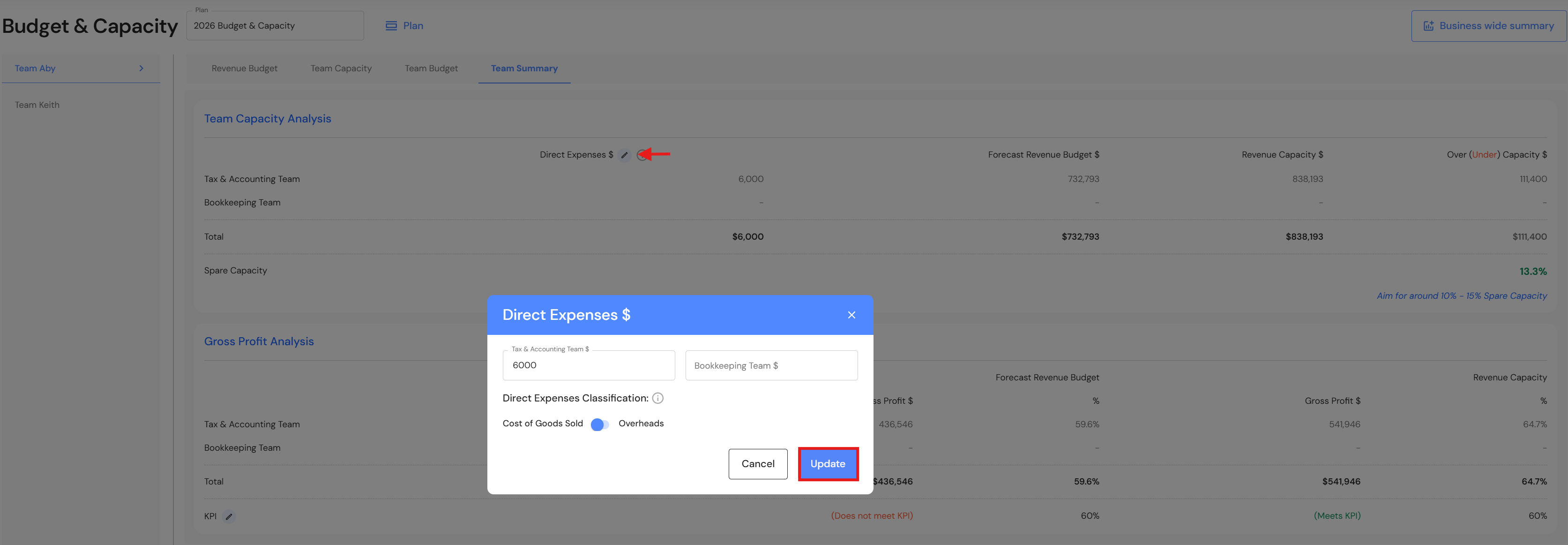
A new toggle lets you decide how to treat direct expenses. Different businesses classify direct expenses in different ways. Some include them as part of Cost of Goods Sold (COGS), while others prefer to treat them as operational overheads. To better support these varying practices, we’ve introduced a new toggle for direct expenses.
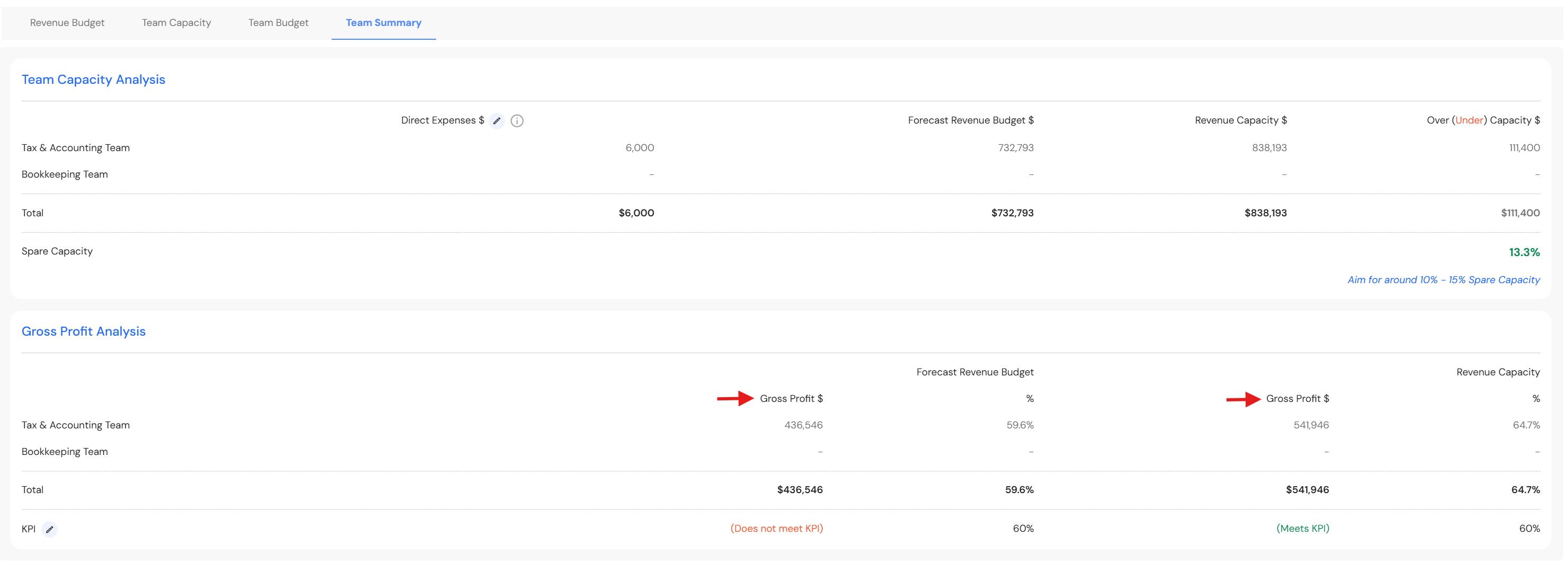
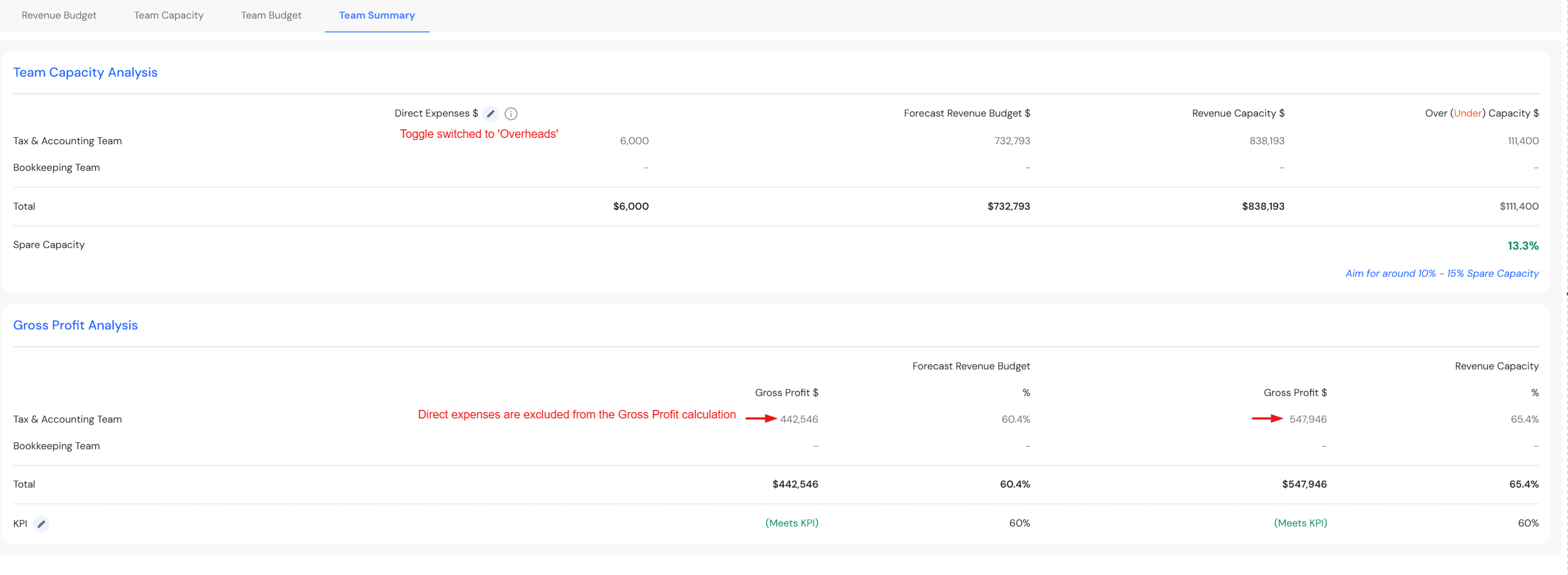
This enhancement allows you to control whether direct expenses are included in Gross Profit calculations or excluded from them—without changing your underlying data. This update impacts Gross Profit calculations in the Team Summary and Forecast Gross Profit in the Business Wide Summary.
How the New Toggle Works
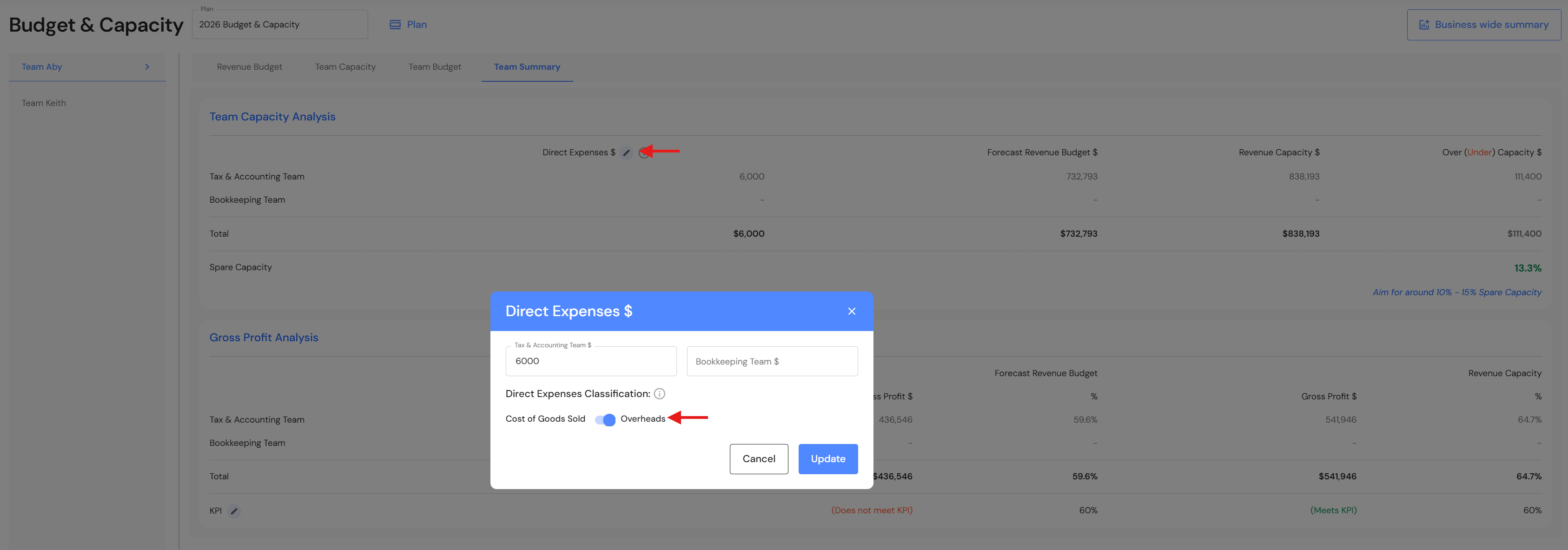
In the Team Summary tab, you will now see a configuration option in direct expenses with two modes:
- Cost of Goods Sold - When this toggle is on, direct expenses are included in Gross Profit calculations.
Gross Profit is calculated as: Revenue – Cost of Goods Sold (including direct expenses).
- Overheads - When this toggle is on, direct expenses are excluded from Gross Profit calculations.
Gross Profit is calculated as: Revenue excluding Cost of Sales (direct expenses).
Lead Pipeline
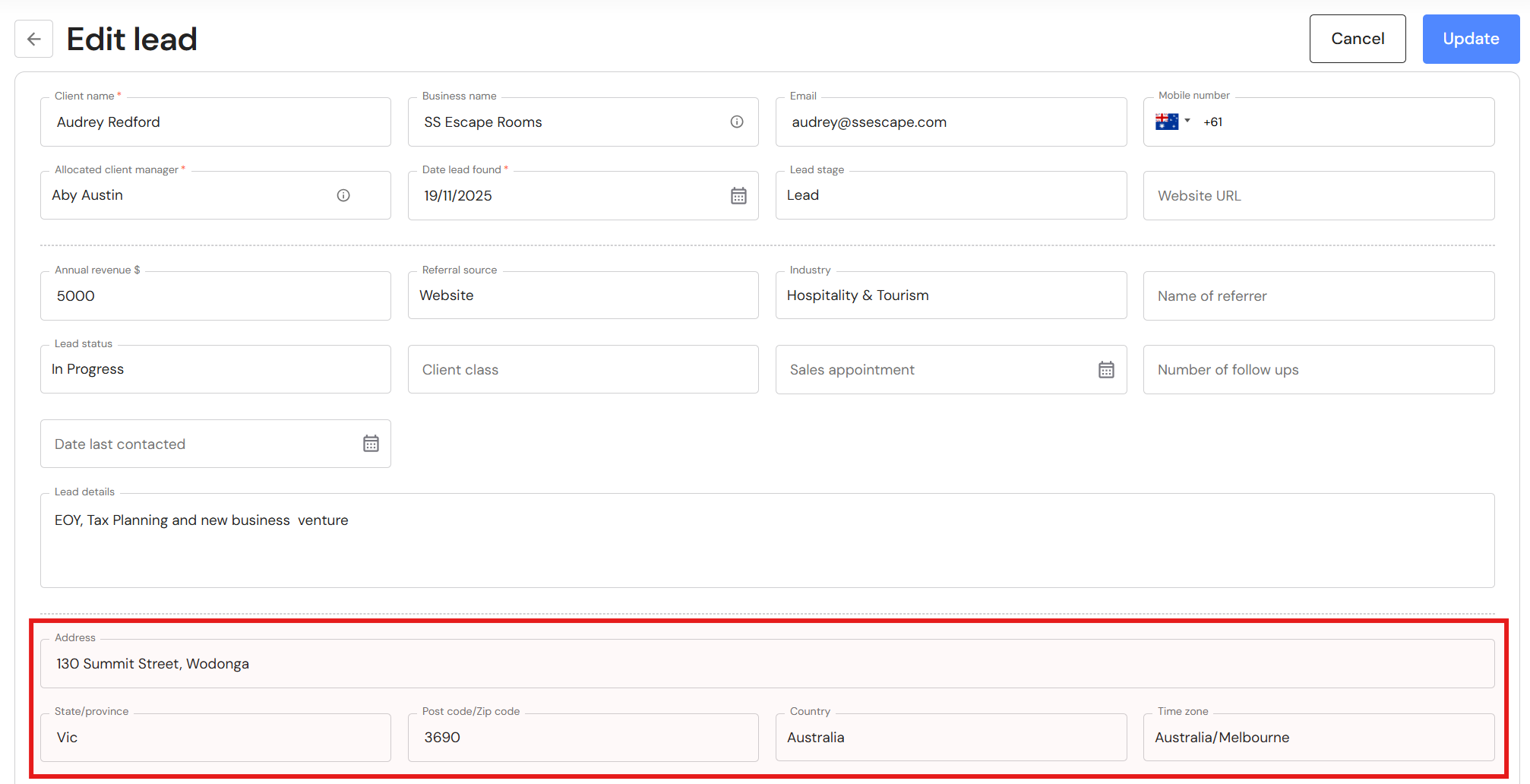
New Fields - Address, Country, Time Zone
We have introduced new fields that allow users to capture a lead’s address, country, and time zone. These additions help improve data accuracy and support better communication and regional context when managing leads.
Potential Acquisitions
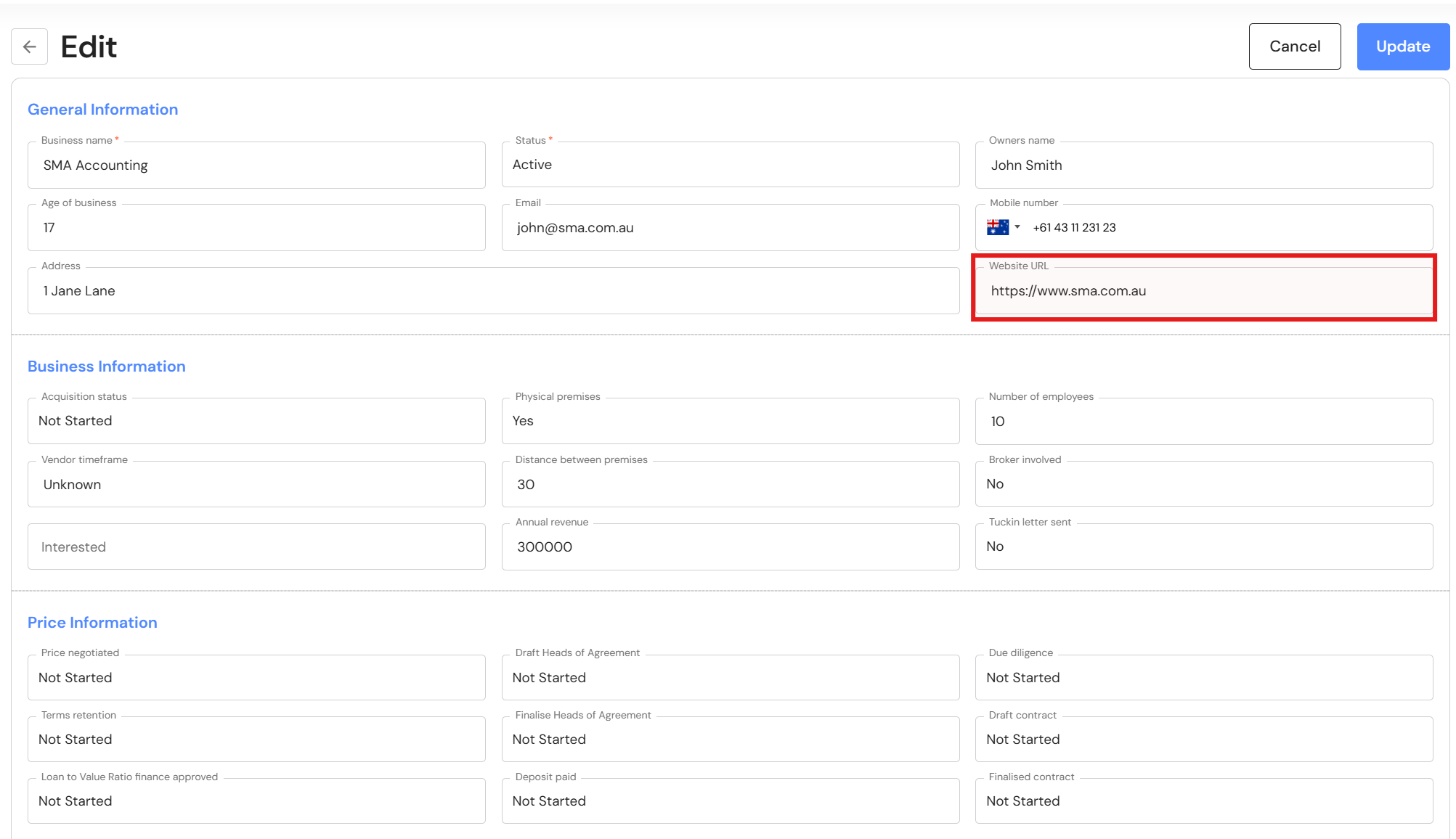
New field - Website
You can now add the website of potential acquisitions. To add a hyperlink, copy and paste the URL from your web browser into the Website URL field in leads.
Task Management
New In-App Notifications
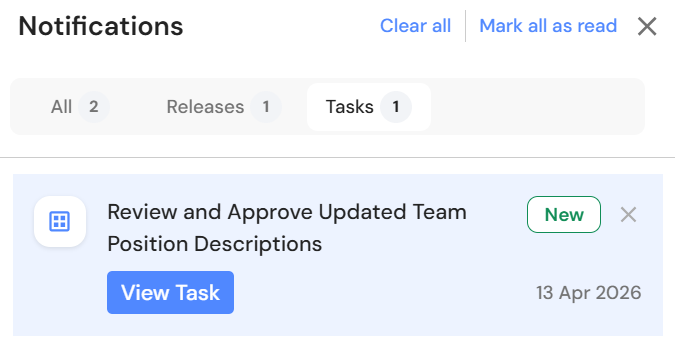
When a task is created and assigned, the assigned team member will now receive an in-app notification. This ensures greater visibility and helps teams stay on top of their assigned tasks.