Release Notes - 19 December 2025
Activities & Delegation
Delegation Progress Options
We have added new 'delegation progress' options, allowing users to segment activities according to real-time priorities. Options include:
- To do
- In progress
- On hold
- Awaiting hire
- Completed
The 'Win-Win' of Delegating
Delegation is the bridge between effort and achievement. The effort you put into delegation today delivers lasting rewards - growth, efficiency, and empowerment.
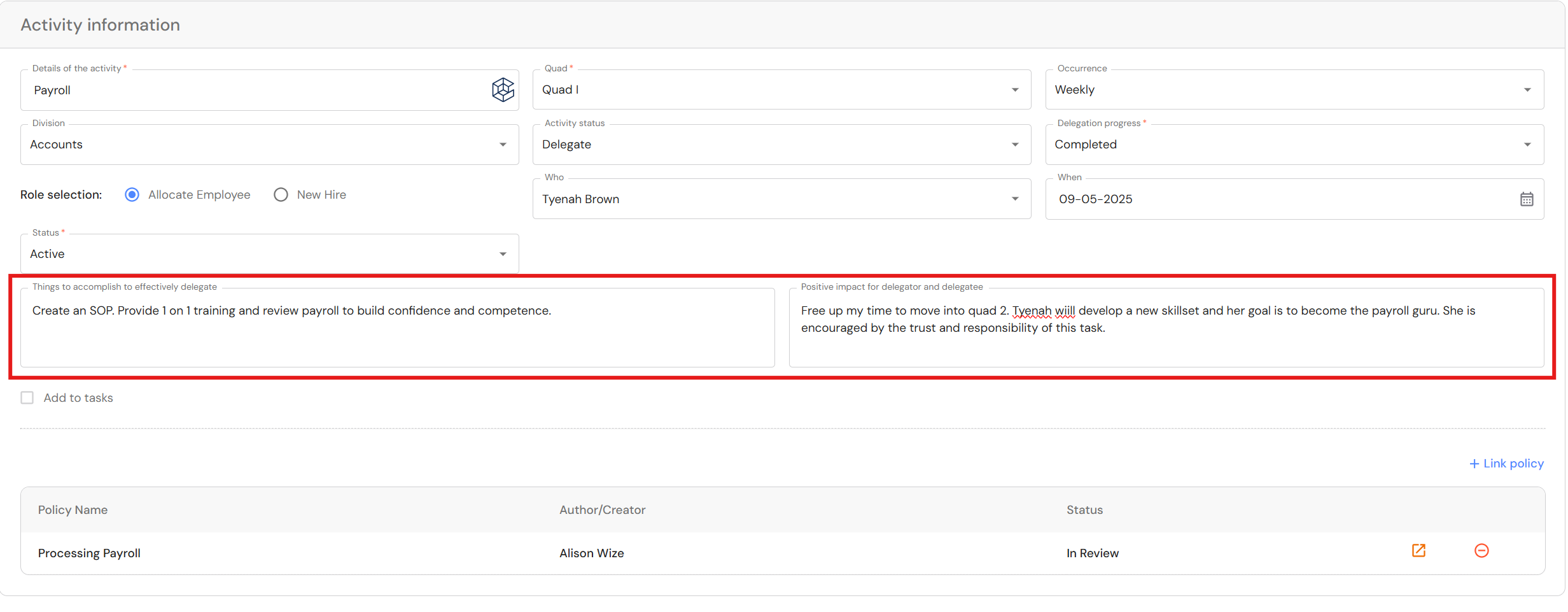
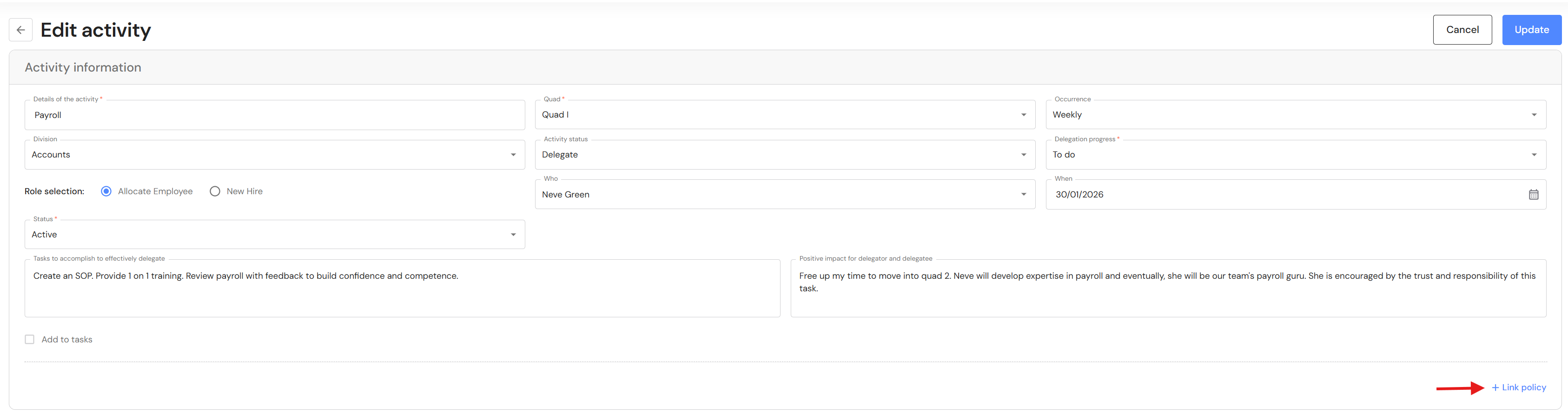
To enhance your motivation for delegation, we have added a field to record the positive impact for delegating an activity - the win-win! As you list tasks to accomplish before you can delegate, take it a step further and record the positive impact for you and the recipient.
Link Policies & Procedures to Activities
The second step in effective delegation is creating clear guidelines - Standard Operating Procedures (SOPs) - that outline each step, minimise confusion, and foster independence.
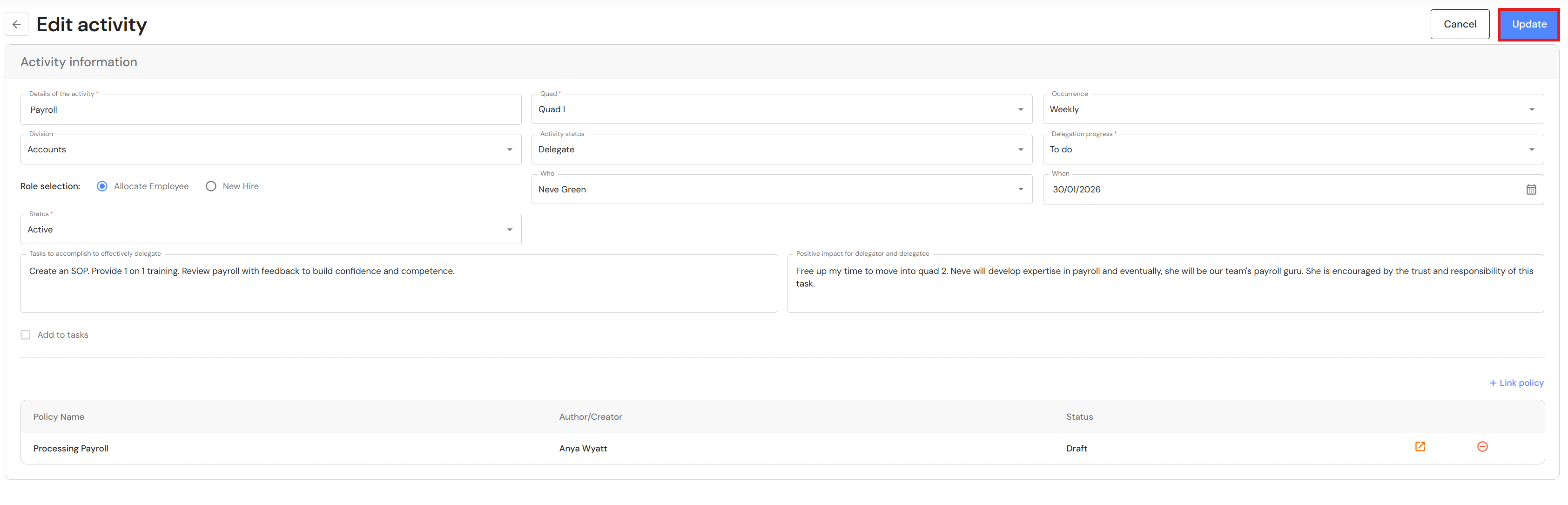
You can now link SOPs in Policies & Procedures directly to activities, so tracking progress is simple. Once a policy is approved and finalised, users are ready to train and delegate.
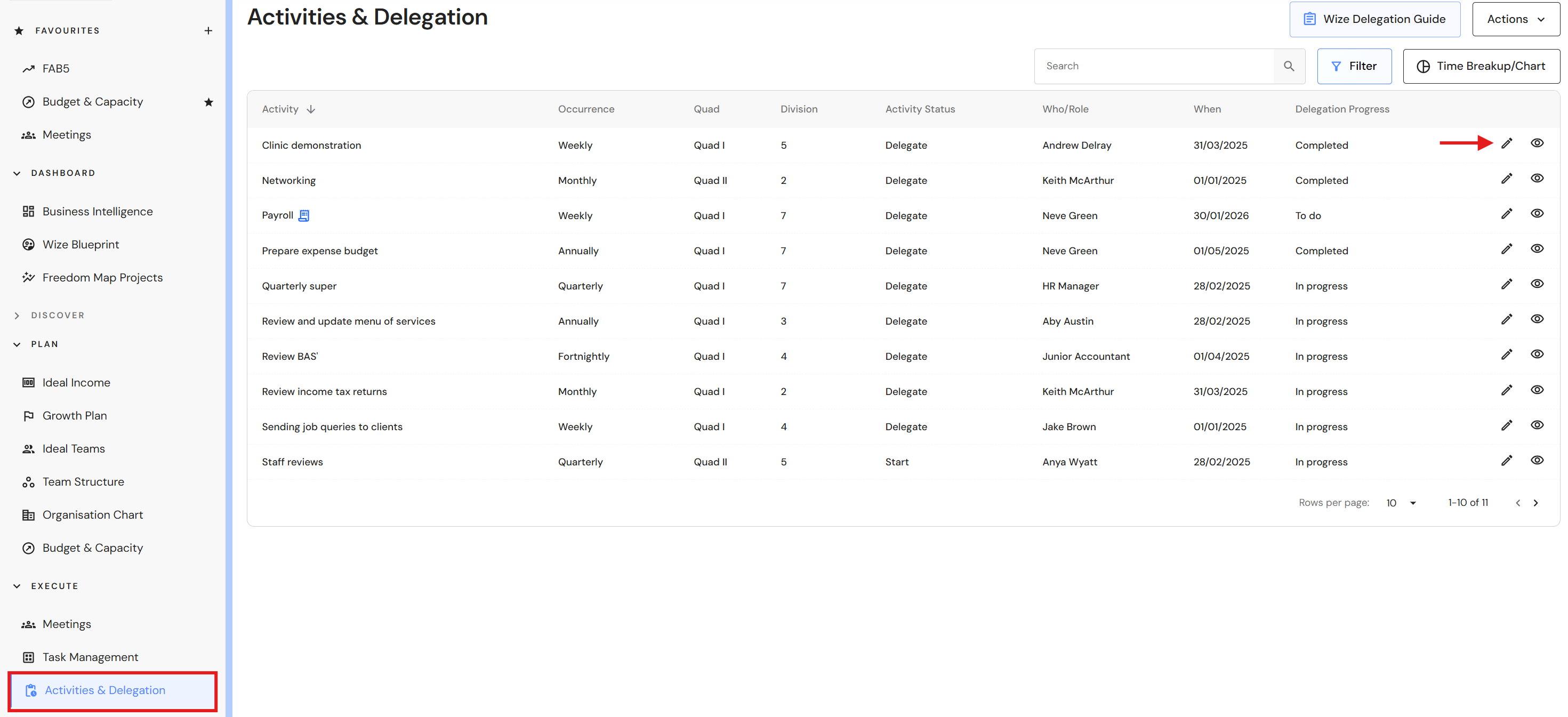
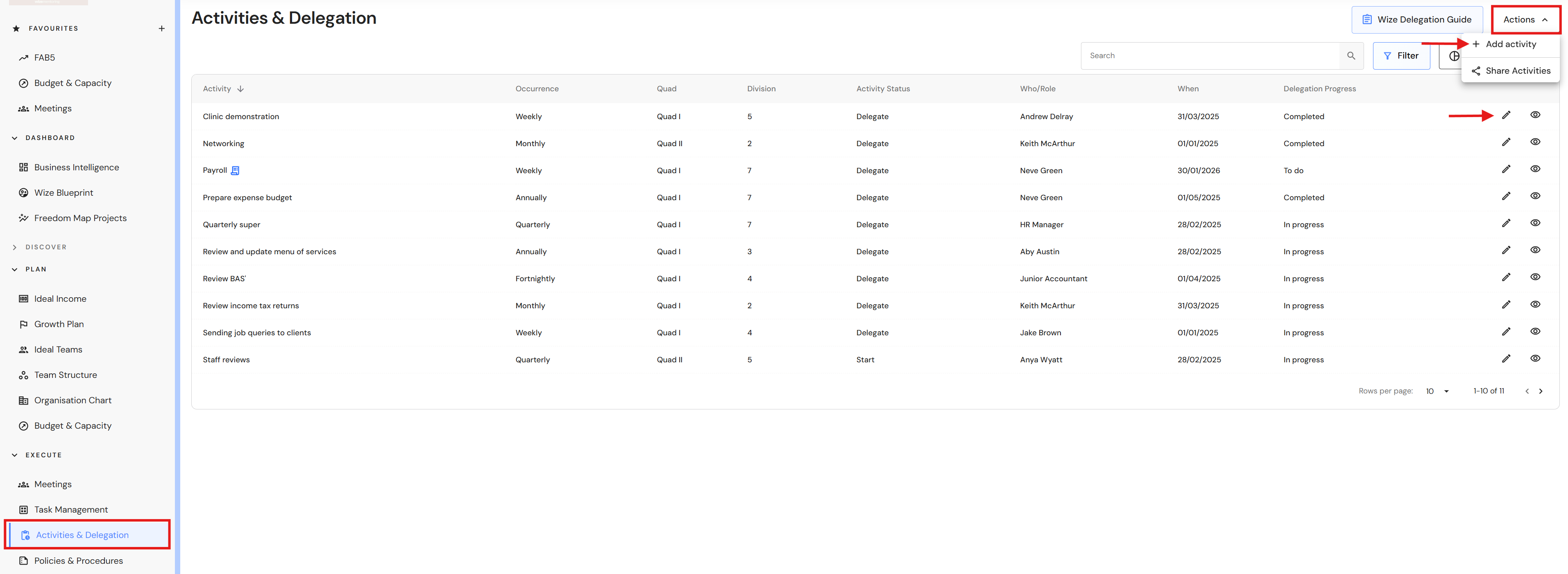
Go to Execute > Activities & Delegation
- Click on 'Actions' then '+ Add activity' or edit an existing activity.
- Click on '+ Link policy'.
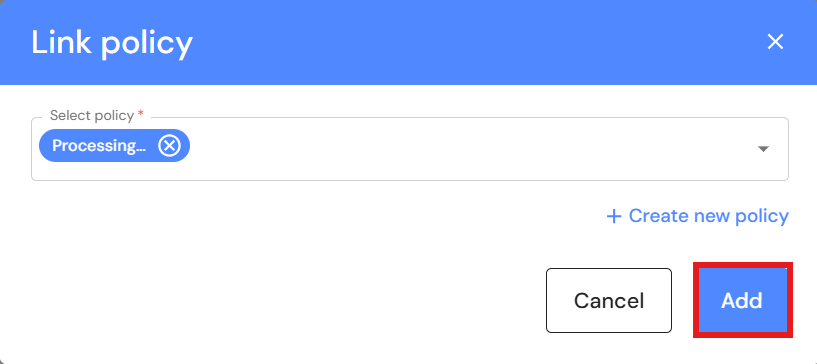
- Select a policy from the dropdown list.
NB* If your user role has permission to create policies, you can create a draft policy and follow it through to completion. - Click on 'Add' to link the policy.
- Click on 'Update' to save changes to the activity.
- When an SOP is attached to an activity, users will see a document icon next to the activity title.
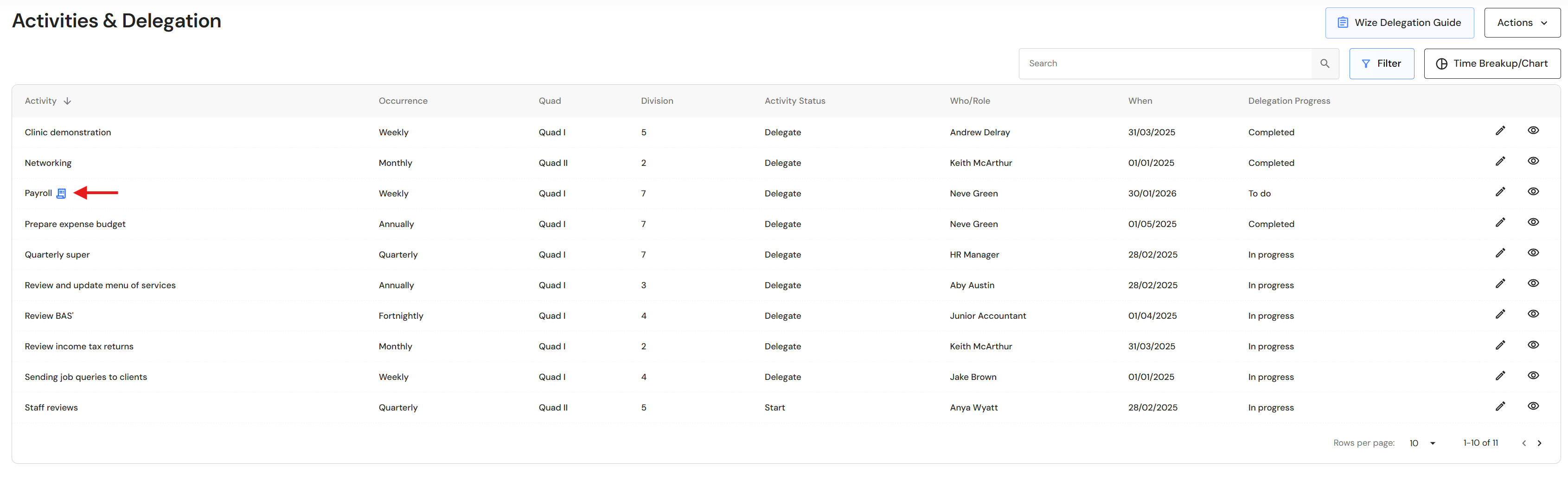
Archive Activities
Users now have the ability to archive old activities.
Go to Execute > Activities & Delegation
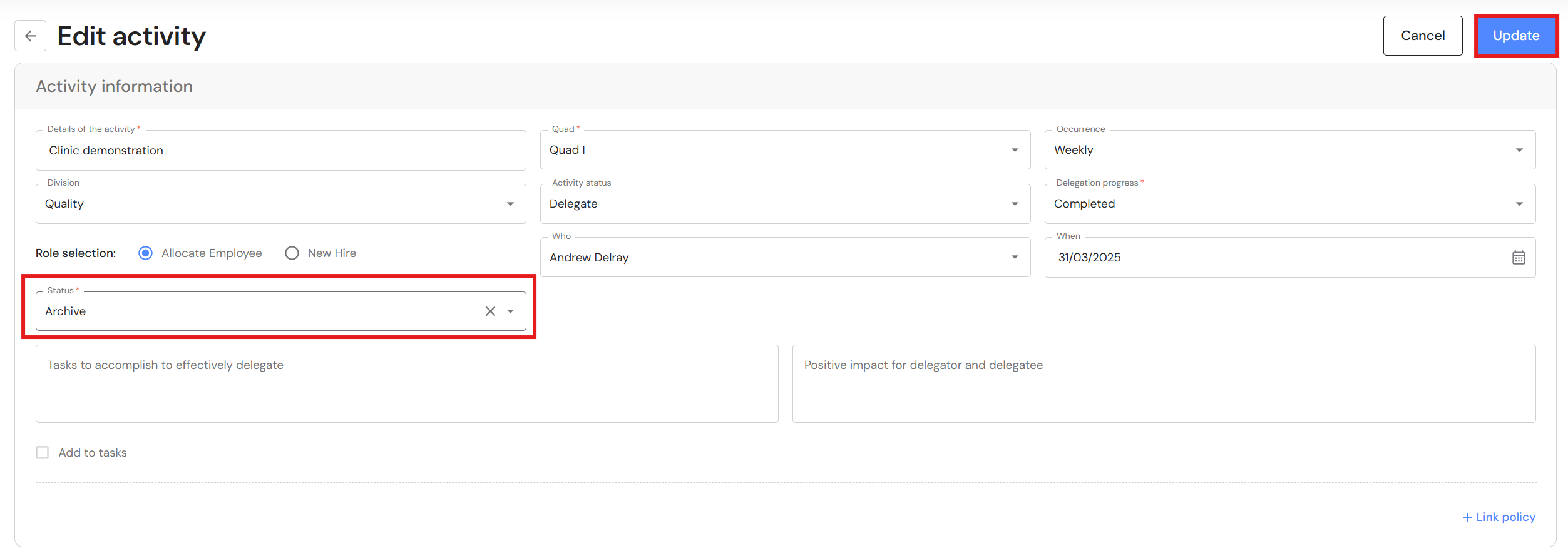
- Click on edit an existing activity.
- In the 'Status' field, select 'Archive' from the dropdown list.
- Click on 'Update'.
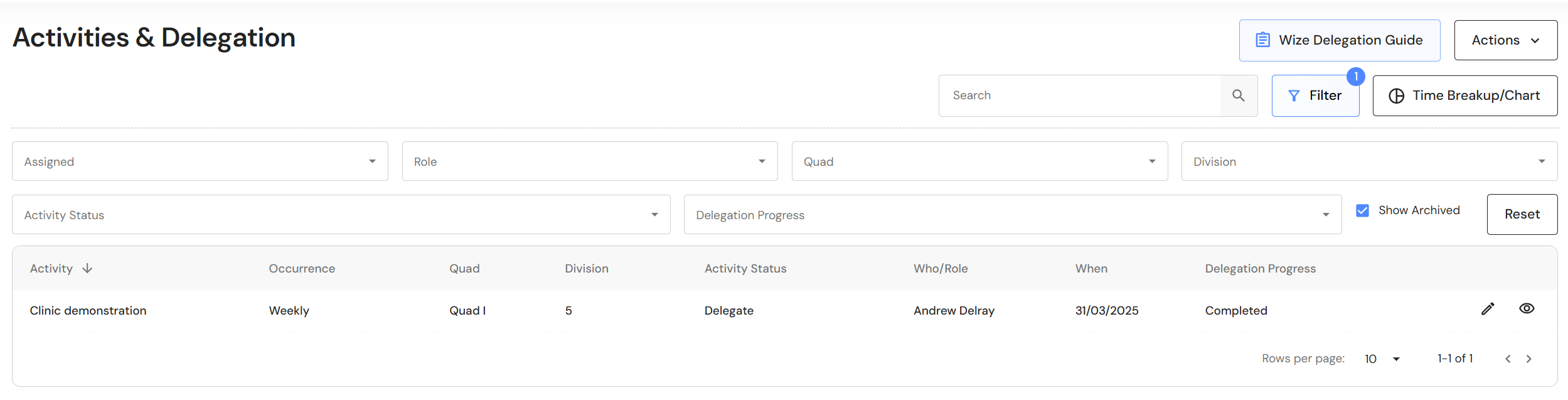
- To view archived activities, click the 'Filter' button.
- Click the 'Show Archived' checkbox.
NB* In a future update, the same filter will be applied to the time breakup/chart view.