
Financial Year Rollover | Pre-Rollover Guidelines
Utilising up-to-date data in your WizeHub, the financial year rollover will create your Budget & Capacity plan and associated FAB5 plans, eliminating the manual steps users previously performed.
When the rollover is completed, businesses will be ready to review and finalise revenue budgets and individual budgets for each team. A new year Budget & Capacity plan will pre-populate as follows:
- The Revenue Budget will include:
- previous years' revenue;
- revenue lost; and
- revenue won.
- If you opt-in, the rollover will also bring in:
- previous years' total overheads under business overheads in the Revenue Budget to help users estimate and update the likely overheads for the new year; and
- previous years' total direct expenses in the Budget & Capacity: Team Summary. This will help users estimate and update the direct expenses when reviewing team capacity.
Pre-Rollover Housekeeping
Before commencing the financial year rollover process, the following minimum updates must be completed in the WizeHub:
- Update Revenue
- Update Revenue Won & Lost
- Update EBITDA
- Review and update employee profiles in People
- Review and update the Production division
- Review and update the Sales division
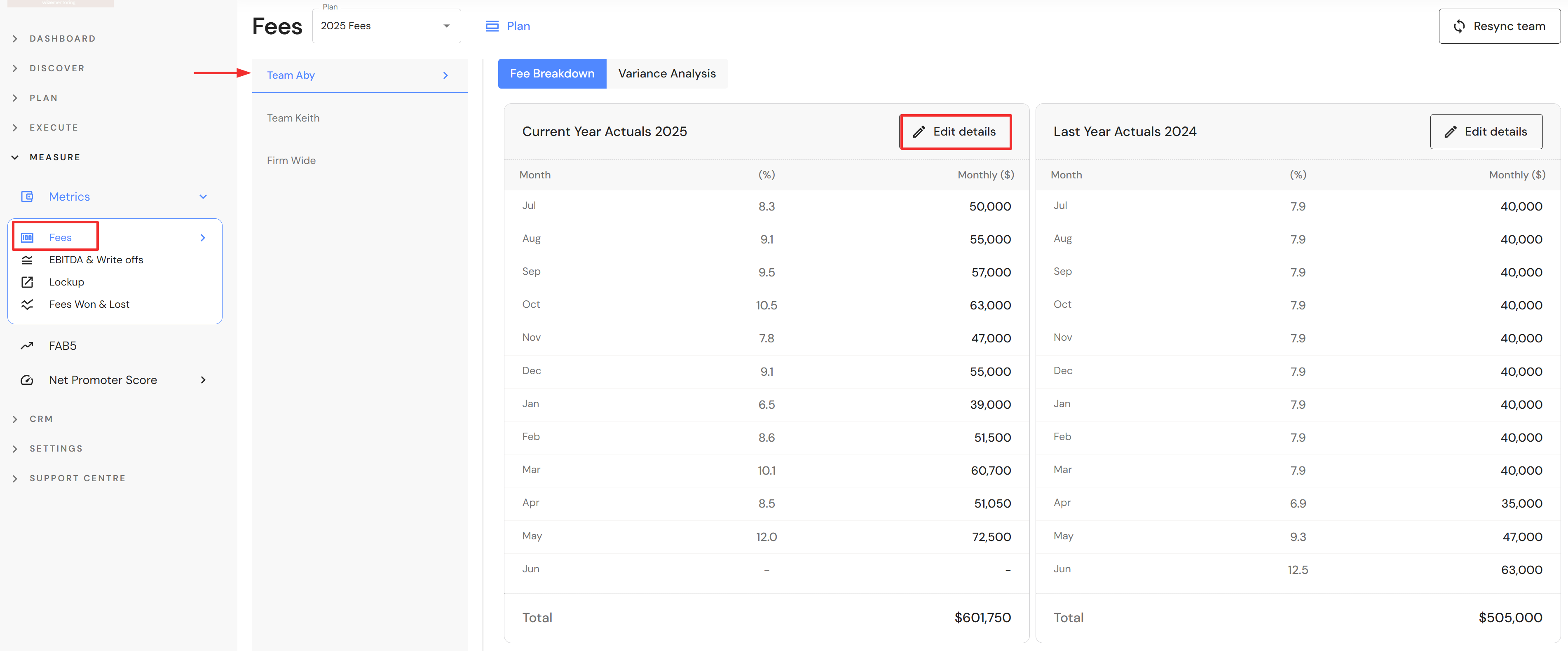
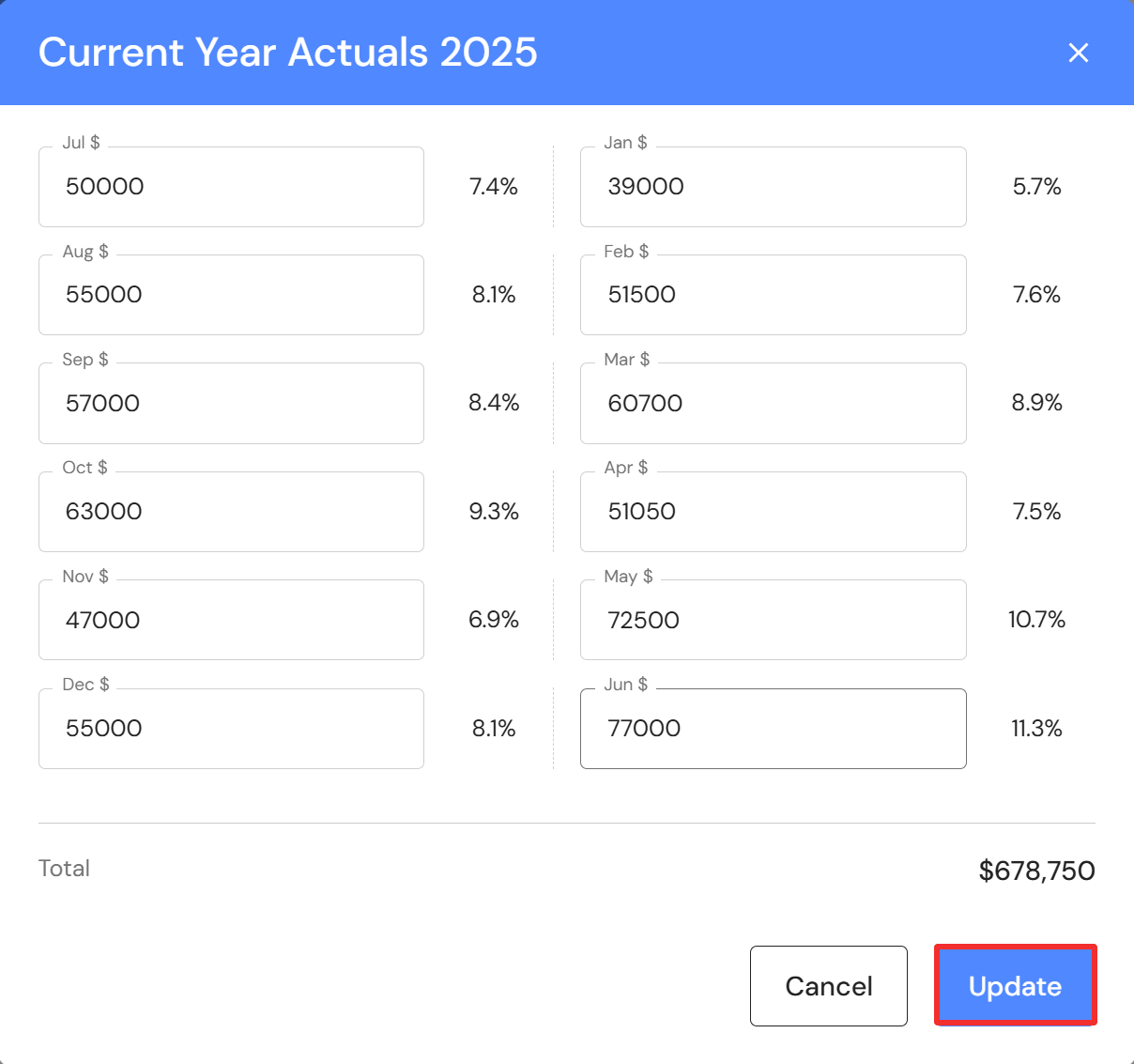
1. Go to Measure > Metrics > Revenue
- Update monthly revenue in the closing financial year for each team, ensuring the full year is complete.
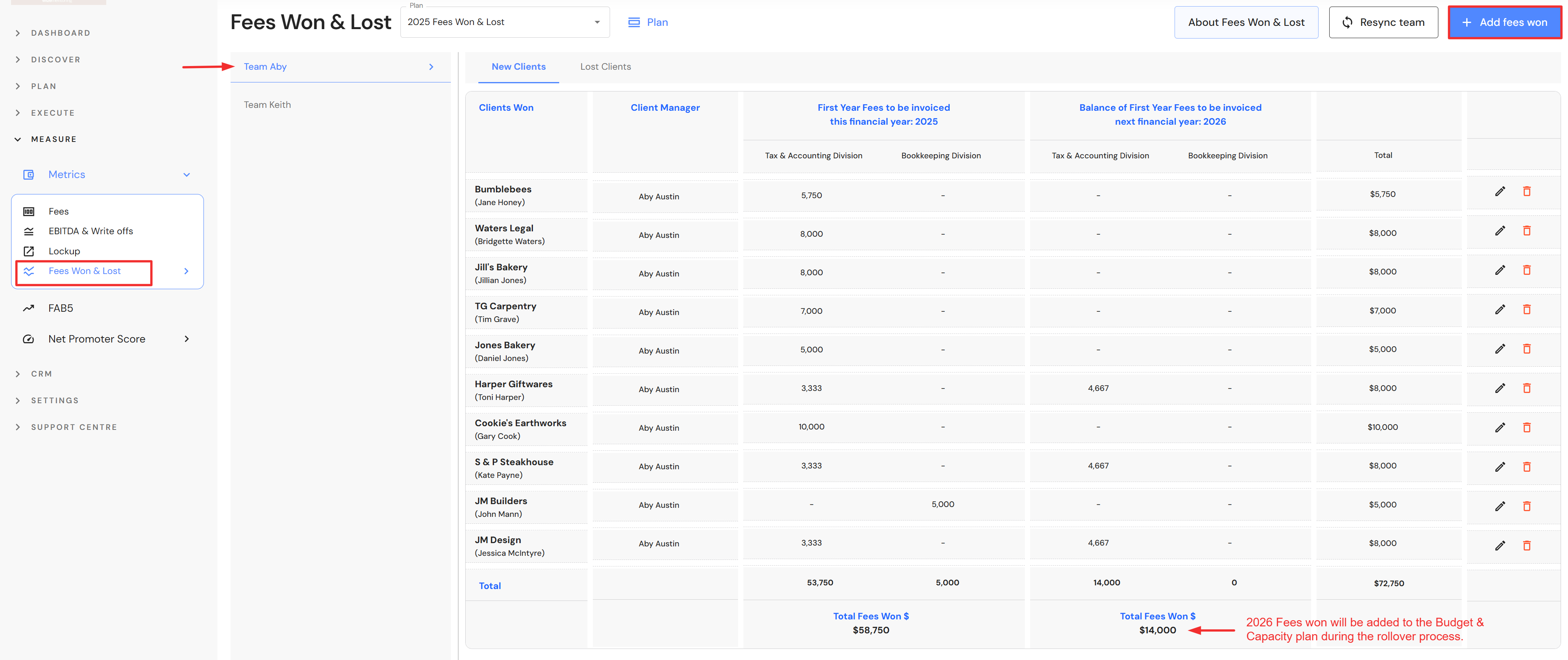
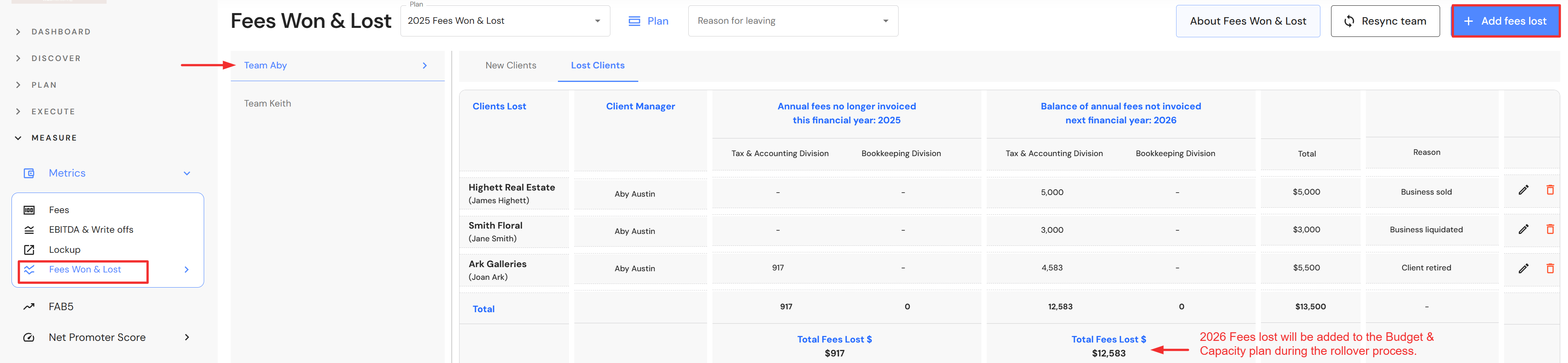
2. Go to Measure > Metrics > Revenue Won & Lost
- Record new client revenue won that will be invoiced in the new financial year.
- Record lost client revenue that will impact the new financial year.
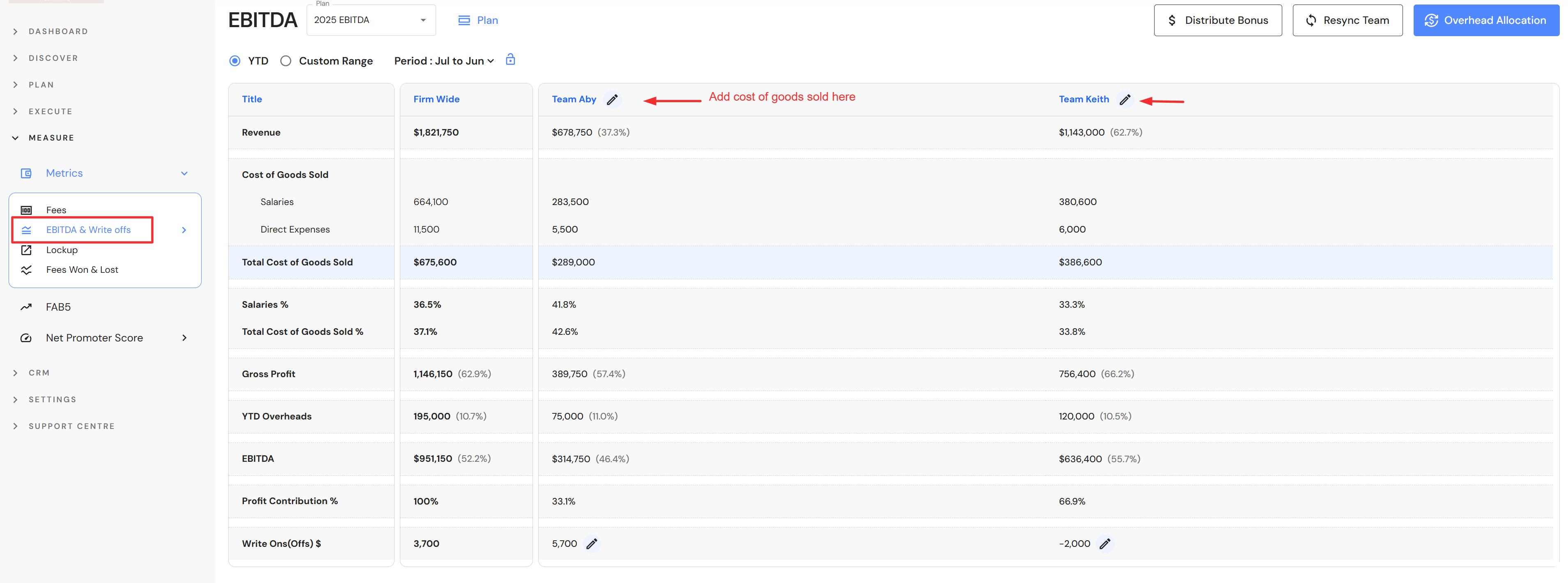
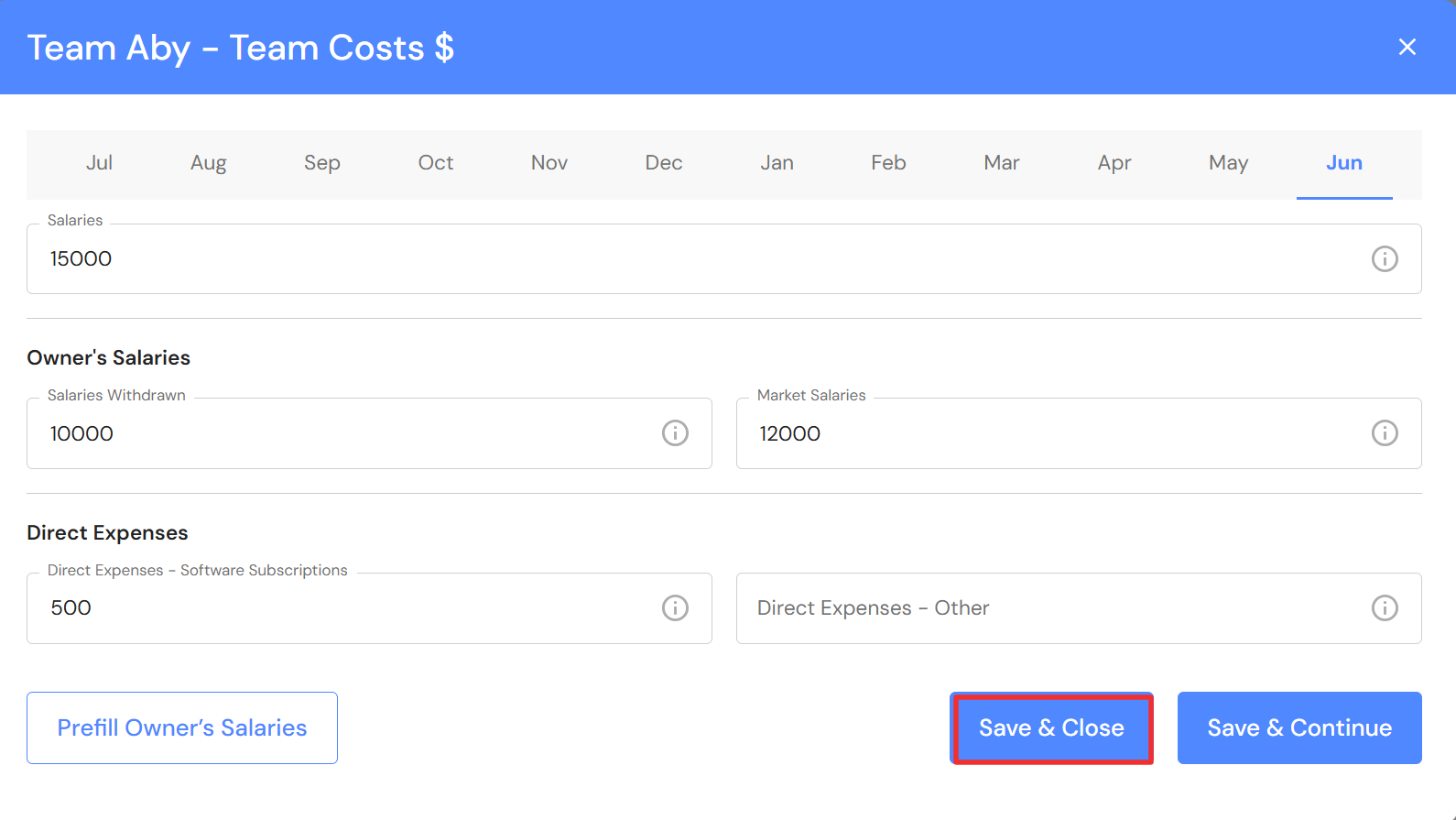
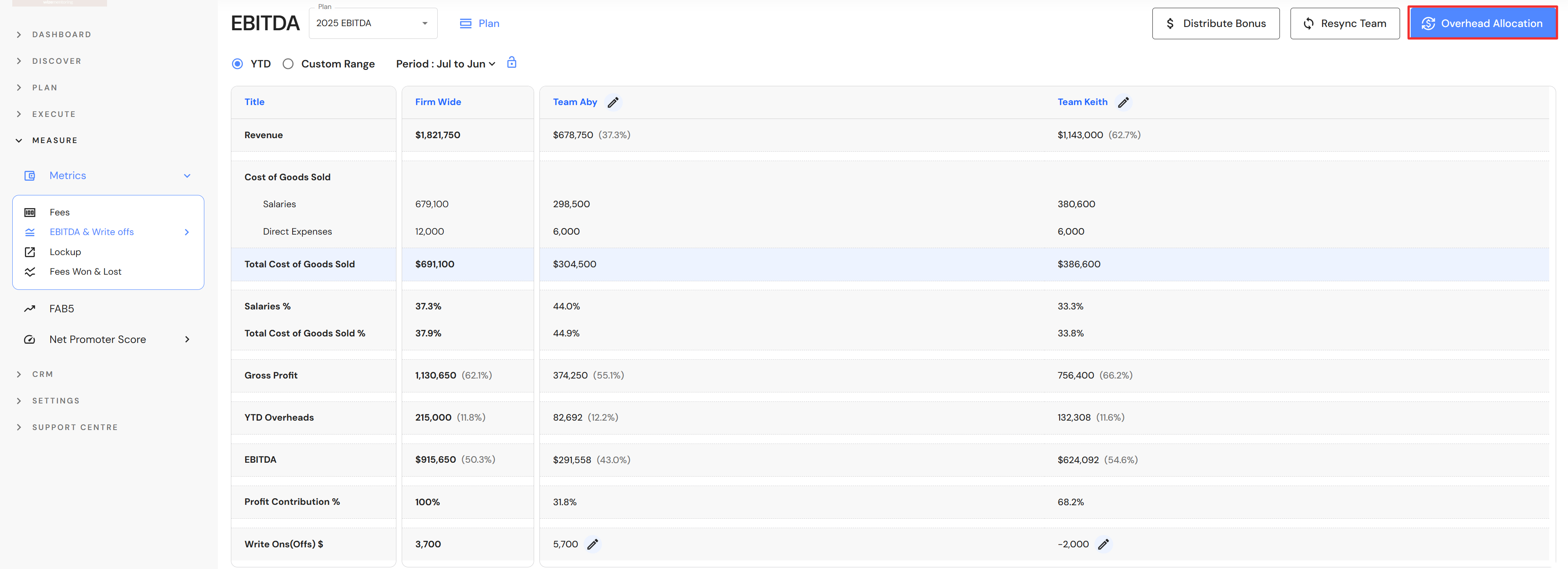
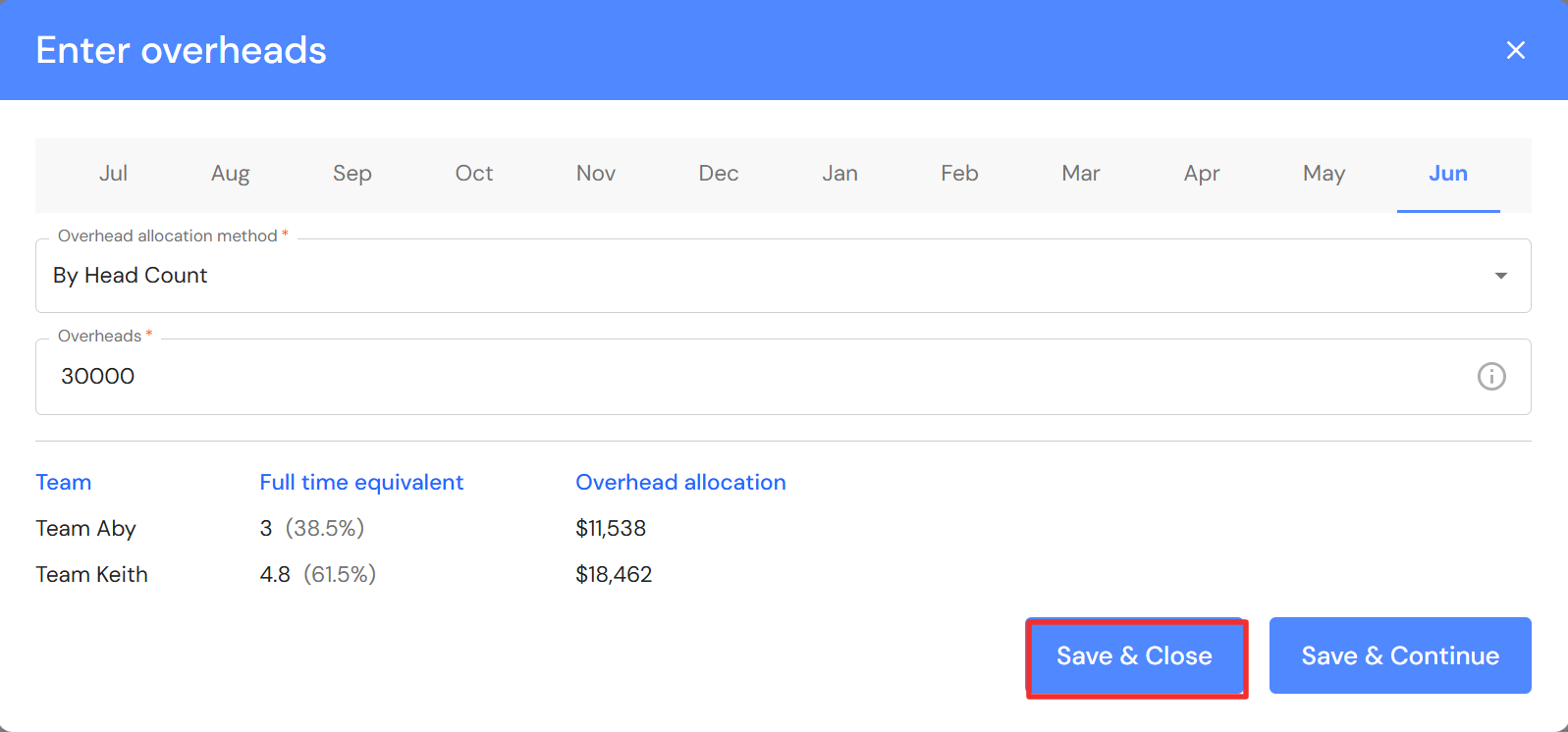
3. Go to Measure > Metrics > EBITDA
- Update monthly cost of sales, direct expenses and overheads, ensuring the full year is complete.
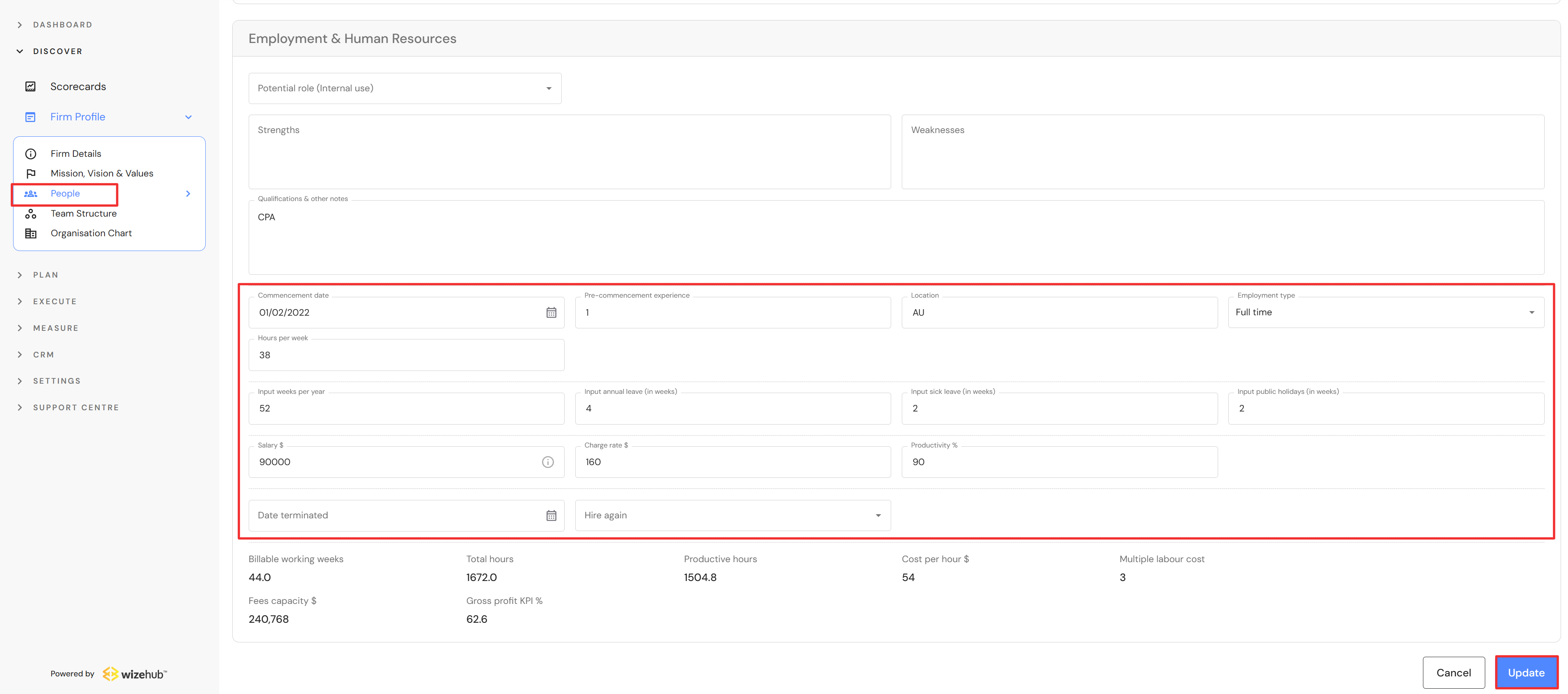
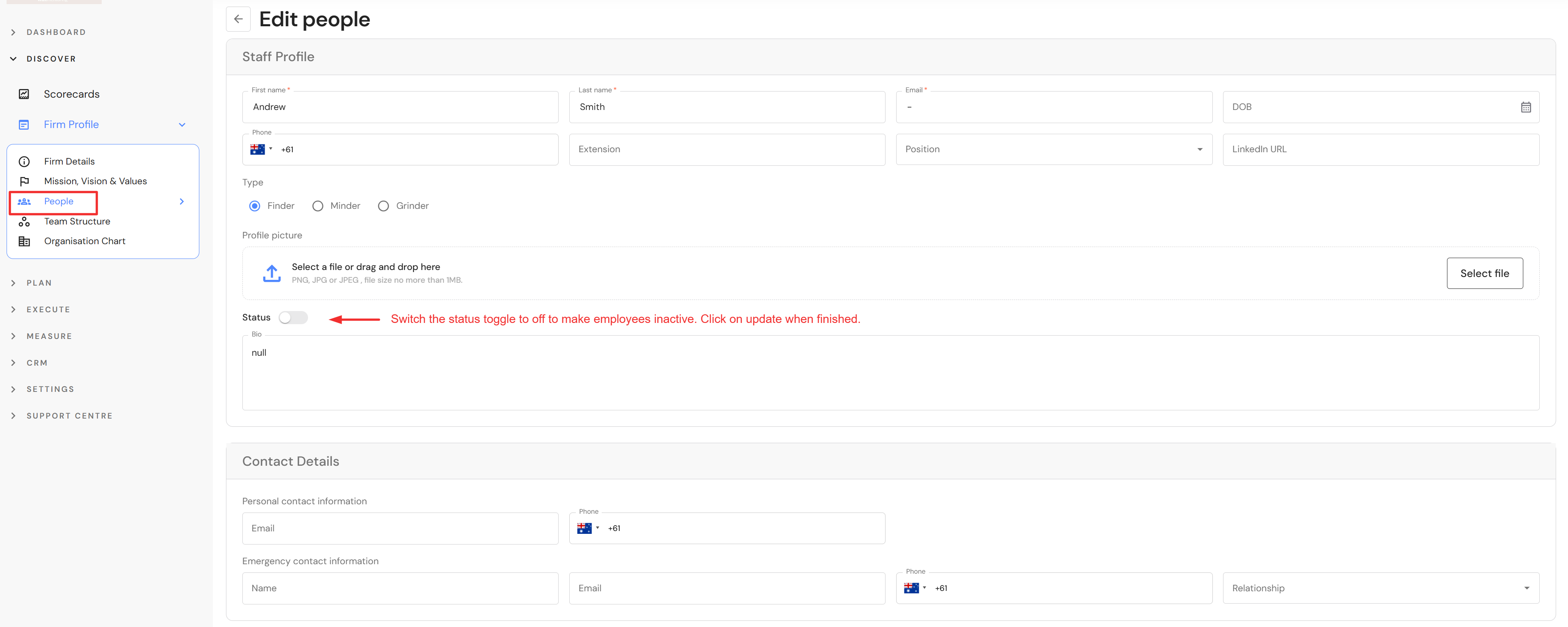
4. Go to Discover > People
- Review and update employment details for each team member. This includes changes to salaries, charge rates, productivity, weekly hours and other details that will affect the capacity of team members in the new year.
- Make terminated employees inactive
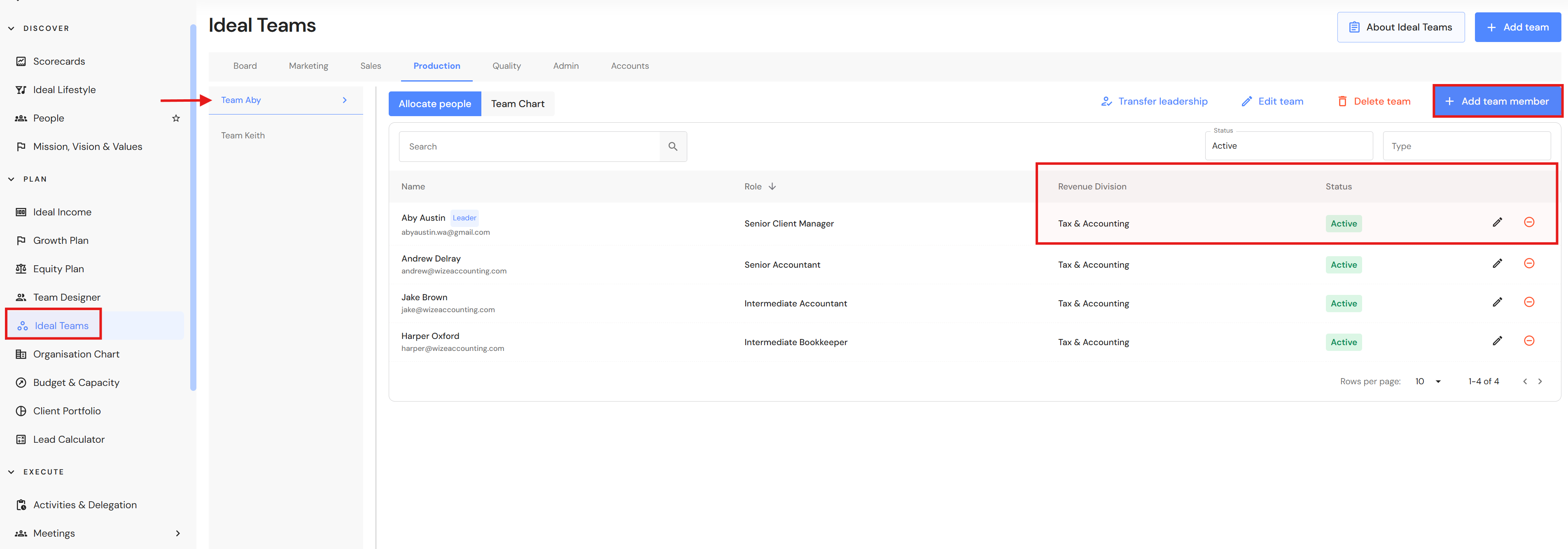
5. Go to Plan > Ideal Teams
- Review your production team(s). Add a new team if you are growing. Add and remove team members as required. Assign a 'Revenue Division' to each team member if you would like to auto populate team members into your Tax & Accounting or Bookkeeping divisions.
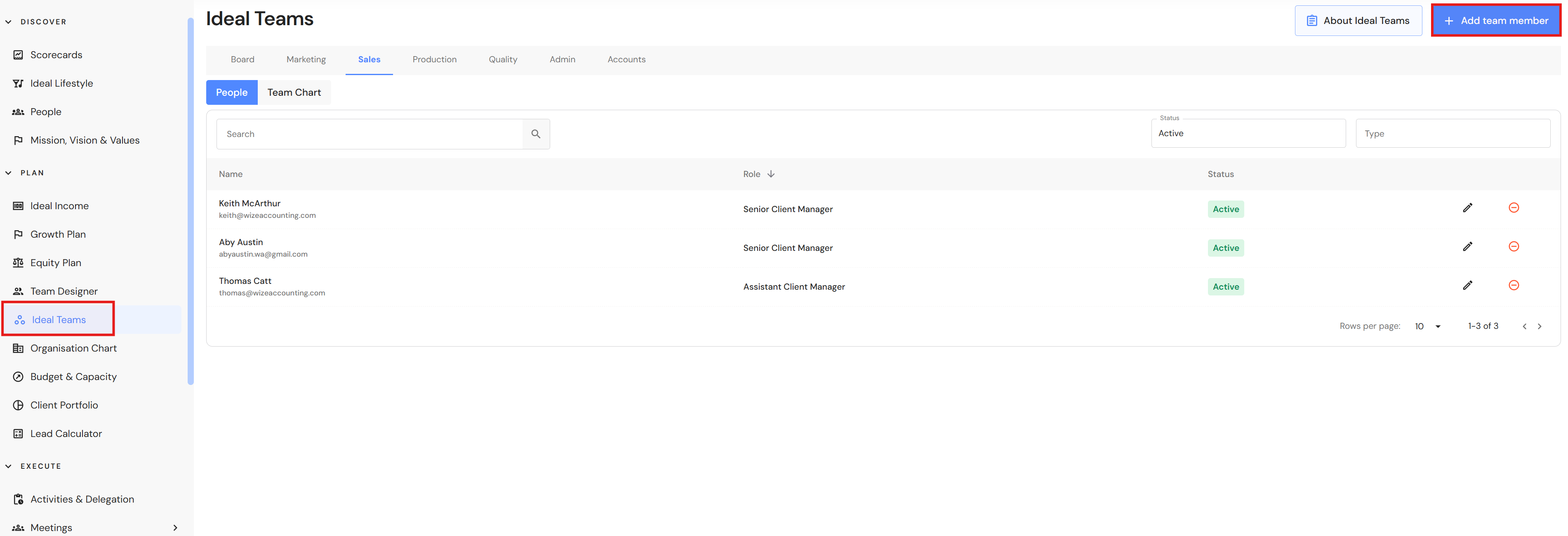
- If any production team members are moving into sales, add them to the Sales division so new leads can be allocated to them in the Lead Pipeline.
IMPORTANT NOTE: If you run the rollover before completing the above steps, it may lead to extra data entry or re-work to finalise your Budget & Capacity plan.
It is best practice to make sure your FAB5 data entry is up-to-date before you start a new financial year. While this will not impact the rollover, we recommended updating Write-Offs, Lockup, Client NPS and Team NPS as well as maintaining an up-to-date Lead Pipeline. Refer to the FAB5 Monthly Data Entry Checklist.
Other resource - Financial Year Rollover