Ideal Lifestyle
An "ideal lifestyle" is a way of living that is considered perfect or most suitable based on an individual's personal values, goals, and aspirations. Use the Ideal Lifestyle module to document the daily life you want to live.
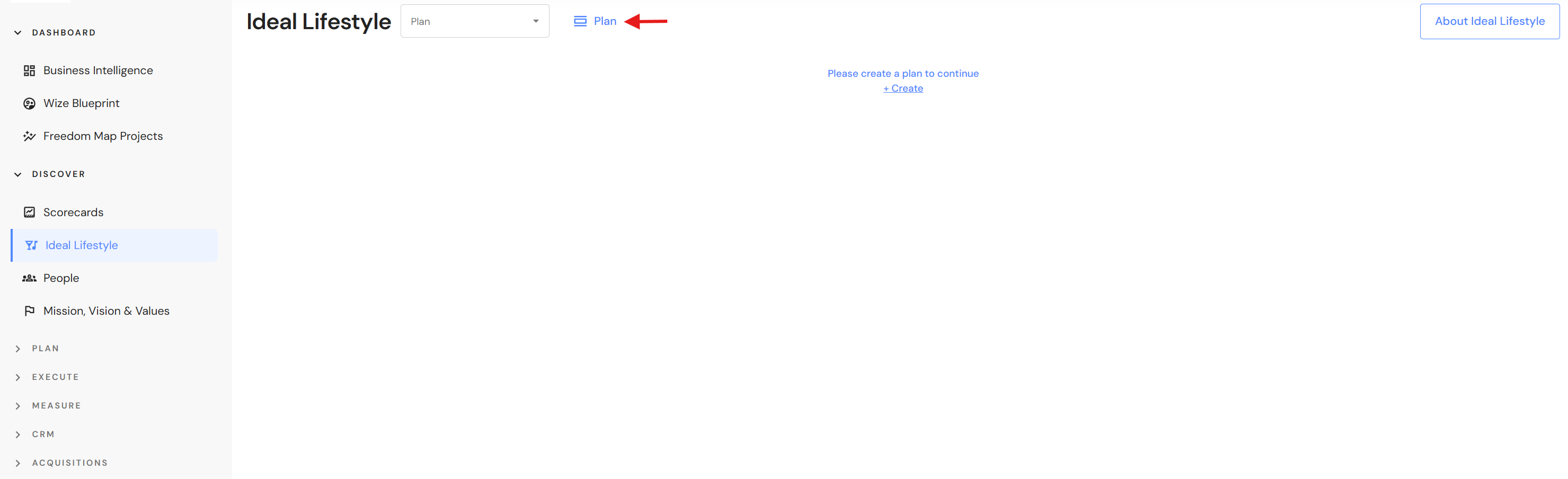
Go to Plan > Ideal Lifestyle
Create a plan.
- Click on 'Plan' (or '+ Create' for first time plans).
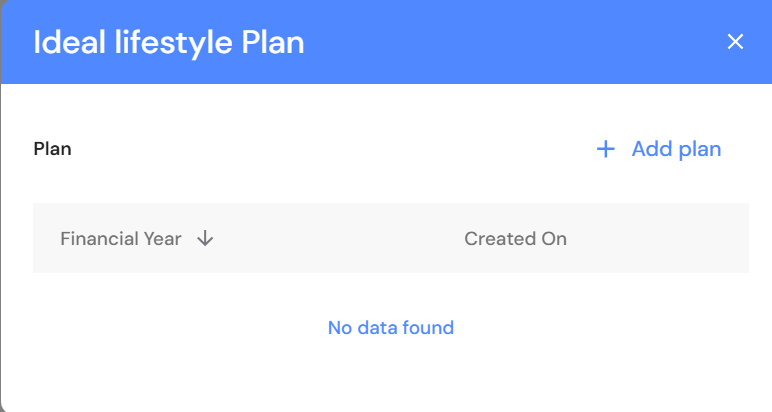
- Click on '+ Add plan'.
- Click on '+ Add plan'.
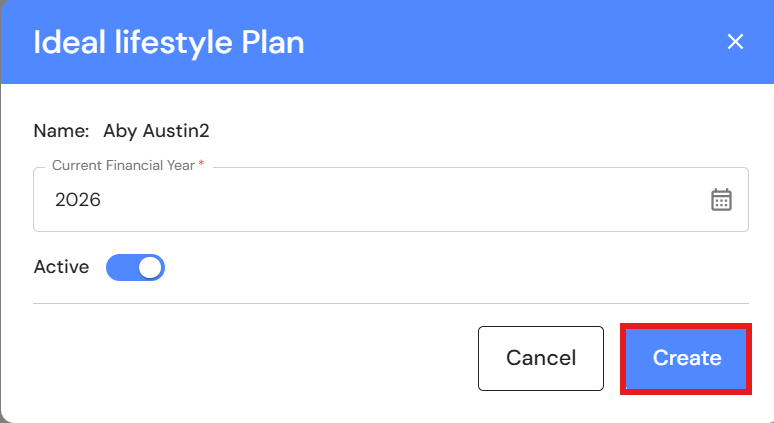
- Select the financial year and switch the 'Active' toggle on. Then, click on 'Create'.
Ideal Lifestyle
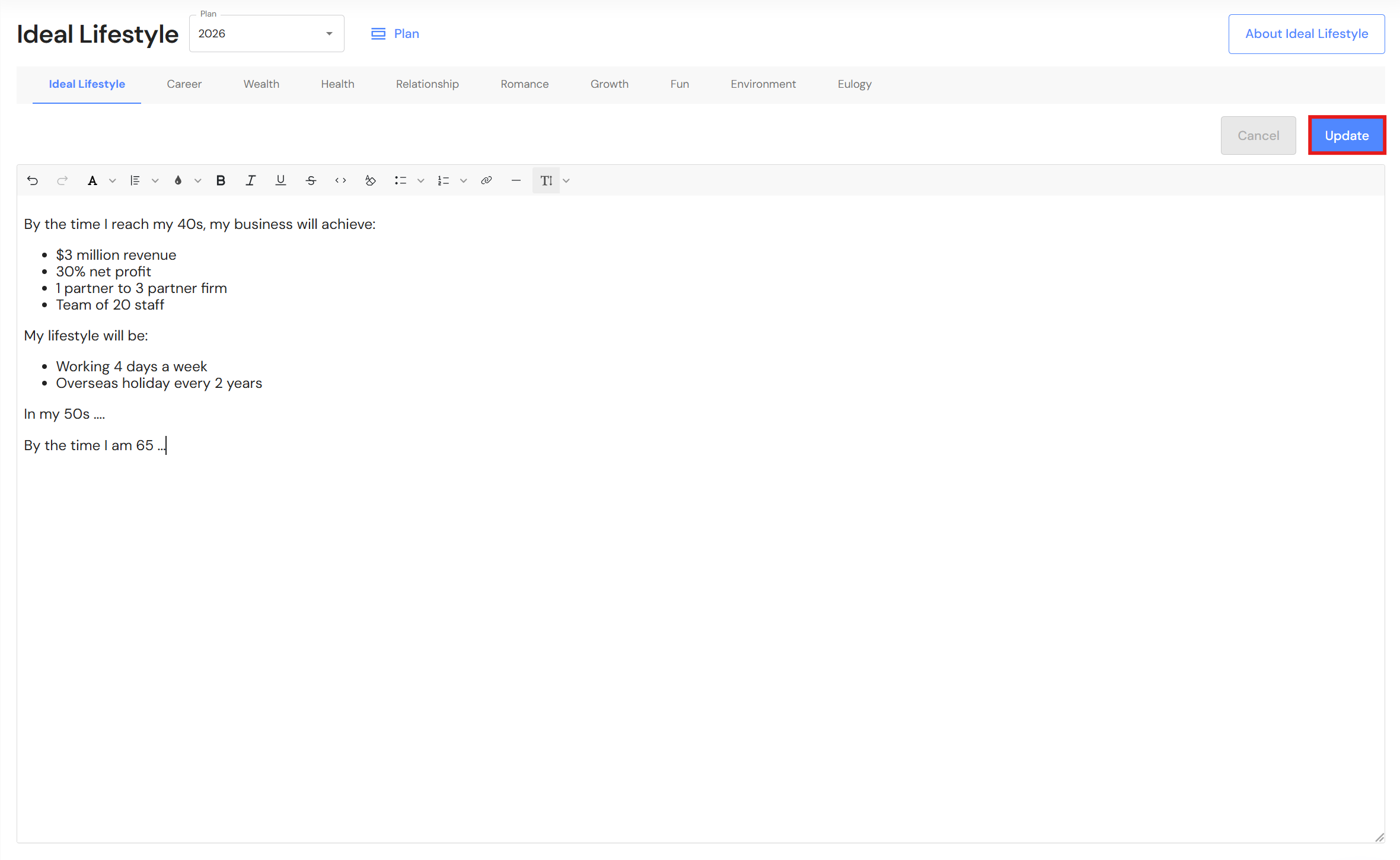
Summarise your ideal life at 65, or map out your major lifestyle goals for your 30s, 40s, and 50s - recognising that each decade will bring different priorities based on your life stage. Take a moment to picture your ideal future, then document the life you want to live.
Type details in the text box and click on 'Update'.
Life Segments
The Ideal Lifestyle includes the 8 life scorecard segments:
- Career
- Wealth
- Health
- Relationship
- Romance
- Growth
- Fun
- Environment.
Each segment includes the following features:
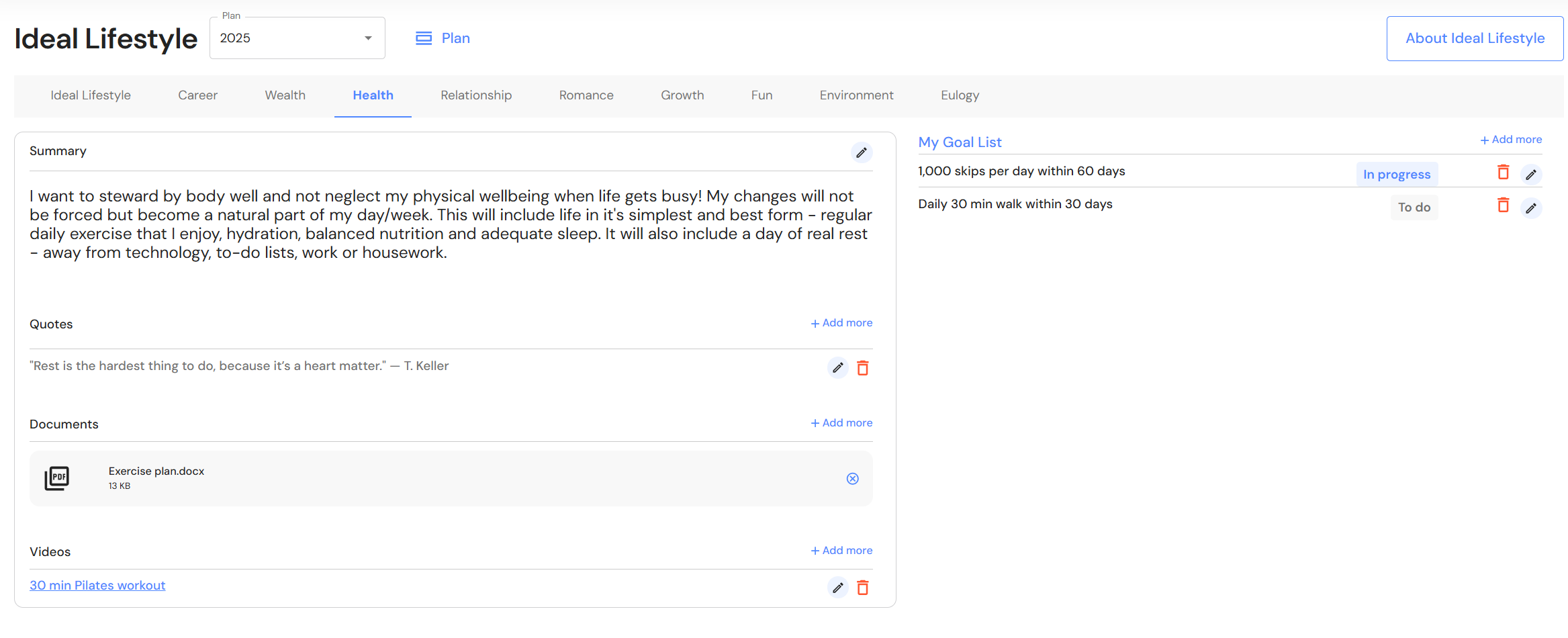
- Summary - Use this section to outline what your life segment will look like when you reach your goals.
- Quotes - Include inspirational quotes that resonate with you.
- Documents - Attach documents or images that contribute to your vision.
- Videos - Include motivational videos to support your journey.
- My Goal List - List individual goals and milestones.
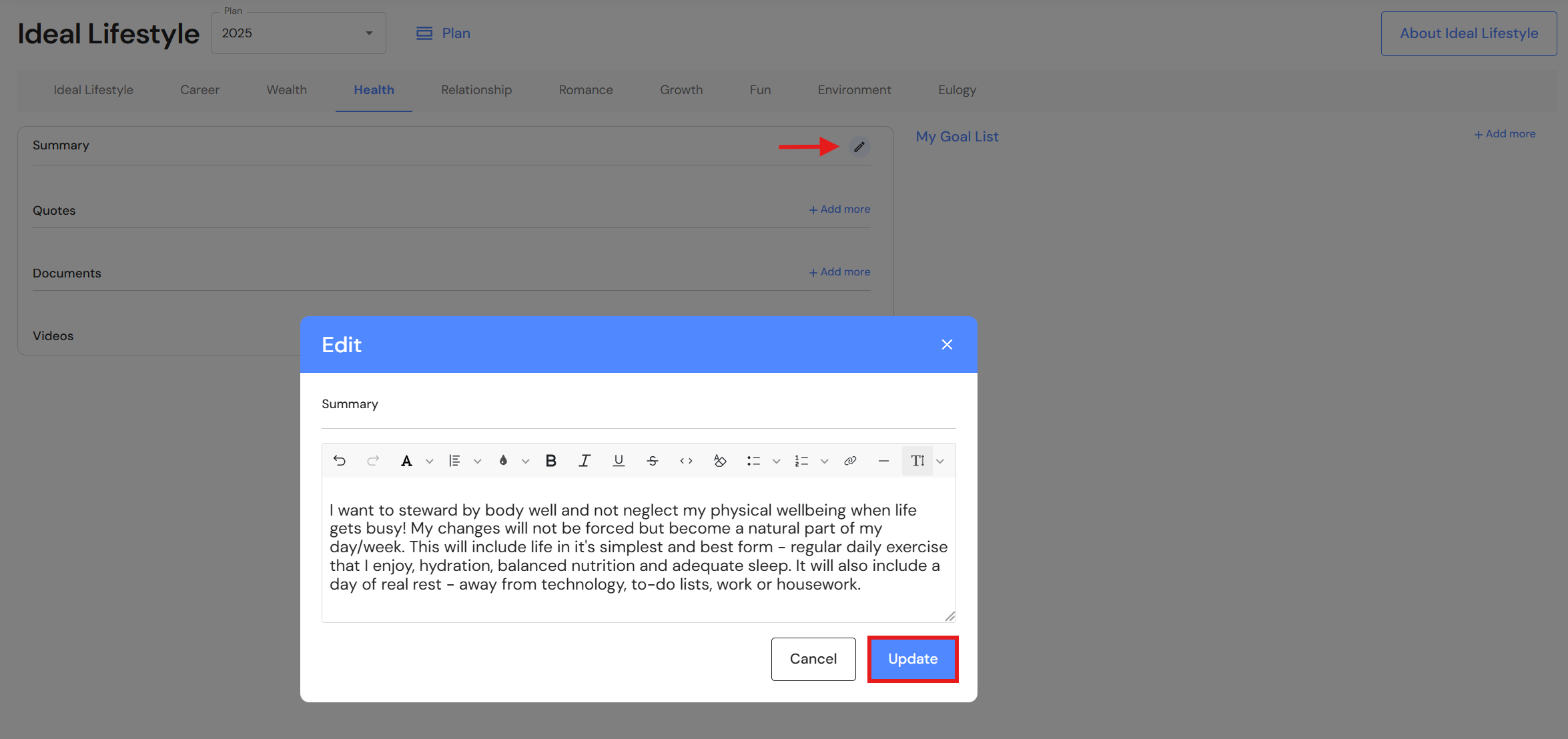
- Click on the edit icon to add context to your life segment. When you are finished, click on 'Update'.
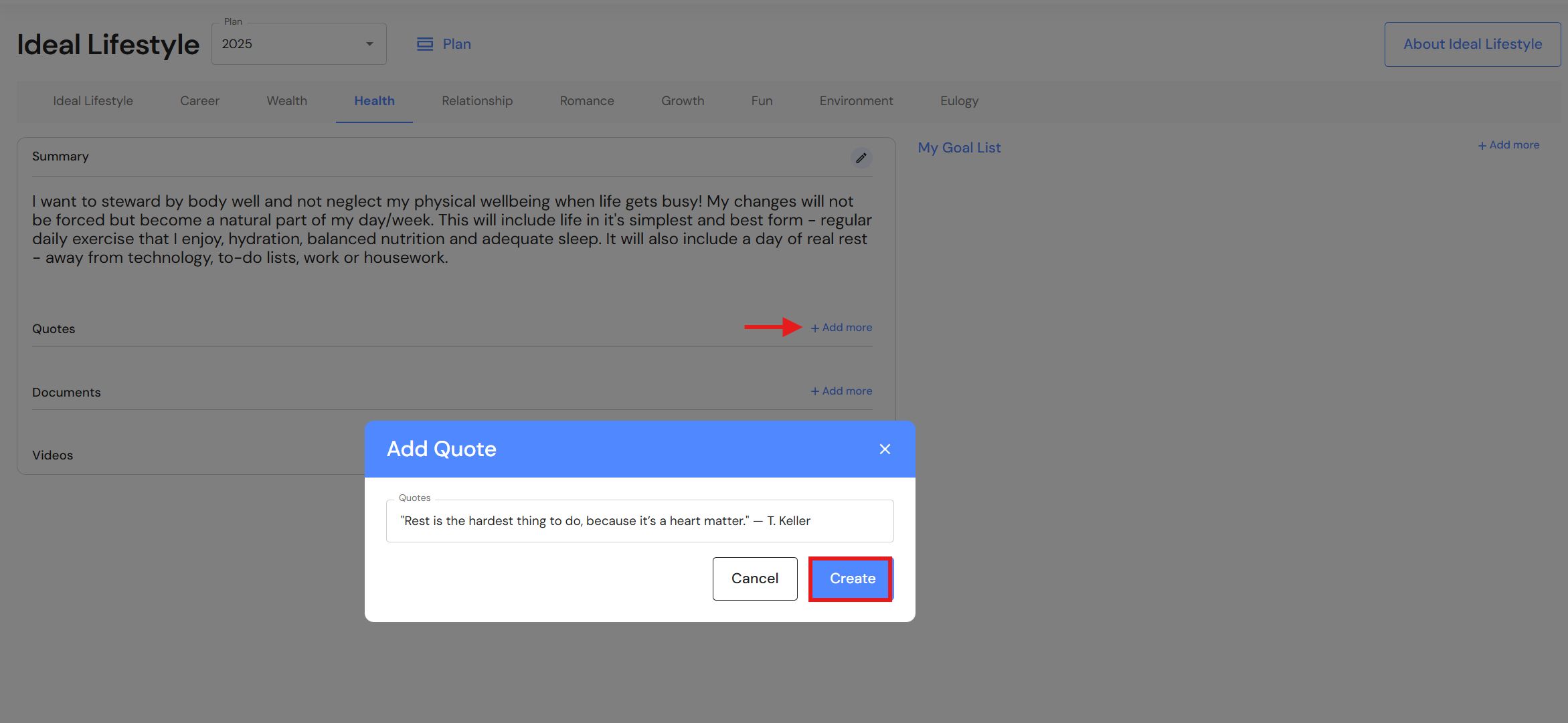
- Click on '+Add more' to add a quote.
- Type a quote and click on 'Create'.
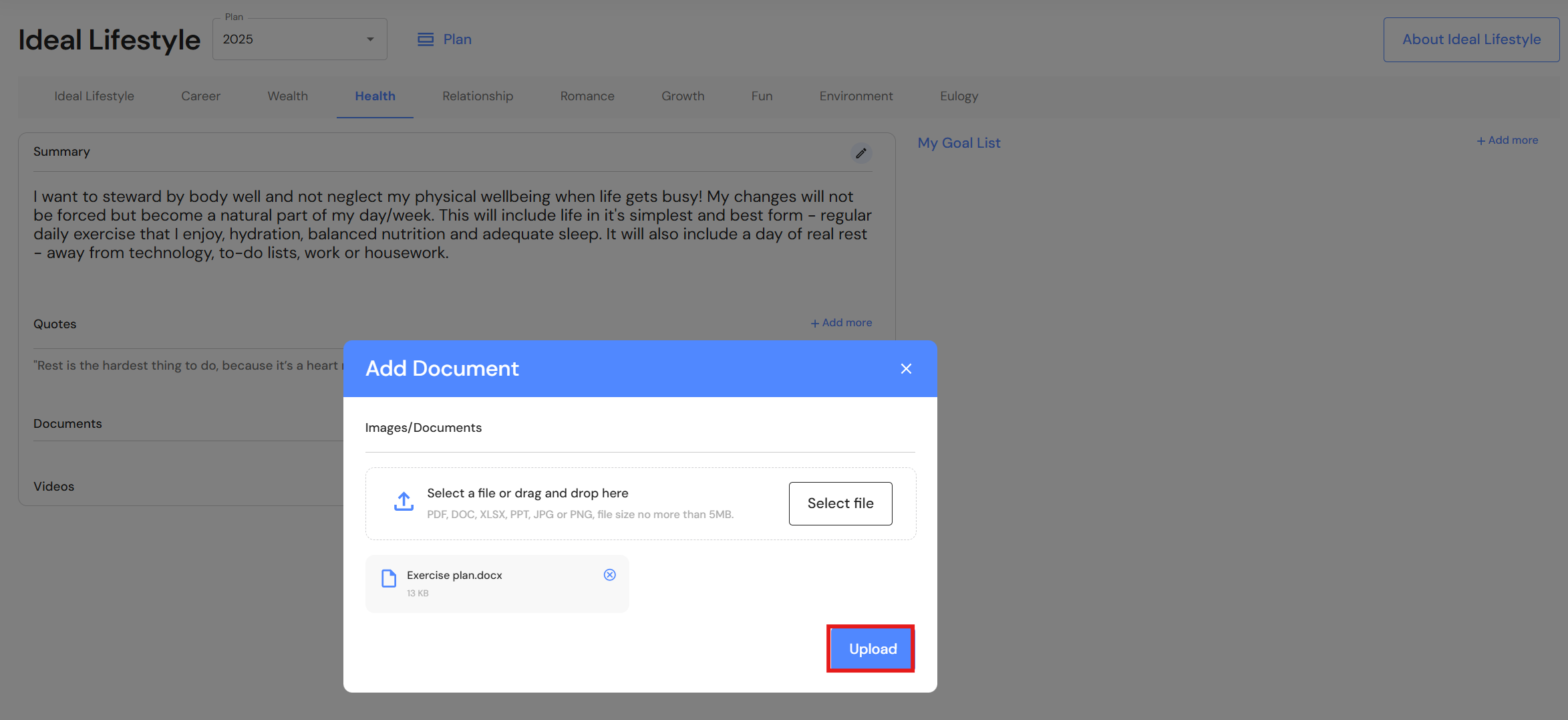
- Click on '+Add more' to attach a document or image.
- Drag and drop a file or click on 'Select file' to browse a location. Click on 'Upload' when you are finished.
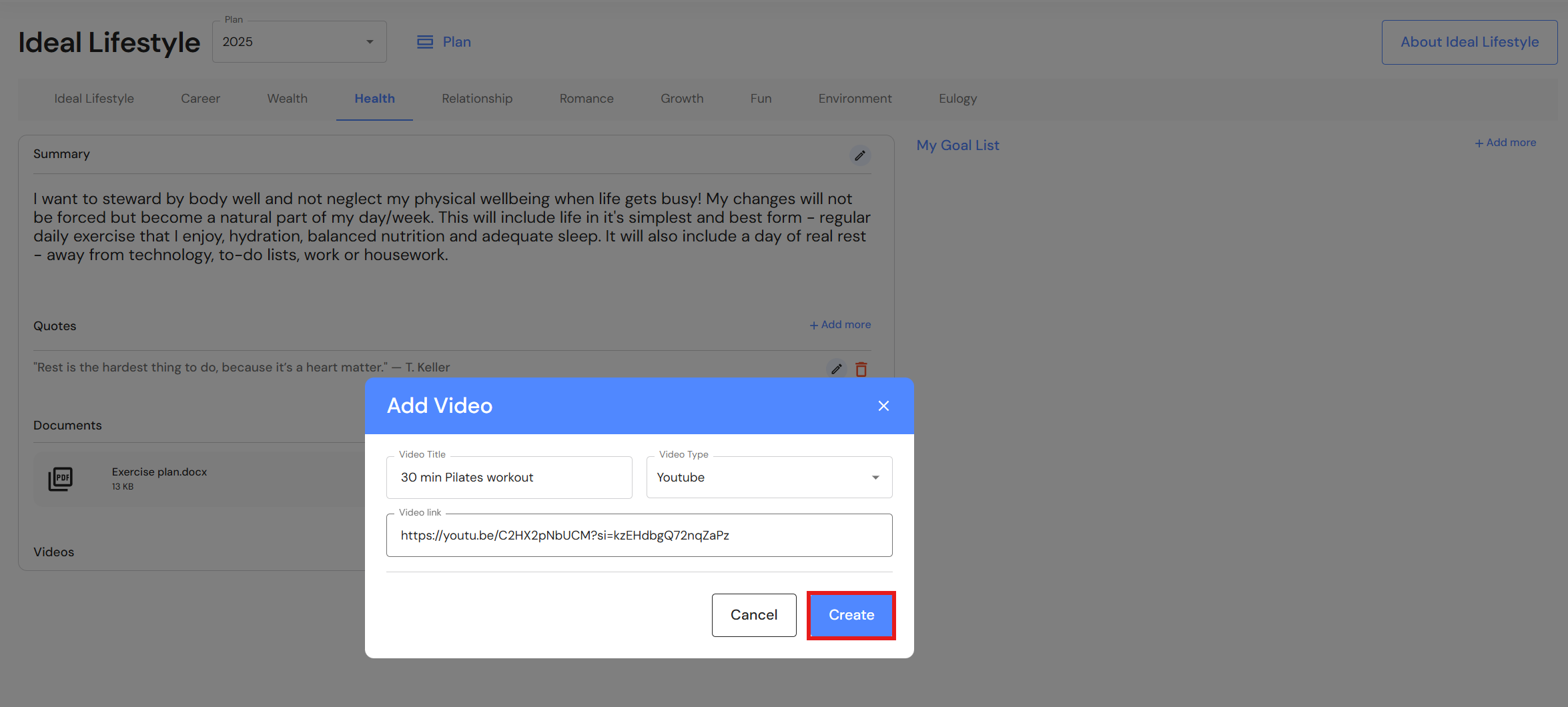
- Click on '+Add more' to attach a video.
- Add a video title. Select the video type and add the video URL. NB* Ensure the link starts with https://. Click on 'Create'.
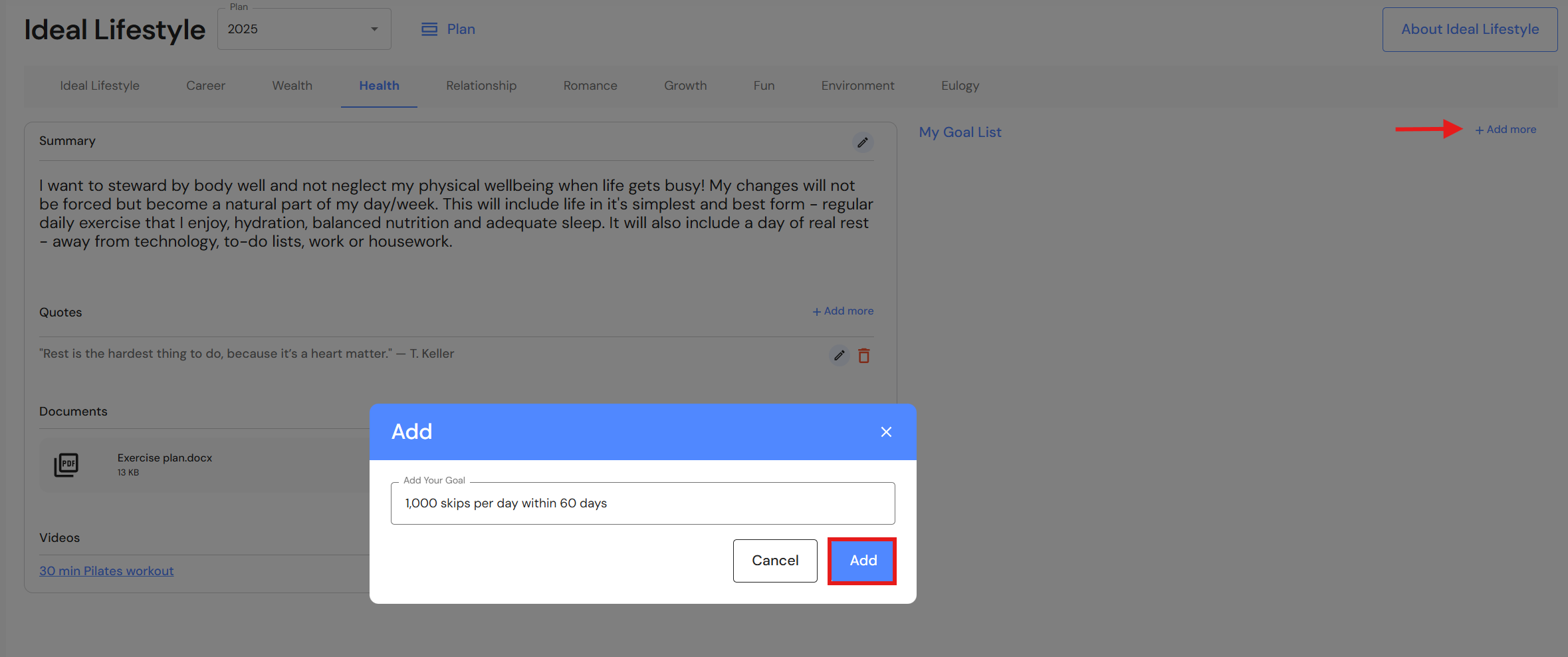
- Click on '+Add more' to add your goals.
- List a goal and click on 'Add'.
Be sure to add SMART goals. Specific, Measurable, Achievable, Realistic and Time Bound.
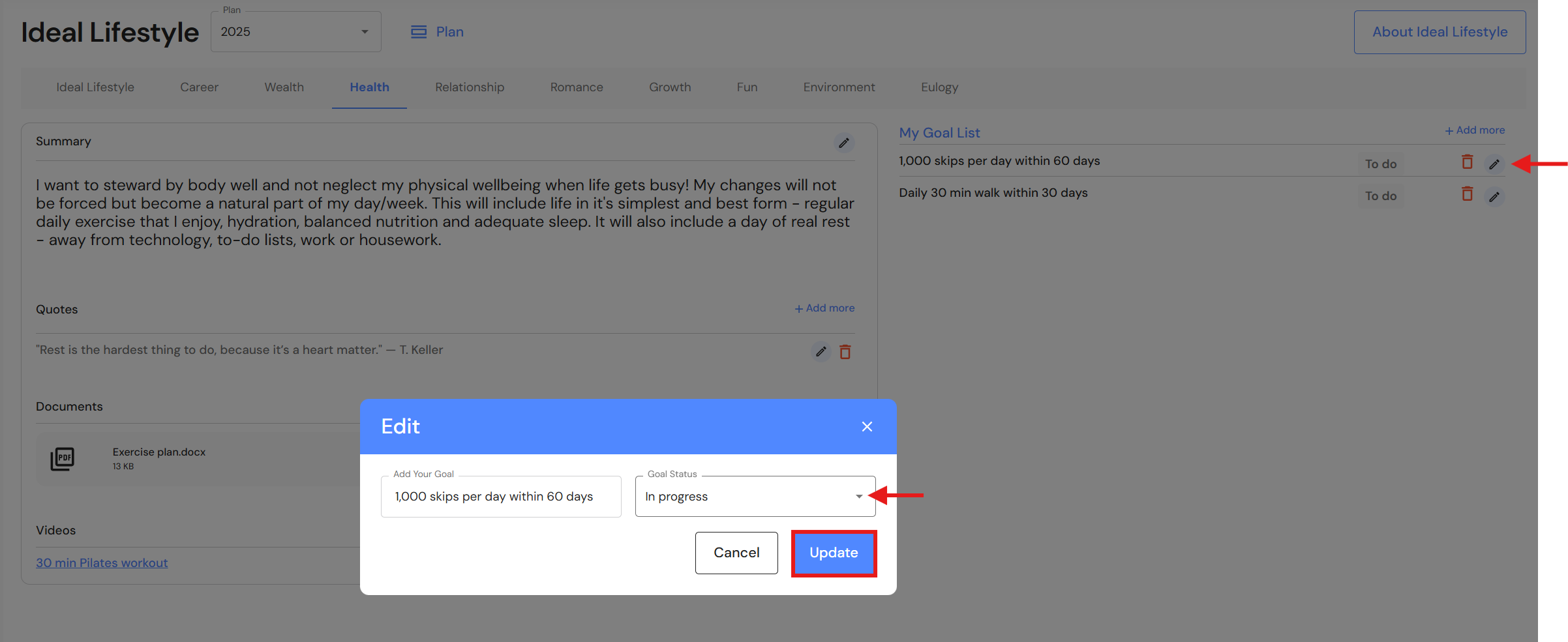
- Click on the edit icon to update your goal status. Click on 'Update'.
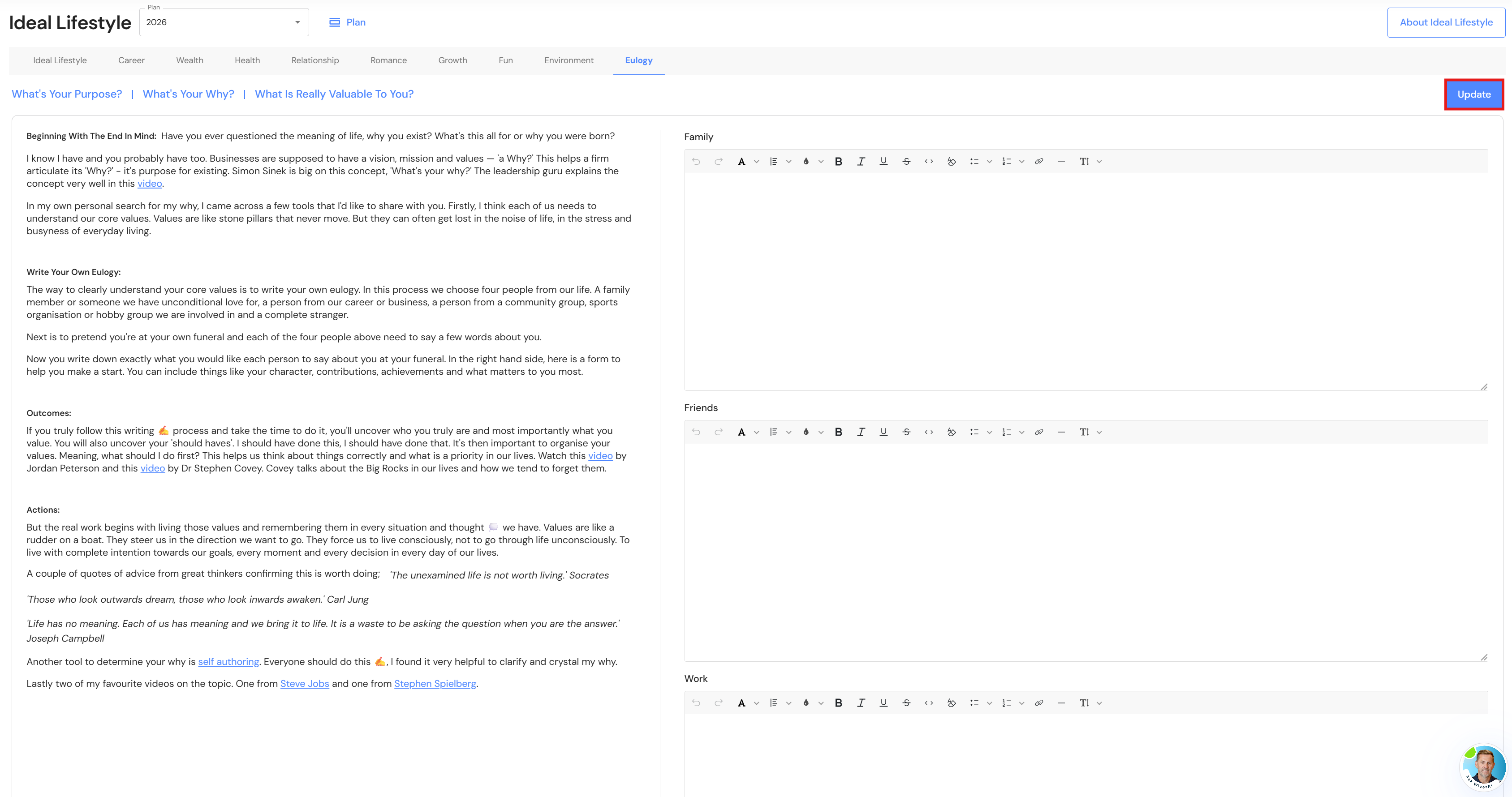
Eulogy
Writing your eulogy through the eyes of others helps you express the truth of your ideals. The process uncovers your core values, reveals your ‘should haves’, and guides your daily decisions toward the life you truly want.
Use what you uncovered in your eulogy to define your personal mission statement. Want to make this process easier? Copy your eulogy into ChatGPT and ask it to turn those insights into a personal mission statement.
Your business - let your mission guide you toward work that aligns with your natural strengths and deepest values.
Create your Eulogy
In the Eulogy tab, add text to each section under Family, Friends, Work and Community Service. Click on 'Update" to save your changes.