Release Notes - 26 June 2025
Auto-creation of FAB5 Schedules
We have added a feature for users to auto create the FAB5 schedules from the Budget & Capacity plan rather than creating each one manually.
When you create a Budget & Capacity plan, users can choose to create the FAB5 schedules at the same time.
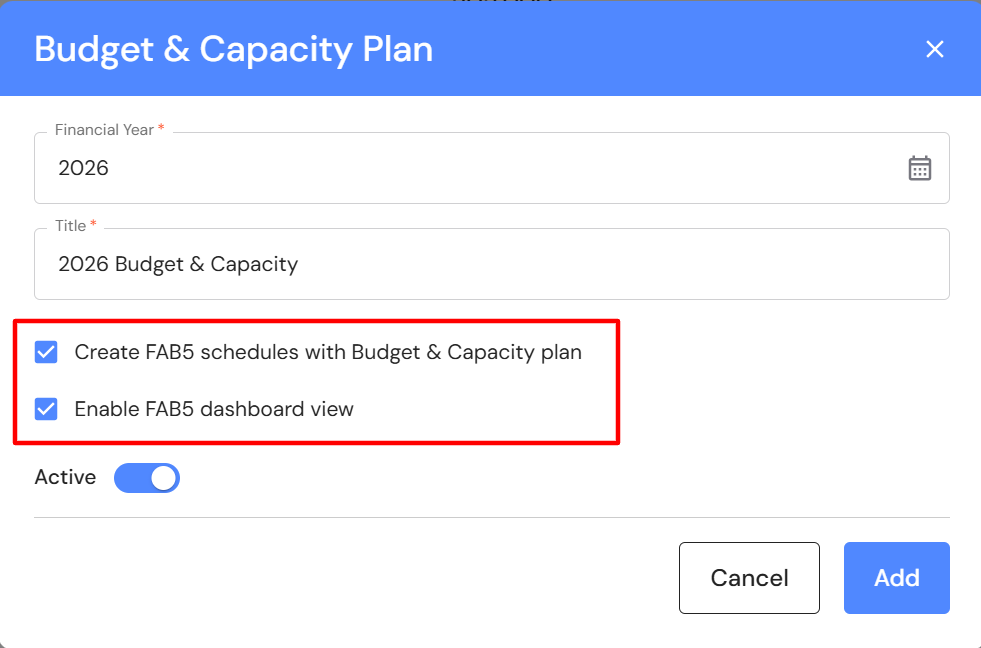
FAB5 schedules include:
- Fees
- EBITDA & Write offs
- Lockup
- Fees Won & Lost
- Client NPS
- Team NPS
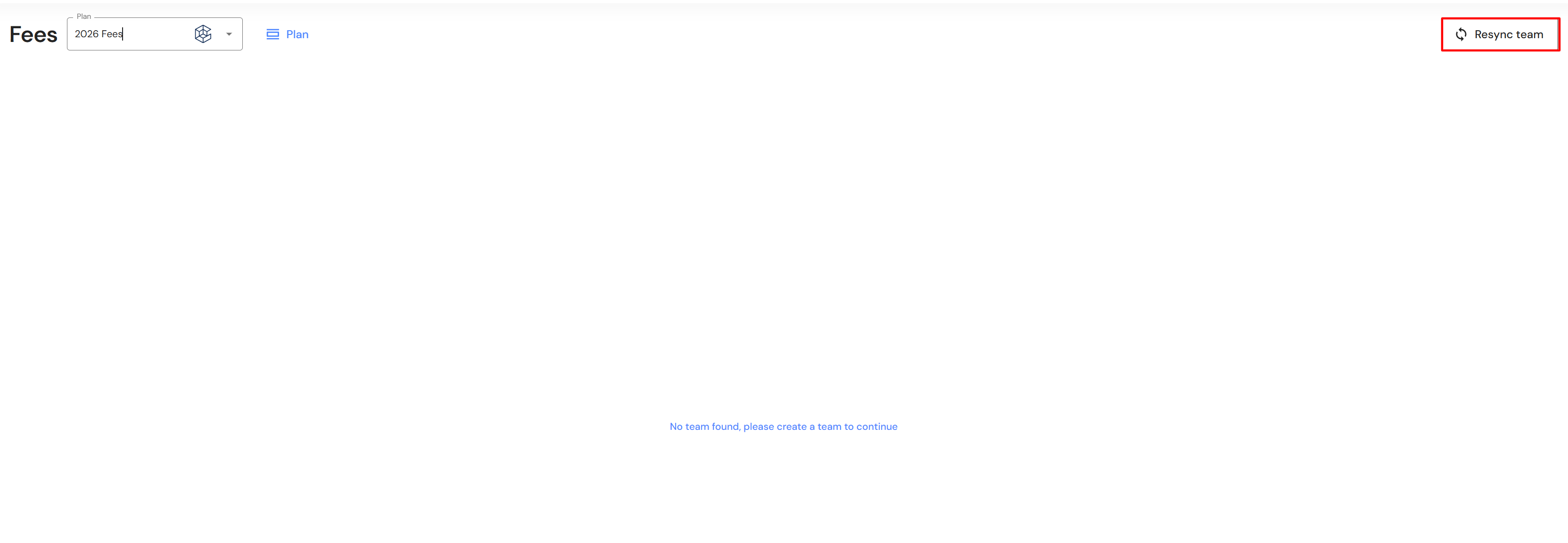
When the Budget & Capacity plan is finalised, all you need to do is click on 'Resync team' in each FAB5 schedule and your teams will populate.
Budget & Capacity scenario planning
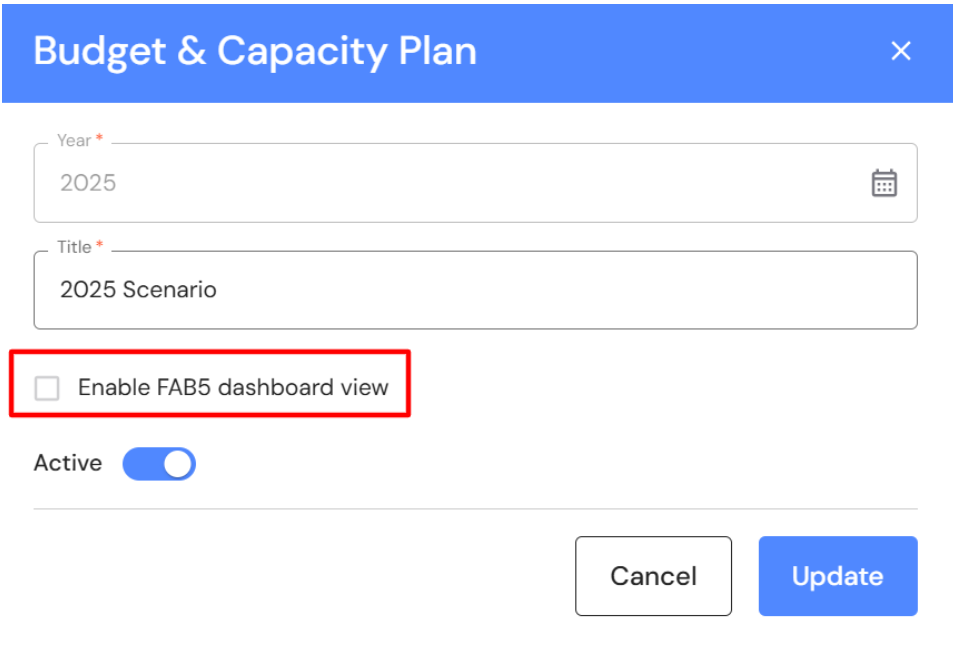
Users can also plan future changes and create a Budget & Capacity "What if" scenario without generating a blank FAB5 dashboard. Deselect 'Enable FAB5 dashboard view' in existing scenario plans or when creating a new Budget & Capacity plan.
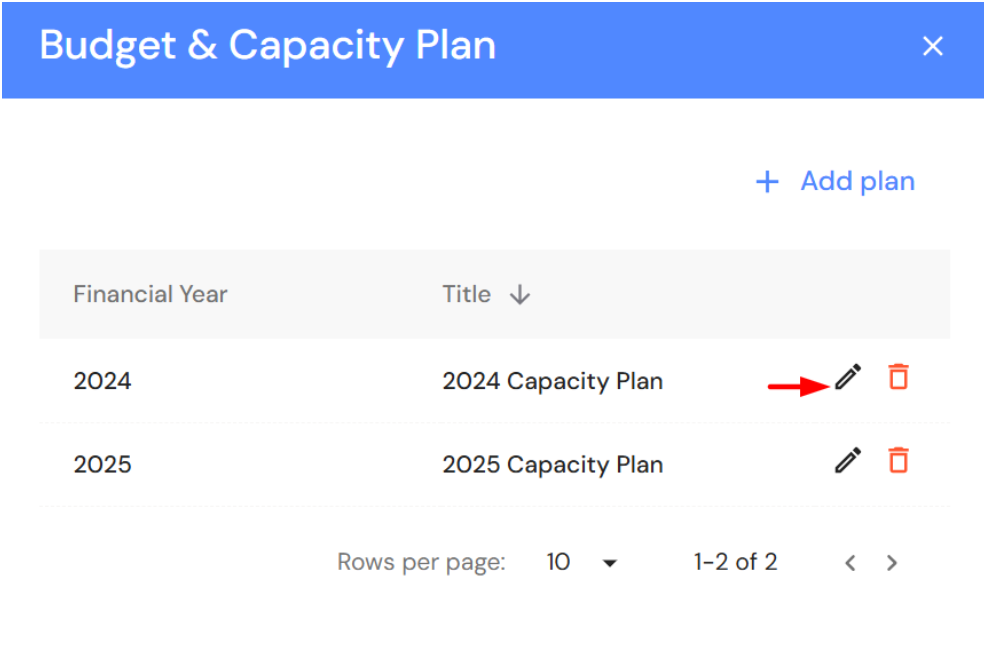
Go to Plan > Budget & Capacity
- Click on Plan
- Click on + Add plan or the pencil icon to edit an existing plan
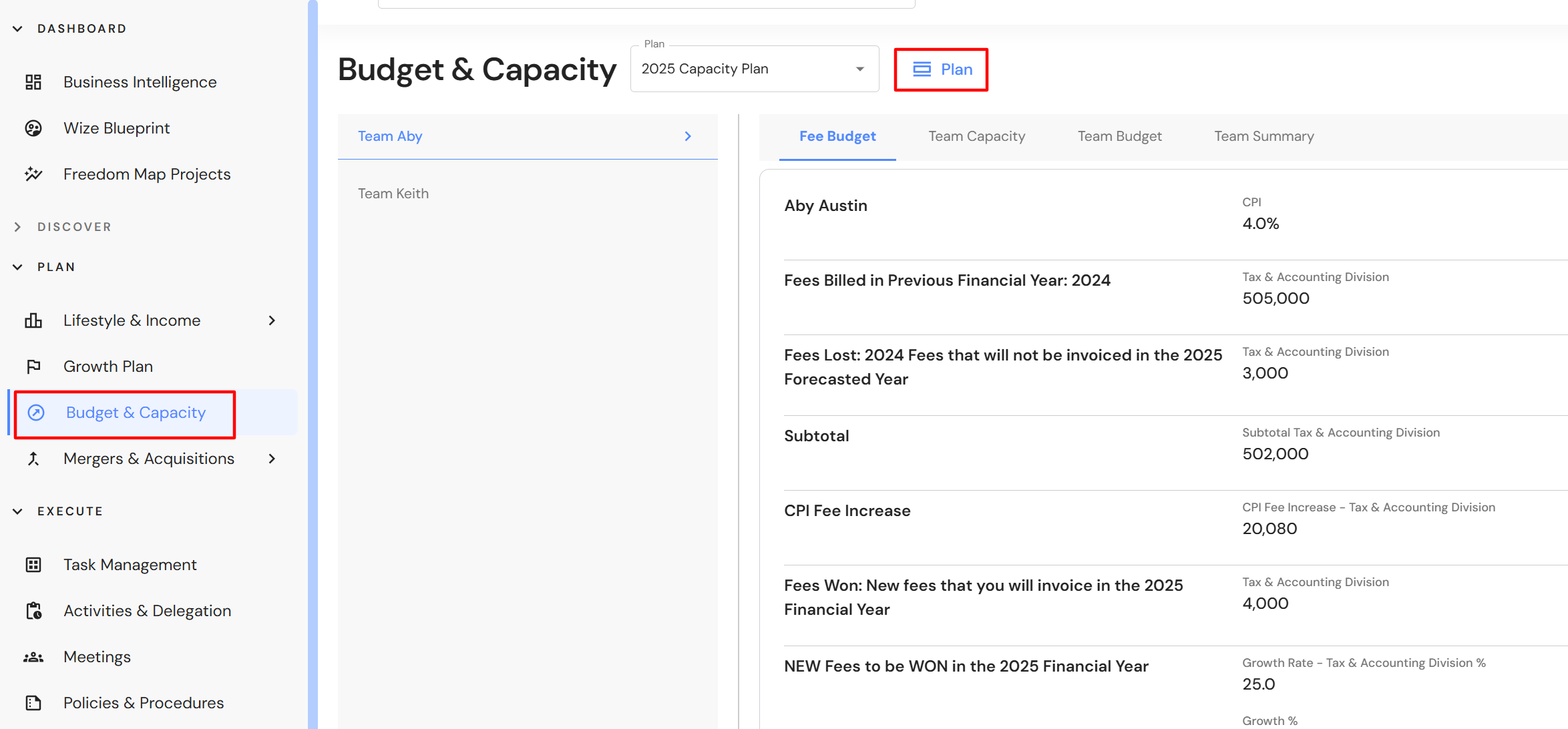
- Ensure 'Enable FAB5 dashboard is deselected
Minor Updates
Business Intelligence board
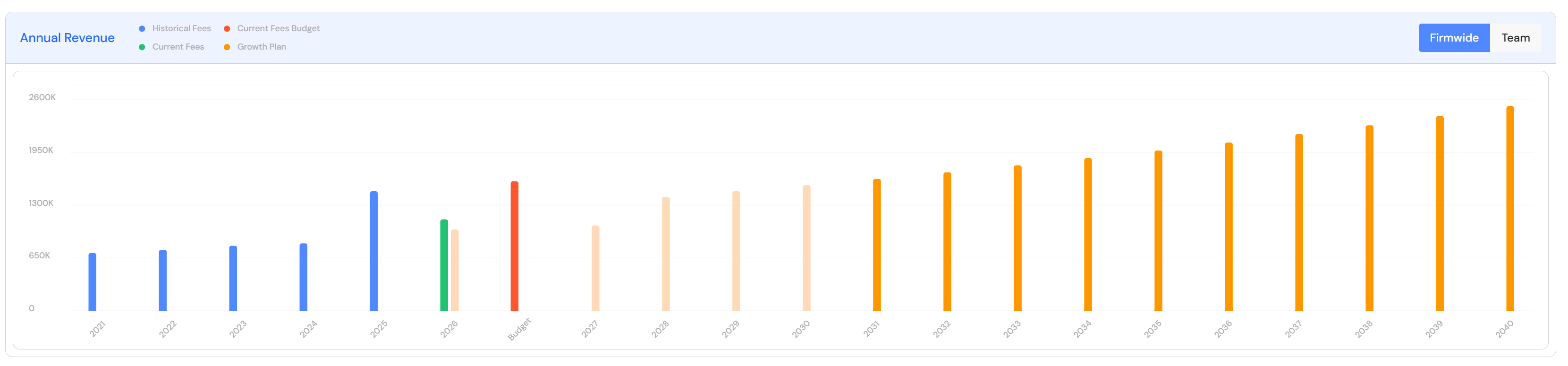
The Annual Revenue widget has been updated to include an overlay of the growth plan into historical and current fees in the firmwide chart.
Calendar view in EBITDA and FAB5 dashboard
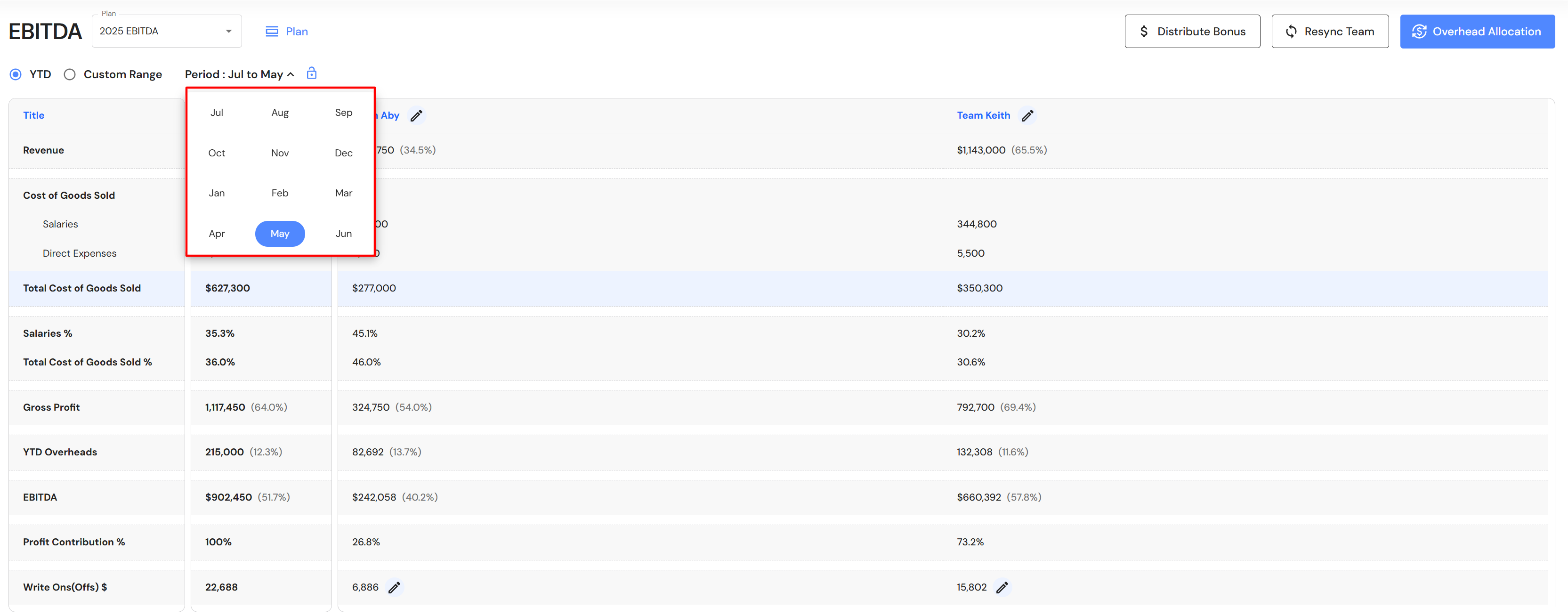
The calendar now aligns with a firm's financial year start date.
Lead Pipeline
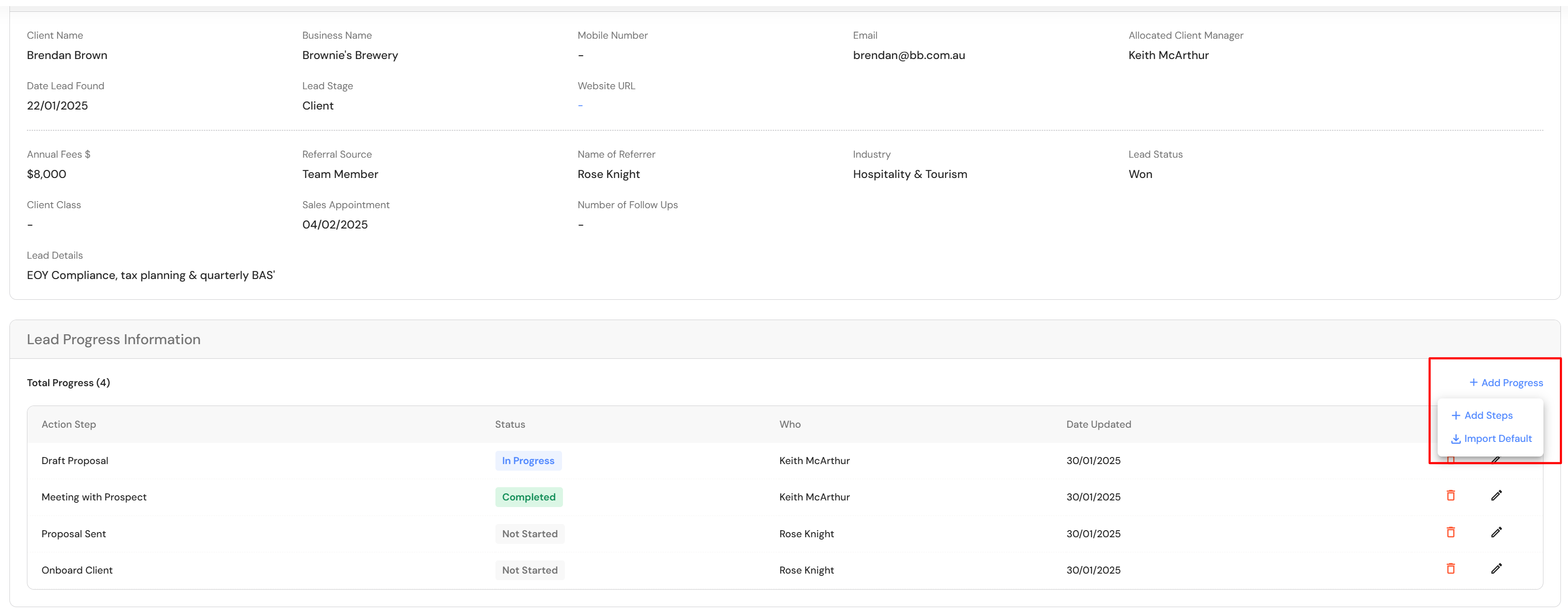
For older leads, users can easily import default lead action steps. If a lead has 1 or 2 action steps, the import will recognise the steps in the lead and only import what is missing.
Search bar
When using the search bar to access areas in the WizeHub, each selection will now open in a new chrome tab.
Same name plans
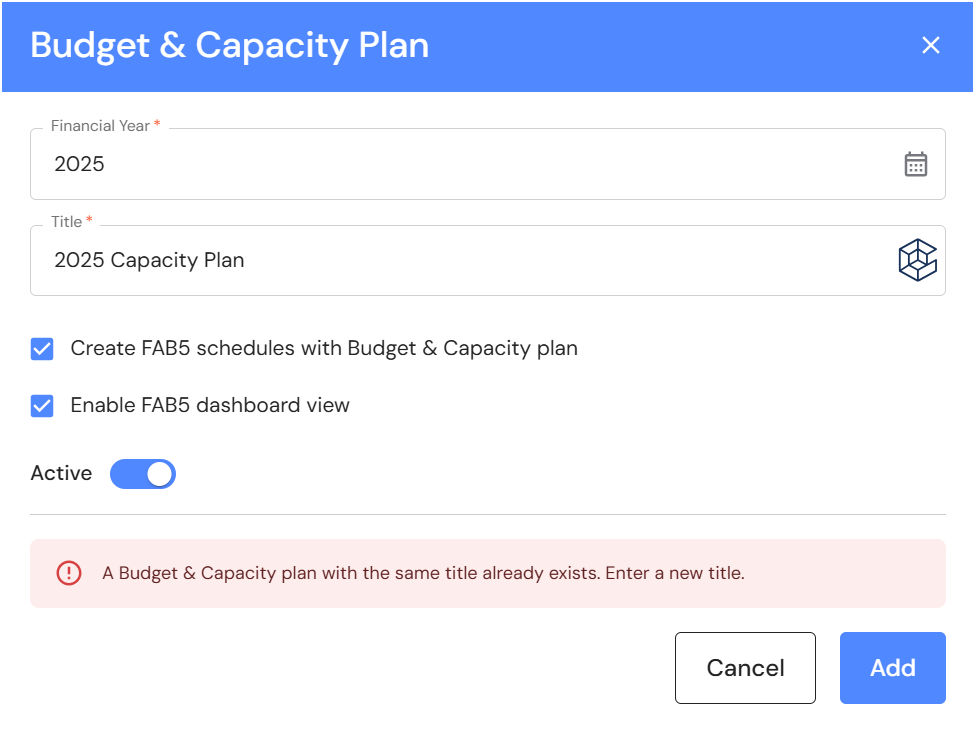
If a user creates a plan with the same name, you will be prompted that the name already exists. Enter a new title to create a new plan.