
Release Notes - 15 May 2025
Budget & Capacity
Team Summary - Direct expenses adjustment to reflect labour component in team capacity
We have recognised that many firms include out of pocket expenses eg. client's software subscriptions and other direct expenses in their fees. While direct expenses may be included in fees, they should be removed from capacity to show an accurate reflection of the real labour capacity by your team.
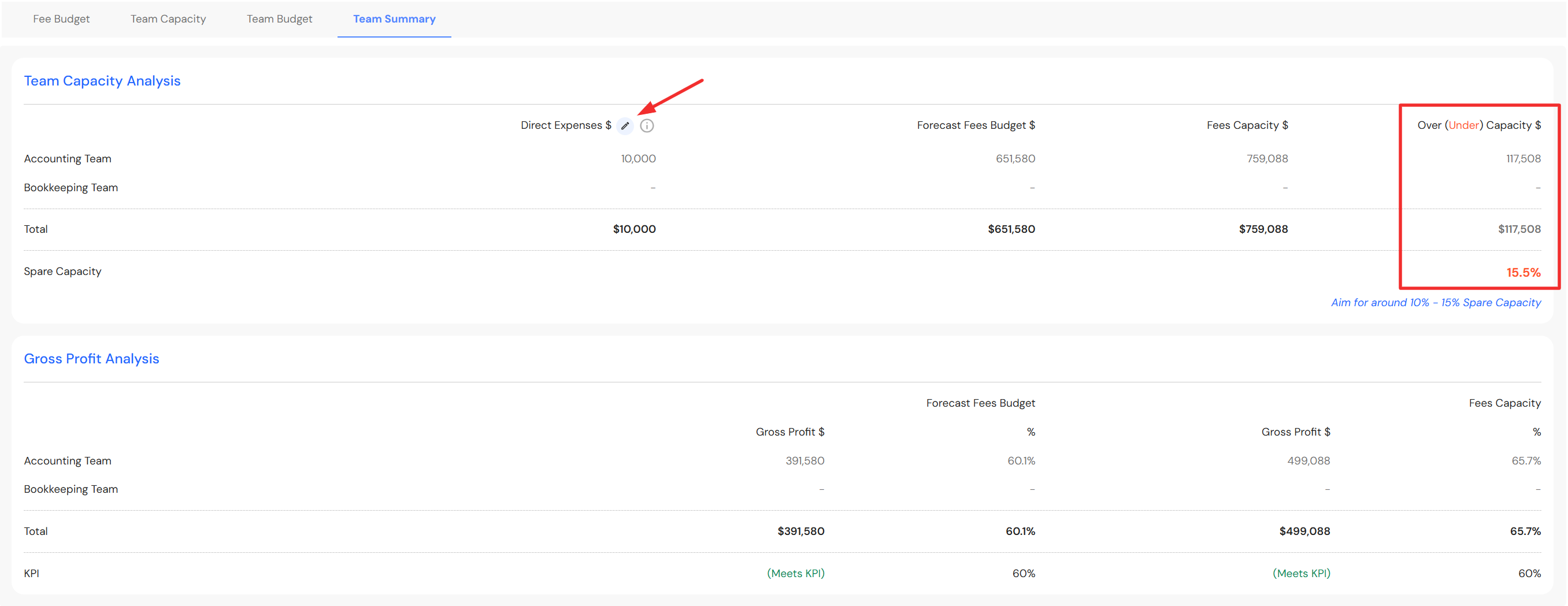
To allow for this, we have added a 'Direct Expenses' field in the Team Summary tab in the Budget & Capacity plan.
Go to Plan > Budget & Capacity
- Click on the Team Summary tab for each tab
- Click on the pencil icon to enter direct expenses
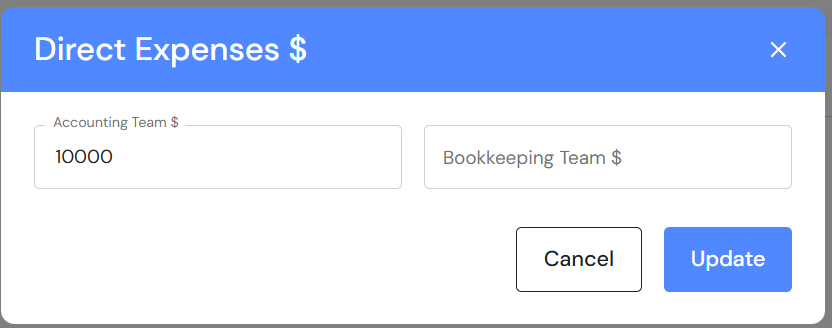
- Enter estimated annual direct expenses for your accounting team and/or bookkeeping team
- Click on update
The 'Over(Under) Capacity' column will be adjusted to reflect the labour component of capacity. In addition, your Gross Profit (GP) will include the value of direct expenses to show a more accurate reflection of your GP.
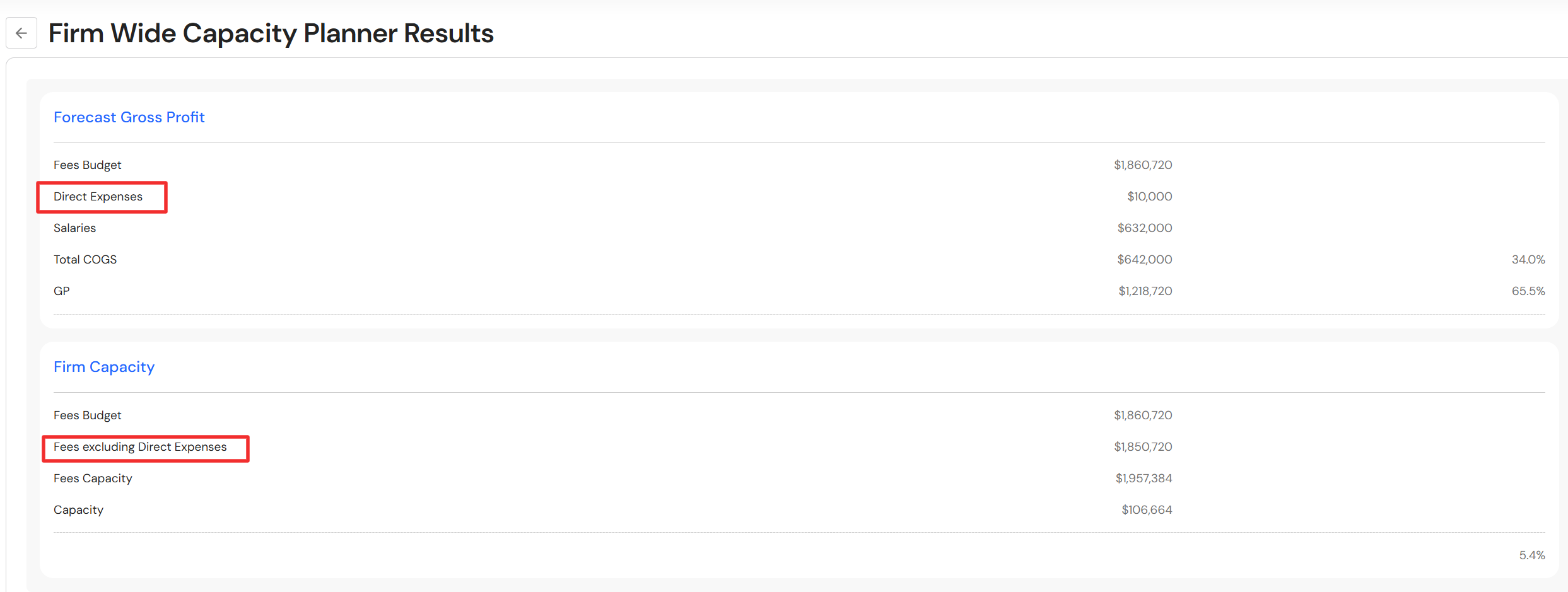
The firm wide capacity planner results has also been updated to include direct expenses.
EBITDA & Writes Offs
New Custom Date Range
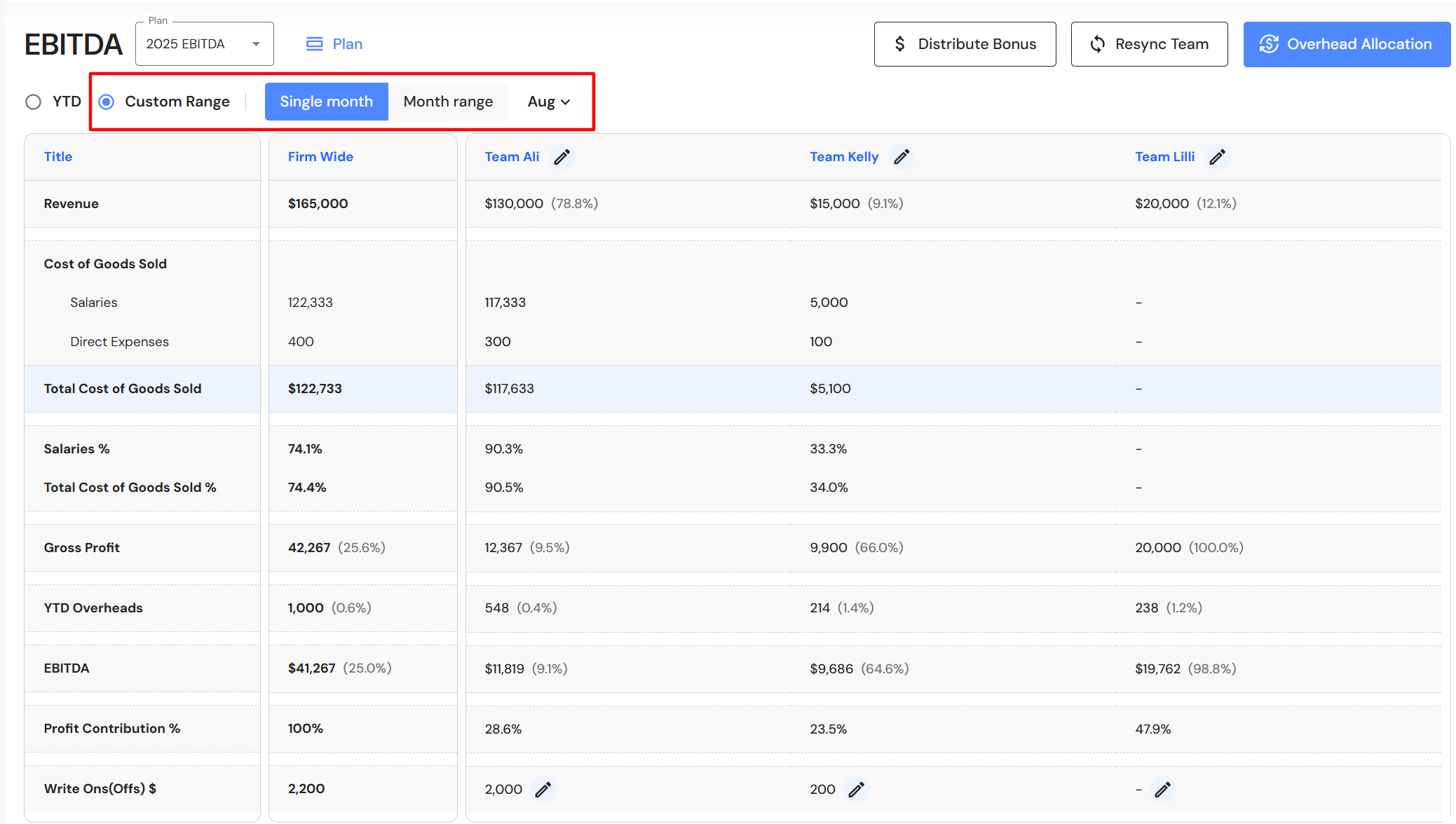
Users now have the ability to view their EBITDA & Writes offs data by a custom range. Click on 'Custom Range' and choose between:
- Single month - select a month
- Month range - select a start month and end month
FAB5 Dashboard
New Custom Date Range
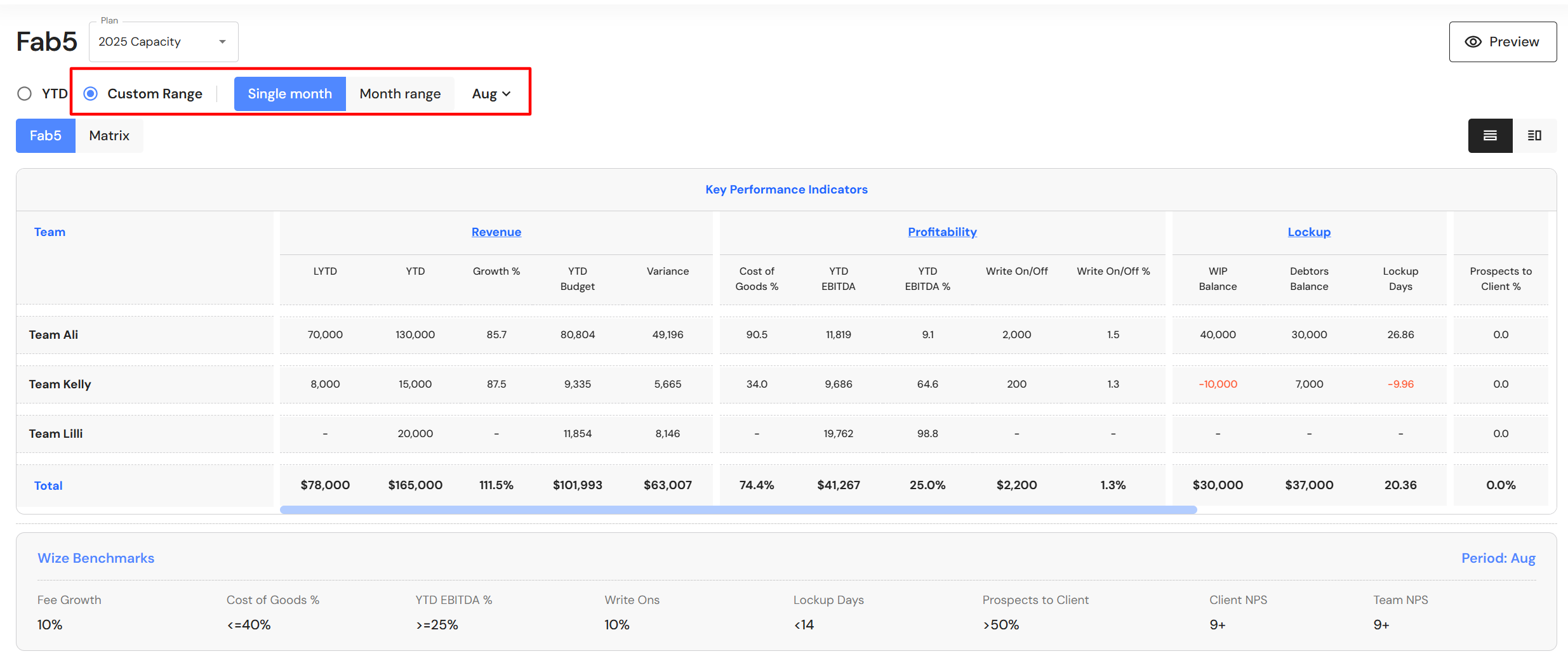
Users now have the ability to view their FAB5 dashboard by a custom range. Click on 'Custom Range' and choose between:
- Single month - select a month
- Month range - select a start month and end month
Team Structures
Appoint a new Senior Client Manager to an existing production team
We have added the option to transfer the leadership of a production team from one Senior Client Manager to another.
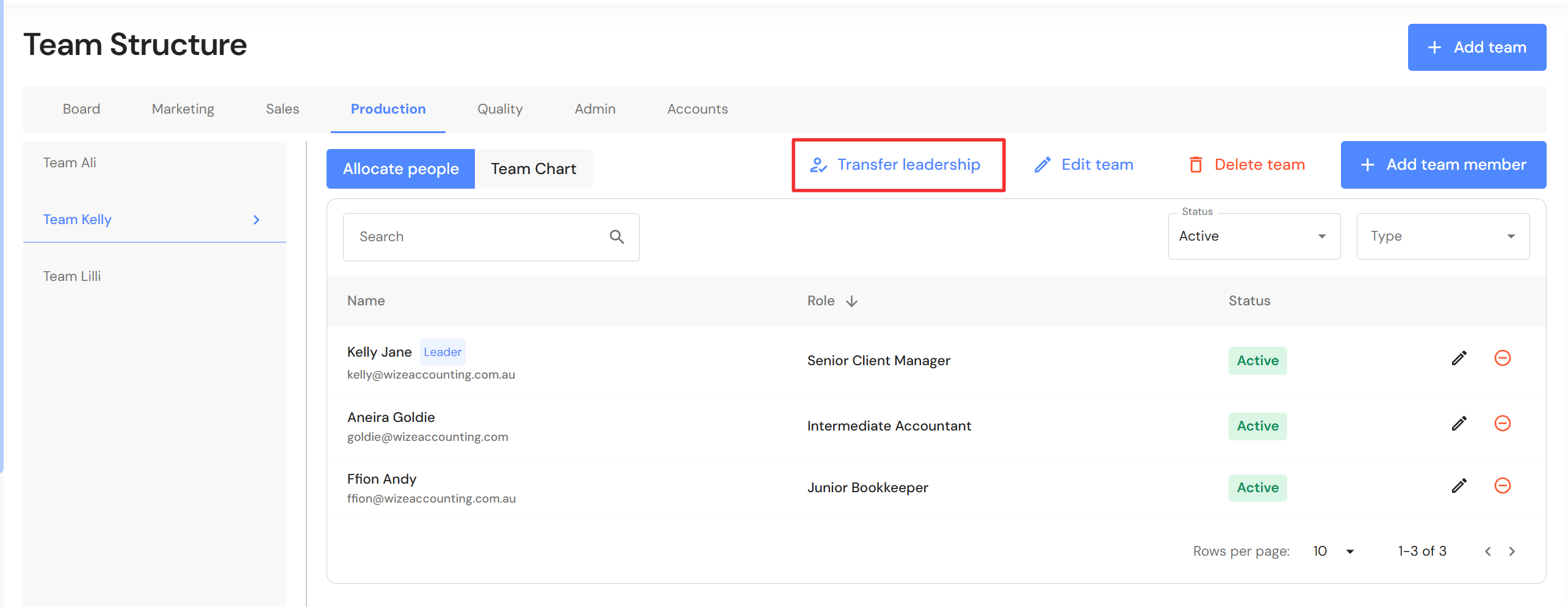
Go to Discover > Firm Profile > Team Structure
- Click on the Production tab
- Ensure the new Senior Client Manager has been added to the relevant team. If not, click on "+Add team member" to add them to the production team.
- Click on "Transfer leadership".
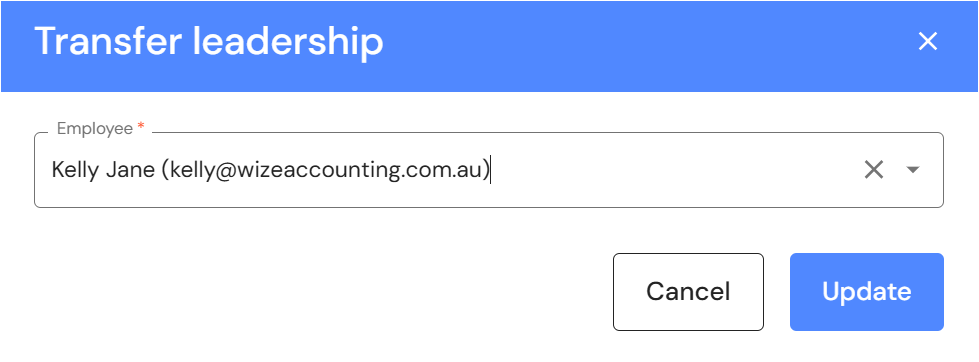
- Select the employee from the dropdown list and click on "Update".
Minor Updates
Activities & Delegation available for Production Team users
Production Team user roles now have access to the Activities & Delegation module. This is particularly helpful for senior production team members who wear multiple hats across divisions and they need to determine the best tasks to delegate.